Overview
Floatist can host a complete marketing website for your fleet, giving potential guests a professional booking experience without the need to build and maintain your own website. The marketing site displays your fleet, base information, availability, and allows guests to request bookings directly.
SEO and conversion
Section titled “SEO and conversion”The marketing website is fully optimized for search engine visibility. Floatist automatically generates structured data (JSON-LD) so that search engines like Google and AI-powered tools can easily index your fleet, bases, and availability. This helps potential guests find your charter business through organic search without any extra effort on your part.
The site is also designed to convert visitors into booking requests. Every page guides guests toward checking availability and submitting a booking request, maximizing the return on your website traffic.
The fleet listing page
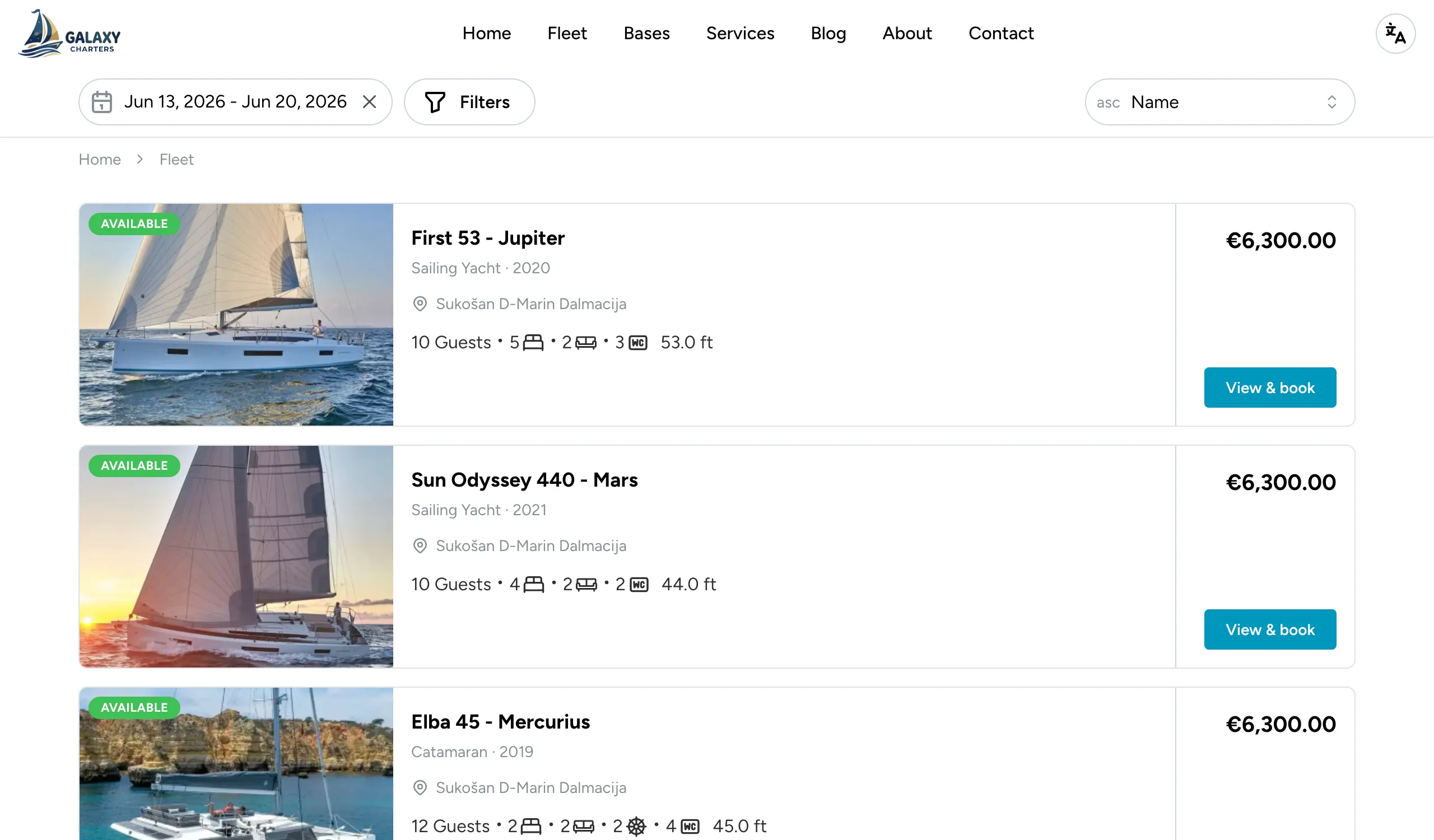
Section titled “The fleet listing page”The fleet listing is the page guests use to compare and pick a boat. Floatist generates it automatically from your boat data — there’s no separate “card” content to maintain — but a few of your setup choices control how each card looks:
- The boat’s primary image comes from the first image in the boat’s image gallery (Settings > Fleet). Reorder images on the boat page to control which one appears first.
- The “from X per week” price is calculated from your pricing setup. If the guest hasn’t entered specific dates, Floatist shows the lowest weekly rate available across the year.
- The tagged specs (cabins, berths, year, etc.) come from the boat’s basic details. Filling these in completely is the single biggest lever you have on this page, since guests can compare boats without clicking into each one.
- Availability state. When a boat is booked for the guest’s selected dates, its card darkens with a “Booked for your dates — try adjusting your search” overlay, so guests can still see it exists but understand they need to change dates.
The booking request flow
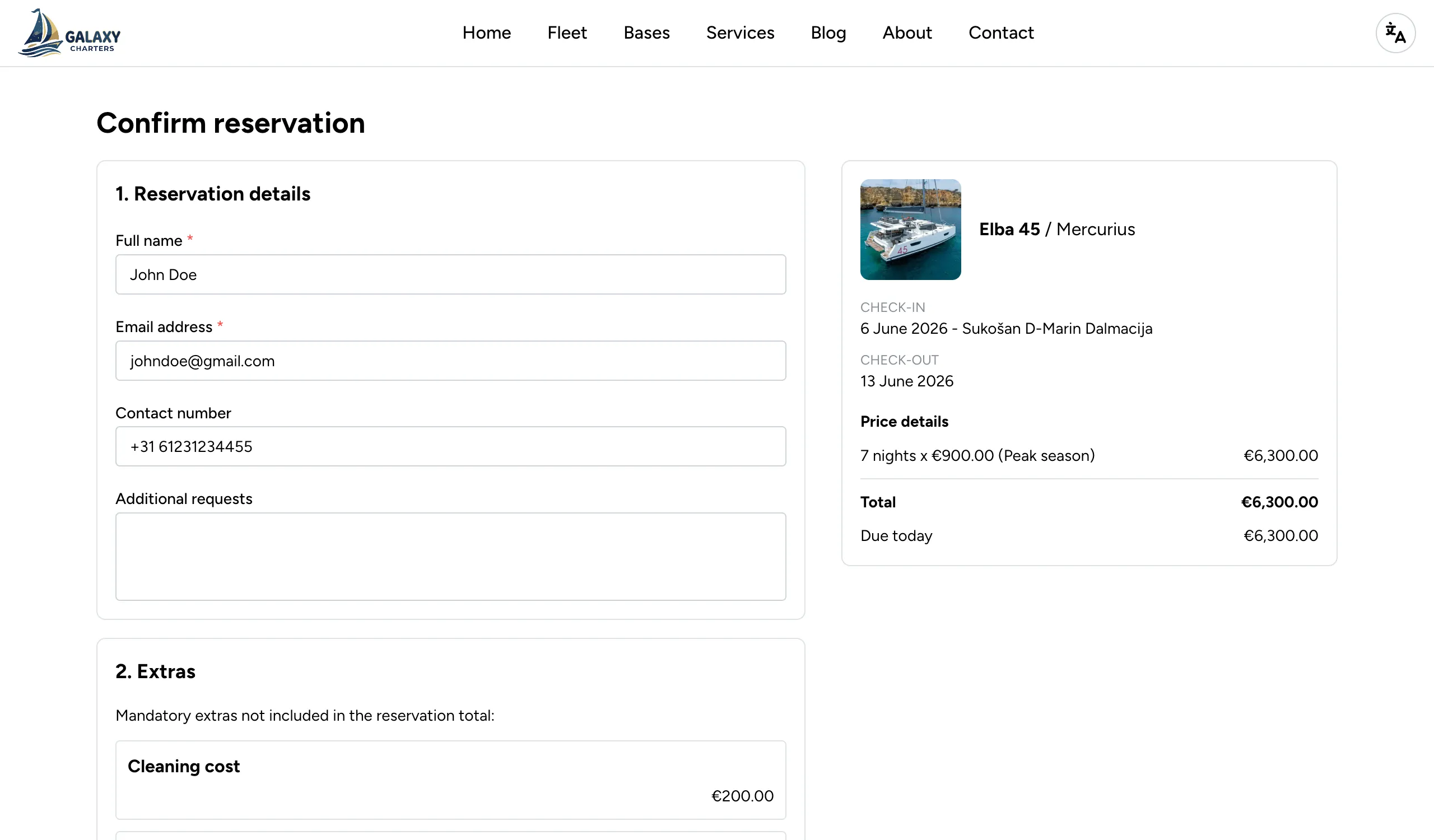
Section titled “The booking request flow”When a guest picks a boat and dates, they enter the booking request flow. The flow shows the total price up front, along with the check-in and check-out time (not just the date) at every step — the availability calendar, the summary card, and the confirmation page — then steps the guest through their details and a review of any obligatory extras that have to be paid at the base. Once they submit, a booking request lands directly in Floatist for you to review and accept — no manual follow-up is required to capture the lead.
For the operator side of the request, reviewing it, contacting the guest, and deciding the outcome, see Managing booking requests.
Configuration
Section titled “Configuration”You can configure your marketing website at
Settings > Marketing site > Configuration. The following settings are available:
Branding
Section titled “Branding”Set your font, brand color, home page secondary color, and footer color to match your company’s visual identity. These settings apply throughout the marketing site.
You can also opt to use your brand color as the background for the Introduction and Footer sections, which makes the brand feel more present and consistent — particularly useful for operators whose identity relies on a distinctive primary color.
Content
Section titled “Content”The marketing site has several text sections you can customize:
- Introduction: The main text displayed on the homepage, introducing your company and fleet to visitors.
- About us: A dedicated section where you can describe your company, team, and what makes your charter experience unique.
- Home outro: Additional content at the bottom of the homepage. This is a good place to add frequently asked questions, testimonials, or any other information you want guests to see.
Partner logos
Section titled “Partner logos”You can add logos of your partners, sponsors, or affiliations. These are displayed on the marketing site to build trust and credibility with potential guests.
Google Reviews
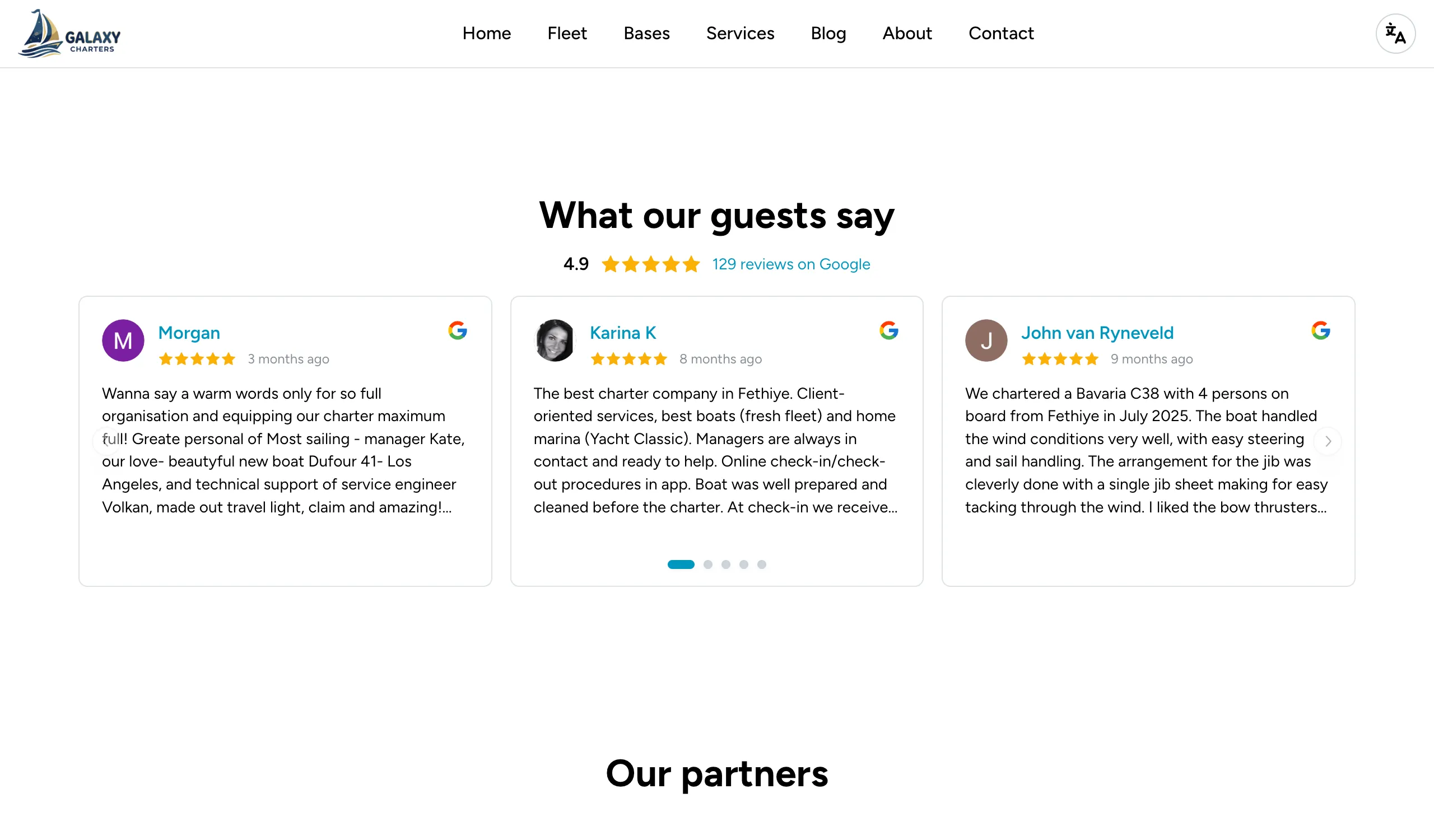
Section titled “Google Reviews”You can embed your Google Reviews directly on the marketing site, showing real feedback from past charters without sending visitors off to another platform. Real reviews on your own site help build trust and turn visits into bookings.
Services
Section titled “Services”You can highlight the services your operation offers — for example, bareboat charter, skippered charter, day charter, or transfers. Configure them at Settings > Marketing > Services.
Each service has a Title, Description, an optional image, and an Order number that controls how services sort on the public site. Lower numbers appear first; leave Order empty to sort by publication date instead.
Blog posts
Section titled “Blog posts”The marketing site includes a blog section where you can publish articles — sailing tips, destination guides, fleet updates, or seasonal promotions. Configure posts at Settings > Marketing > Blog posts.
Each post has a Title, Description, content, an optional image, and an Order number that controls how posts sort on the public site. Lower numbers appear first; leave Order empty to sort by publication date instead.
Image specifications
Section titled “Image specifications”Different surfaces of the marketing site use different image dimensions and aspect ratios. To keep images crisp on retina and high-DPI displays, upload at roughly 2× the displayed size or larger — the browser will downscale as needed, but an undersized image will look soft.
| Surface | Aspect ratio | Displayed size (px) | Recommended source (2×) |
|---|---|---|---|
| Hero (home page) | ~17:10 (1.71:1) | 1280 × 750 | 2560 × 1500 or larger |
| Services & blog | ~3:2 (1.46:1) | 720 × 493 | 1440 × 986 or larger |
| Fleet & base gallery | Mixed | varies — see below | ≥1600 px on the long side |
Fleet and base galleries
Section titled “Fleet and base galleries”The fleet and base galleries use a 1 large + 4 small layout when there are 5 or more photos on the boat or base. To make the gallery look right:
- Provide at least 5 photos per boat and per base.
- The first photo is featured in the large left-side slot and also appears in the fleet listing card. Lead with your strongest shot.
- Mixed aspect ratios are fine — landscape generally reads best for exteriors and marina aerials, portrait works for interiors. The grid accommodates both.
Base information
Section titled “Base information”It is important to add the correct Google Places ID for each base. This ensures the base location shows up nicely on a map in both the marketing site and the guest app. You can find your base’s Place ID using Google’s Place ID Finder.
Boat availability
Section titled “Boat availability”Before any boats are shown on the marketing site, you need to configure their availability using availability calendars. Without availability configured, boats will not appear to visitors.
See Boat availability for detailed instructions on setting up availability calendars and assigning them to your fleet.
Custom domain
Section titled “Custom domain”You can connect your own domain name to the Floatist-hosted marketing site. See Custom domain for setup instructions.
Social sharing
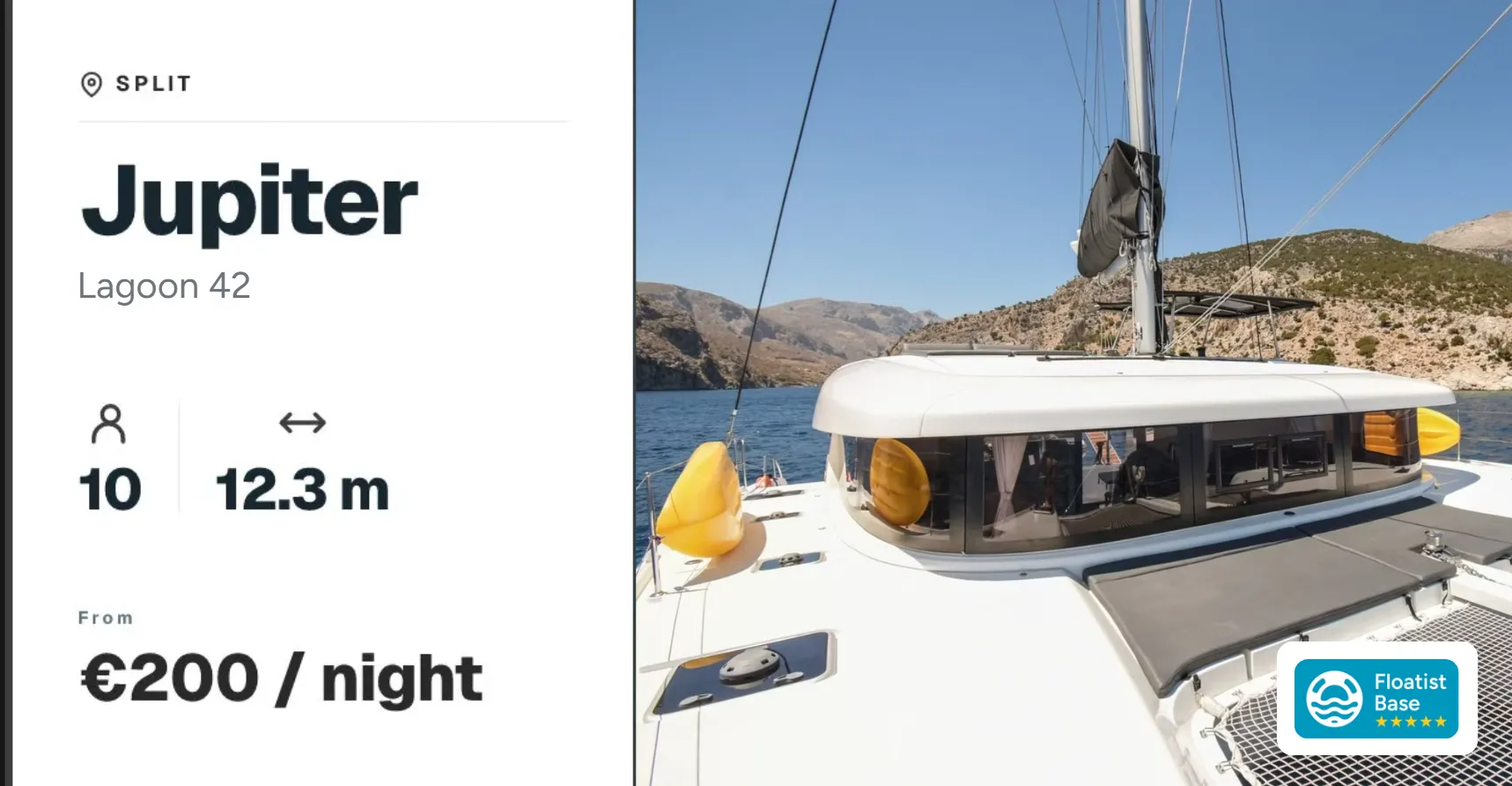
Section titled “Social sharing”When someone shares a link to one of your boats, the preview card shown on social media, WhatsApp, and other platforms displays the boat’s name, model, base, guest capacity, length, and starting price, cleanly formatted so the link looks great wherever it’s shared.