Filters
In order to support visualizing any version of the tasks you might need, all task views are extended with a powerful filter mechanism.
Filters are grouped in filter views. There are currently 3 filter views:
- Open tasks: All tasks that do not have a workflow state in the done category.
- My tasks: Tasks that have been assigned to the viewing user and that are neither done nor archived.
- Custom view: A view that can be customized. The view is stored locally, so changes are remembered across sessions.
Each view contains a list of filters, and each filter in the view can be:
- Disabled/enabled: represented by the 👁️ icon
- Removed from the view, using the 🗑️ icon
- Negated: using the ≠ icon
Example 1
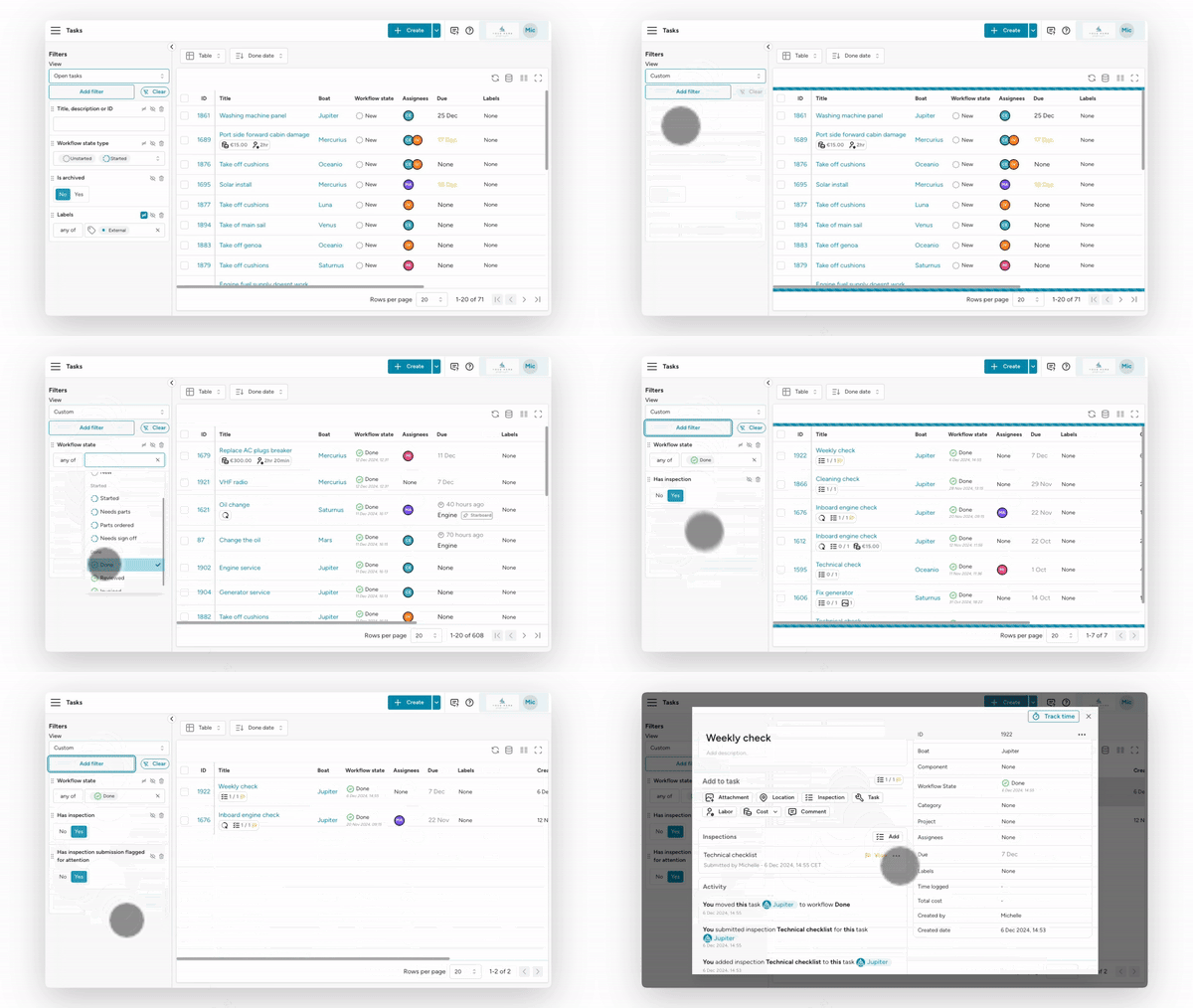
Section titled “Example 1”Let’s build a filter view to check all tasks that have a checklist which is completed, but has something that was flagged during the checklist.
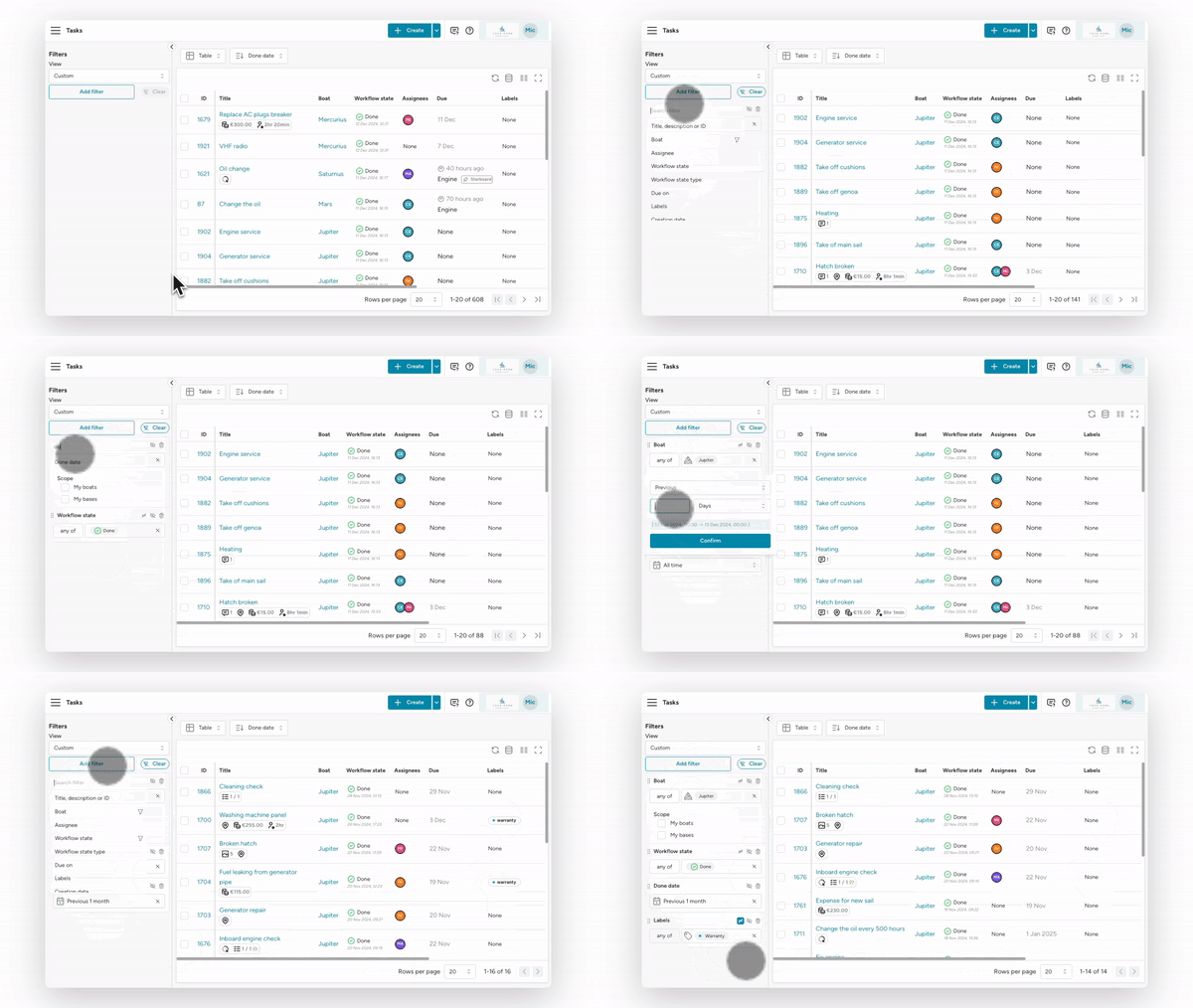
Example 2
Section titled “Example 2”Get all tasks that have been completed in the last month on yacht Jupiter, but excluding the tasks that have the “warranty” label.