2025
November 10
Section titled “November 10”Big revamp of Inspections and Checklists
Section titled “Big revamp of Inspections and Checklists”Inspections and Checklists have gotten a major upgrade, with many small functionality and UI/UX improvements that are explained in more detail below. Most importantly, there are two big changes to be aware of:
- Inspections and Checklists are now just Checklists, that can be used for check-in/out, or on a task (previously called Inspections)
- Checklists that are used for check-in / out are configured in Settings > Bookings > Configurations
Additionally, checklists are now completely customizable, in the sense that you can decide if and how many signatures to request (and from whom), which boat components to include or not, and whether you want to ask any additional questions such as additional notes. With this change you are completely in control of your checklist configuration.
Refer to Checklists Overview for more details on how to use the new Checklists, and read further below for more specific upgrades in this release!
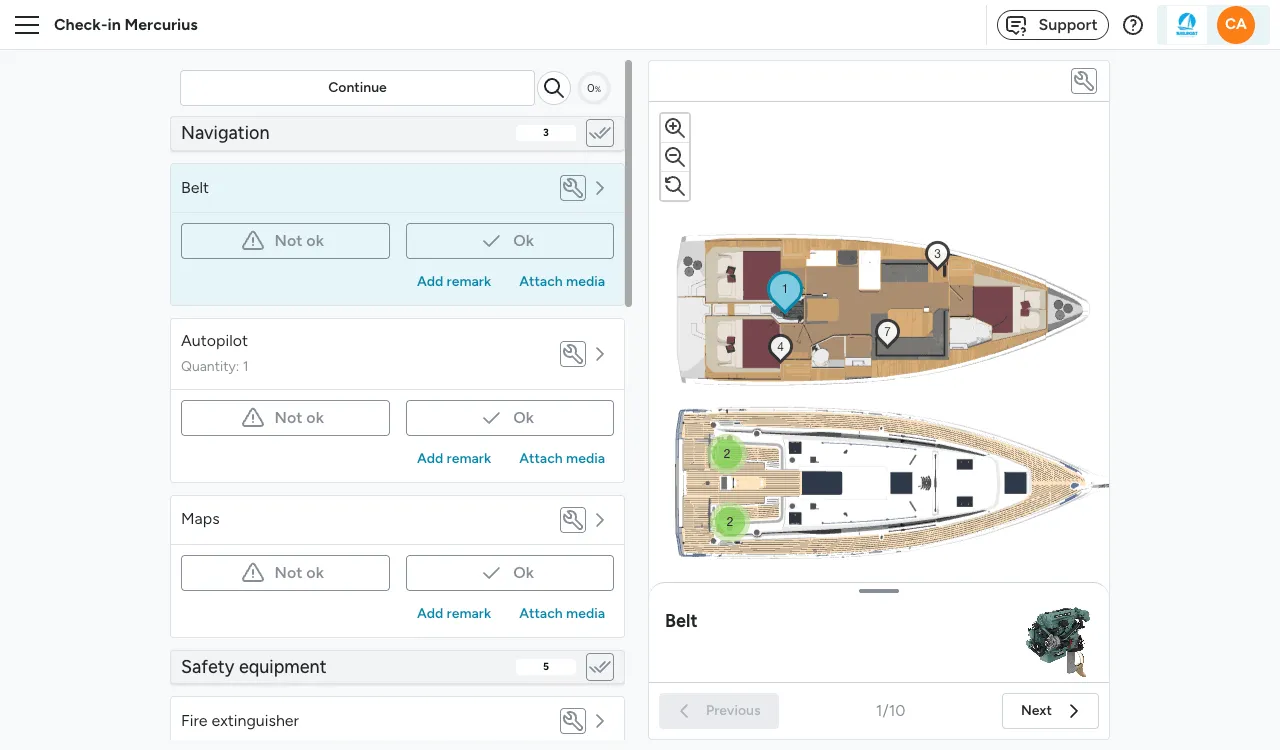
Checklist floorplan
Section titled “Checklist floorplan”It is now possible to give items locations on the floorplan, so that the user can walk through the checklist guided by the floorplan, and is more easily able to locate items on the yacht. To use this functionality, your fleet needs to be set up with floor plans. Please reach out to support if you do not yet have plans added for your fleet and you would like to have them added.
Checklist submission page
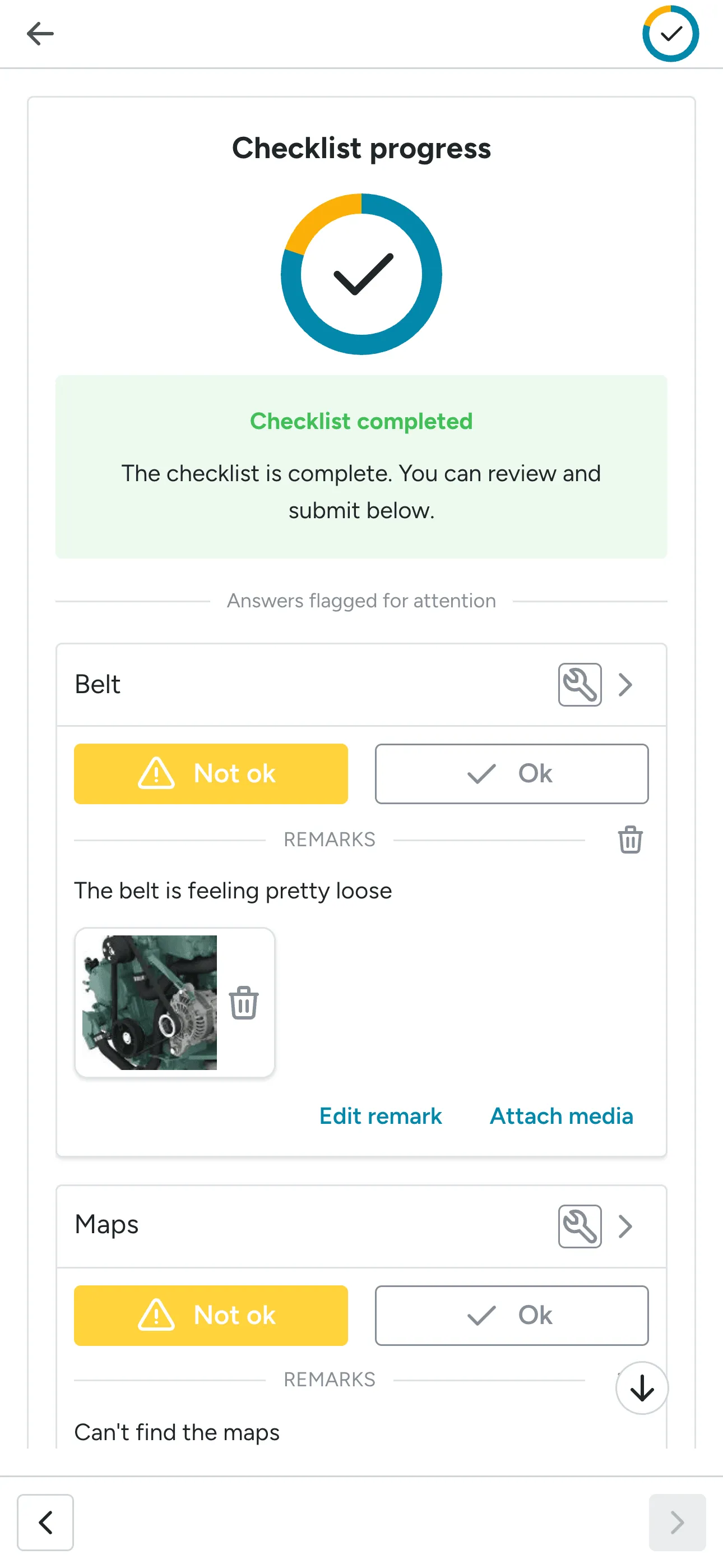
Section titled “Checklist submission page”There is now a submission page at the end of each checklist, which allows for reviewing the items
that have been marked as Not OK and the items that have a comment or image added to them. From the
submission page, items can be edited before submitting.
Check-out
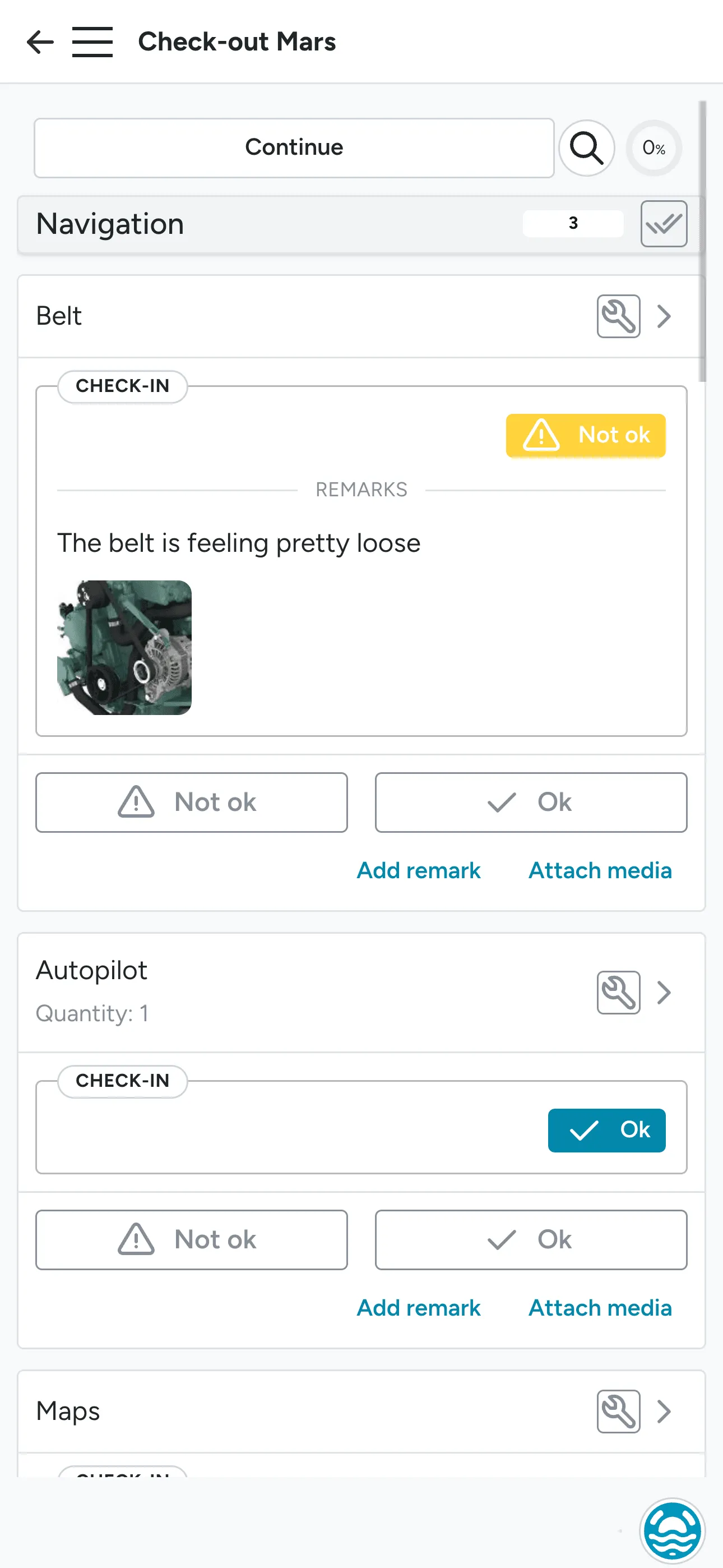
Section titled “Check-out”The check-out screen now highlights check-in results more clearly, so staff can easily review the boat’s recorded condition from check-in.
Guest app and checklists
Section titled “Guest app and checklists”All checklists are now available from the guest app, and guests can download the combined or separate PDFs directly from the overview screen.
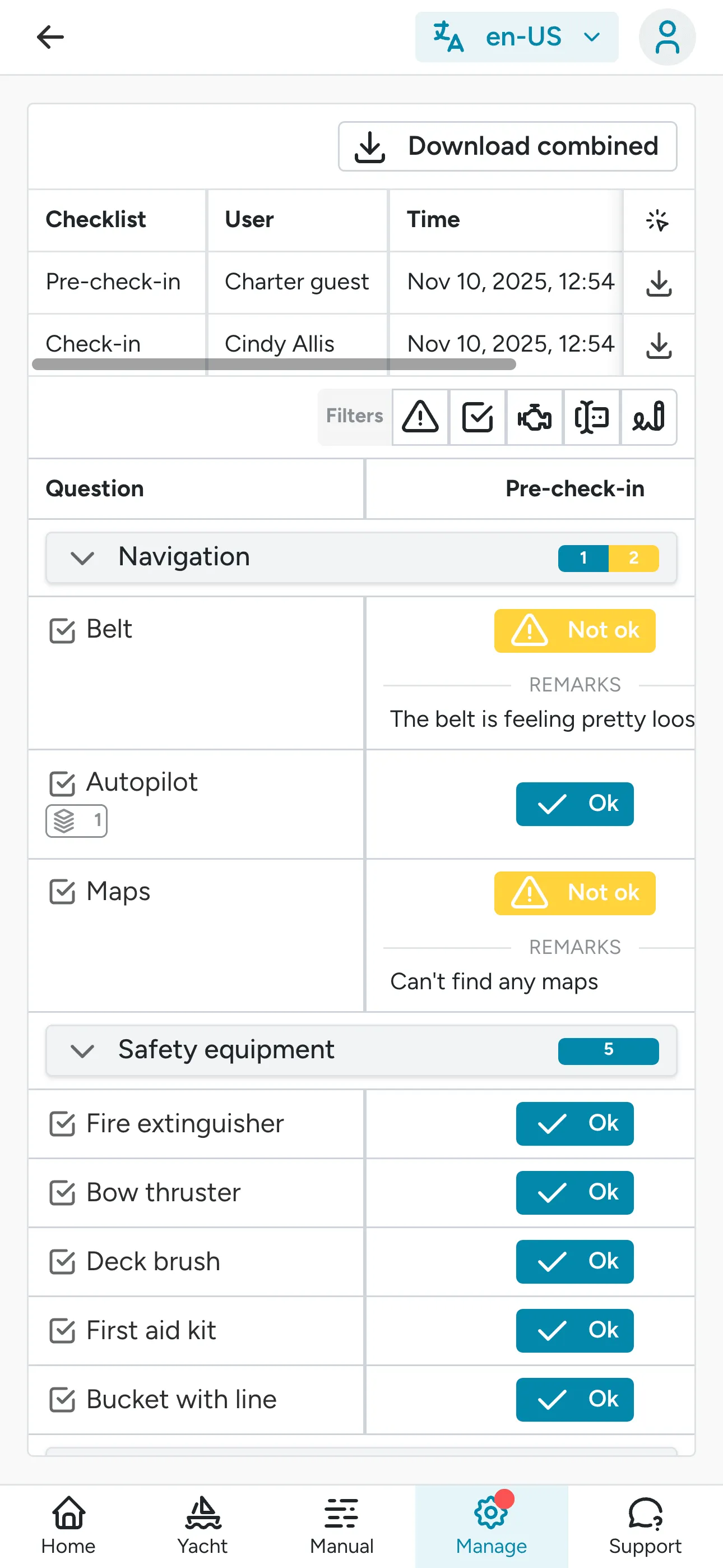
Download checklist to PDF / CSV
Section titled “Download checklist to PDF / CSV”You can now download checklists to PDF or CSV from the booking timeline. This could be helpful if you quickly want to print a paper version of the checklist.
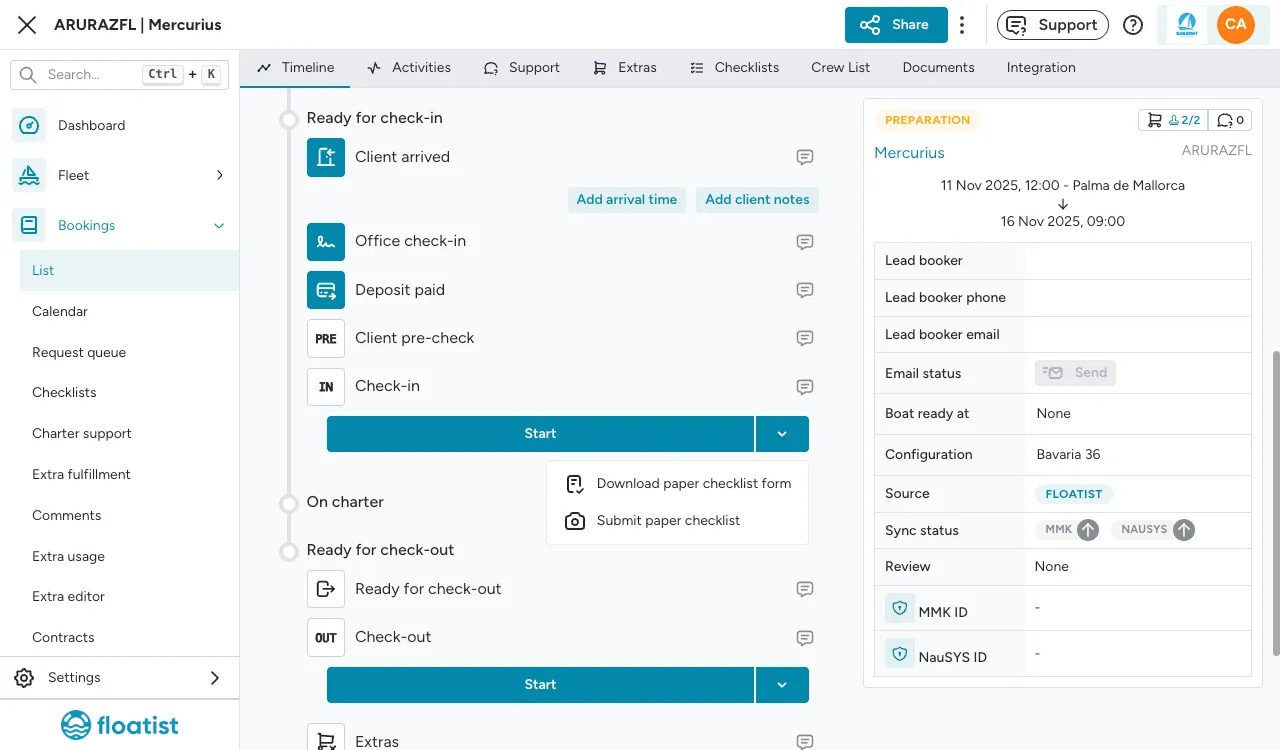
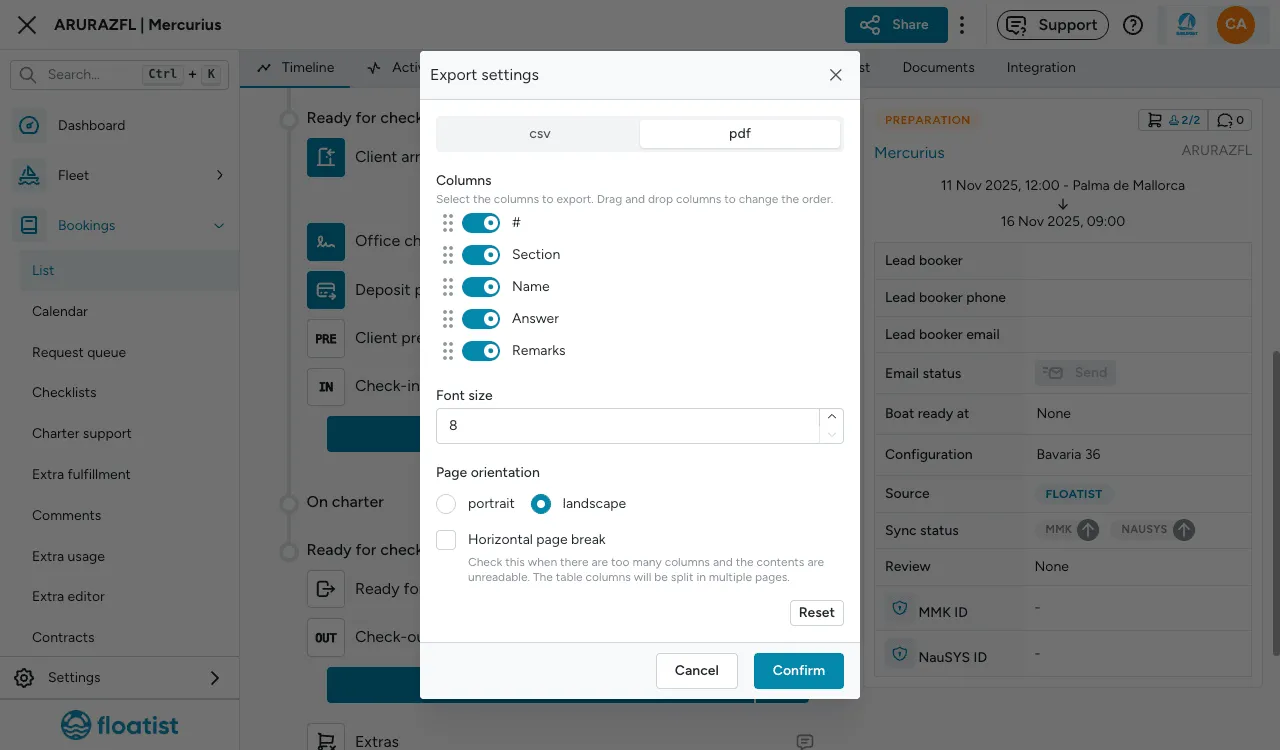
Checklists preview
Section titled “Checklists preview”While setting up a booking configuration, you can now select the preview button, to quickly preview what the checklist will look like on a specific yacht. This will help you quickly check if you are happy with the result, or if something should be changed.
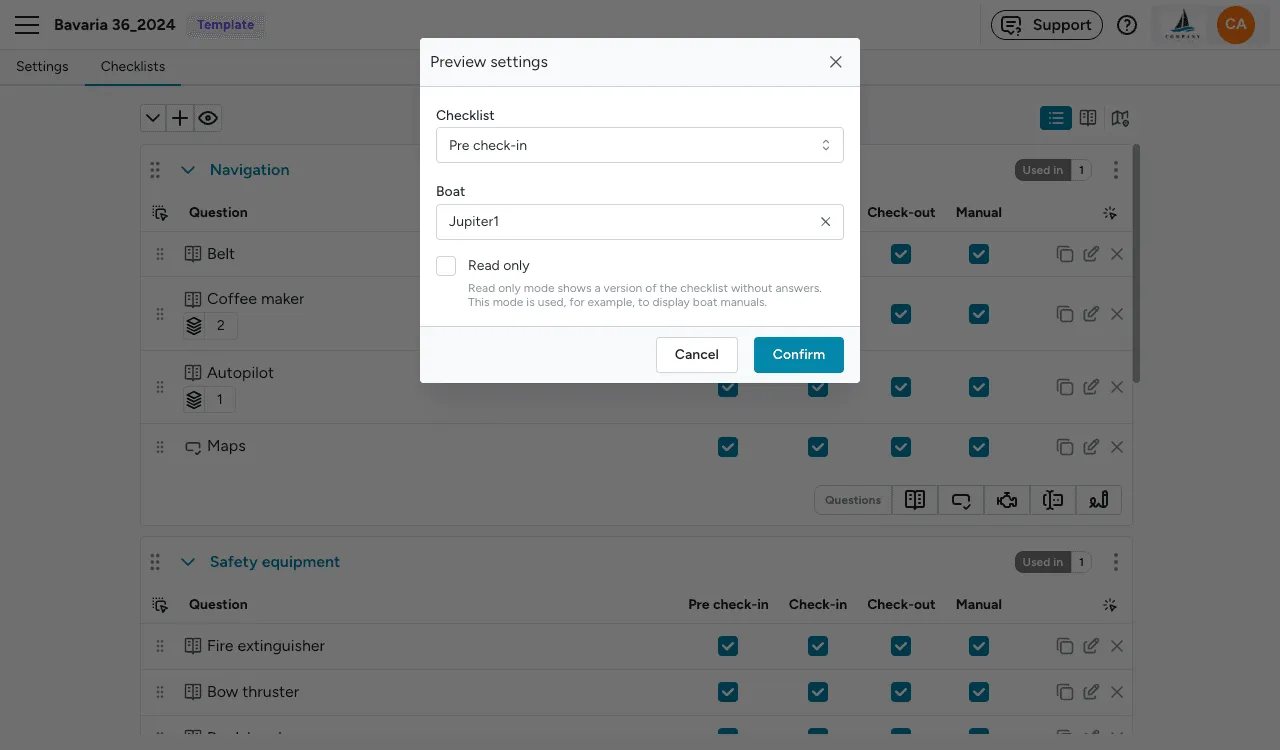
Remark history is deprecated
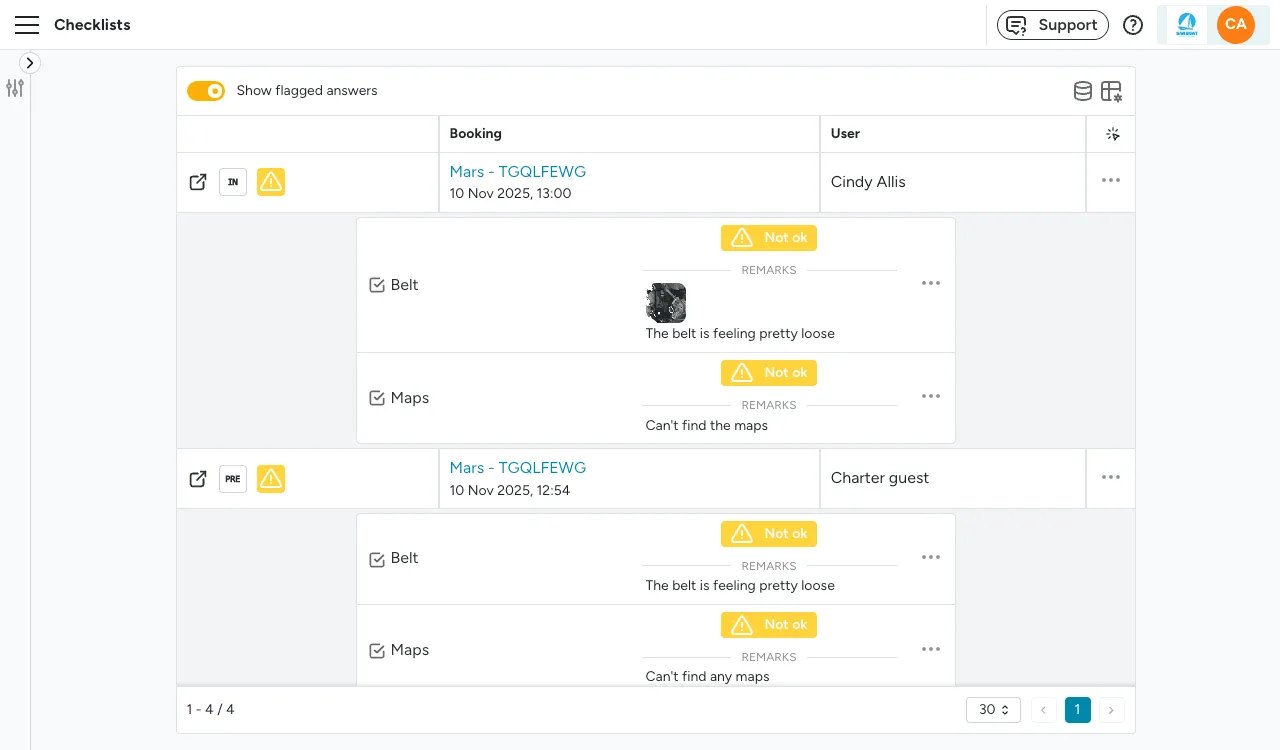
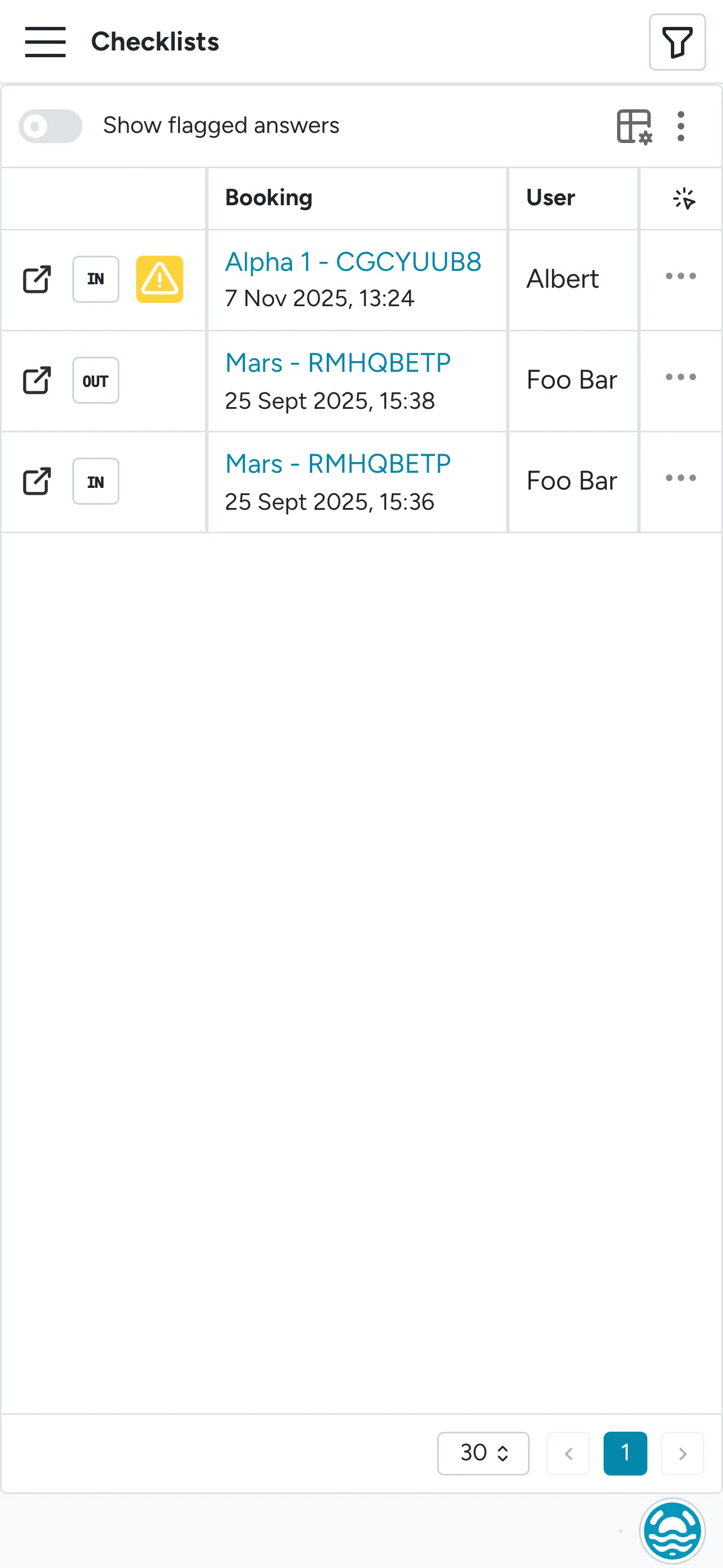
Section titled “Remark history is deprecated”We’ve removed the Remark history page per yacht, this view is now replaced by the new
Bookings > Checklists page, where you can view all submitted checklists, and
toggle the switch ON to view each remark within each submitted list.
New page: Task checklists
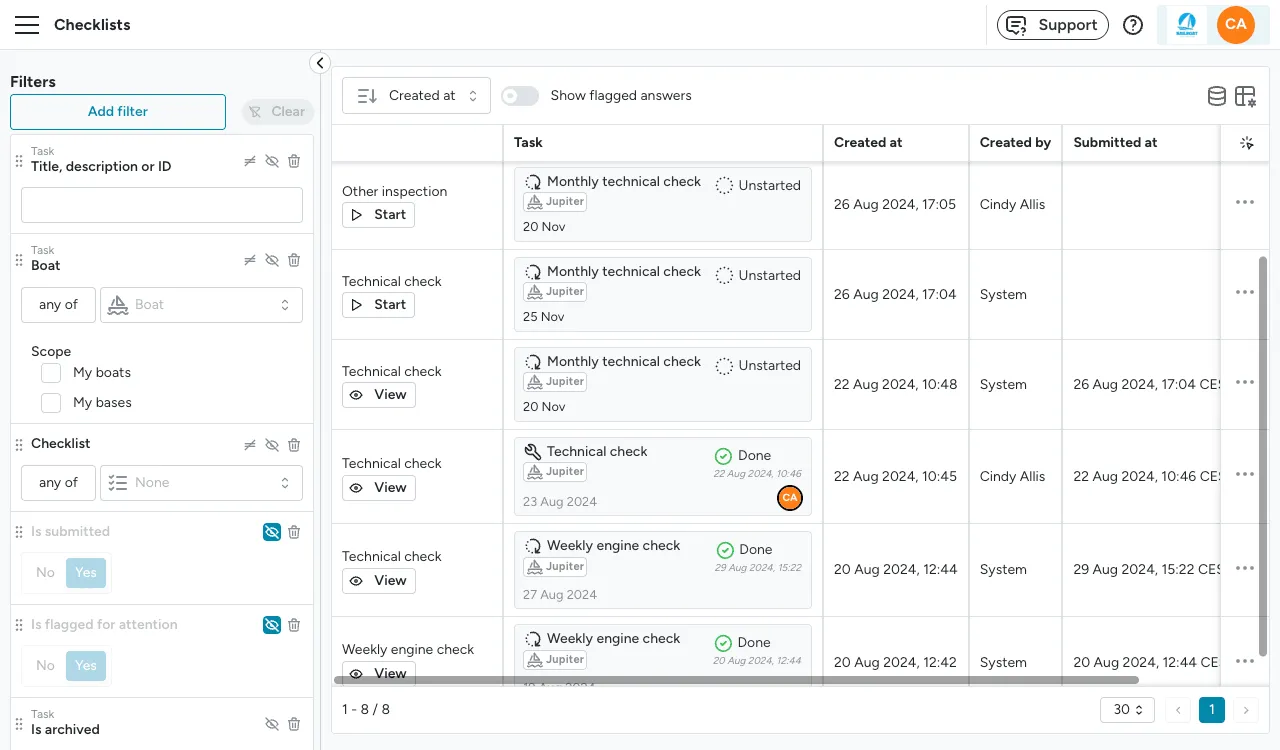
Section titled “New page: Task checklists”There is a new page for checklists on tasks that have been submitted, to quickly view any checklists completed and whether they had any issues flagged for attention. You can find it at Task management > Checklists.
Removed navigation bar on mobile
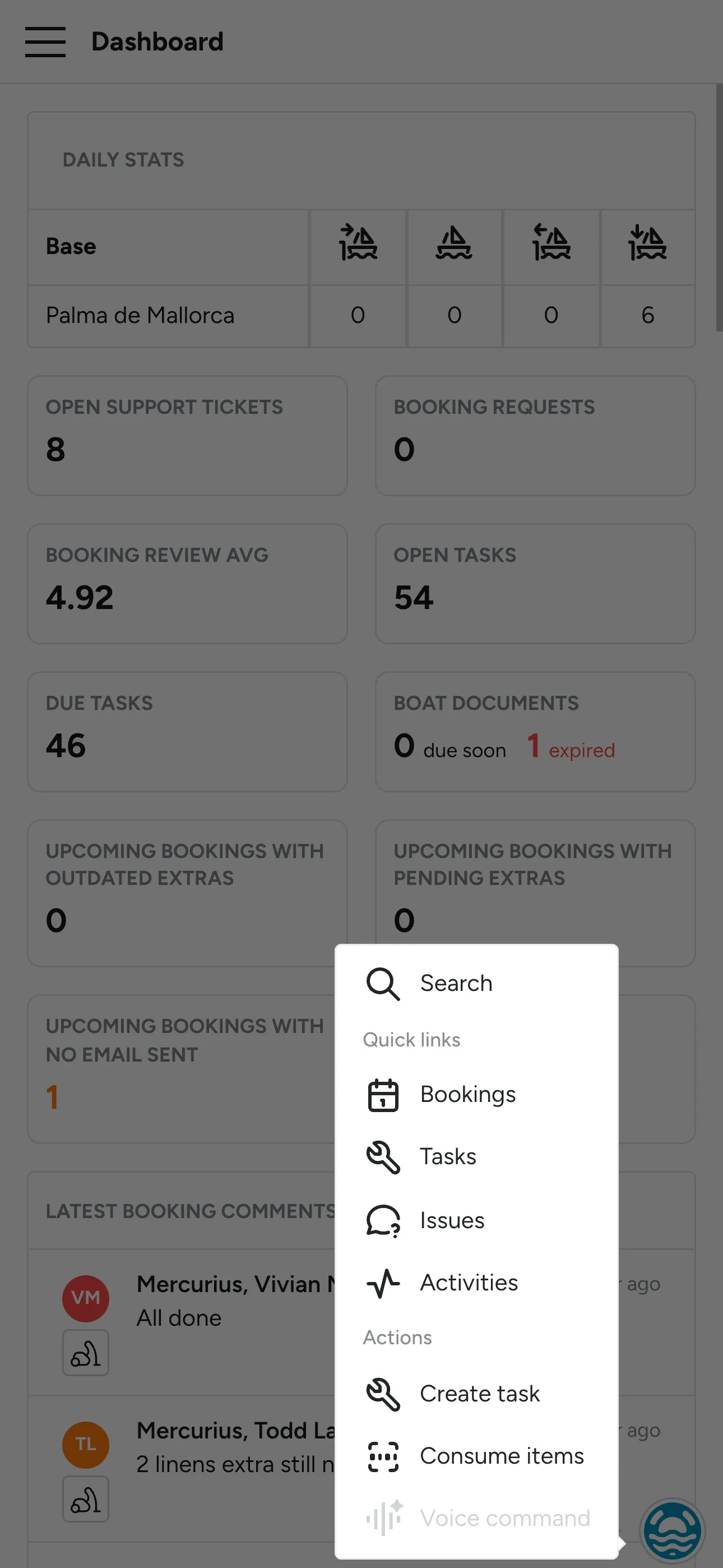
Section titled “Removed navigation bar on mobile”To optimize for space on mobile, we have removed the bottom navigation bar, and replaced it with a small floating icon which contains the quick links.
Improved booking detail view
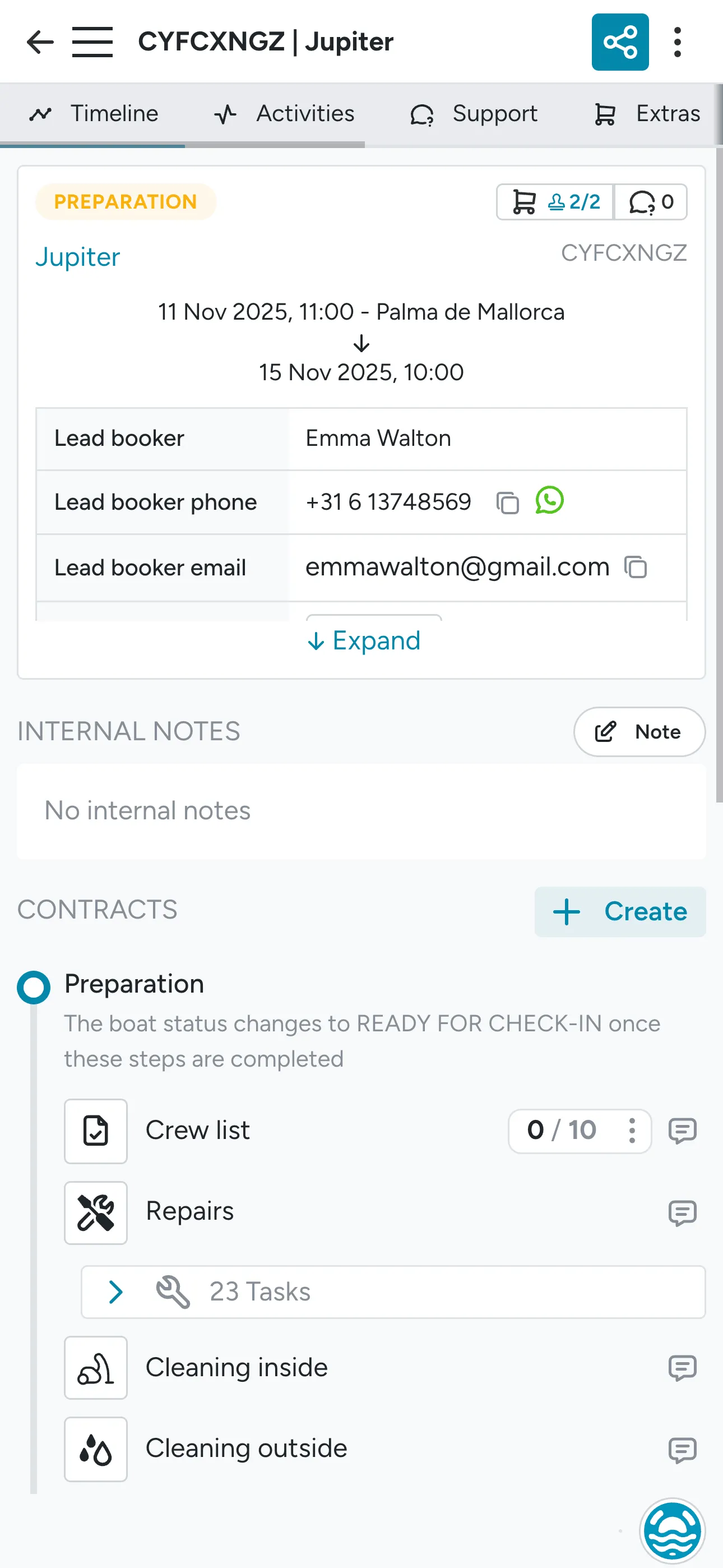
Section titled “Improved booking detail view”The tabs now stay on top on the mobile view, and the detail info table is expandable to optimize for mobile and decrease the need for scrolling up and down.
Improved tables
Section titled “Improved tables”We’ve improved all tables in the app, so they are more user friendly and easy to use also on smaller devices.
Booking calendar zoom
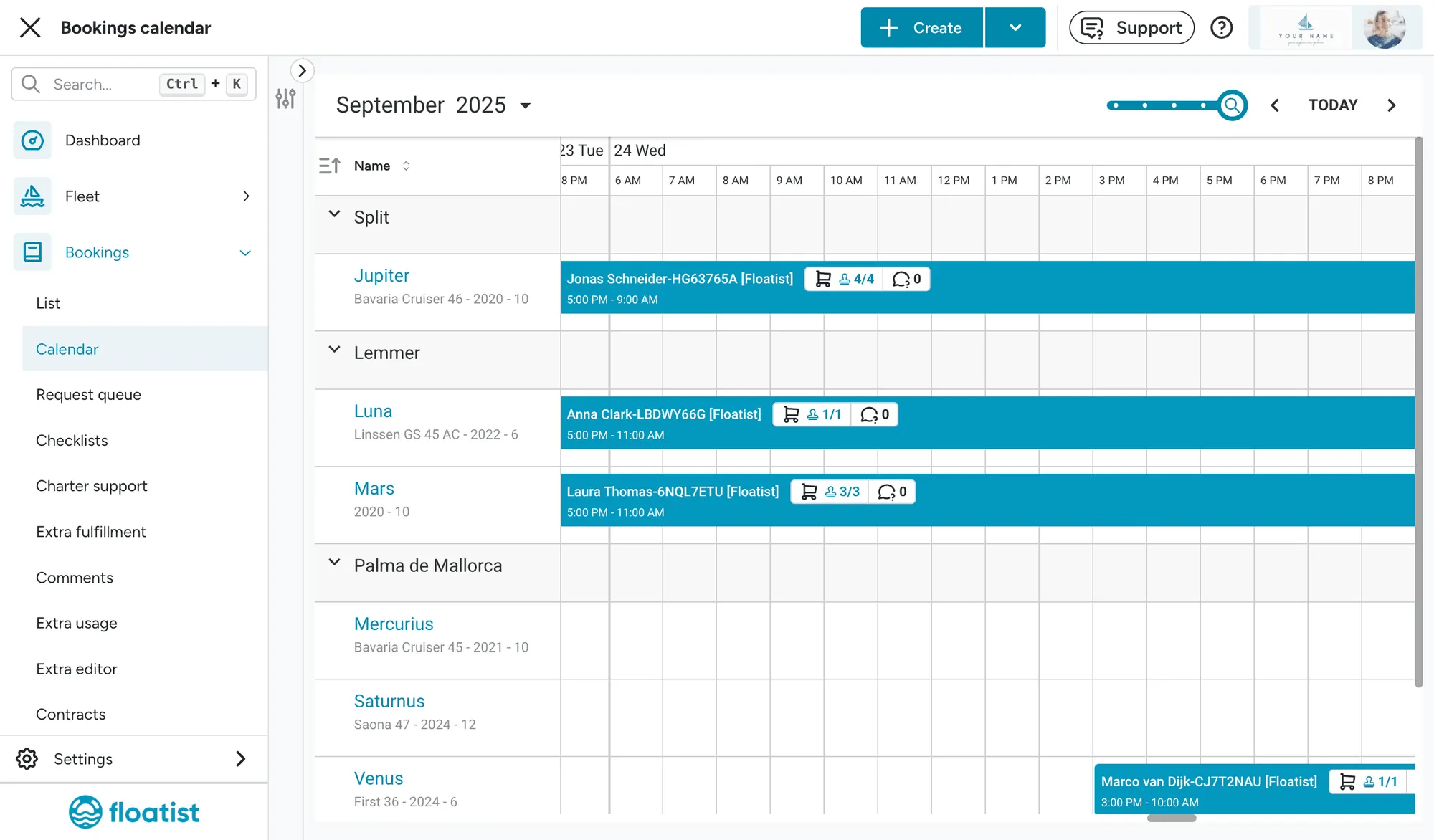
Section titled “Booking calendar zoom”We’ve added a new zoom mode on the booking calendar, now making it possible to view different zoom modes:
- Per quarter
- Per week
- Per day
- Per hour
September 1
Section titled “September 1”Enhanced Fleet Dashboard
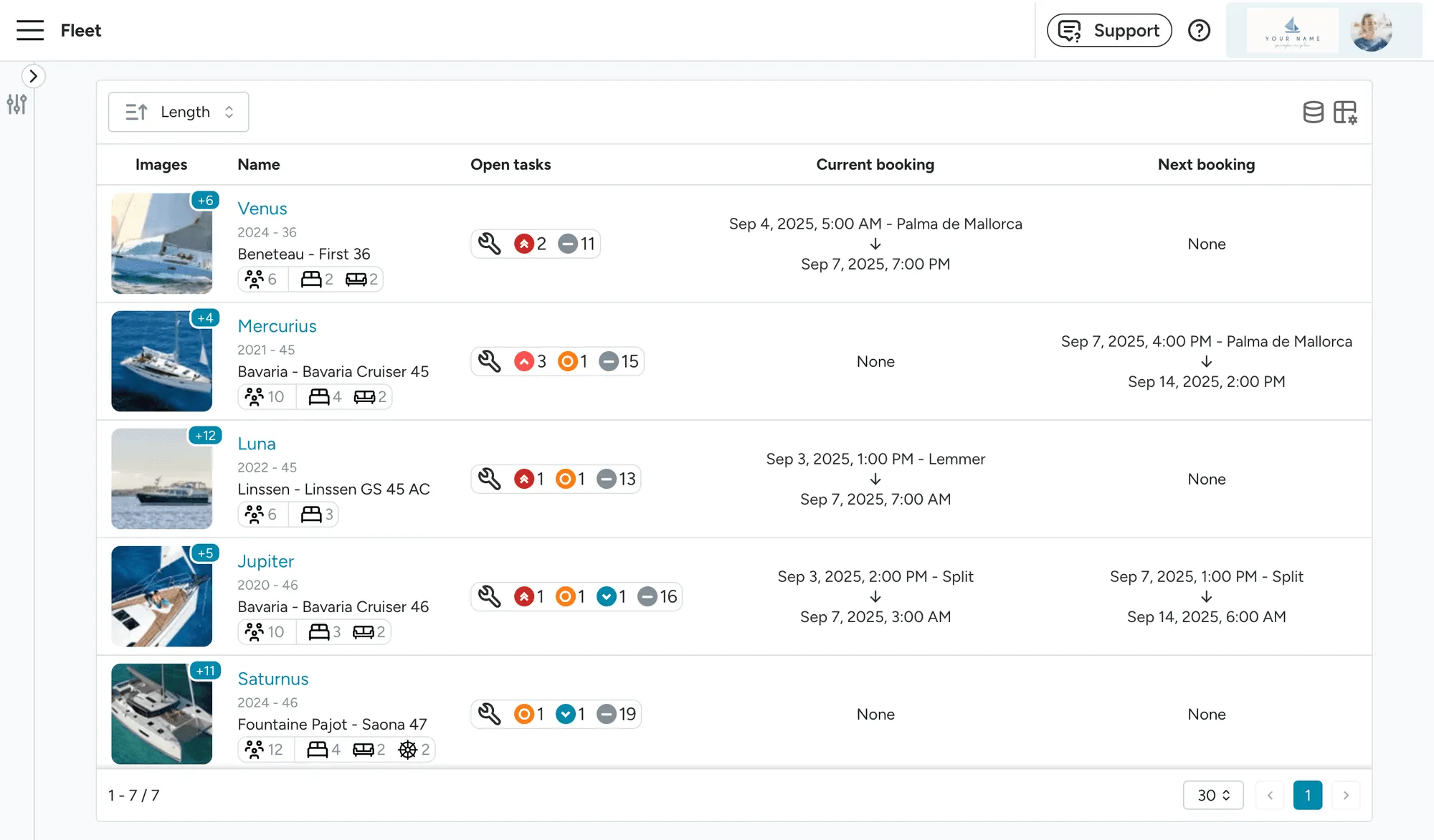
Section titled “Enhanced Fleet Dashboard”The Fleet page has been restructured into two distinct sections to improve usability and provide more actionable insights:
- Fleet Dashboard (Fleet > Boats): A newly designed dashboard offering a
comprehensive overview of your fleet, including:
- Open tasks with prioritized status indicators
- Current and upcoming booking details
- We value your feedback! Please let us know if you would like additional information displayed on this dashboard.
- Fleet Management (Settings > Fleet): The original fleet page, tailored for administrators to manage yachts by adding, editing, or removing them from the fleet.
Customizable Font Size for PDF Table Exports
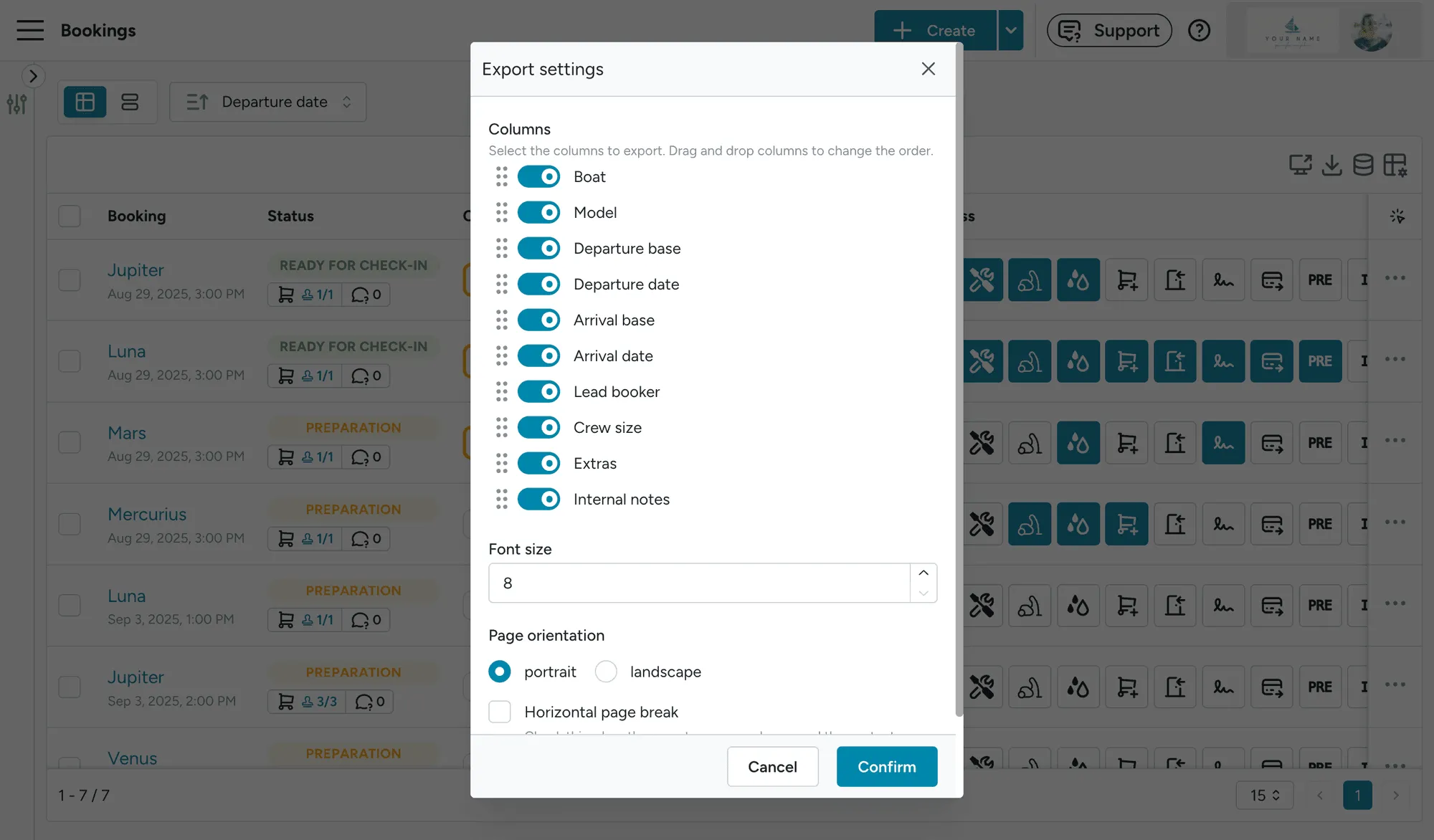
Section titled “Customizable Font Size for PDF Table Exports”You can now adjust the font size of PDFs generated from table exports, providing greater flexibility and improved readability for exported documents.
Portuguese Language Support
Section titled “Portuguese Language Support”The application now fully supports Portuguese, enabling both fleet operators and guests to interact with the platform in their preferred language.
Improved Task View Functionality
Section titled “Improved Task View Functionality”Task view URLs have been enhanced to include the view type (table, list, or calendar) and sorting preferences, in addition to existing filter parameters. This allows users to share URLs with colleagues or support teams, ensuring the recipient views the exact same data configuration.
Expanded Inspection Capabilities
Section titled “Expanded Inspection Capabilities”Inspections now offer feature parity with booking checklists, with the addition of the following question types:
- Free-Form Question: Enables users to add notes and attach media for detailed documentation.
- Boat Component Question: Facilitates tracking of critical data, such as fuel levels and engine hours.
- Signature: Allows for the collection of digital signatures from individuals conducting the inspection.
August 13
Section titled “August 13”Priorities on Tasks
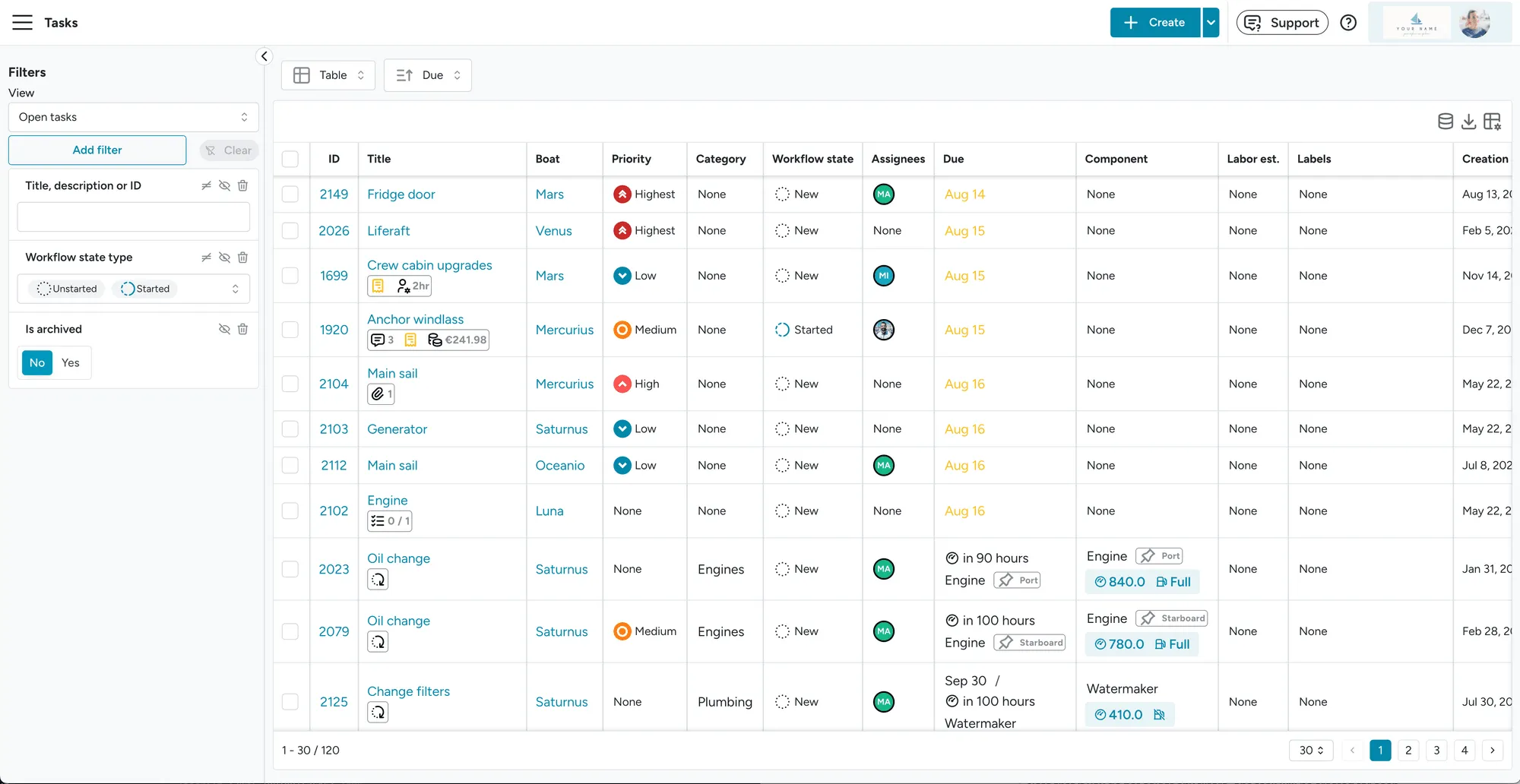
Section titled “Priorities on Tasks”We have added a priority field to Tasks, which allows you to specify an urgency of a task. You can
choose any of the following urgencies: Highest, High, Medium, Low, Lowest. Priorities will
be shown on most Task Views and while sorting tasks on due date, priorities will be taken into
account.
August 4
Section titled “August 4”Voice commands in beta
Section titled “Voice commands in beta”Our application now leverages AI to process voice commands, enabling users to create and assign tasks efficiently using voice input. By articulating task details, the system generates a task with a concise title and description, streamlining task creation without manual input, ideal for on-the-go use.
For more details, refer to the Voice Commands Guide.
Override extra price
Section titled “Override extra price”A new feature allows overriding the price of extras to a custom value, addressing specific use cases such as adjusting charges for bookings spanning multiple days (e.g., charging for 7 days on an 8-day booking).
For additional information, see Overriding the Price.
One click share a booking link with lead booker
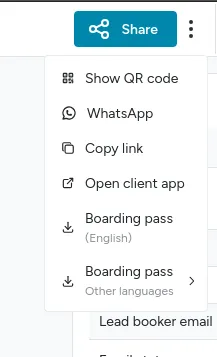
Section titled “One click share a booking link with lead booker”For bookings with a valid lead booker phone number, users can now share the booking link to the guest app with a single click via the WhatsApp button.
In-app support
Section titled “In-app support”Users can now contact our support team directly within the application using the Support Button. Our team typically responds quickly. If immediate assistance is unavailable, a response will be sent automatically to your registered email address.

Booking Unarchival
Section titled “Booking Unarchival”Bookings can now be unarchived, allowing users to restore previously archived bookings as needed.
Profile images
Section titled “Profile images”You can now upload a profile image. The image will be used anywhere Floatist displays user avatars (e.g. task assignees). If no image is uploaded, we will continue using the name initials and an auto-generated color.
Enhanced Table Exports
Section titled “Enhanced Table Exports”New export functionality has been added for the following tables, available in PDF and CSV formats:
- Bookings: Facilitates printing bookings departing and arriving, when the mobile app is not suitable
- Inventory items: Supports efficient recounting of warehouse items.
- Tasks: Includes an option to export associated costs.
Improved Table Performance
Section titled “Improved Table Performance”Application tables have been reimplemented with the following enhancements:
- Increased Speed: Faster loading and rendering.
- Mobile Optimization: Displays more data efficiently on smaller screens.
July 1
Section titled “July 1”Enhanced Management of Extras Across Multiple Bookings
Section titled “Enhanced Management of Extras Across Multiple Bookings”Previously, managing tasks such as adding mandatory extras across multiple bookings involved extensive manual effort. We have introduced an automated system to streamline operations like adding, modifying, and removing extras for multiple bookings simultaneously. For detailed guidance, refer to our Extras Change Management Guide.
Optimized Guest App Login Experience
Section titled “Optimized Guest App Login Experience”iOS imposes specific restrictions on Progressive Web Apps (PWAs), including isolating installed PWAs from Safari. This means that guests could log in using the QR code or a magic link, but after installing the app in their home screen, they would have to log in using the booking reference or scanning the QR code again.
We’ve redesigned this flow, and now guests can naturally learn about how to install to the home screen within the app itself. Following the instructions, guests will be able to easily install the app and log in automatically. Additionally, boarding pass instructions have been simplified to enhance clarity.
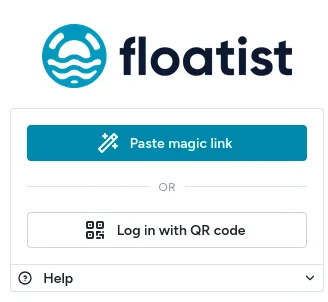
Note that these changes address iOS-specific limitations. Android users already benefit from seamless login continuity. We have also discontinued the option to log in using booking reference and guest name to reduce confusion.
Improved App Performance on Mobile Data
Section titled “Improved App Performance on Mobile Data”We have optimized the app’s architecture and bundling process, resulting in faster load times and improved performance, particularly on mobile devices with unreliable connections. These enhancements also reduce errors experienced by users during app version updates.
Multilingual Boarding Pass Support
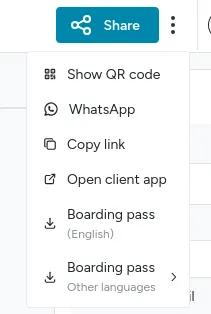
Section titled “Multilingual Boarding Pass Support”Boarding passes can now be downloaded in any of the supported languages, providing greater accessibility for your guests.
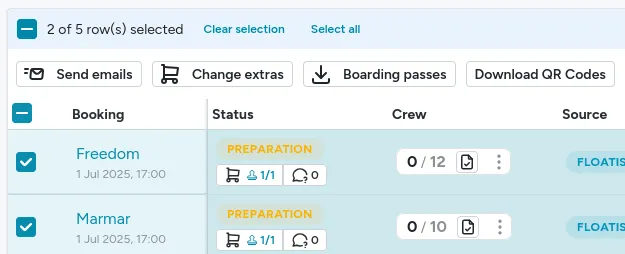
Bulk Boarding Pass Download
Section titled “Bulk Boarding Pass Download”To accommodate customers who provide printed boarding passes at check-in, we have introduced a feature to download multiple boarding passes as a single PDF document. This significantly reduces the time required for downloading and printing. To do so, go to Bookings > List, and select bookings on the table:
Enhanced Booking Reference Search
Section titled “Enhanced Booking Reference Search”The booking reference filter now searches both internal Floatist reference numbers and external references, such as those from MMK or Nausys, improving the efficiency and accuracy of booking lookups.
May 22
Section titled “May 22”Extras management improvements
Section titled “Extras management improvements”We’ve added multiple functionalities in relation to extra management that will simplify handling extras on check-in and check-out day.
- Option to add extras and all related tasks to the timeline by Enabling the Extras steps
- Use tasks to keep track of who will bring what to which boat by Adding and completing tasks
- Create these tasks automatically using Extra automations
- See an overview of all Tasks related to extras in the new Extra fulfillment matrix
- Filter tasks by whether they are for an extra or not on Tasks pages
- Handle pricing updates of extras for future bookings using the new dashboard counter
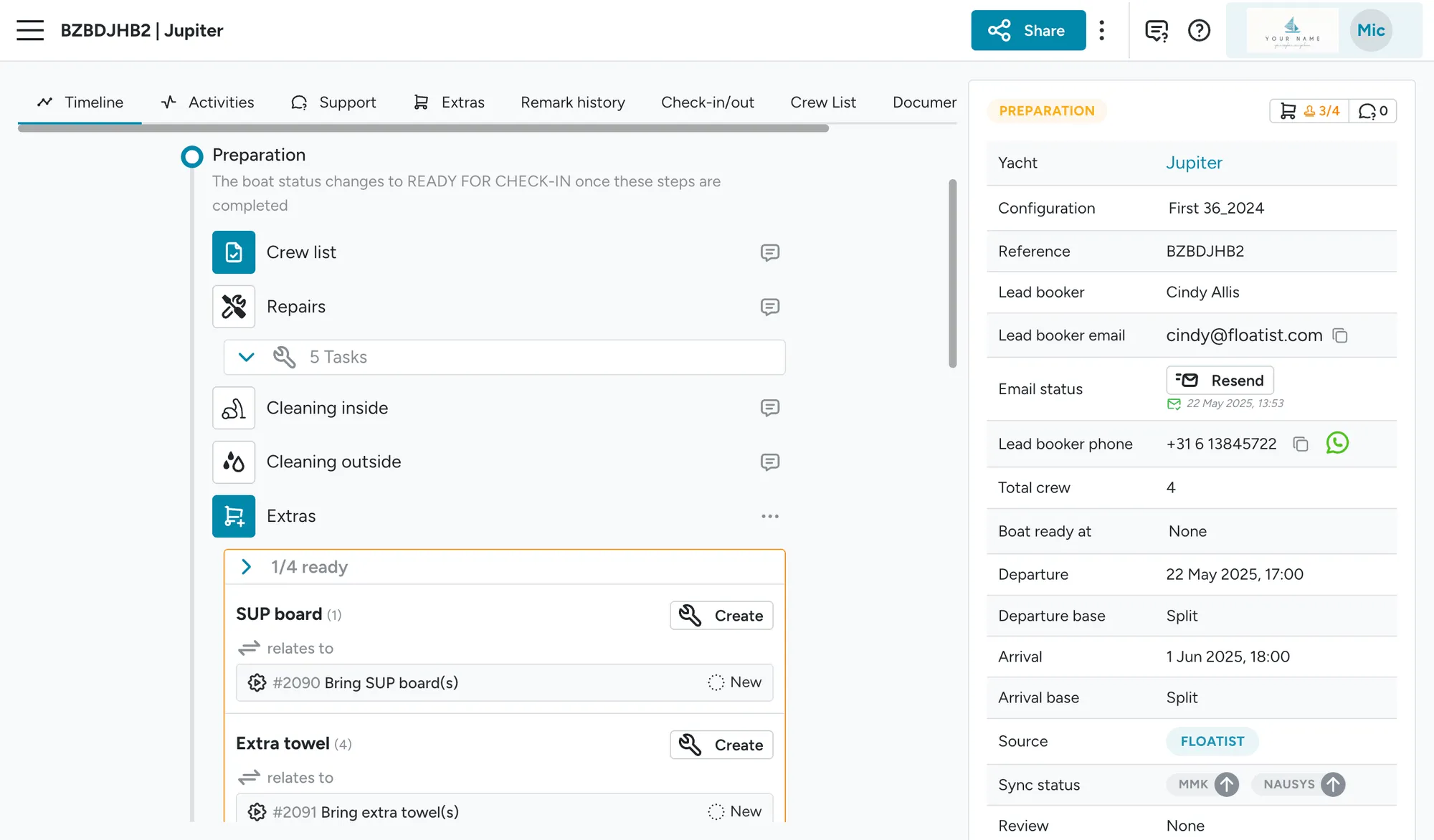
Send booking login emails in bulk
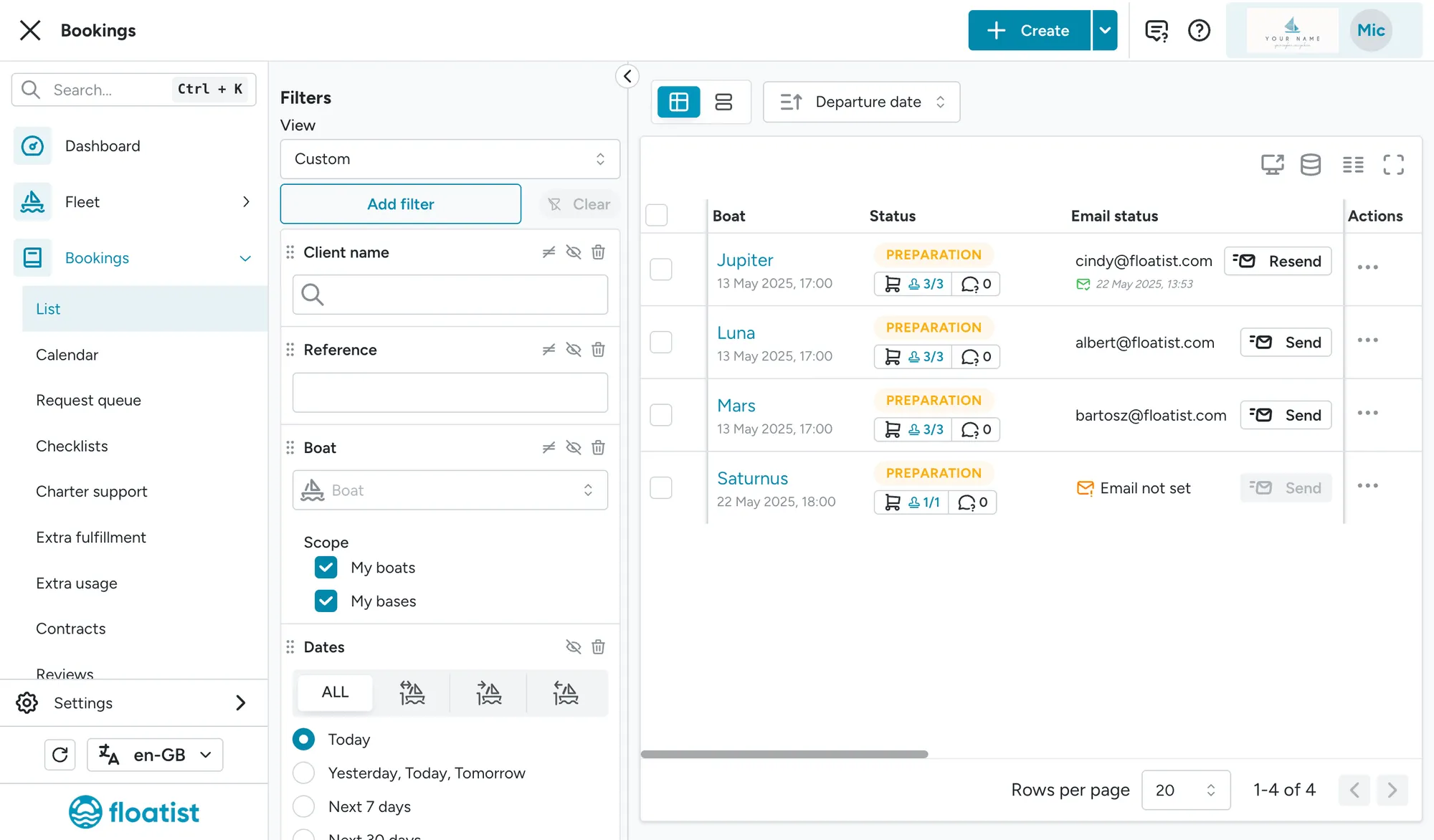
Section titled “Send booking login emails in bulk”You can now send the emails to clients with their login details in bulk, and easily see to which clients you have already sent an email and when. Simply do so from the Bookings > List page.
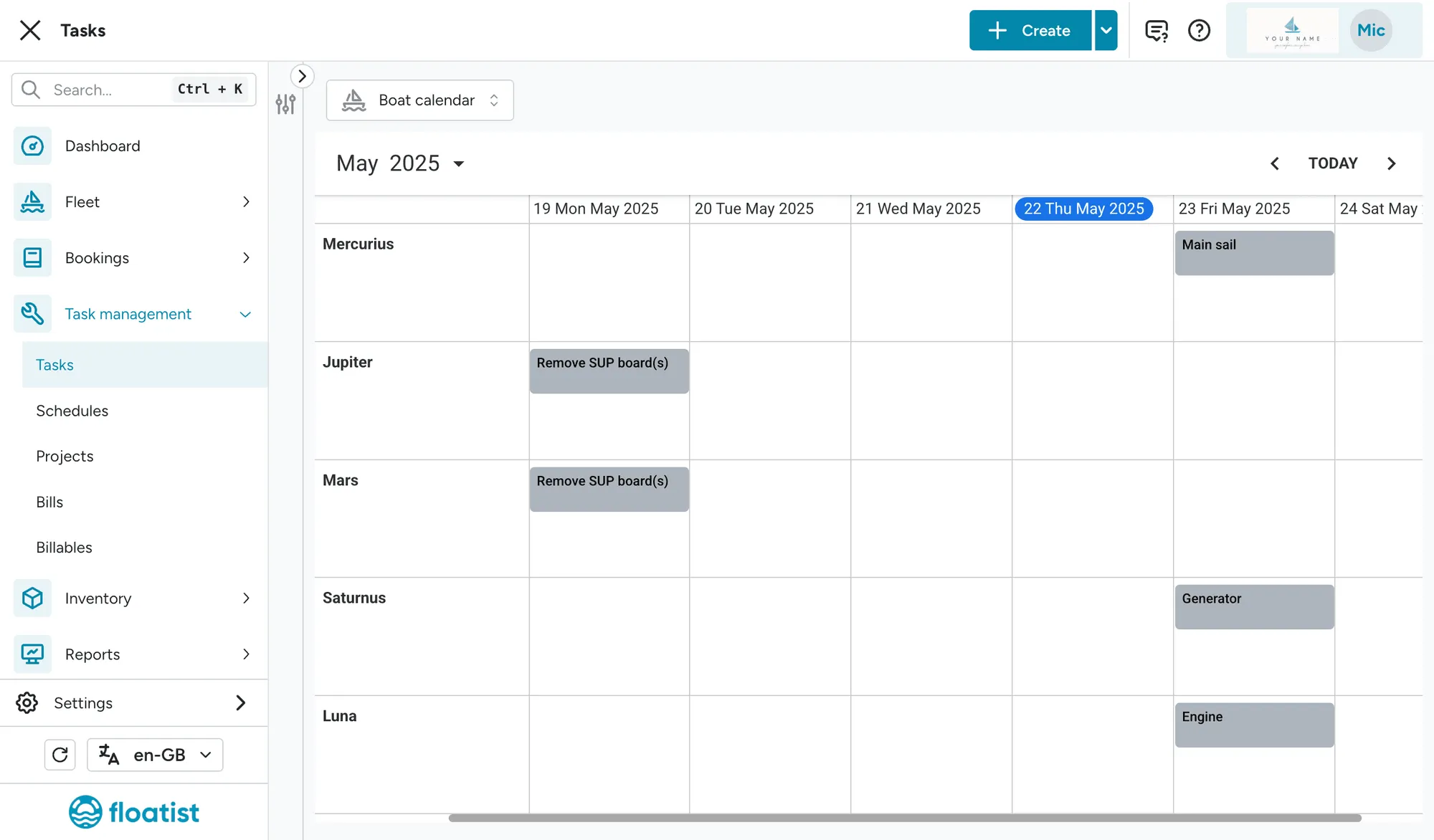
Boat calendar task view
Section titled “Boat calendar task view”We’ve added a new view which visualizes tasks on a timeline based on their due date, which helps you see quickly how many and which tasks are due on which boats in the upcoming days.
Sorting booking list
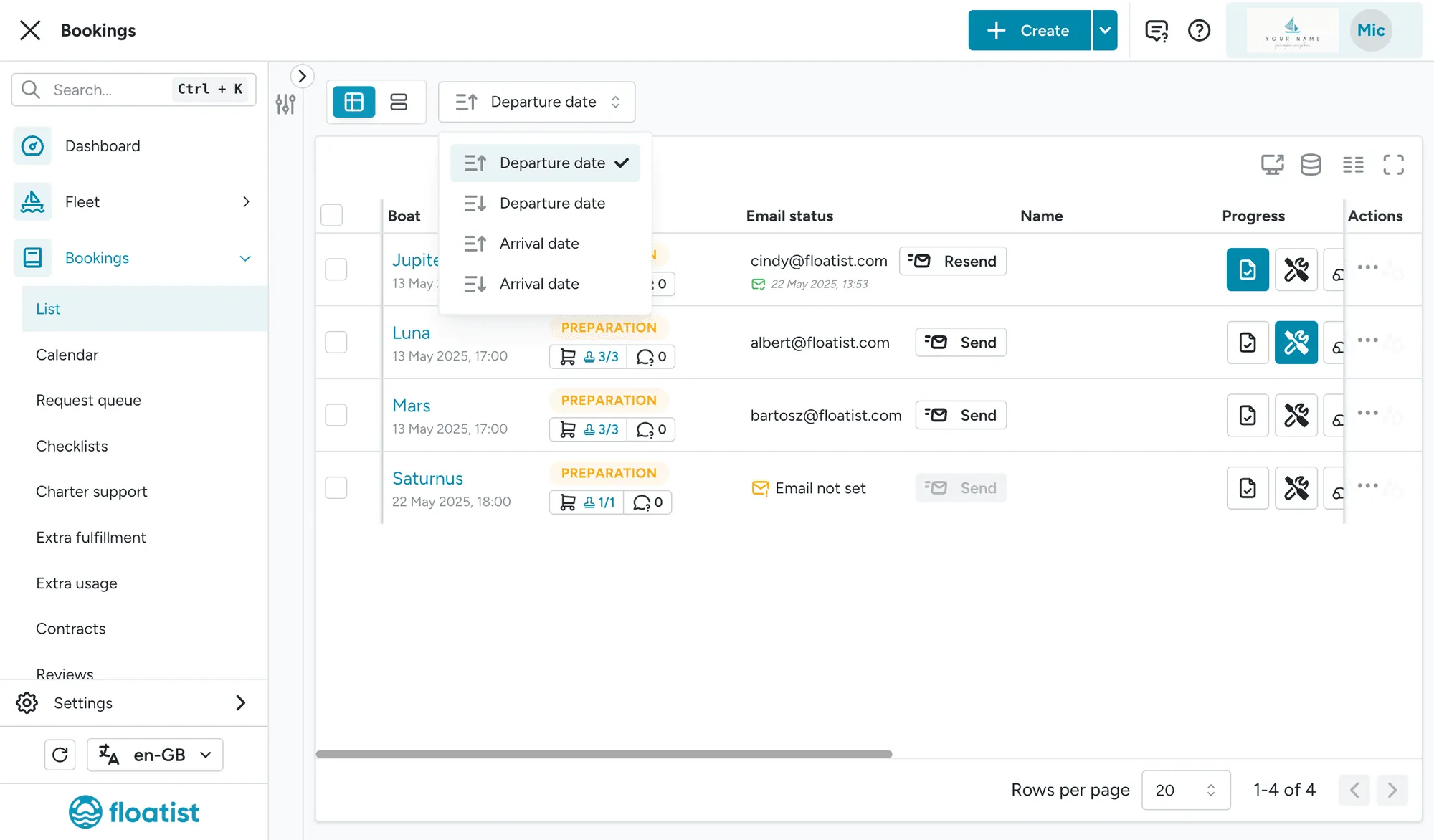
Section titled “Sorting booking list”We’ve added additional sorting options for the Bookings > List, which allow you to quickly sort on Departure date and Arrival date.
Booking calendar info badge
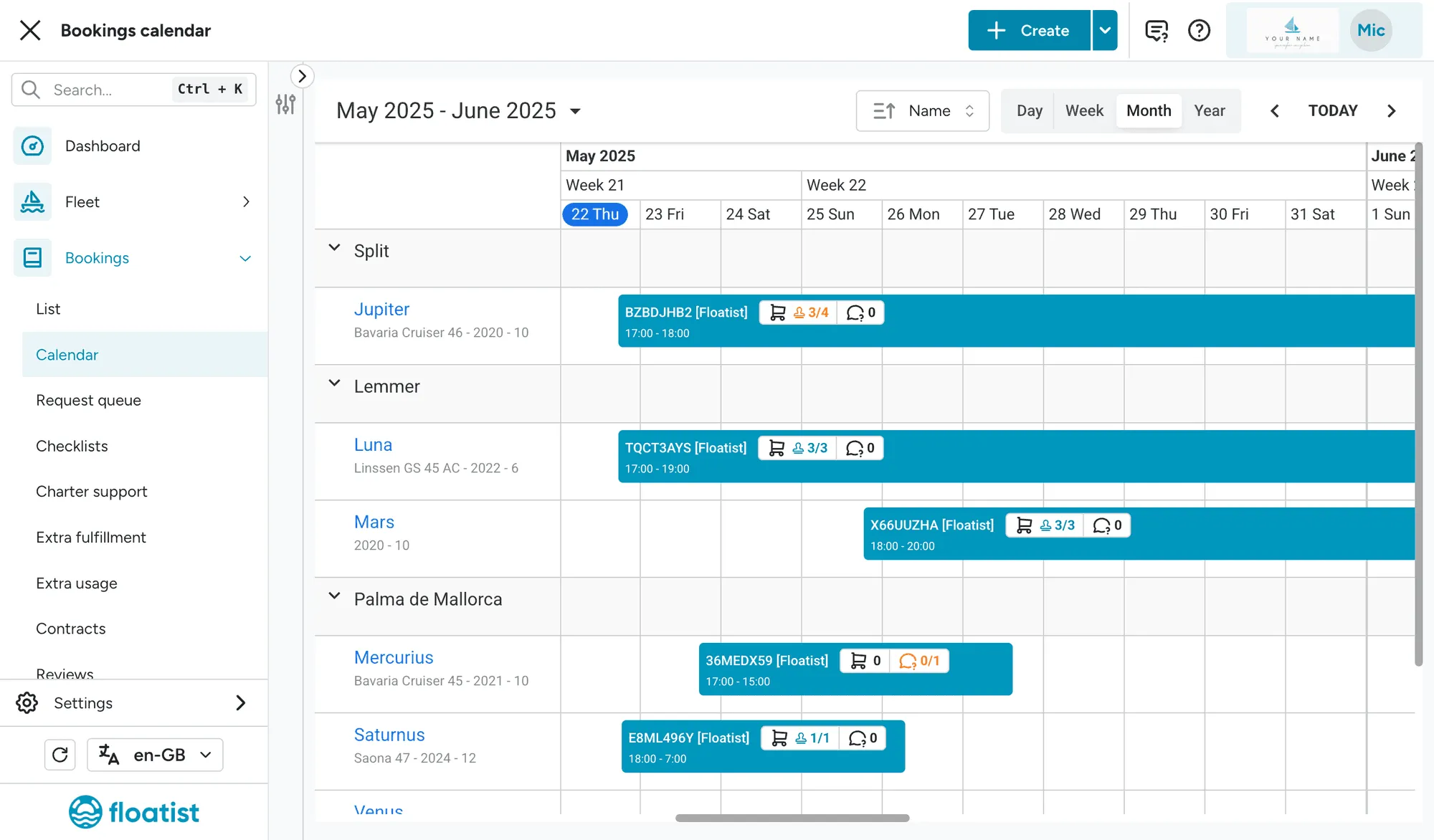
Section titled “Booking calendar info badge”We’ve added the info badge that was already visible in the Bookings > List onto the bookings in the Bookings > Calendar. This will allow you to quickly see whether or not there are any extras to be approved, or any outstanding Charter Issues that should be responded to.
Additional file type support
Section titled “Additional file type support”It is now possible to attach PDFs in Tasks and Booking comments (whereas this used to be images only). Now it is also possible to attach images in Booking documents (whereas this was PDF only).
Performance improvements
Section titled “Performance improvements”We’ve done multiple performance improvements to increase the speed of the application.
March 31
Section titled “March 31”Integration information
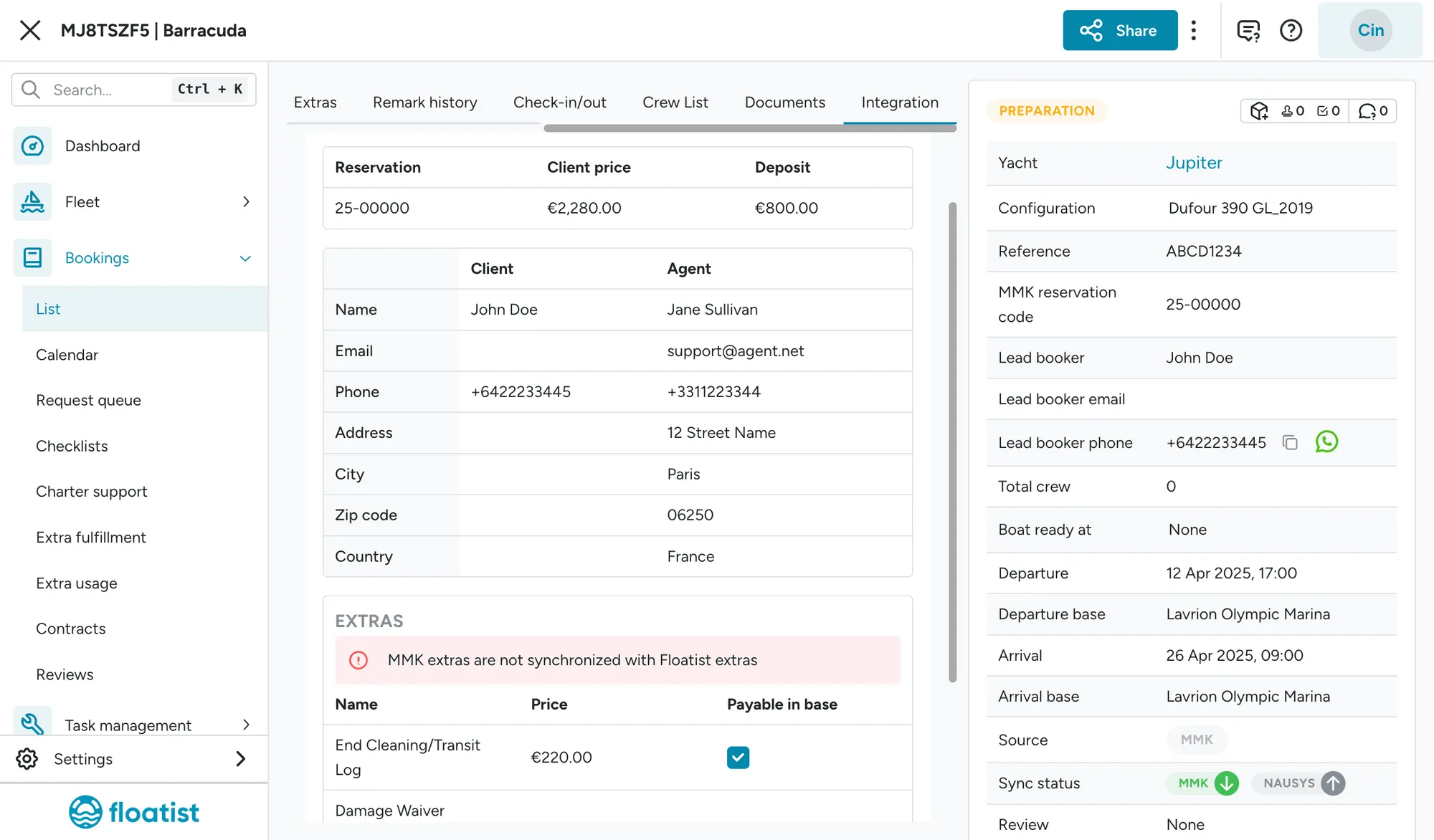
Section titled “Integration information”We’ve added a tab called Integration for each booking, which shows all information from the booking source (e.g. MMK Booking Manager or NauSYS). This way you have all information at hand, such as client address and charter price, as well as extras booked through the external platform.
Extra discounts
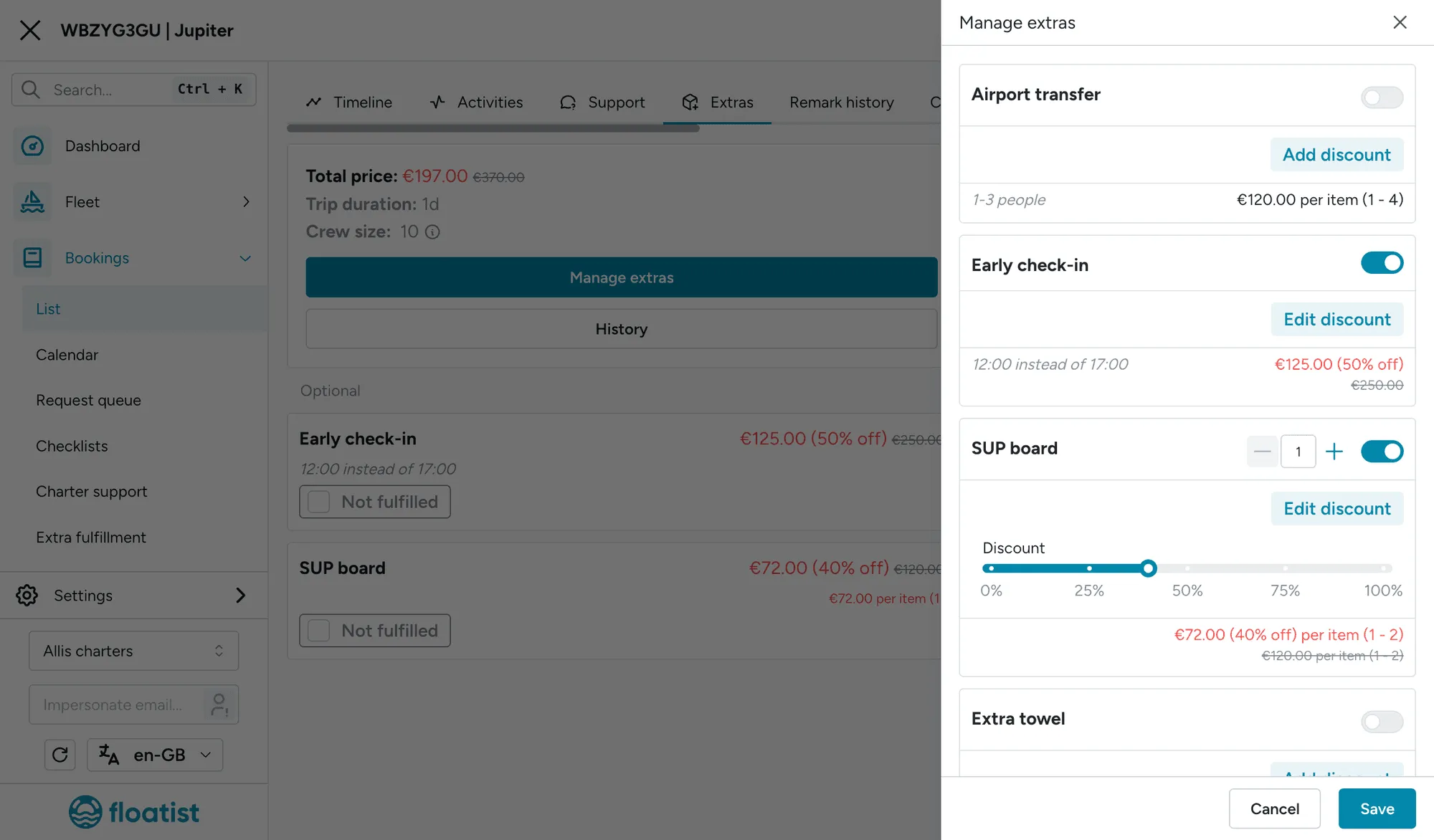
Section titled “Extra discounts”It is now possible to add discounts for extras managed by Floatist. Find detailed instructions here: Extra discounts.
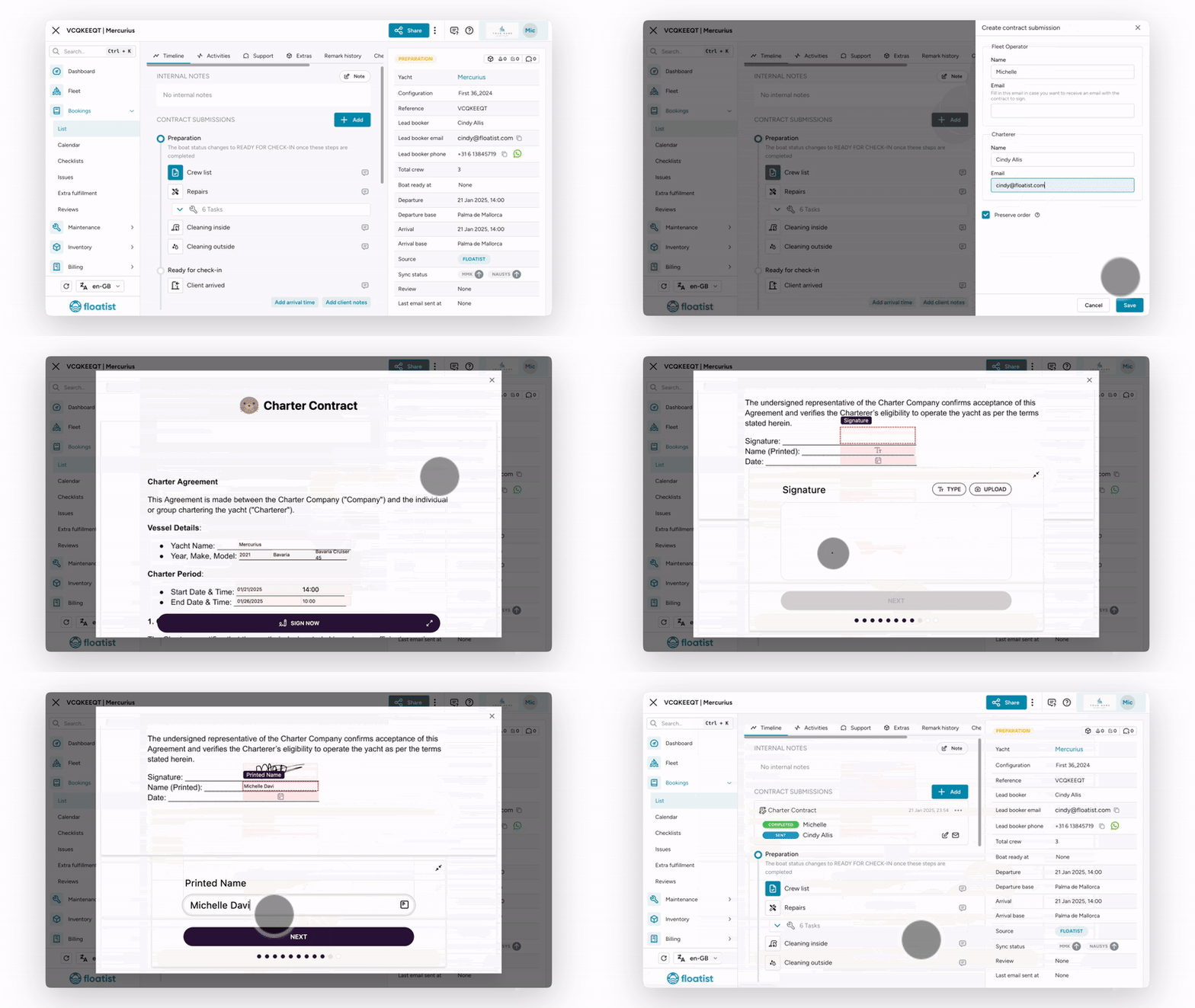
Digital contract improvements
Section titled “Digital contract improvements”-
We’ve personalized the email sent to the email signers, so that it’s clear it’s sent from your company.
-
We’ve reimplemented how contract fields are prefilled. It’s now a much more generic mechanism that allows you to define field groups and how they are prefilled, with bindings into Floatist’s data model. This means that now it’s possible to, for example:
- Use data from external booking platforms (like MMK’s pricing)
- Add boat ownership information (like boat owner, stamp images) specific for every boat
-
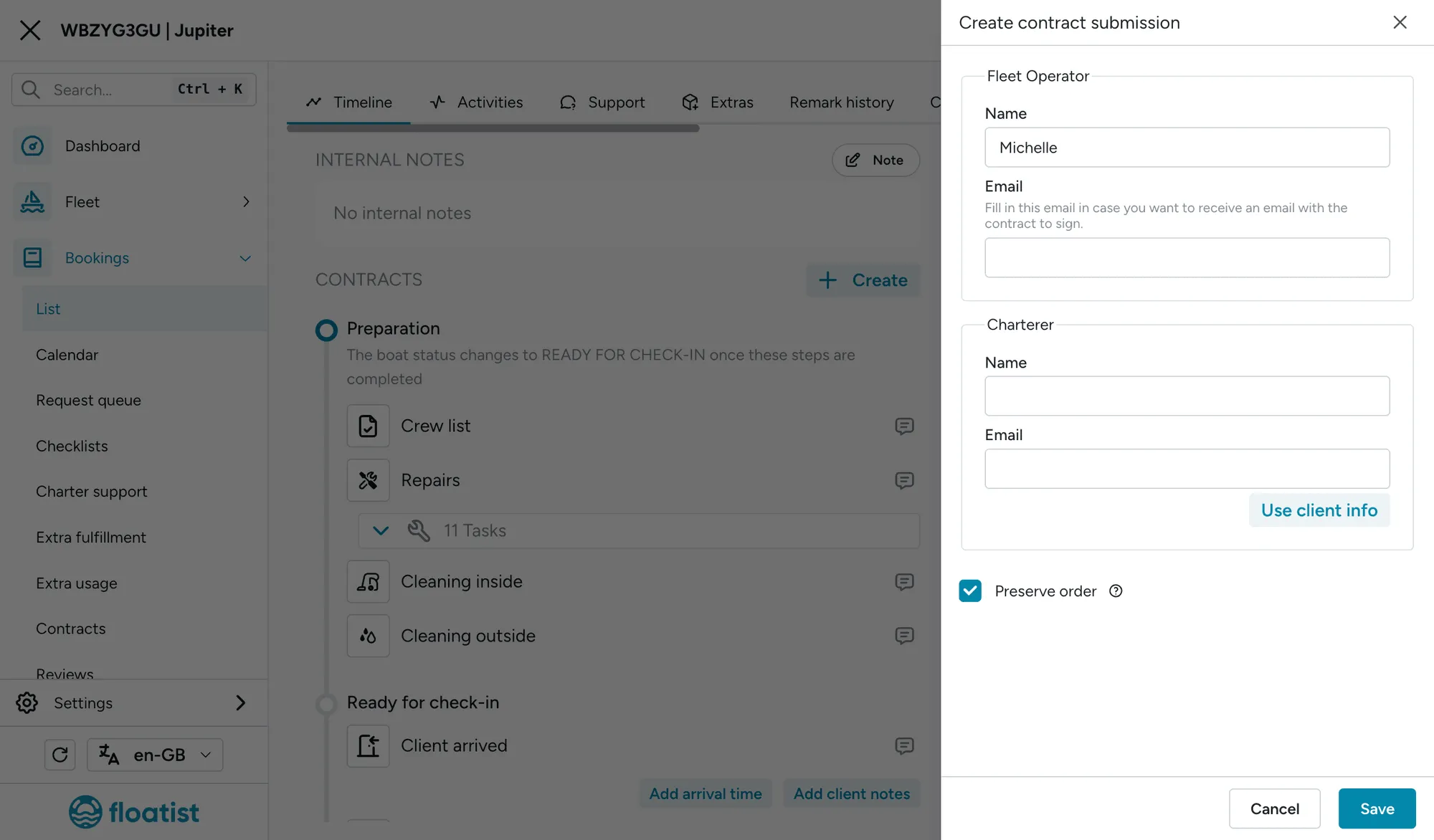
We’ve added a button to prefill a contract signer party using the client information from the booking in the creation drawer (refer to image below)
Refer to detailed information about contracts here: Contracts.
Configurable crew list fields
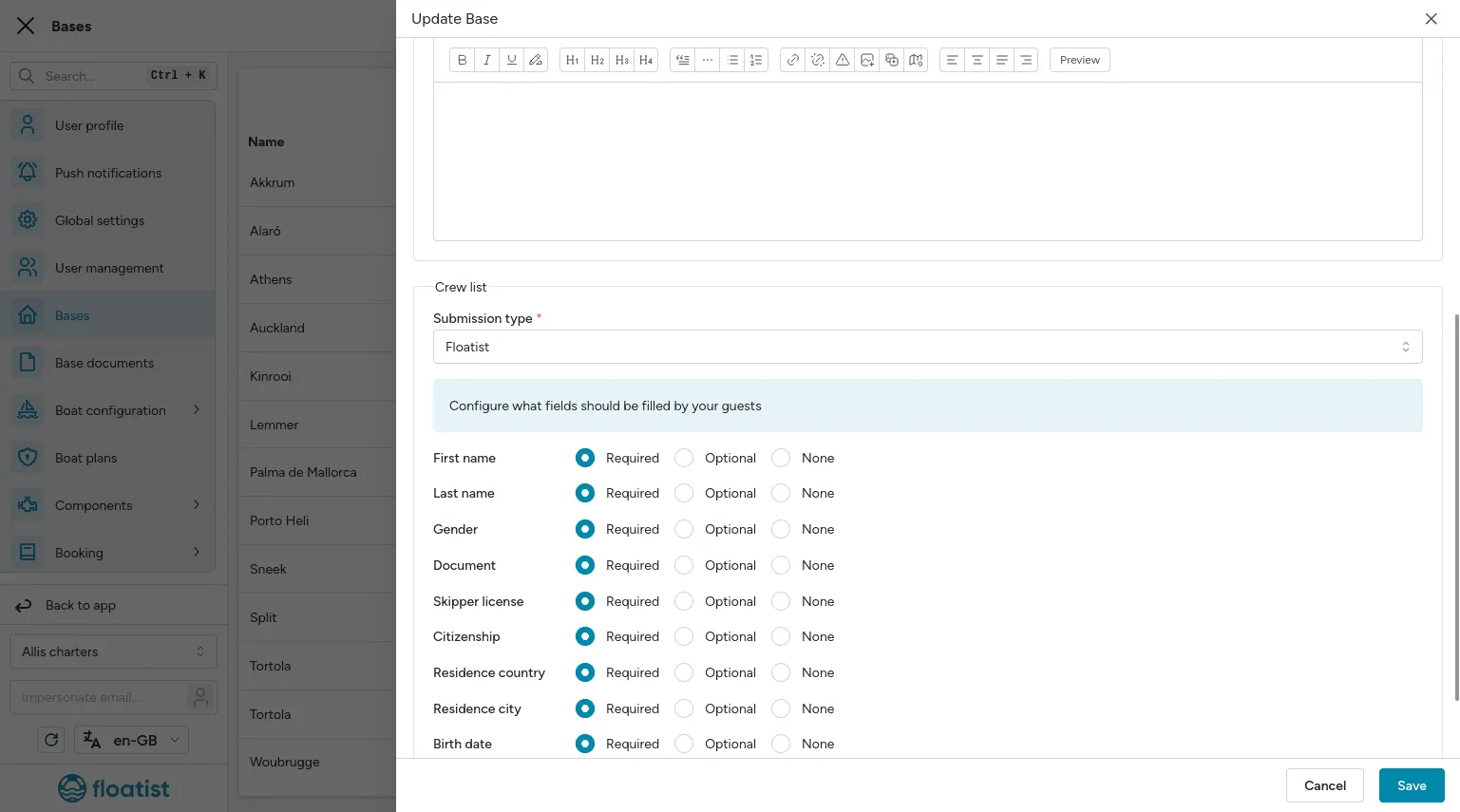
Section titled “Configurable crew list fields”It’s now possible to configure the fields that guests need to fill in the digital crew list, so that you can adapt it to your precise business needs and country regulations. You can find more information at Configurable crew fields.
Creating a task from checklist items
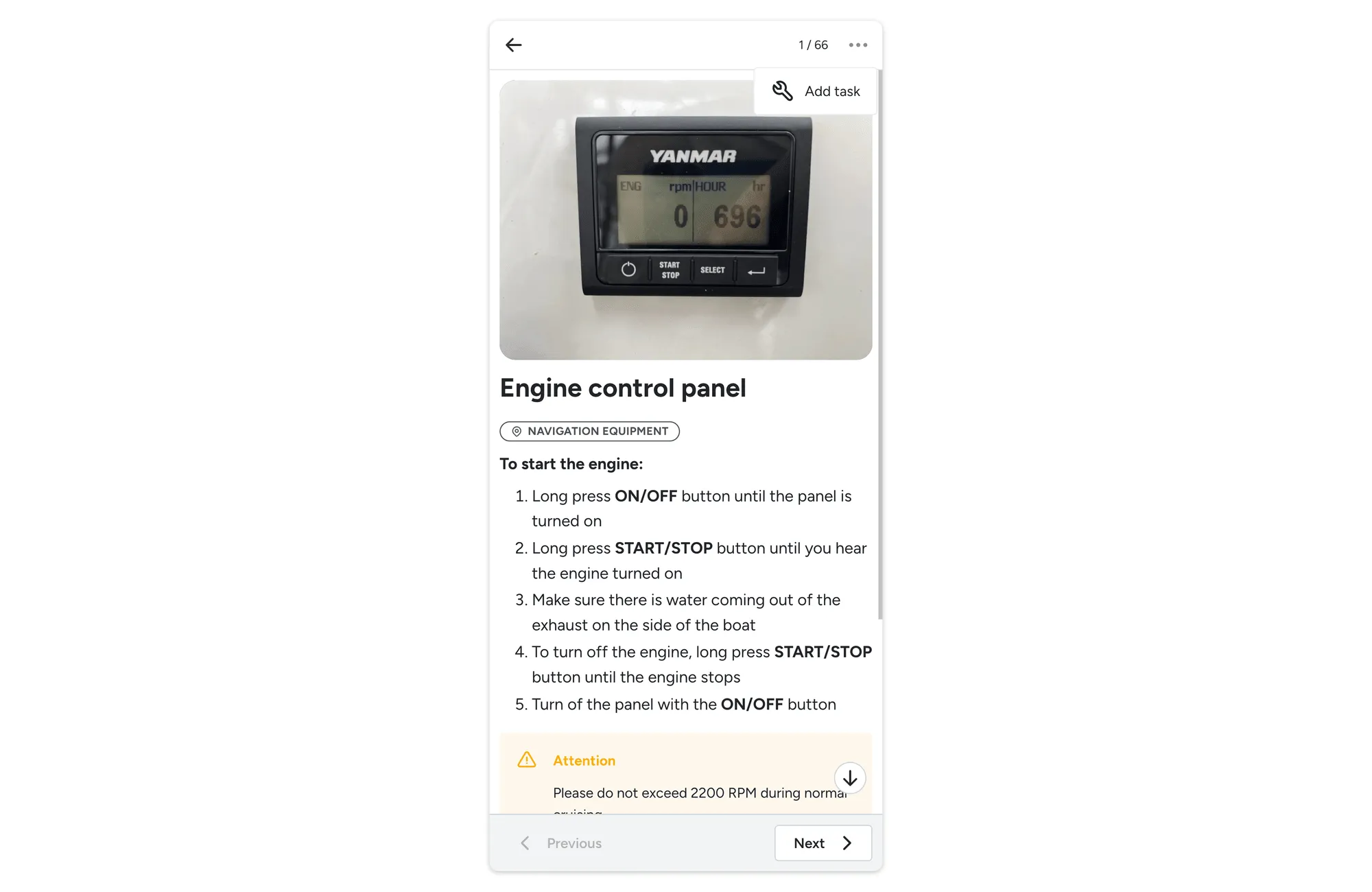
Section titled “Creating a task from checklist items”We have added a button on the checklist item page so you can create a task straight from there, without needing to navigate back to the list view.
Sorting for charter issues
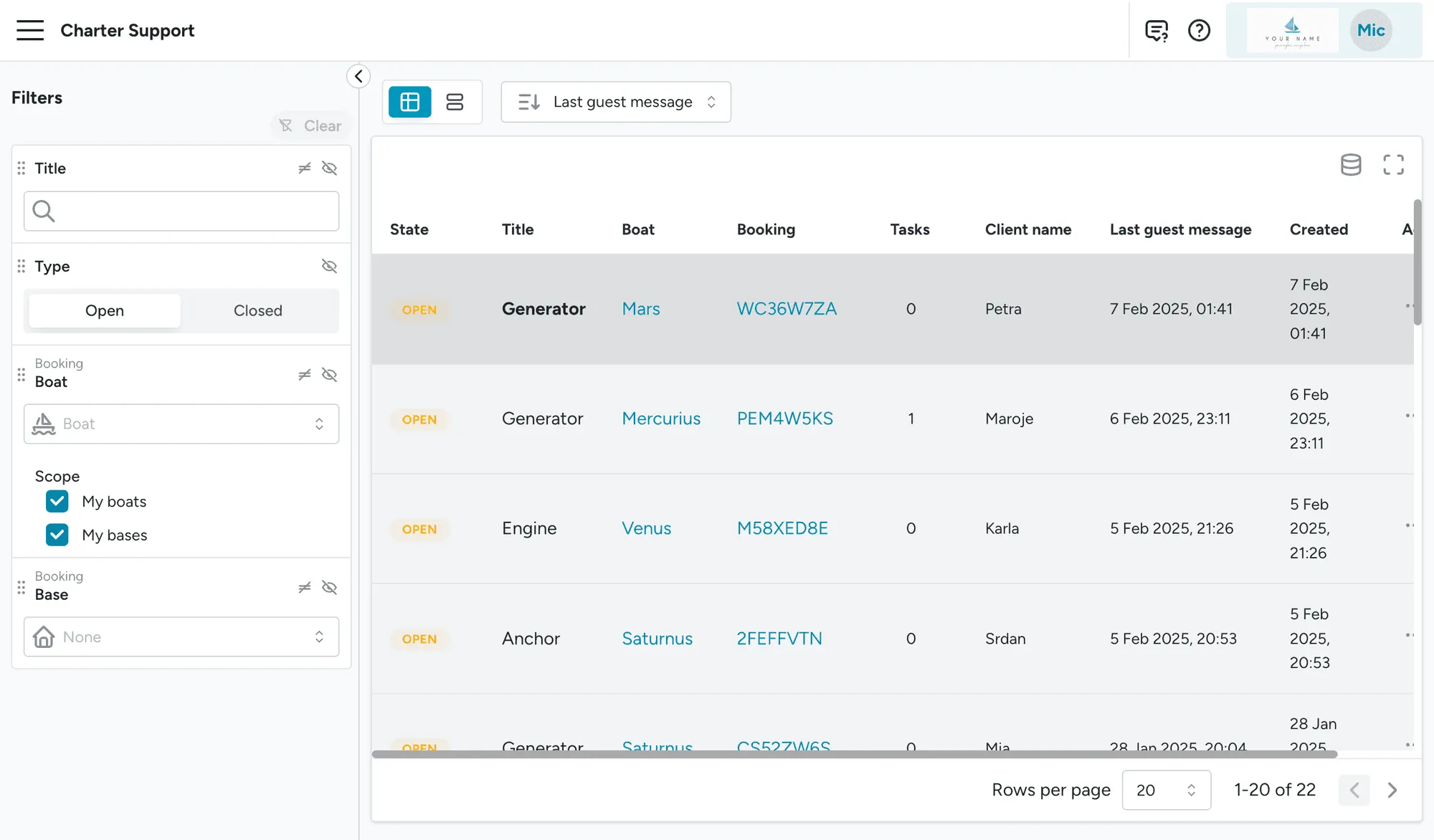
Section titled “Sorting for charter issues”Charter issues can now be sorted by the date of the last guest’s message, besides creation date. This allows you to quickly see which message came in most recently.
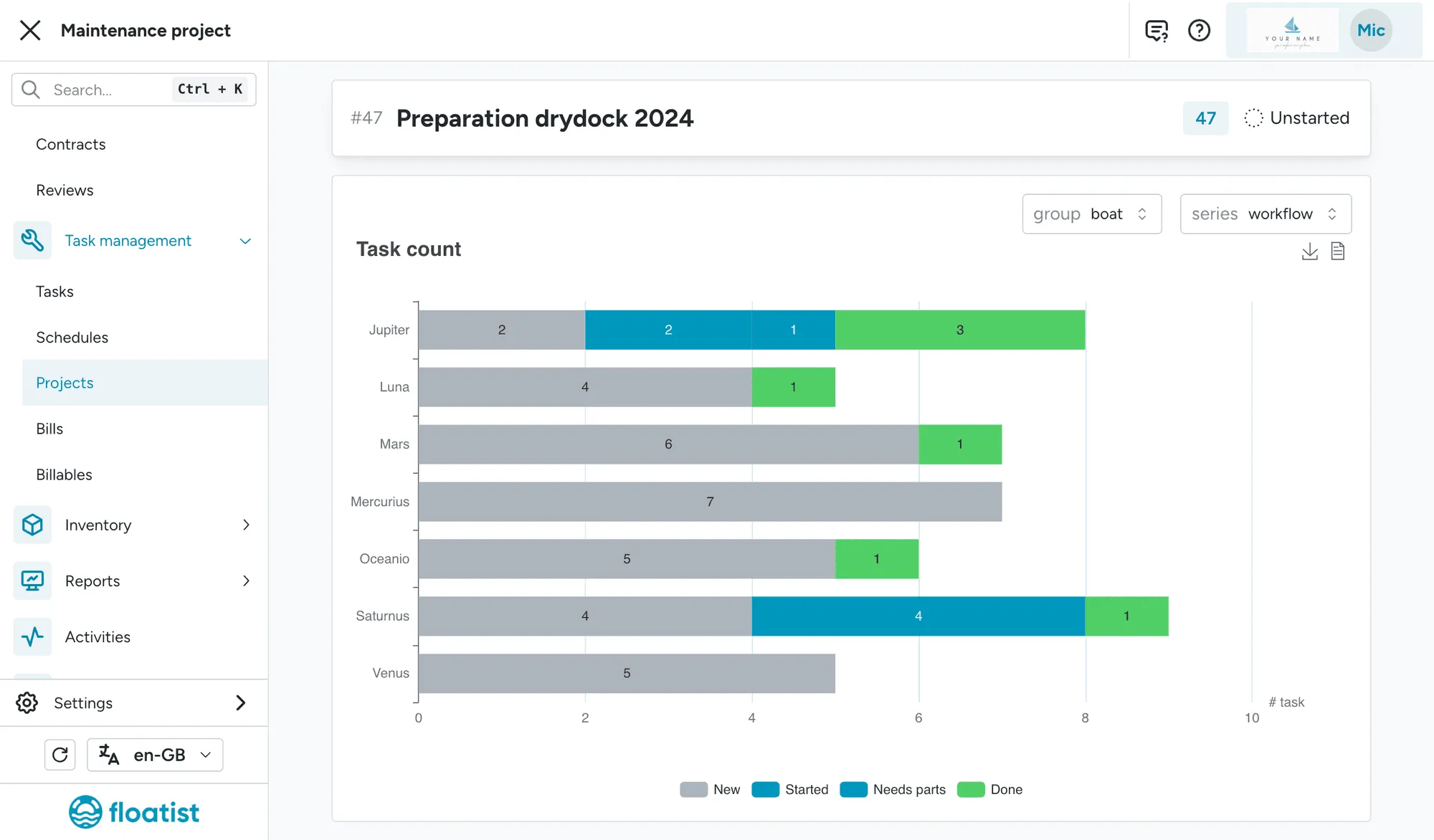
Project detail page charts
Section titled “Project detail page charts”We’ve added the possibility to visualize tasks within projects the same way you can visualize tasks, using different groupings and showing different series.
New counters in dashboard
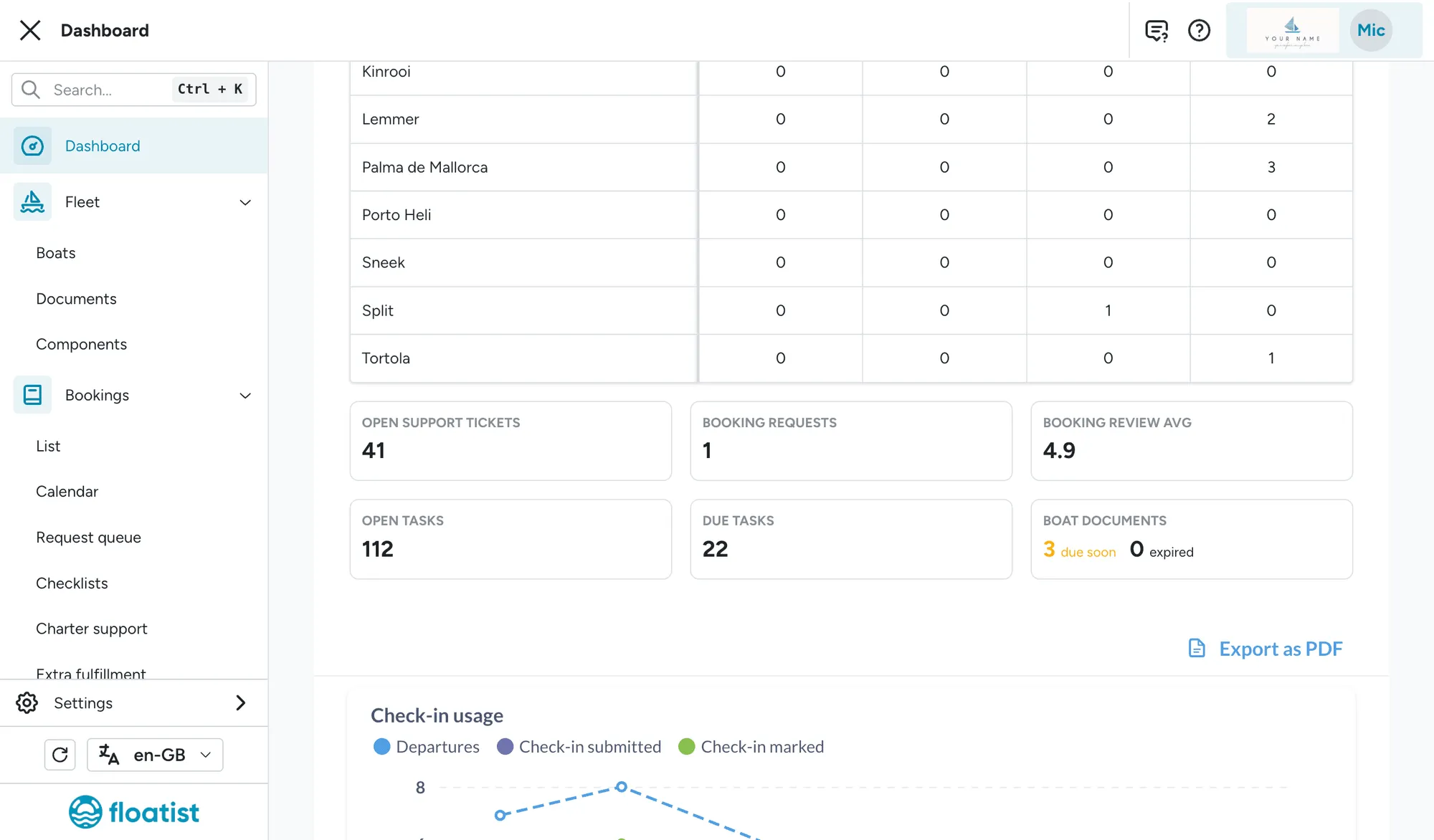
Section titled “New counters in dashboard”We’ve updated the Dashboard to fix the counters that were not clickable and we’ve added the following counters:
- Boat documents: Shows the number of boat documents that have expired or will soon expire.
- Booking requests: Number of open booking requests coming from the marketing website
App menu reorganization
Section titled “App menu reorganization”We have separated the menu bar into two different menus. The main menu is now dedicated for daily tasks, while the Settings menu is dedicated for configurations and settings that you should not need to access often. This means that if you need to configure something, you will find it in the Settings menu.
We will continue working on the app restructure in future releases. In case you cannot find the page
you are looking for, the fastest way to find the right page is to use the search bar, which can be
accessed by ctrl + k (Windows) or cmd + K (Mac).
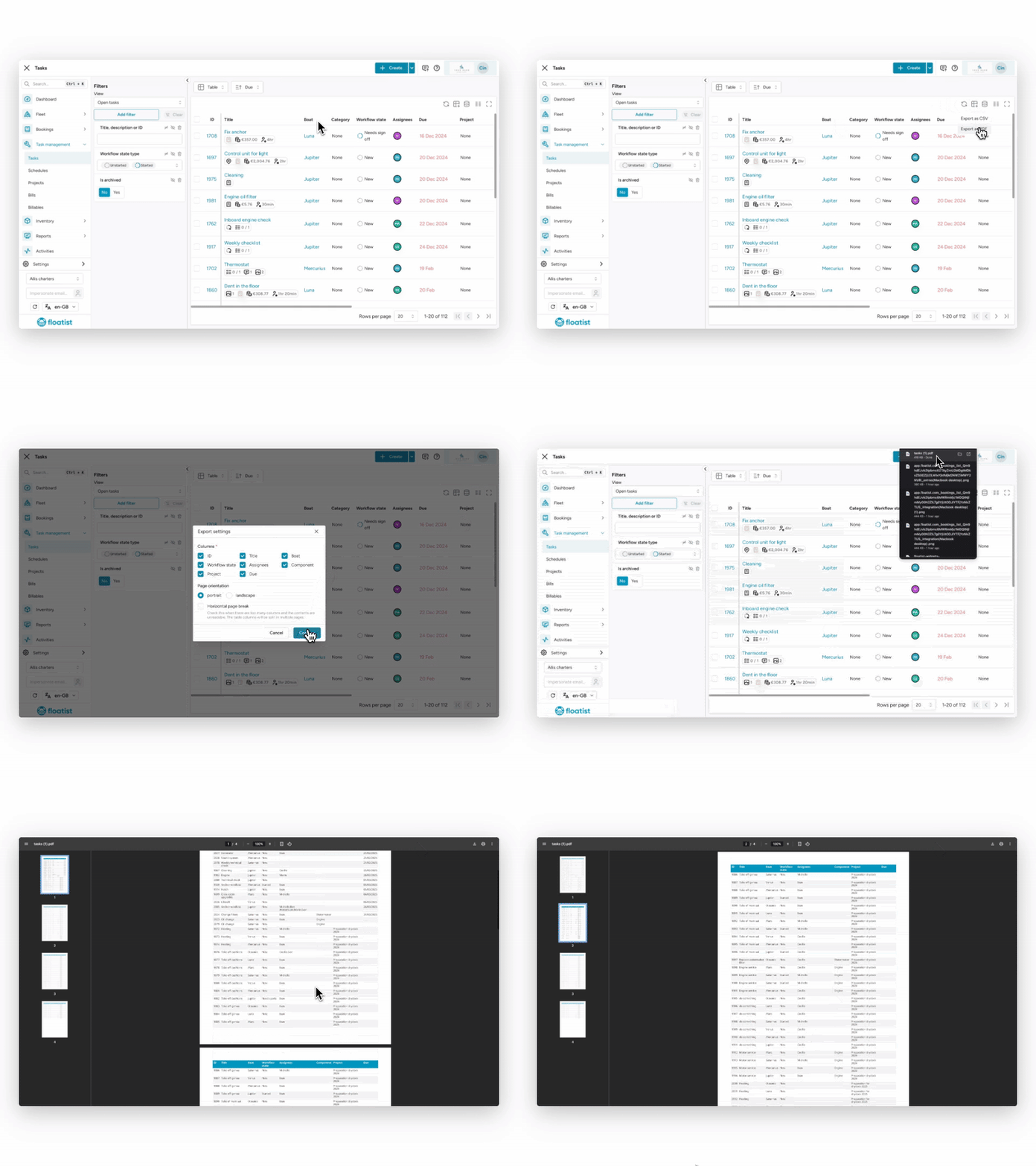
Printable PDF and CSV exports
Section titled “Printable PDF and CSV exports”It is now possible to quickly export data straight from the Tasks and Billables tables. You can choose between CSV or PDF exports, and customize which columns you want to export. The PDF export allows you to create printable handouts in case you want to delegate tasks to people who might not be using the Floatist app on a mobile device.
Extras usage chart
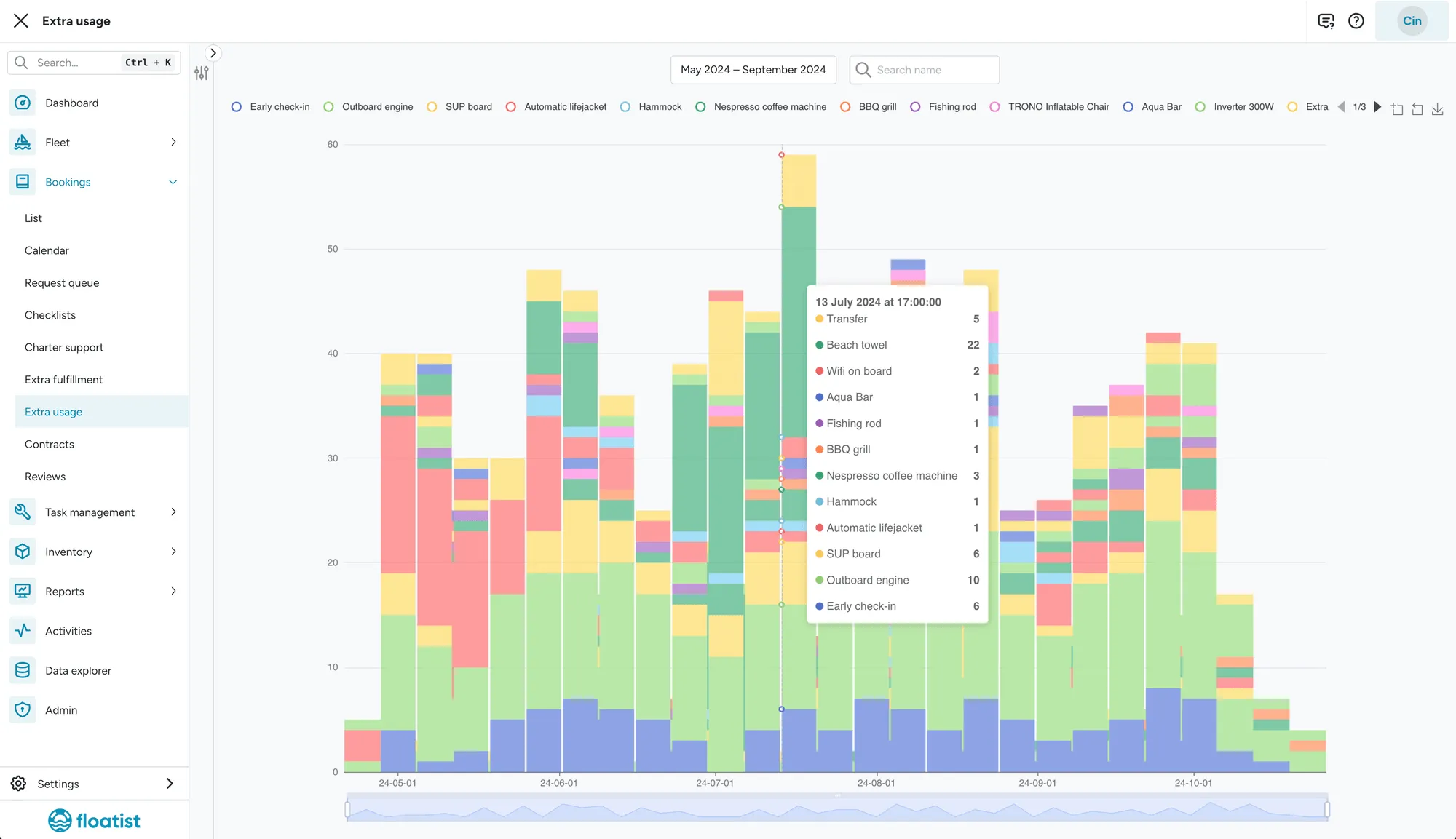
Section titled “Extras usage chart”We have added a visualization which gives you insights into how often you have sold which extras over time. This will allow you to better plan your resources.
February 21
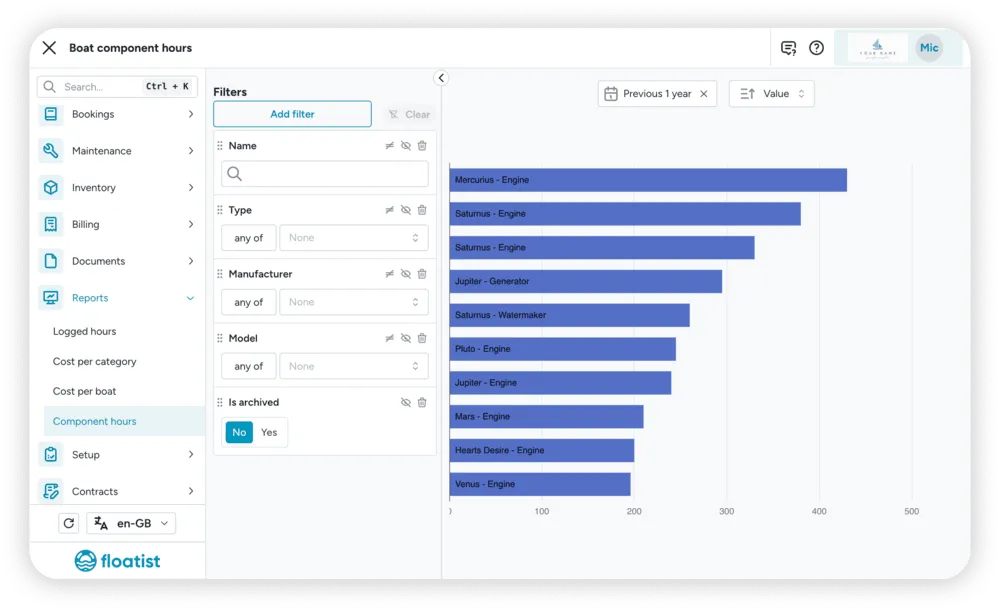
Section titled “February 21”Component hours report
Section titled “Component hours report”In the Reports > Component hours page you can now see the amount of hours that have been added to a specific component in a certain time period. This will help you see which yachts are logging more engine or other component hours than others, and stay on top of your sustainability goals!
New role: Booking Staff
Section titled “New role: Booking Staff”We added a new role Booking Staff which is meant for staff members that do not need to be able to create, edit and delete bookings, and do not need to create, update or delete tasks either. This is a role you can use for more junior booking staff members versus someone in charge of everything revolving around bookings.
You can find all information regarding roles and permissions in the User management article.
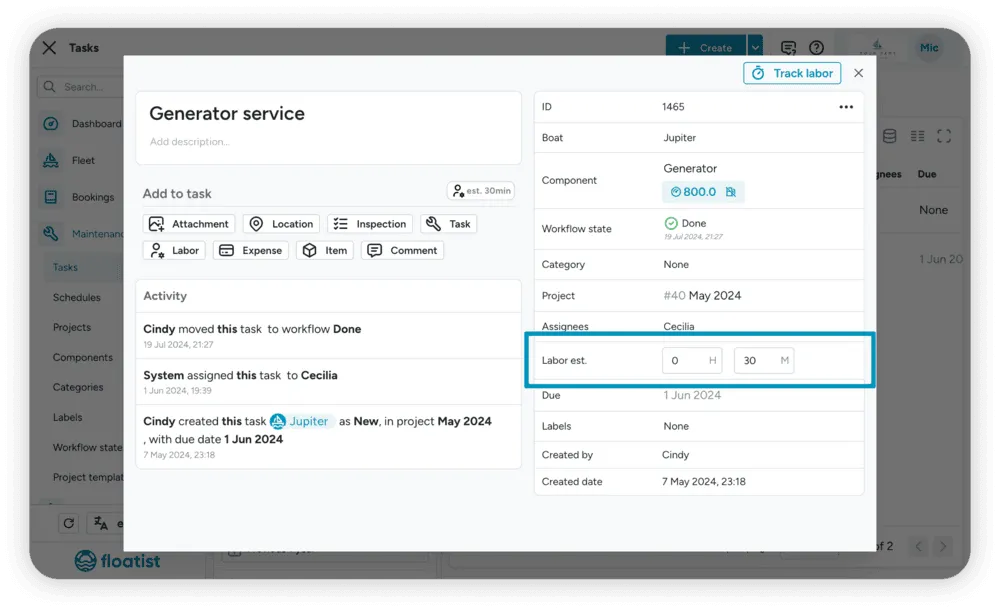
New field on tasks: Estimated Labor
Section titled “New field on tasks: Estimated Labor”We’ve added a new field to tasks: estimated labor. Using this field you can fill in an estimation of the time it should take to complete this task. Later on we will add a report to compare estimated vs actual labor, so you can stay on top of team productivity and resource planning.
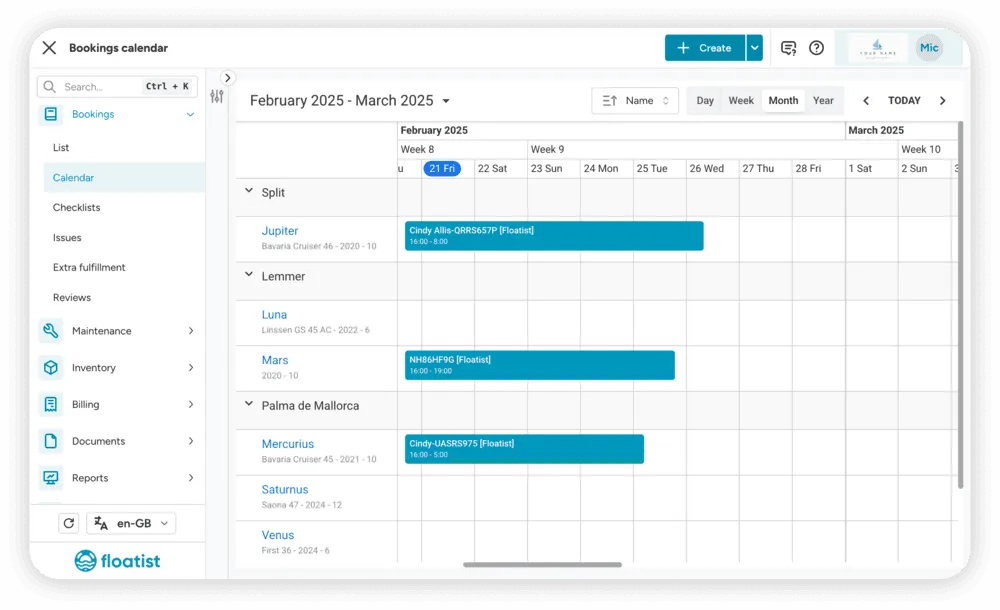
Improved visibility and sorting in Booking Calendar
Section titled “Improved visibility and sorting in Booking Calendar”Yachts now have more information displayed in the Booking Calendar: the model and the max capacity are shown below the name. Additionally, you can now choose how you want the yachts to be sorted: by name or by length.
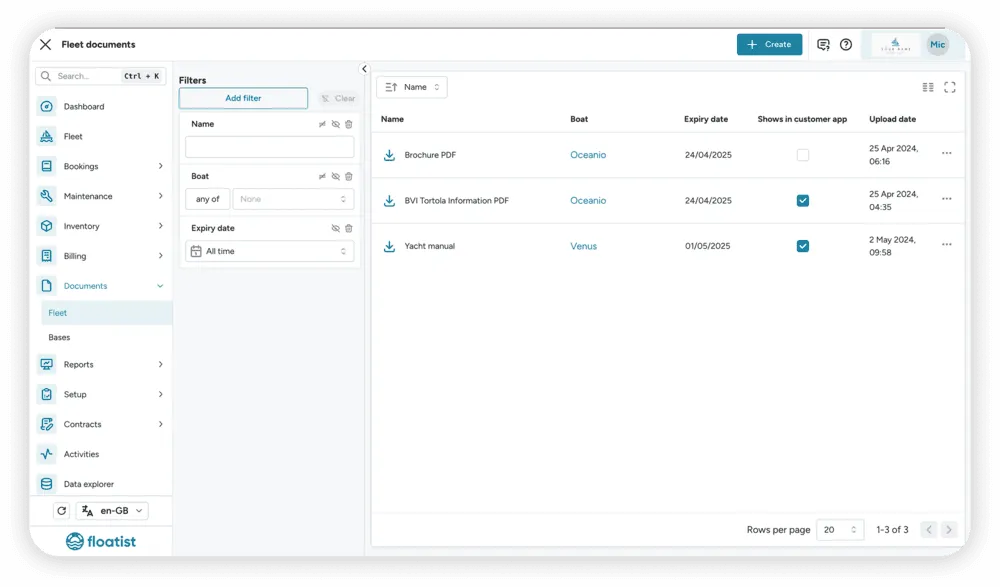
Yacht documents visibility in client app
Section titled “Yacht documents visibility in client app”For yacht documents, which used to be visible in the client app by default, you can now configure whether you want to show them or not. The checkbox in the ‘Shows in customer app’ column determines whether or not they are shown. You can find these settings for all of your documents in the Documents > Fleet page.
January 21
Section titled “January 21”Contracts
Section titled “Contracts”We’re thrilled to introduce one of our most requested features: Contracts! You can now create and send professional contracts to your charter clients directly from Floatist, saving time and eliminating hassle.
- Automated Pre-Filling: Forget about manual data entry! Yacht, customer, and charter details are automatically pre-filled, letting you say goodbye to cumbersome Word templates or copy pasting to other signature tools.
- Effortless Signing: Clients can easily sign contracts from any mobile device, ensuring all paperwork is in place before they even arrive at the base.
- Real-Time Tracking: Stay in the loop with real-time status updates, conveniently accessible from the booking page.
- Unlimited Templates: Customize and use unlimited contract templates tailored to your needs.
Simplify your workflow and enhance your client experience with our seamless contracts feature, designed to help you focus on what matters most: delivering exceptional charters.
Please note that this feature comes at an additional cost, as it leverages a trusted external digital signature provider to ensure that all signatures are secure and legally binding. If you’d like to get started with Contracts, please reach out to our Support team!