
Extras
How can I (or a customer) add multiple of an extra to a booking?
Section titled “How can I (or a customer) add multiple of an extra to a booking?”Each extra has a quantity setting that determines whether the count can be adjusted per booking:
- Fixed: a specific number (usually 1) that can’t be changed.
- Flexible: lets you and your guests pick a quantity within a range you define. Useful for things like extra towels, bed linen, or anything where guests might want more than one.
If you can only add a single one of something, the extra is set to Fixed. To allow multiple:
- Go to Settings > Bookings > Extra definitions.
- Click the action menu on the extra and select Edit.
- In the Pricing section, change Quantity from Fixed to Flexible and set the minimum and maximum range you want.
- Click Save.
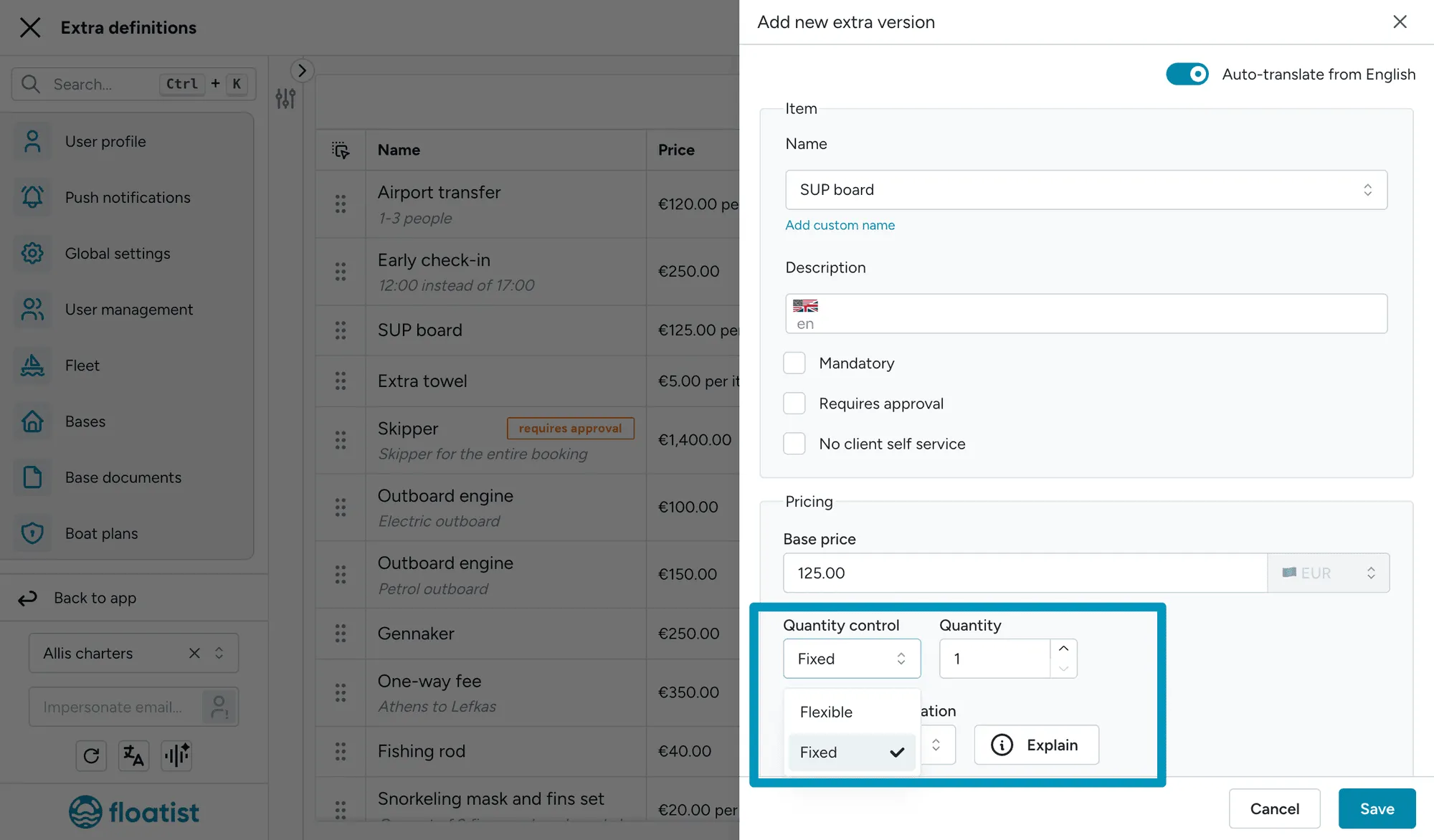
For full details on quantity and the other pricing factors, see Quantity in the extras setup guide.
How do I remove an extra we no longer offer?
Section titled “How do I remove an extra we no longer offer?”If an extra is no longer available, archive it rather than deleting it. Archiving preserves the data on bookings that already include the extra (so historical records stay accurate) while hiding it from new bookings.
- Go to Settings > Bookings > Extra definitions.
- Click the action menu on the extra and choose Archive.
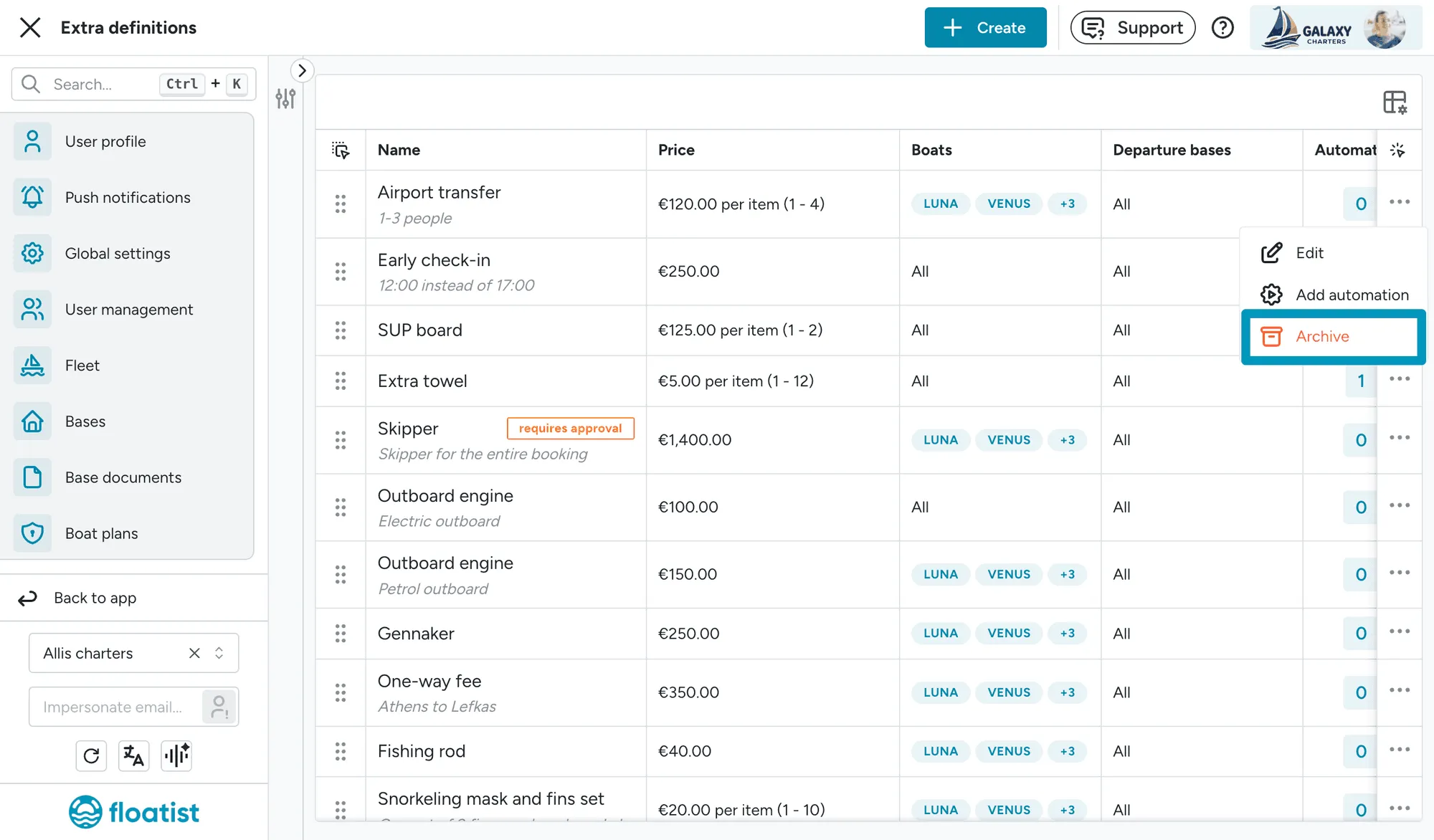
If you have upcoming bookings that already include the archived extra, review them one by one and remove the extra if it shouldn’t apply anymore. See Archiving extras for the full behaviour, and Change management if you need to update many bookings at once.