
Payments
Online payments are a per-account setting that Floatist support sets up for you. Once it’s on, guests can pay the initial payment straight from the booking flow or their confirmation page, and your team can review every payment in Floatist.
How the guest pays
Section titled “How the guest pays”When payments are on, the guest pays through a secure, hosted payment page reached from the booking flow, or the payment button on their confirmation page.
Reviewing payments in Floatist
Section titled “Reviewing payments in Floatist”Every payment Floatist processes shows alongside the booking or request it belongs to, and in one combined list, whichever payment provider took it. Only visible to users with the Admin or Booking manager role.
All payments
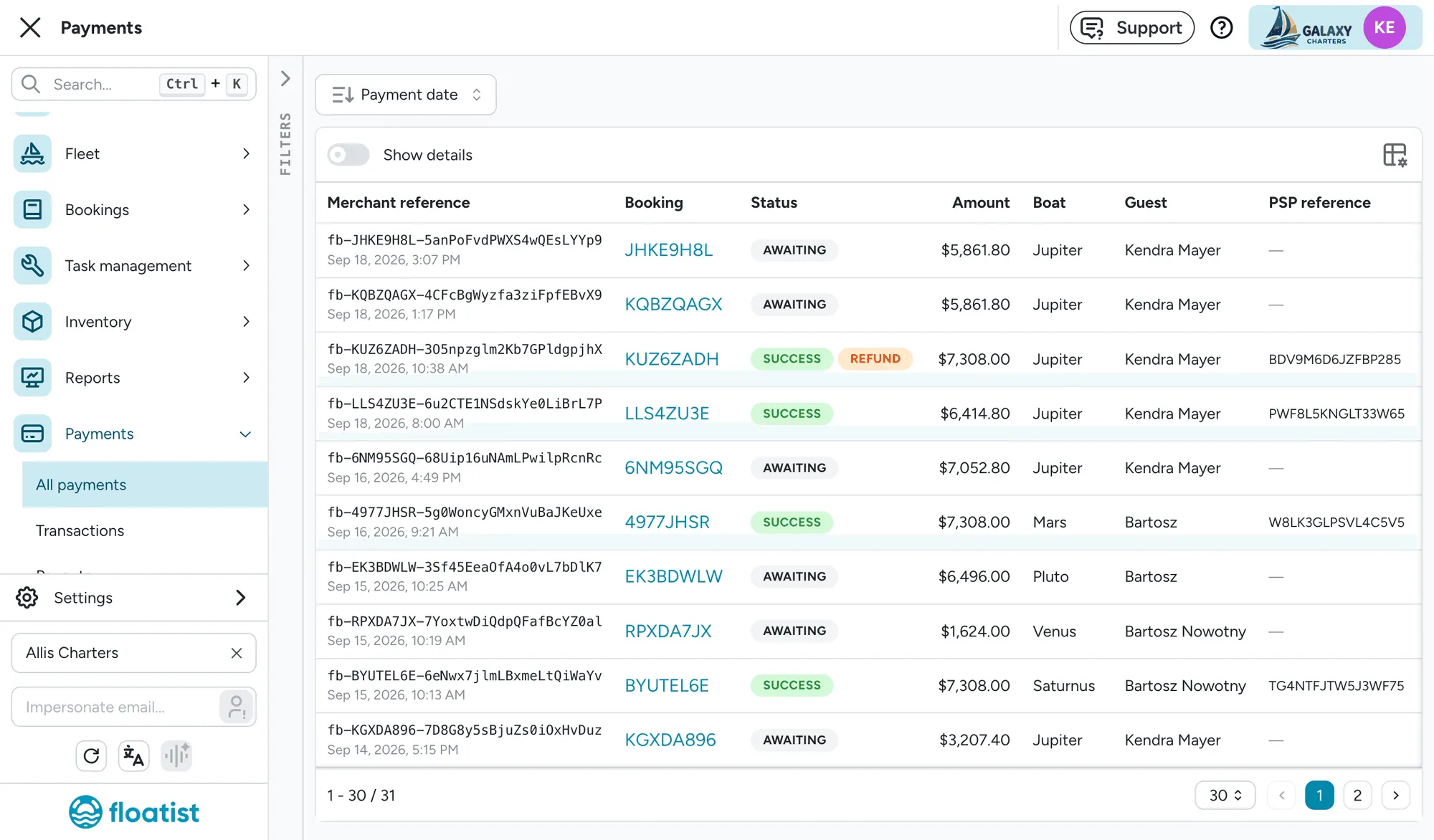
Section titled “All payments”Payments > All payments lists every payment across your account: date, a reference that links back to the booking or booking request, status, amount, boat, guest, and which provider processed it (Adyen or Stripe), with its own provider reference. Filter by status, provider, date range, boat, guest, or reference, and sort by date or amount.
On a booking request or booking
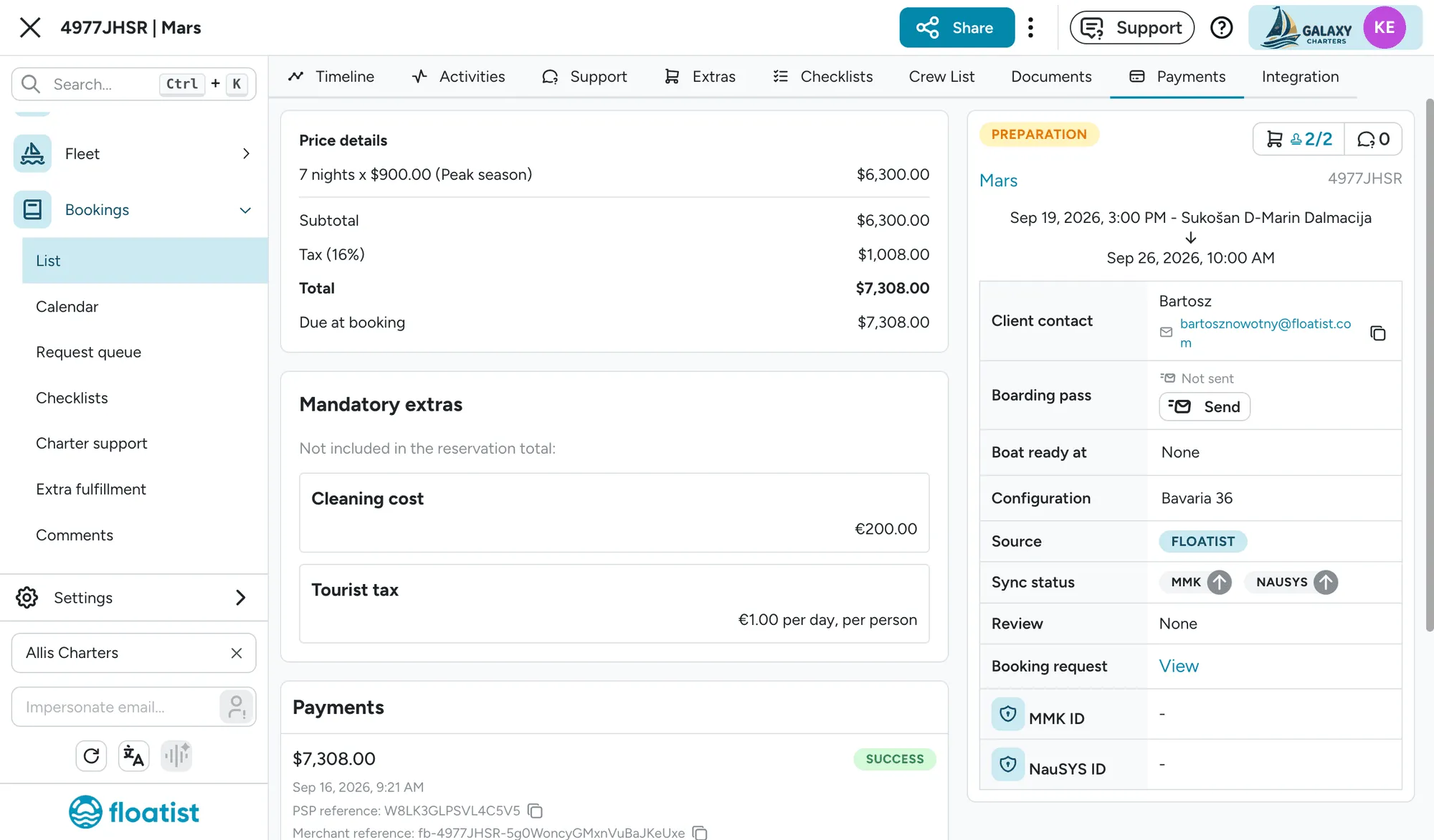
Section titled “On a booking request or booking”A Payments card on a booking request’s detail page, and a Payments tab on a booking’s detail page (for any booking that started as a request), lists every payment attempt tied to it: amount, status, when it happened, and a copyable provider reference. From here you can jump to the Stripe receipt, or into the Adyen dashboard for that transaction, whichever provider took the payment.
Payment dashboards
Section titled “Payment dashboards”If your account settles through Adyen, the Payments section also has dedicated dashboards for Transactions, Payouts, Disputes, and Reports.
Floatist support can set a single tax rate for your whole account, applied to every payment processed through Adyen, alongside turning on online payments:
- Tax rate: a percentage, up to two decimal places (for example 12.25%). Leave it at 0 for no tax.
- Tax included in prices: on, every price already includes the tax at that rate; off, the tax is added on top of the price.
The rate is locked in when a request is submitted, so changing it later never affects a request already in progress. It shows up everywhere the price does, on the booking page, the confirmation page, and payment emails, as its own Tax line when exclusive, or a note under the total when inclusive. Floatist also sends it to Adyen as a real tax line item on the payment, not folded into the total.
What the guest sees on their bank statement
Section titled “What the guest sees on their bank statement”The line on a guest’s card statement names your company and the booking, for example “Ultra Sailing K7M2PQR4”, cut to fit the 22 characters banks allow: the booking’s reference is always written in full, and your company name is trimmed if there’s no room left. It’s the same reference shown on the request in Floatist and in the guest’s emails, and it carries over from a request to the booking it becomes. There’s nothing to configure.