Recover password
I did not receive the login link / I forgot my password
Section titled “I did not receive the login link / I forgot my password”Whether you never received your initial login link or you forgot your password, you can set a new password by following the same steps:
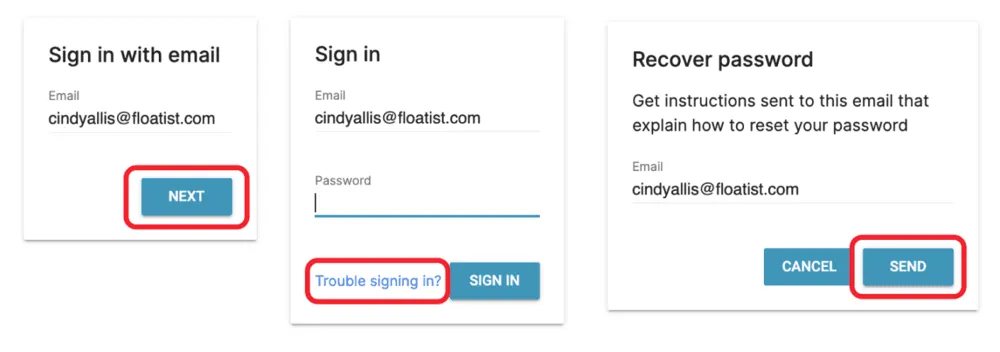
- Navigate to app.floatist.com
- Fill in your email address
- Click NEXT
- Click Trouble signing in?
- Click SEND
- Open your email, and follow the link in the email
- Fill in your new password, and click SAVE
Then sign in with your new password.