
Data export
Floatist lets you export the contents of most tables in the app so you can analyze your data in external tools like Excel, Google Sheets, or Tableau.
Exporting a table
Section titled “Exporting a table”Any table with a download icon in the top-right corner supports data export. Click the icon, pick the format you want, and the file downloads.
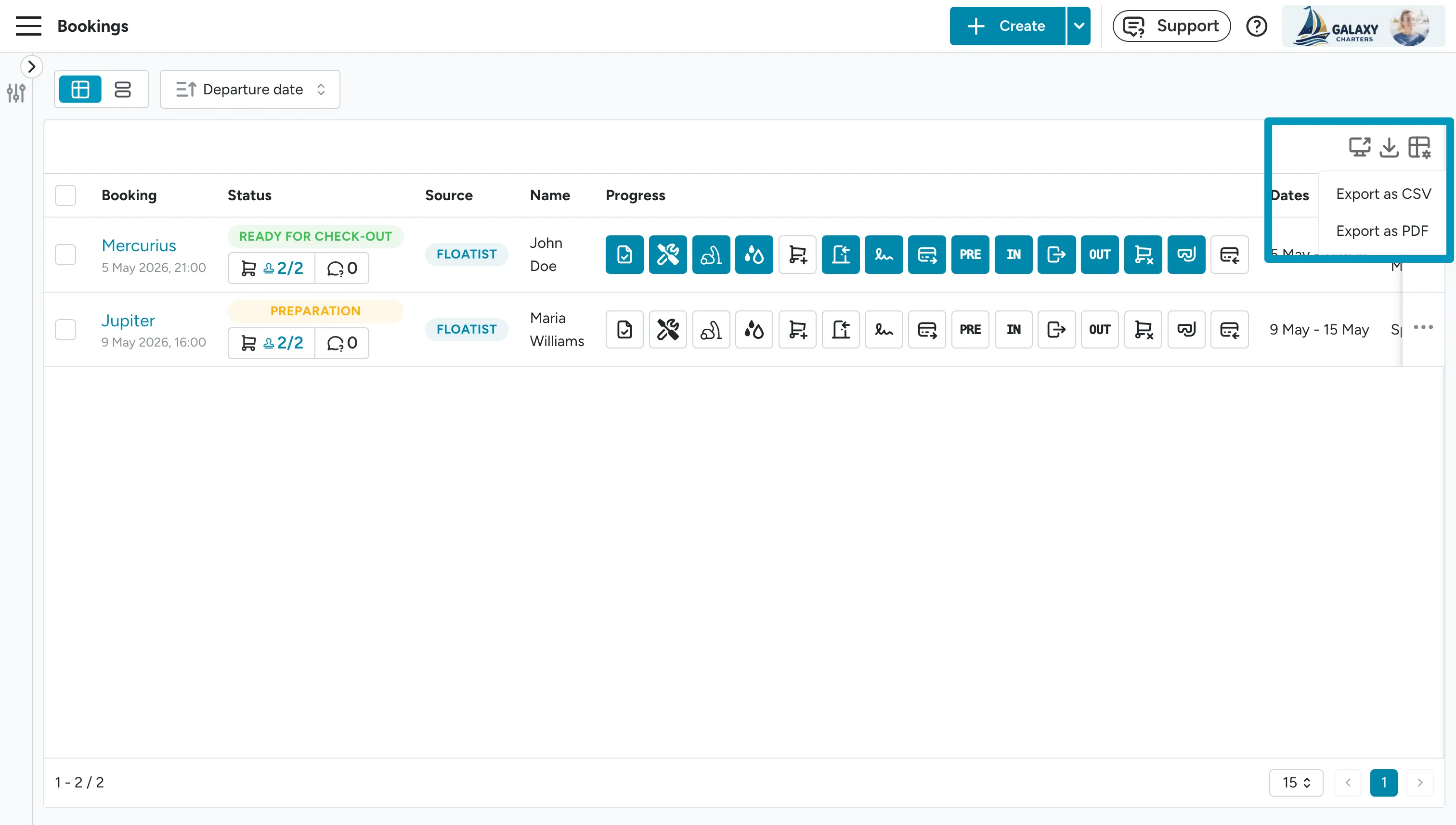
The export reflects whatever’s currently shown in the table — so apply filters first to narrow down to the rows you want, and the export will respect those filters.
The download icon appears on many tables across the app, including bookings, tasks, crew lists, billables, and extras. If you need to export from a table that doesn’t yet have the icon, let us know at support@floatist.com and we’ll see what we can add.