2026
October 13
Section titled “October 13”A clearer view of your inventory
Section titled “A clearer view of your inventory”Inventory Management gets a new dashboard, a shopping list and smarter restocking, so it’s quicker to see what’s on the shelf, what it’s worth and where it went. The Inventory Management docs have been expanded too, including why tasks matter and reporting use cases like working out the cost of each boat.
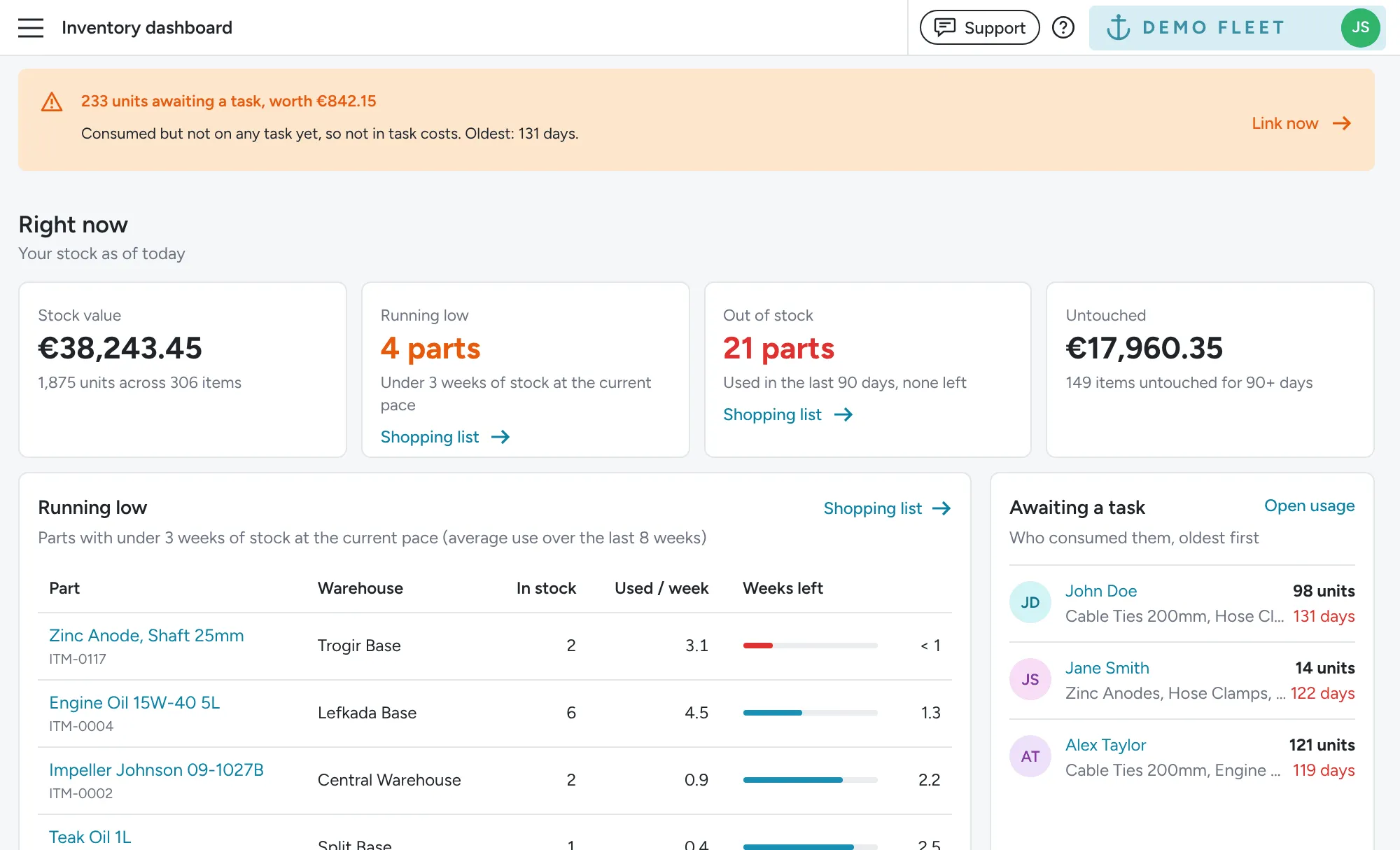
Dashboard
Section titled “Dashboard”The new Inventory dashboard shows what your stock is worth, which items are running low or out of stock, and what has sat untouched for 90 days or more. Pick a warehouse and a period to see stock used, damaged or lost, cost by boat and your most used items, compared with the period before. Stock consumed but not yet on a task is flagged at the top with who took it, and a Data health card points you to items without a price or barcode.
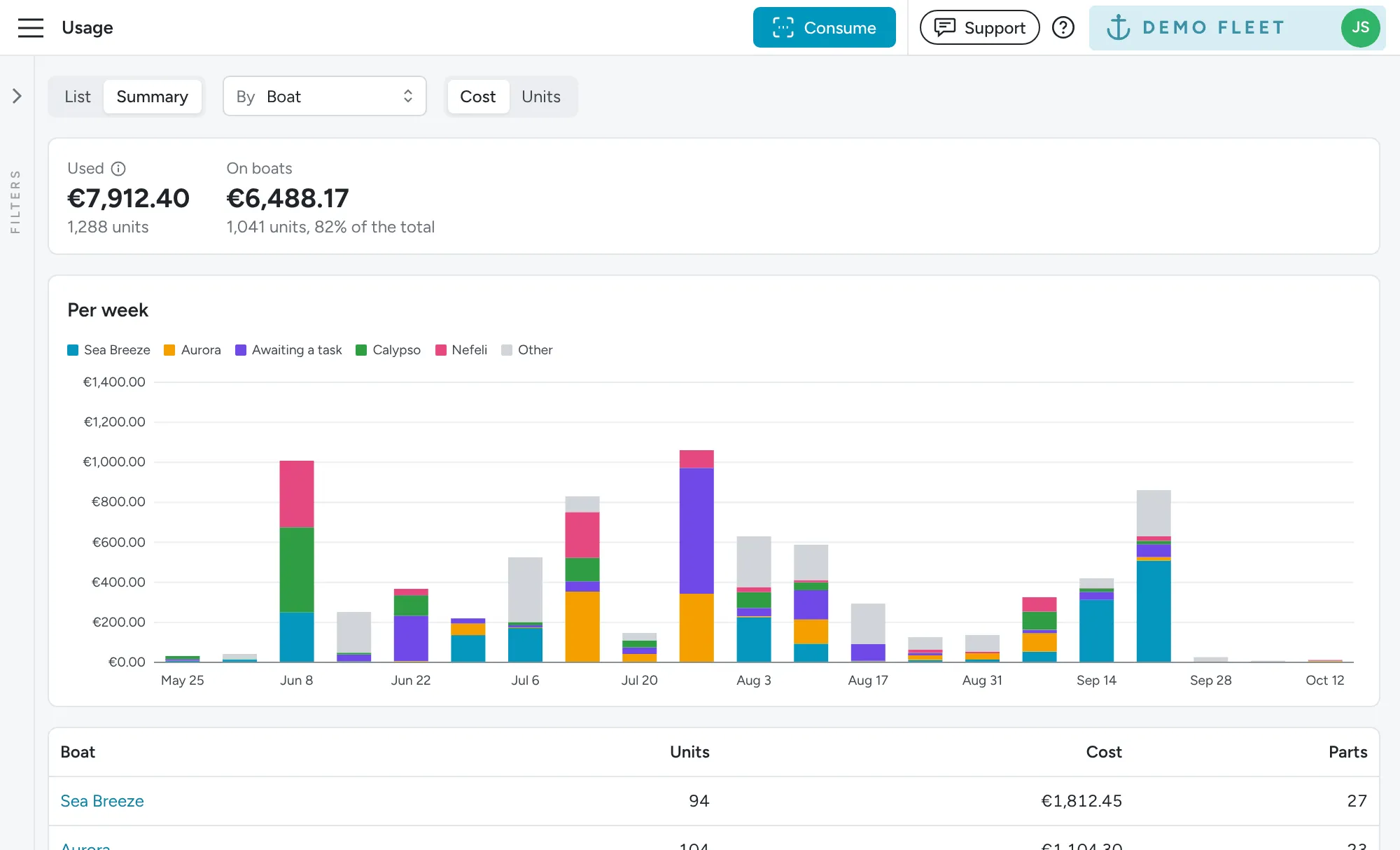
Usage reporting
Section titled “Usage reporting”The Usage page has a new Summary view. Group stock used by part, boat, warehouse or person, switch between cost and units, and see how much of it went on boats’ tasks. Click any row to drill in, for example from a boat to the parts it used. See Reporting use cases for questions like which boats use the most stock and who is taking it out.
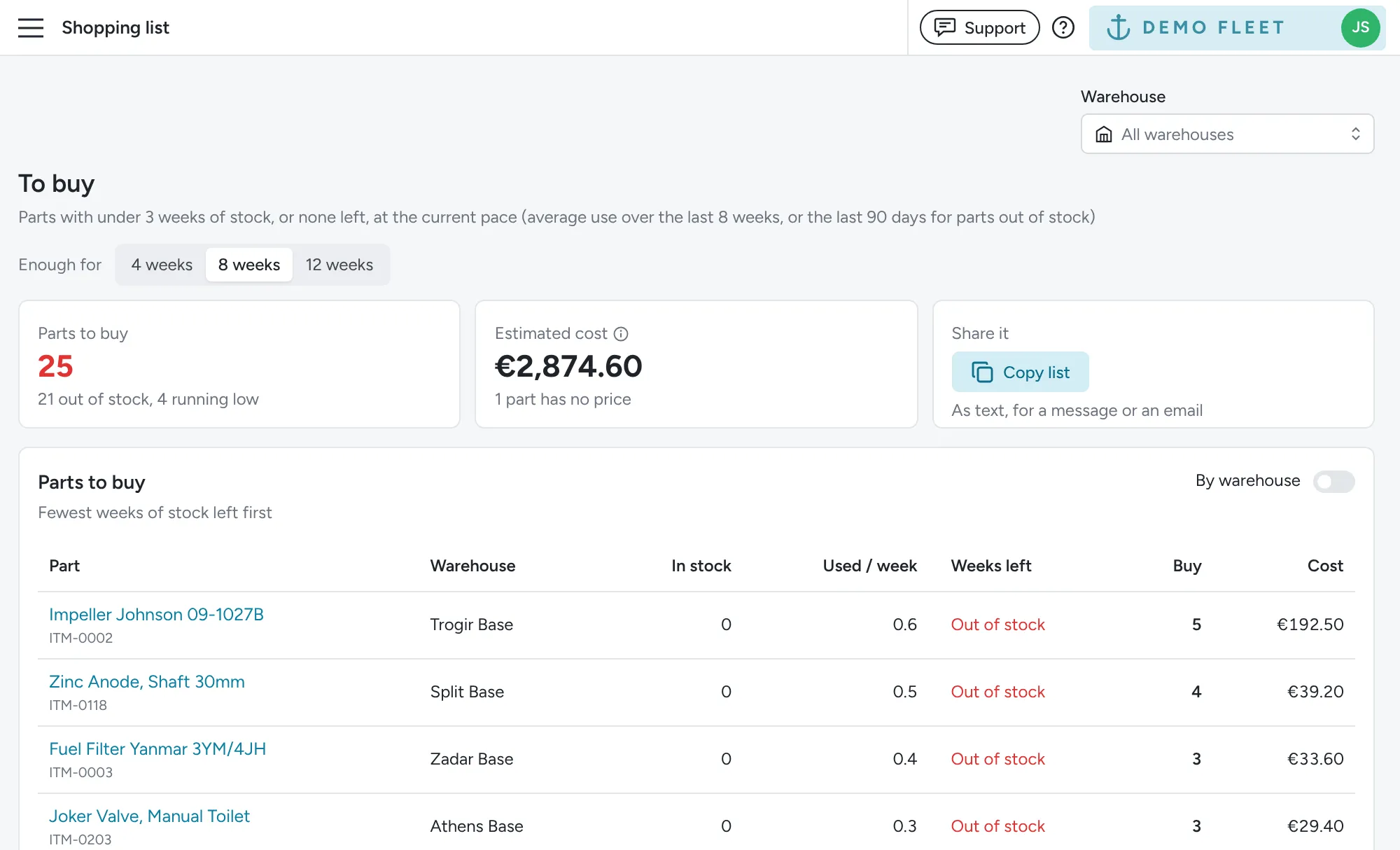
Shopping list
Section titled “Shopping list”The new Shopping list shows everything running low or out of stock and how many to buy for 4, 8 or 12 weeks at your current pace, with an estimated cost. There are no minimum stock levels to set up: Floatist works it out from what you used over the last 8 weeks. Group it by warehouse and copy it straight into a message to your supplier.
Warehouses
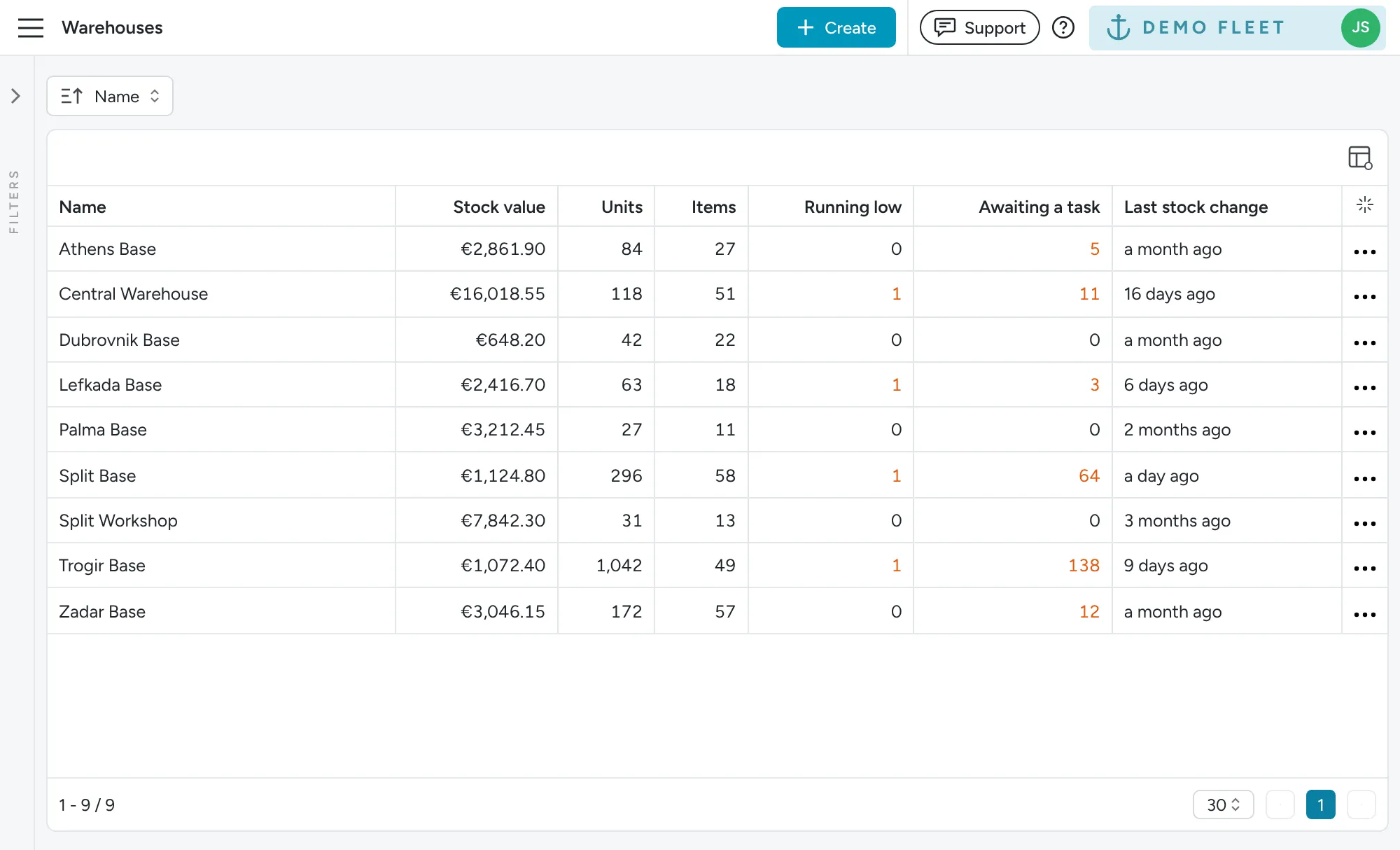
Section titled “Warehouses”The Warehouses list now shows each warehouse’s stock value, units, items, stock running low and units awaiting a task. Click a warehouse to open its dashboard, or any count to open the matching items, shopping list or usage.
Adding stock at the price you paid
Section titled “Adding stock at the price you paid”When a delivery comes in, use Add stock and enter the price paid. At the same price, the units go straight onto the item you already have, so there’s no more cloning items to restock.
At a new price, Floatist keeps them as a separate batch under the same FID, so stock value and task costs stay accurate.
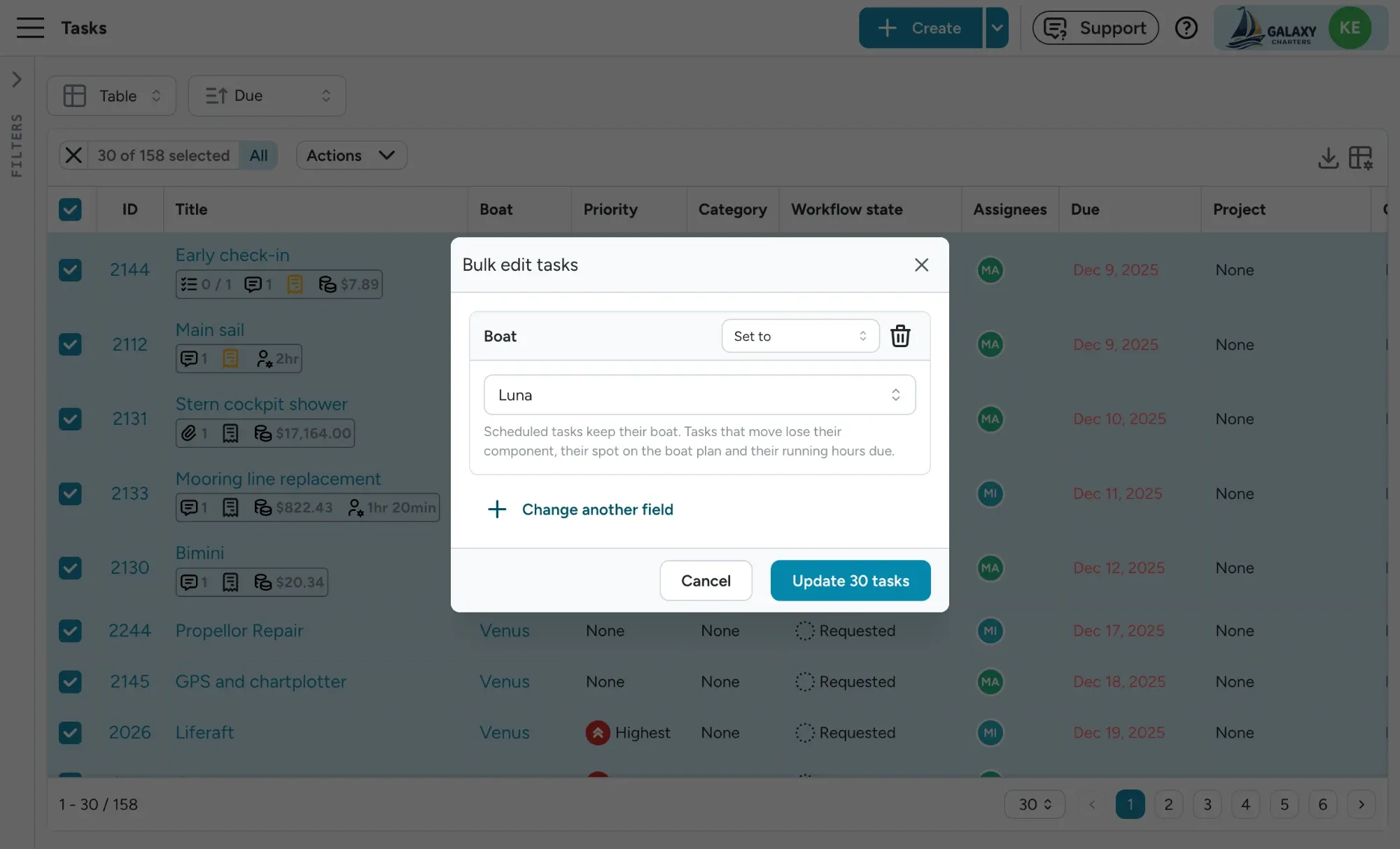
Scanning a barcode you already have adds stock instead of creating a duplicate, and Find takes you straight to any item by scanning it. When you type a barcode in by hand, the format starts on the one you used last on that device. See Adding barcodes.
Push notifications follow your boats and bases
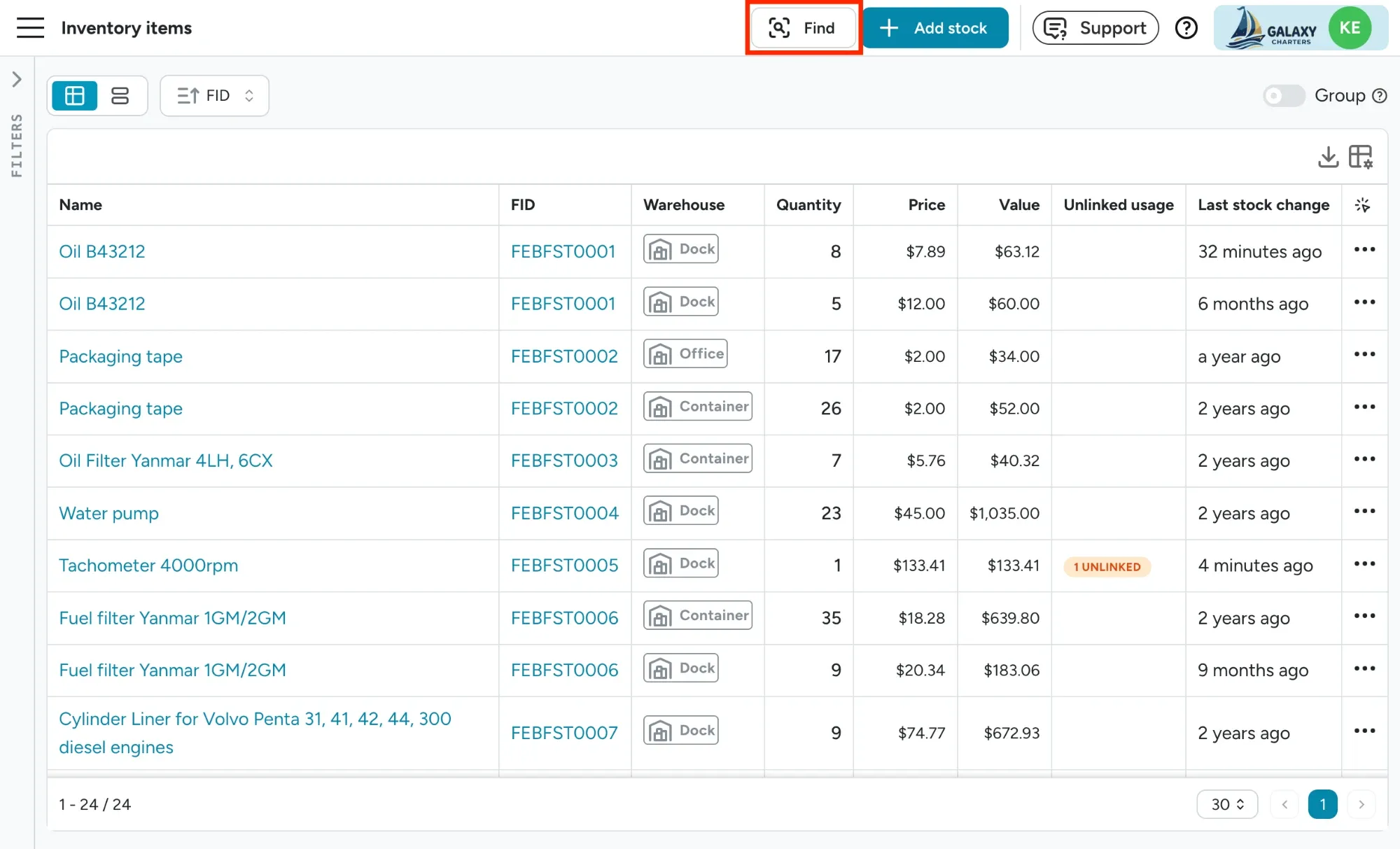
Section titled “Push notifications follow your boats and bases”Every push notification now follows the boats and bases each user is assigned to: booking activity, extras, charter issues, booking requests and task updates. Your base manager in Split no longer hears about check-ins in Trogir. On one-way charters, the start base team gets notified about check-in and extra prep, and the end base team about check-out and clean-up.
Users choose what kind of notifications they want, and assignments in Settings > User management decide which part of the fleet they cover. Users with no assignments still hear about the whole fleet, and a task assigned to you always reaches you. A new Include general tasks switch covers office and base work that isn’t tied to a boat. See Which boats and bases you hear about.
Move tasks to another boat in bulk
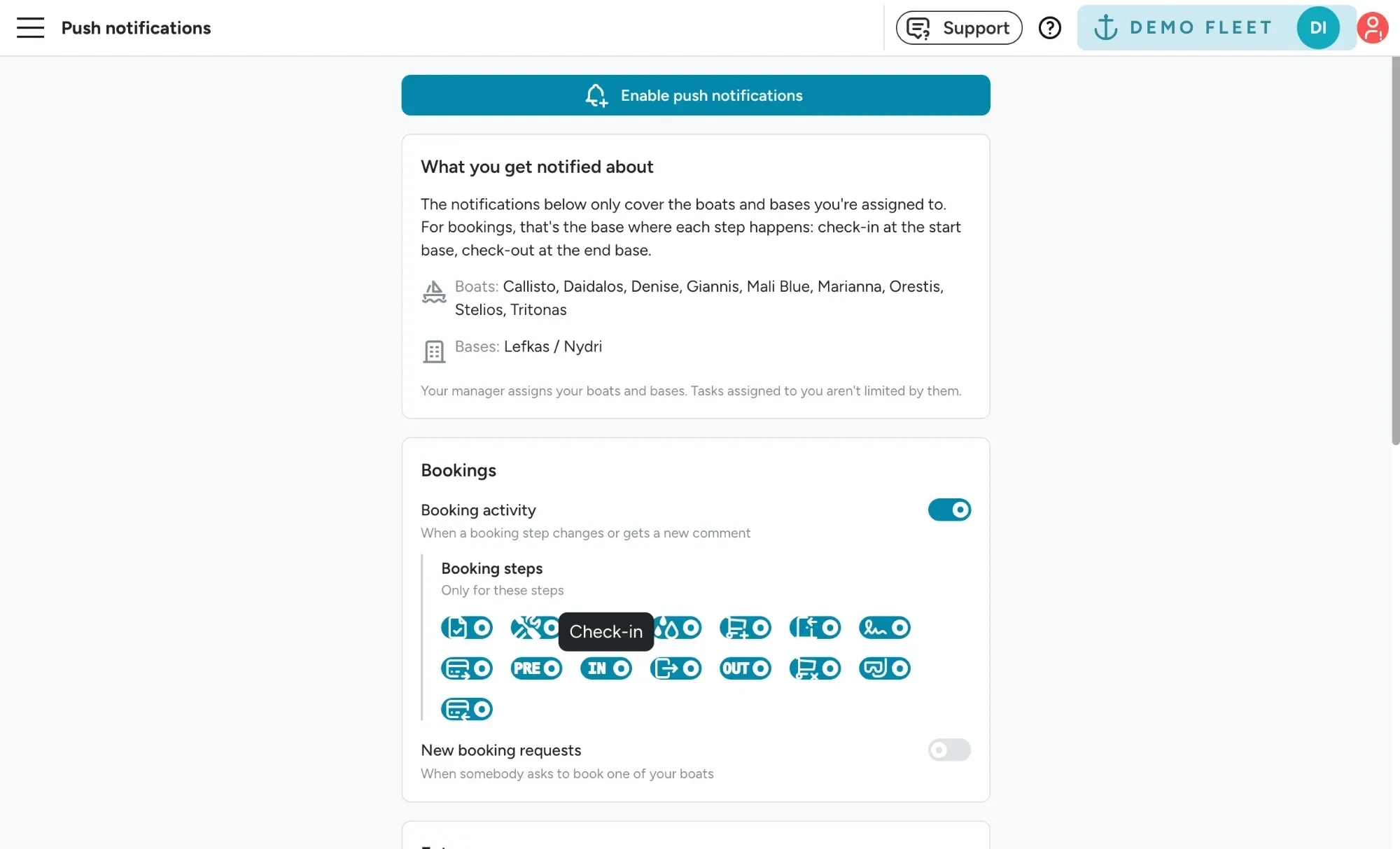
Section titled “Move tasks to another boat in bulk”Logged a batch of jobs on the wrong boat, or swapped boats on a booking? Bulk edit now lets you move any number of tasks to another boat in one go, or take them off a boat entirely. Moved tasks drop the old boat’s component, plan location and running hours, so nothing points at the wrong yacht. Tasks created by a schedule stay on their boat.
The bulk edit window is also simpler. Add only the fields you want to change, and everything else stays as it is. For assignees and labels you can now add or remove people and labels without wiping the ones already there. Open it from the task table, the task calendar or the Bookings > Extra fulfillment matrix. See Bulk update.
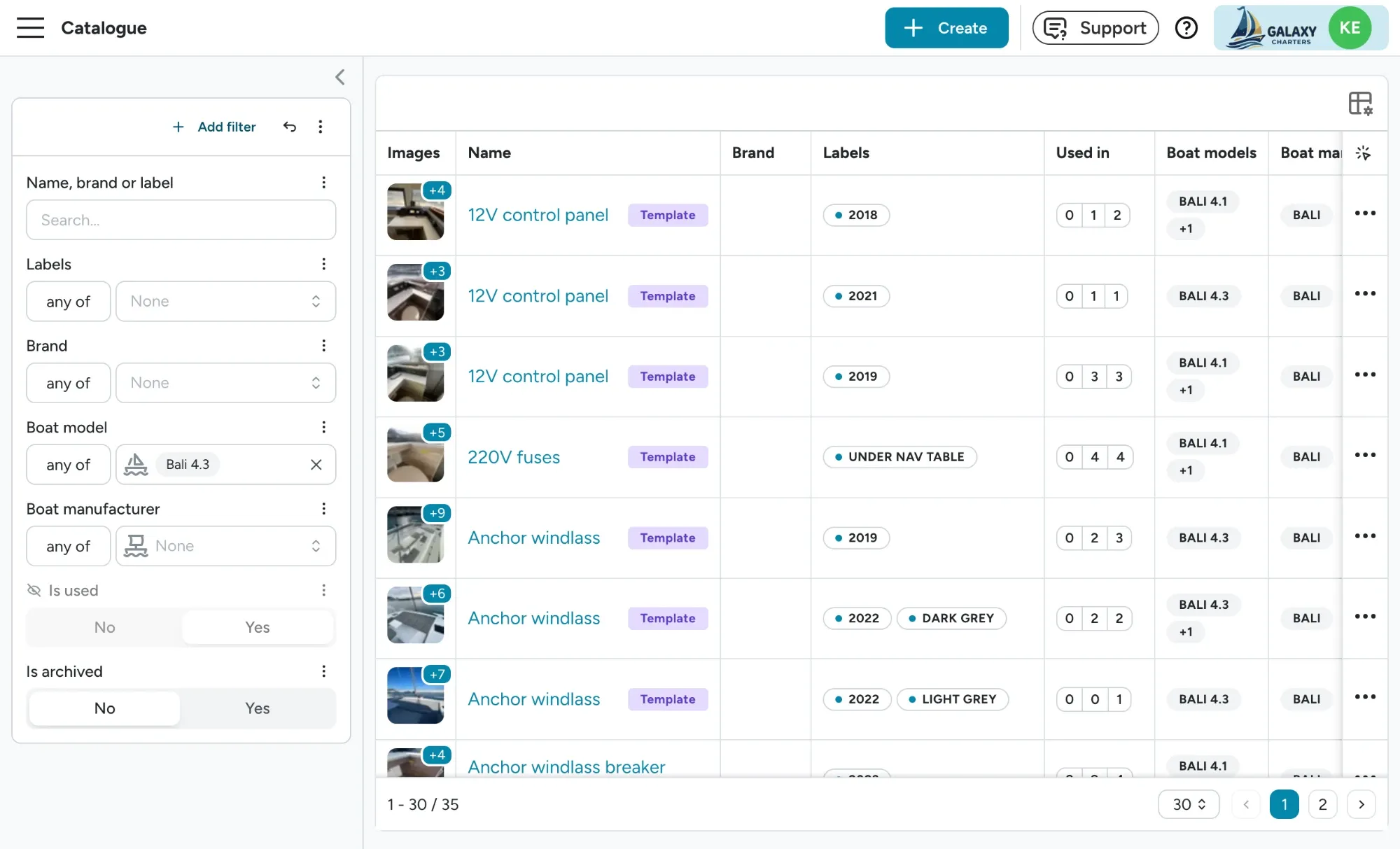
Find the right catalogue item faster
Section titled “Find the right catalogue item faster”The checklist catalogue and the configuration editor’s item list share a sharper set of filters. Combine them with AND/OR, and filter labels, brand, boat model and boat manufacturer by Any of, Has any or “has none”. Search also forgives typos and matches brand and label names. See Finding items in the catalogue.
The catalogue table also tells you more at a glance: the name guests see appears under the item name when it differs, a translation icon shows which languages are done, and hovering Used in lists the checklists that use the item. Labels can now be renamed and deleted too. See Reading the catalogue table and Managing labels.
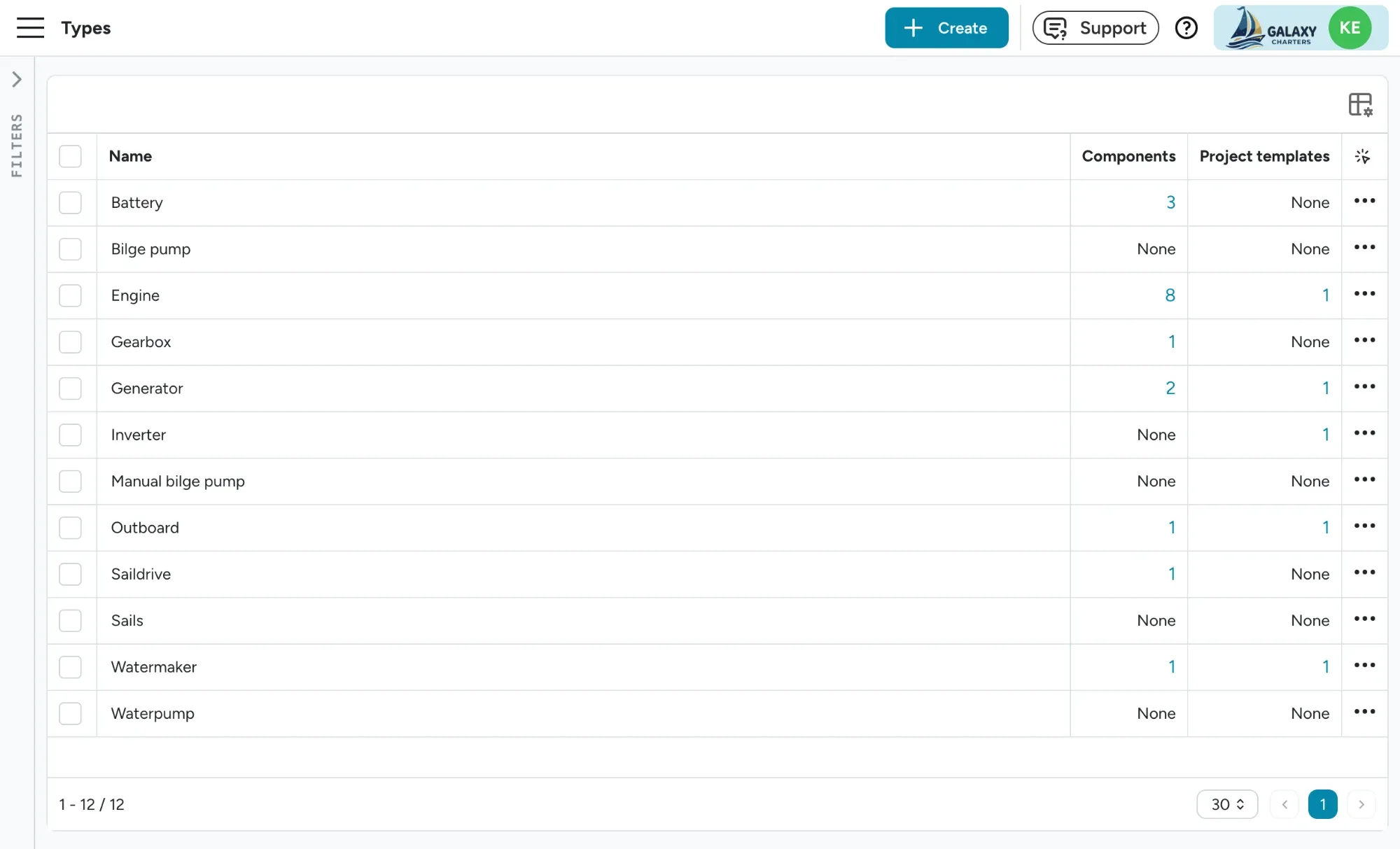
See where every component value is used, and clean up safely
Section titled “See where every component value is used, and clean up safely”The component type, manufacturer, model and location lists under Settings > Components now show where each value is used. Click the count in the Components or Project templates column (or pick Where is it used? from the row menu) to see every boat component and project template task that uses it, and jump straight to any of them.
You can now delete values too, one at a time or in bulk. Before anything goes, Floatist spells out what changes: how many components lose the value, which project template tasks it is removed from, and a warning if a task loses its only component filter. See How do I manage component types, manufacturers, models and locations?.
September 24
Section titled “September 24”Manage your Floatist and MMK bookings in one place
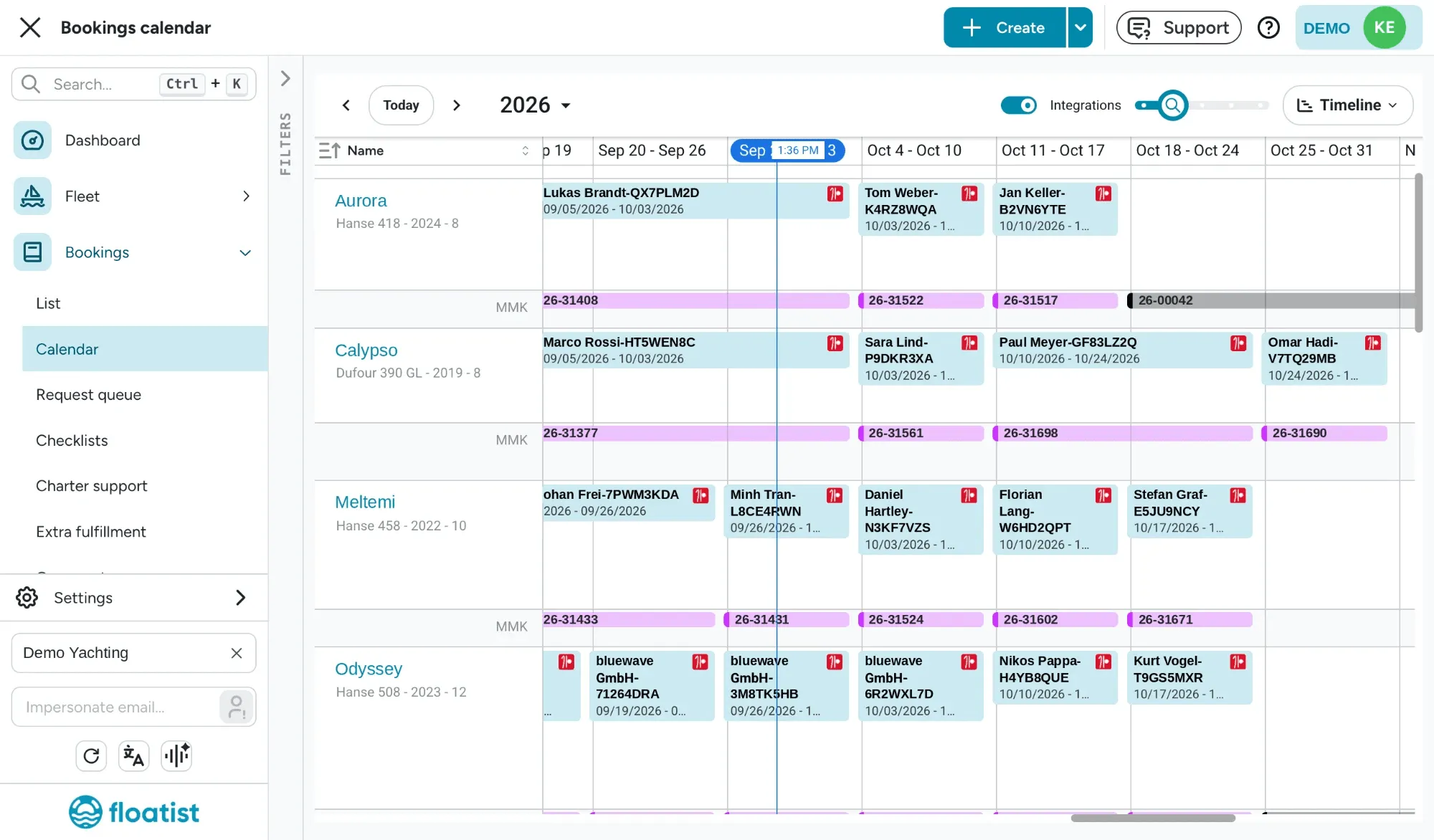
Section titled “Manage your Floatist and MMK bookings in one place”Your Floatist booking calendar now shows Floatist bookings and everything on your MMK calendar, side by side. To enable this view, turn on Integrations and each boat shows its MMK reservations, options, owner weeks, service weeks and regattas right under its Floatist bookings, in the same colours MMK uses. You see at a glance what’s booked, what’s on hold and when a boat is in service, without opening MMK.
This view is available to Admins and Booking managers only.
When you need the additional detail, click any MMK booking from the calendar for the price, deposit, payment plan, extras, and client contact. From each booking page, you can also jump straight to the MMK source page with our new Open in MMK button.
If a booking and its MMK reservation drift apart (different dates or a different boat), the MMK item is outlined in red, so you catch it and action it easily.
Last but not least, because MMK services and owner weeks are now visible, you no longer need placeholder bookings in Floatist to keep the calendar complete. See Seeing MMK schedule in the booking calendar.
Fix specific details on MMK and NauSYS bookings without detaching a complete booking
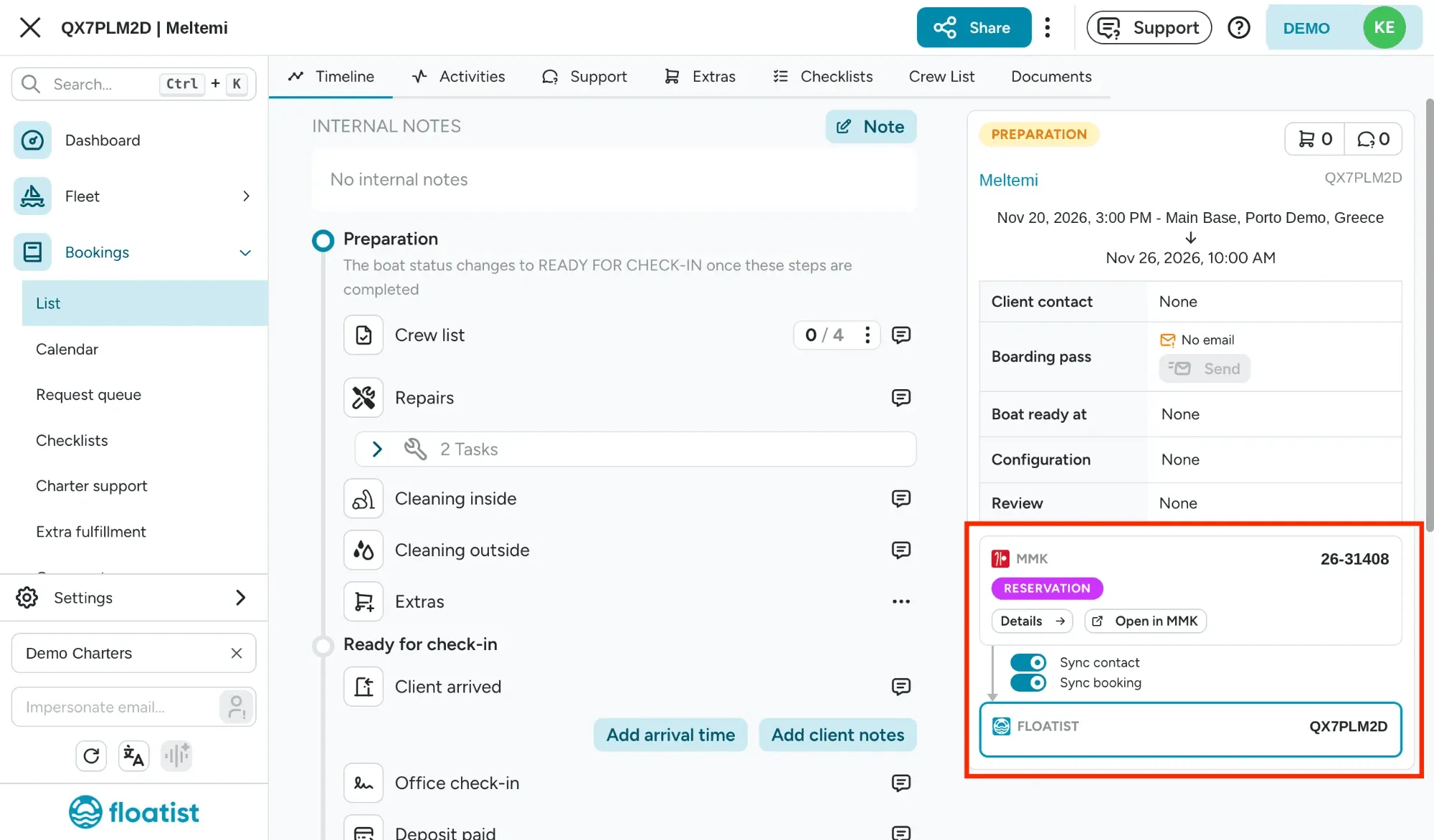
Section titled “Fix specific details on MMK and NauSYS bookings without detaching a complete booking”Detaching an entire booking from MMK or NauSYS is now a thing of the past. Every synced booking now has two switches in its sync panel, so you choose exactly what keeps syncing:
- Sync contact keeps the booking’s contact (name, email and phone) in line with MMK or NauSYS.
- Sync booking keeps the boat, dates, bases and archived state in line with MMK or NauSYS.
Switch Sync contact back on and the booking takes its contact from MMK again, picked according to the Booking contact setting on your MMK integration page. Your overrides are replaced. The same goes for Sync booking: switch it back on and the boat and dates return to what MMK has.
Every change is logged in the booking’s activity, and changing the switches needs the Admin or Booking manager role. See Syncing with an external source.
A contact directory, usable for all bookings
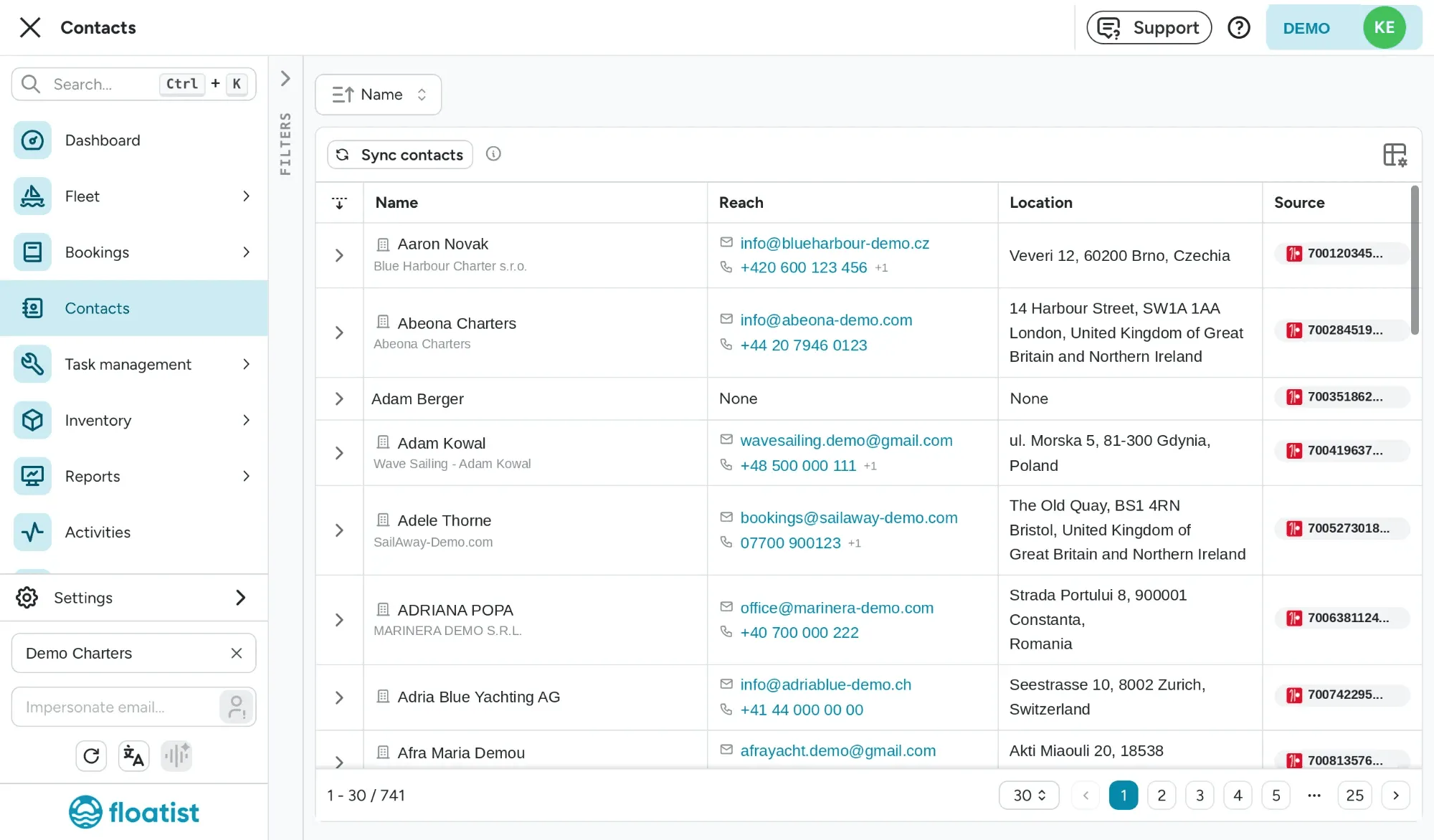
Section titled “A contact directory, usable for all bookings”The new Contacts page holds your whole MMK address book, kept up to date every night. Every booking can now link to a contact from it, so an MMK booking more often arrives with the guest’s email, phone and address, not just a name.
The directory isn’t only for MMK bookings. When you create or edit a booking directly in Floatist, pick anyone from your contacts with Search contacts… in the booking’s Contact section, and their name, email, phone, company and address fill in for you. No retyping a repeat guest’s details.
Need a different email for one charter? Override it on the booking without touching the contact (on an MMK or NauSYS booking, switch off Sync contact first). Contracts get new client values too, including company, VAT number and address, for every booking, not only MMK ones. See Contacts and Client and MMK values.
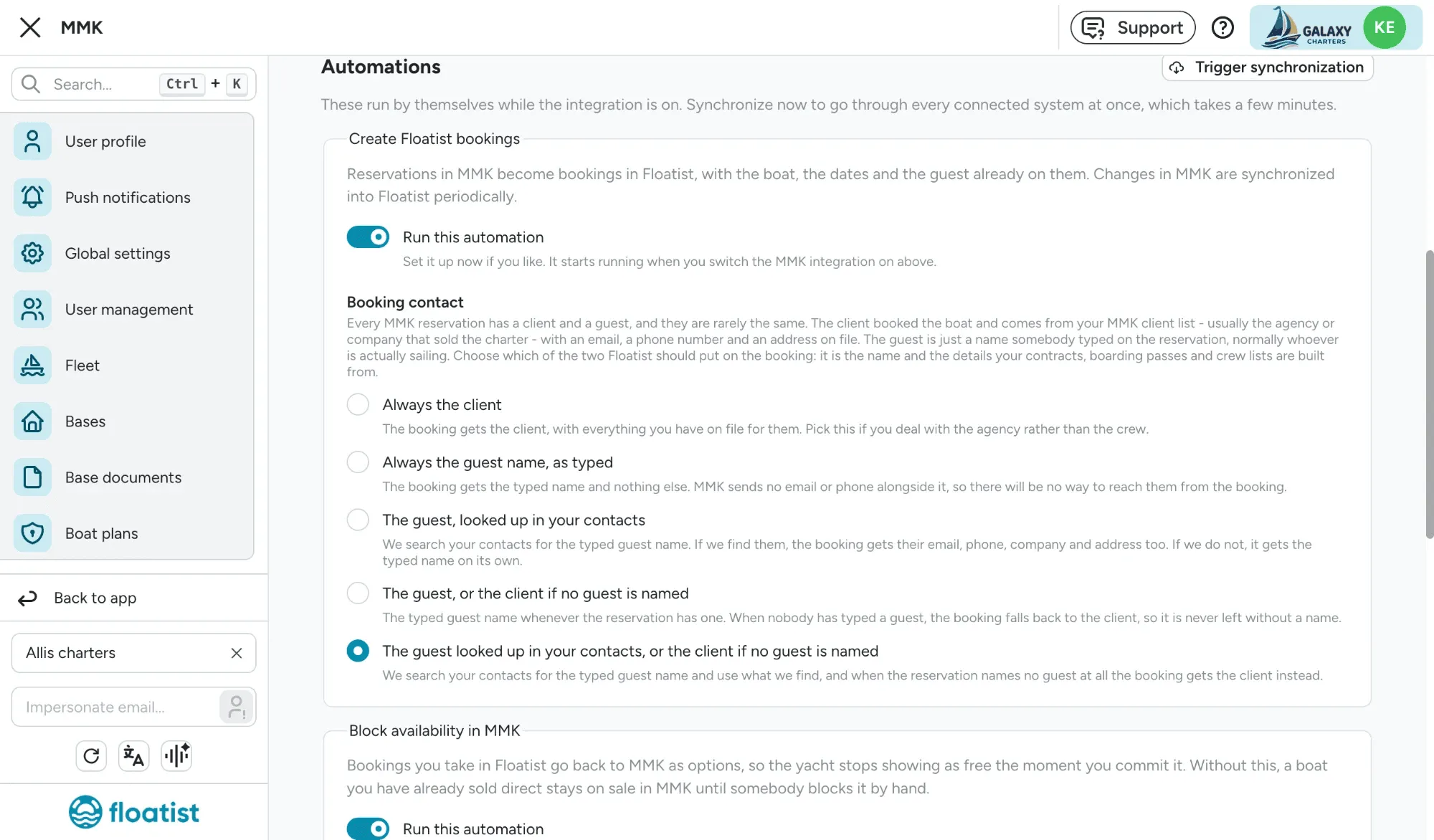
You choose how your MMK contact information is synced
Section titled “You choose how your MMK contact information is synced”In MMK, the “client” is often the agency and the “guest” is just a typed name, and which one you want on the booking depends on how your team works. A new Booking contact setting lets you choose: always the client, the guest as typed, the guest looked up in your contacts, or the guest with the client as a fallback. See Choosing the booking contact.
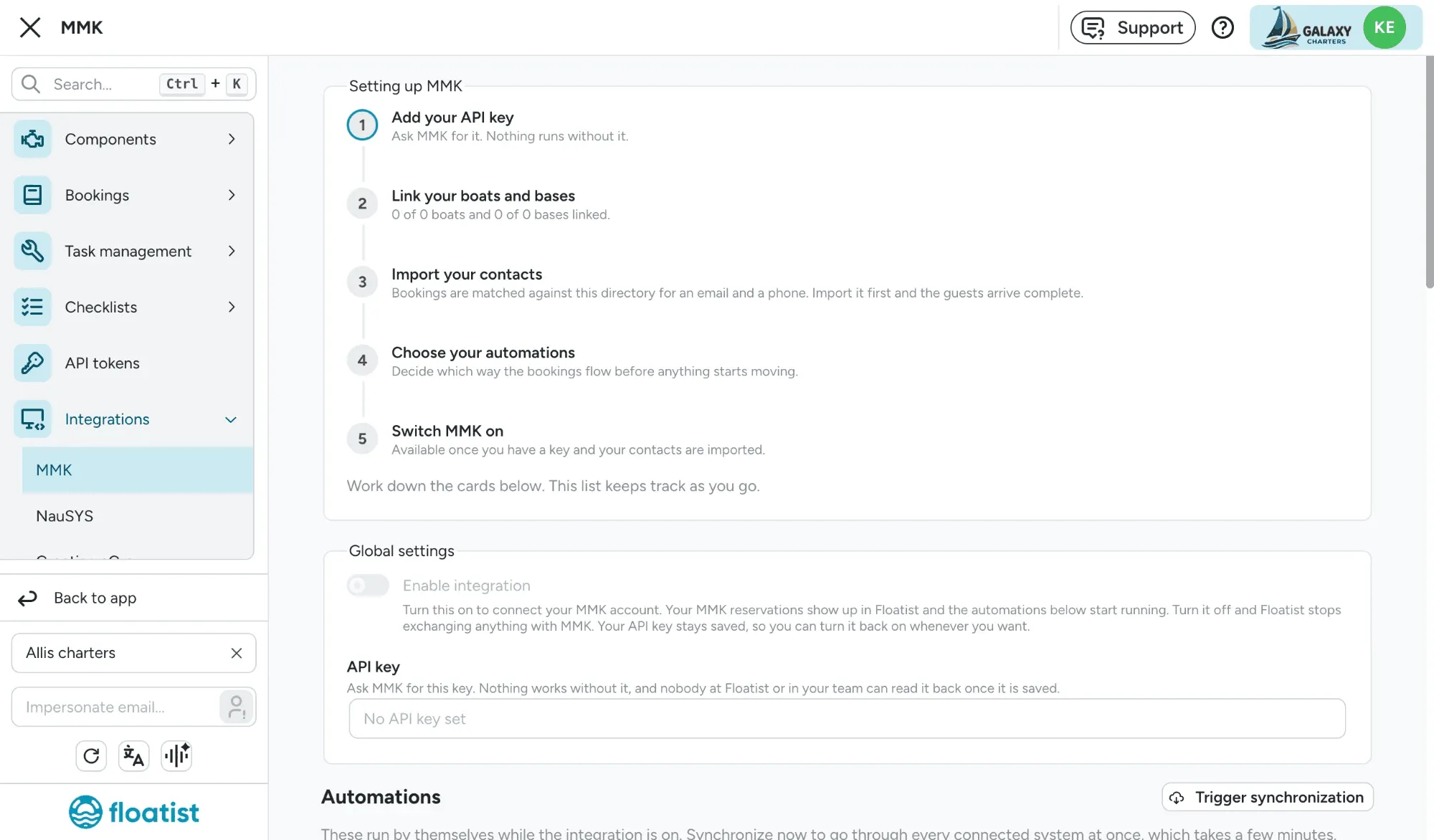
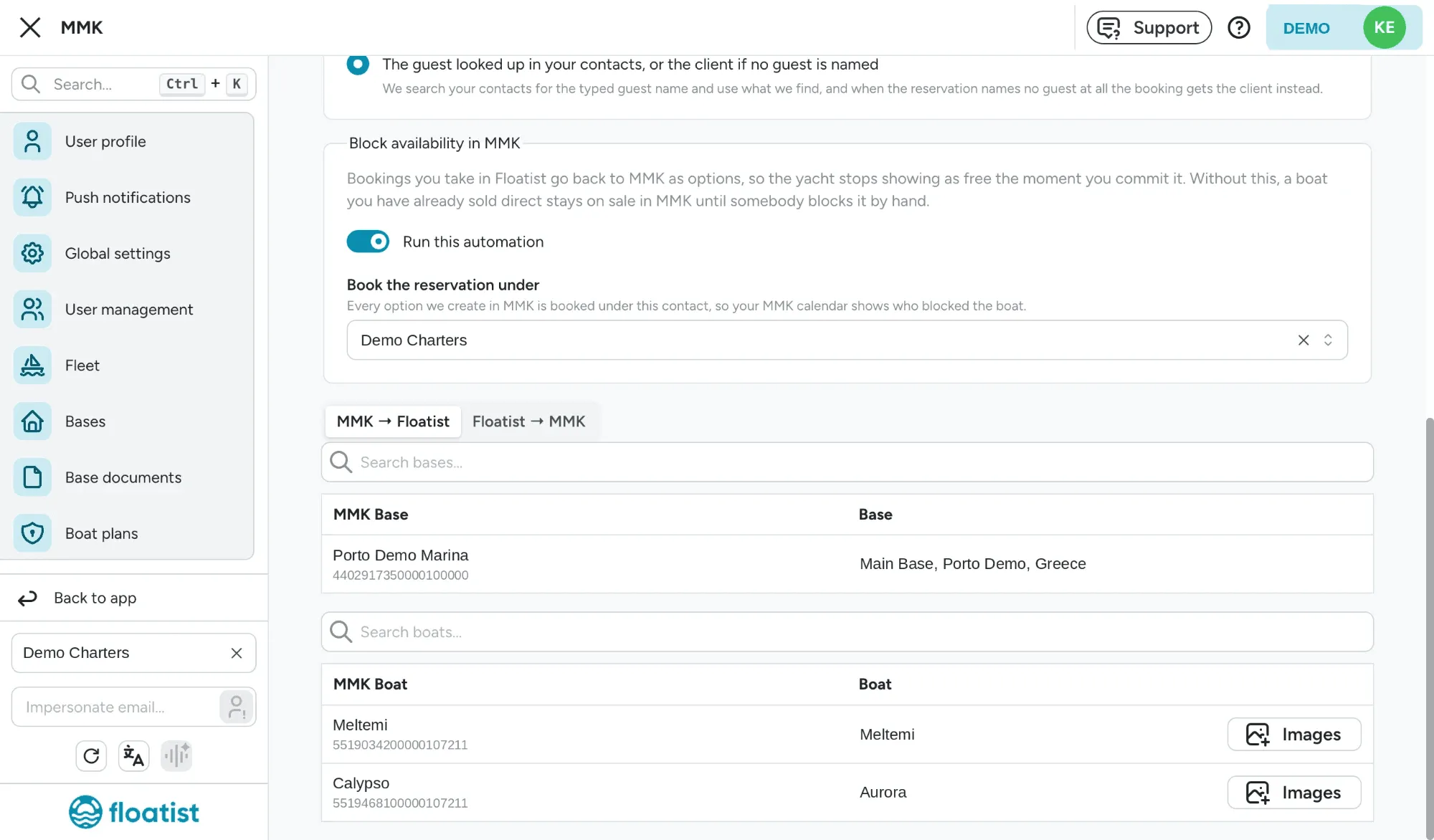
A clearer MMK setup, and options blocked under a contact you choose
Section titled “A clearer MMK setup, and options blocked under a contact you choose”The MMK setup page now walks you through setup step by step, and when Floatist blocks dates in MMK, the option is now booked under a contact you choose. Read more in Block availability in MMK.
Saturday-to-Saturday fleet search on websites
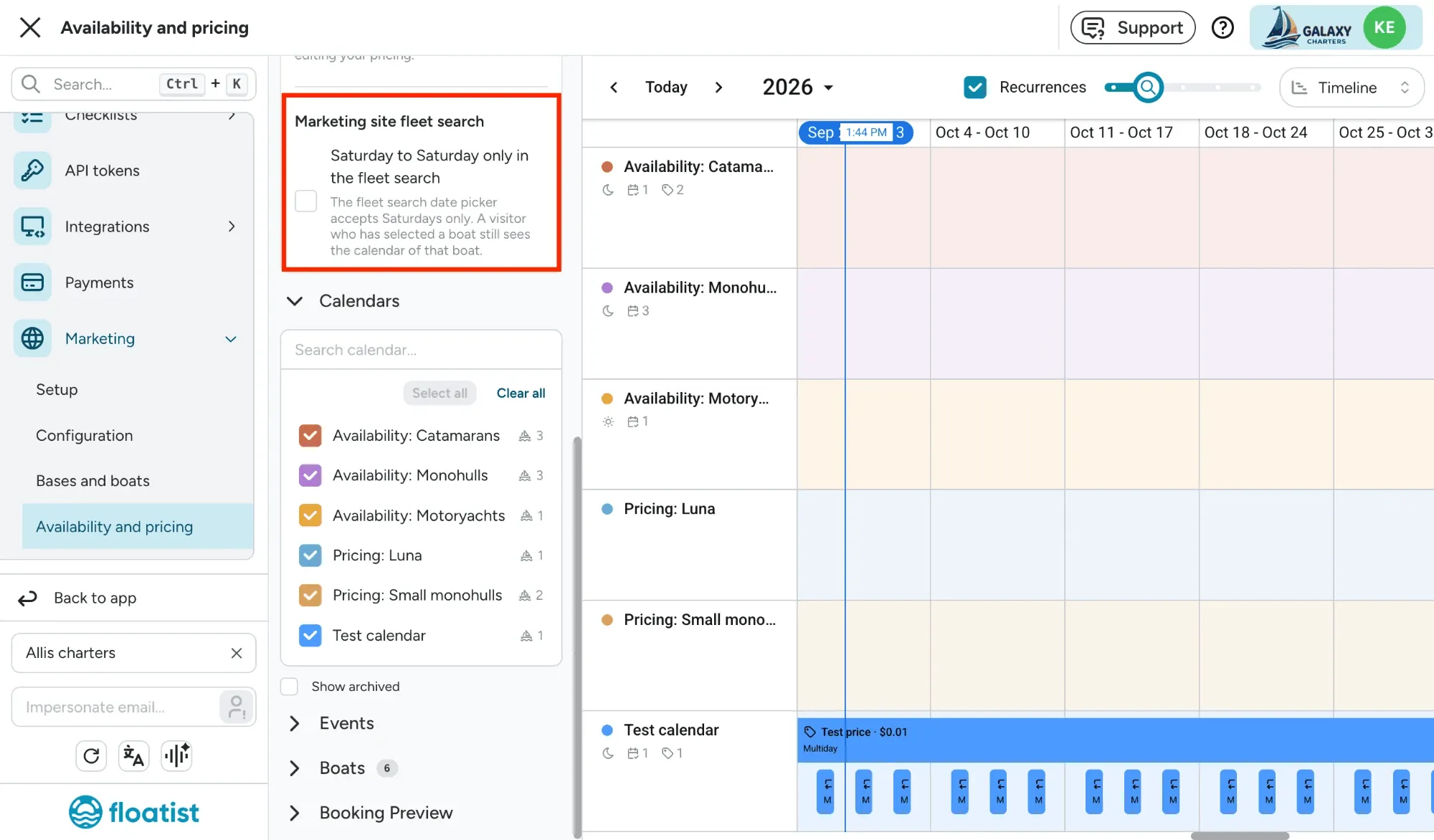
Section titled “Saturday-to-Saturday fleet search on websites”If you only sell Saturday-to-Saturday charters, you can now select it as an option to only show these days available in the search bars. See Saturday-to-Saturday fleet search.
September 15
Section titled “September 15”Accept payments on your marketing site with Adyen
Section titled “Accept payments on your marketing site with Adyen”Fleet operators can now enable online payments through Adyen: pay by card for guests everywhere Adyen supports, and pay by bank for guests in the US. Once it’s on, your team manages booking requests and sees payment status clearly on every booking made directly through Floatist. Ask Floatist support to set it up. See Payments.
Automatic emails for booking requests and payments
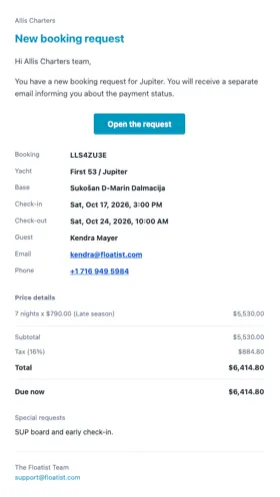
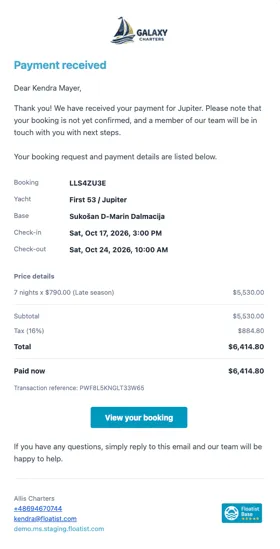
Section titled “Automatic emails for booking requests and payments”Every booking request now triggers its own emails, automatically. There’s nothing to set up. Your team is notified the moment a request comes in, a payment succeeds, or a payment fails; the guest gets a request confirmation, a payment receipt, and a heads-up with a retry button if their payment doesn’t go through. See Emails.
Operator
Guest
Review a request’s payment and additional details before you respond
Section titled “Review a request’s payment and additional details before you respond”Each booking request now shows everything you need to decide your next move in one place: the full payment history (every attempt, its status, and amount), any additional requests the guest included, and the price breakdown, so you can answer a guest’s question or follow up without digging through separate pages.
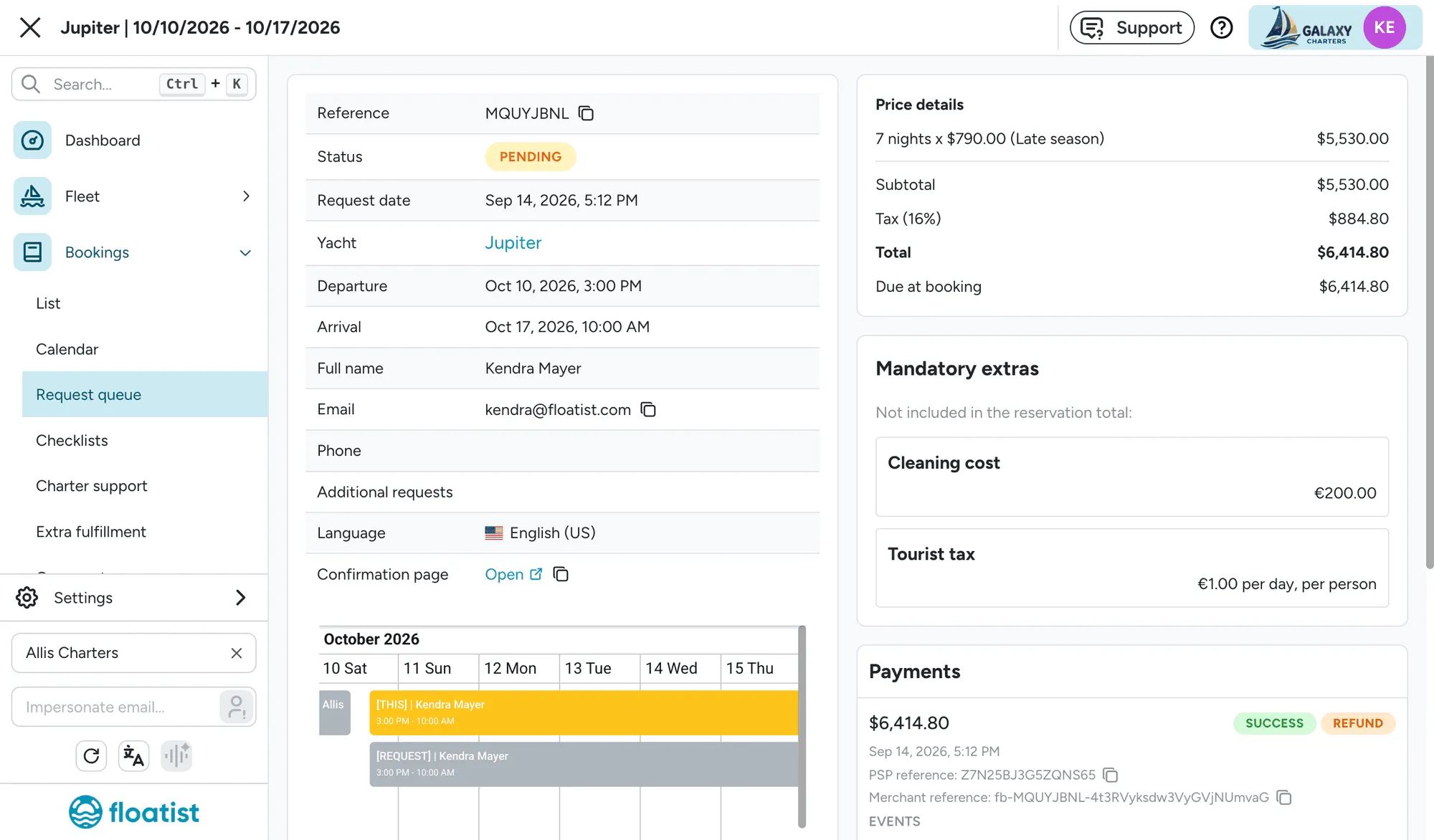
See Reviewing requests and Reviewing payments in Floatist.
A Payments view on every booking, and a combined payments list
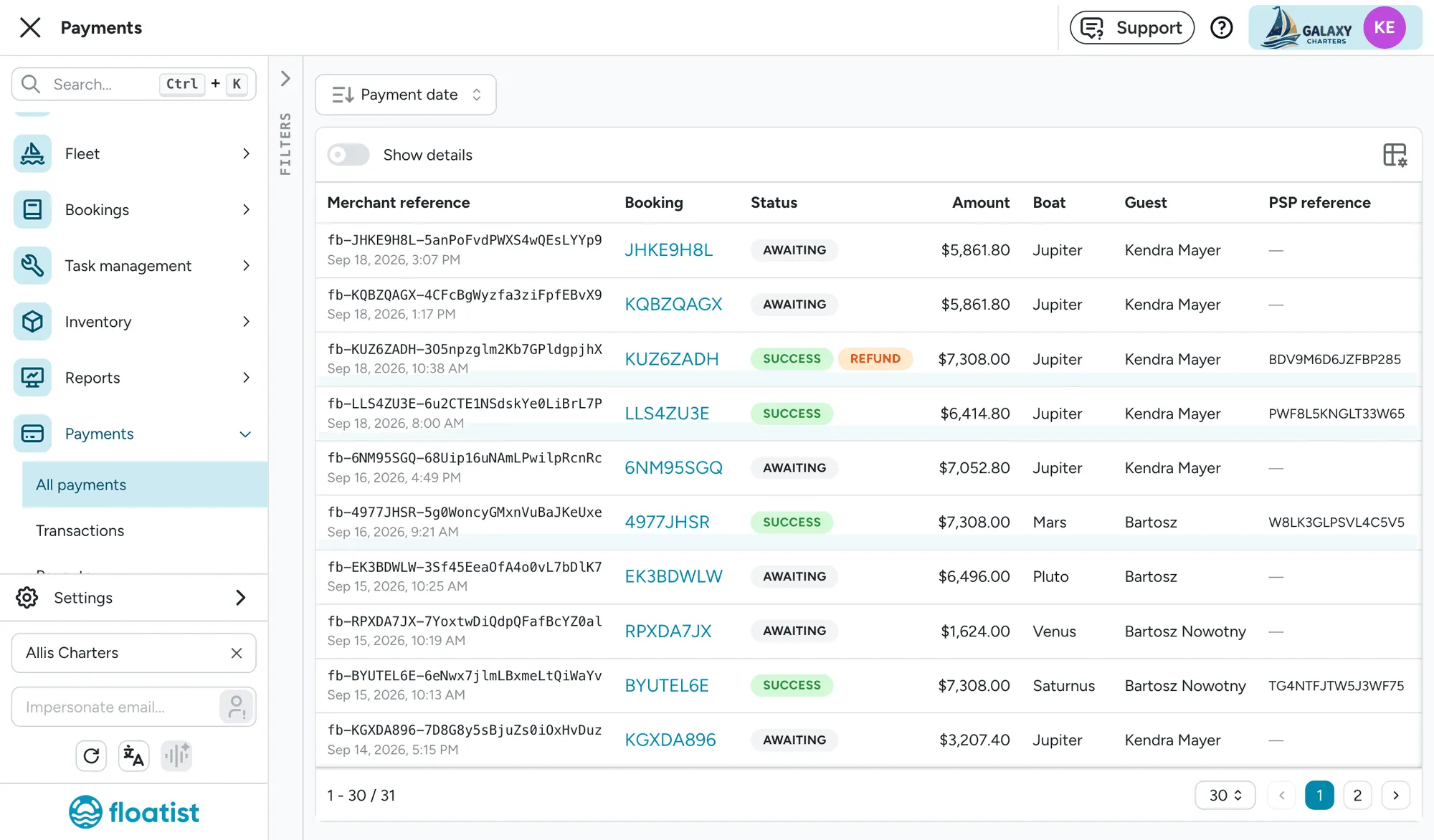
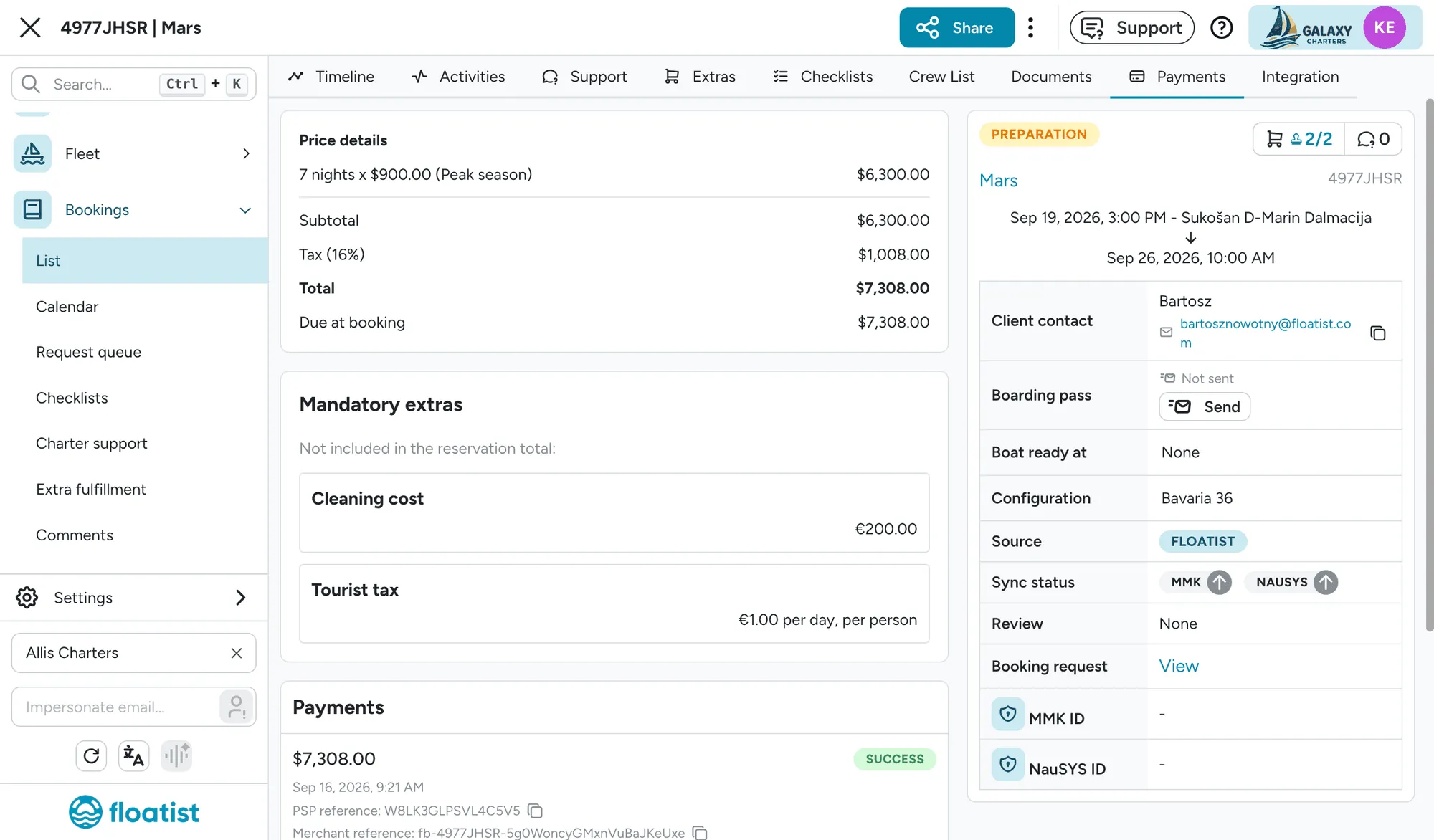
Section titled “A Payments view on every booking, and a combined payments list”Every booking and booking request now has a Payments view showing its payment attempts, and a combined Payments > All payments list shows every payment across your account with filters for status, provider, boat, and guest. Only visible to users with the Admin or Booking manager role. See Reviewing payments in Floatist.
Search from any page on your marketing site
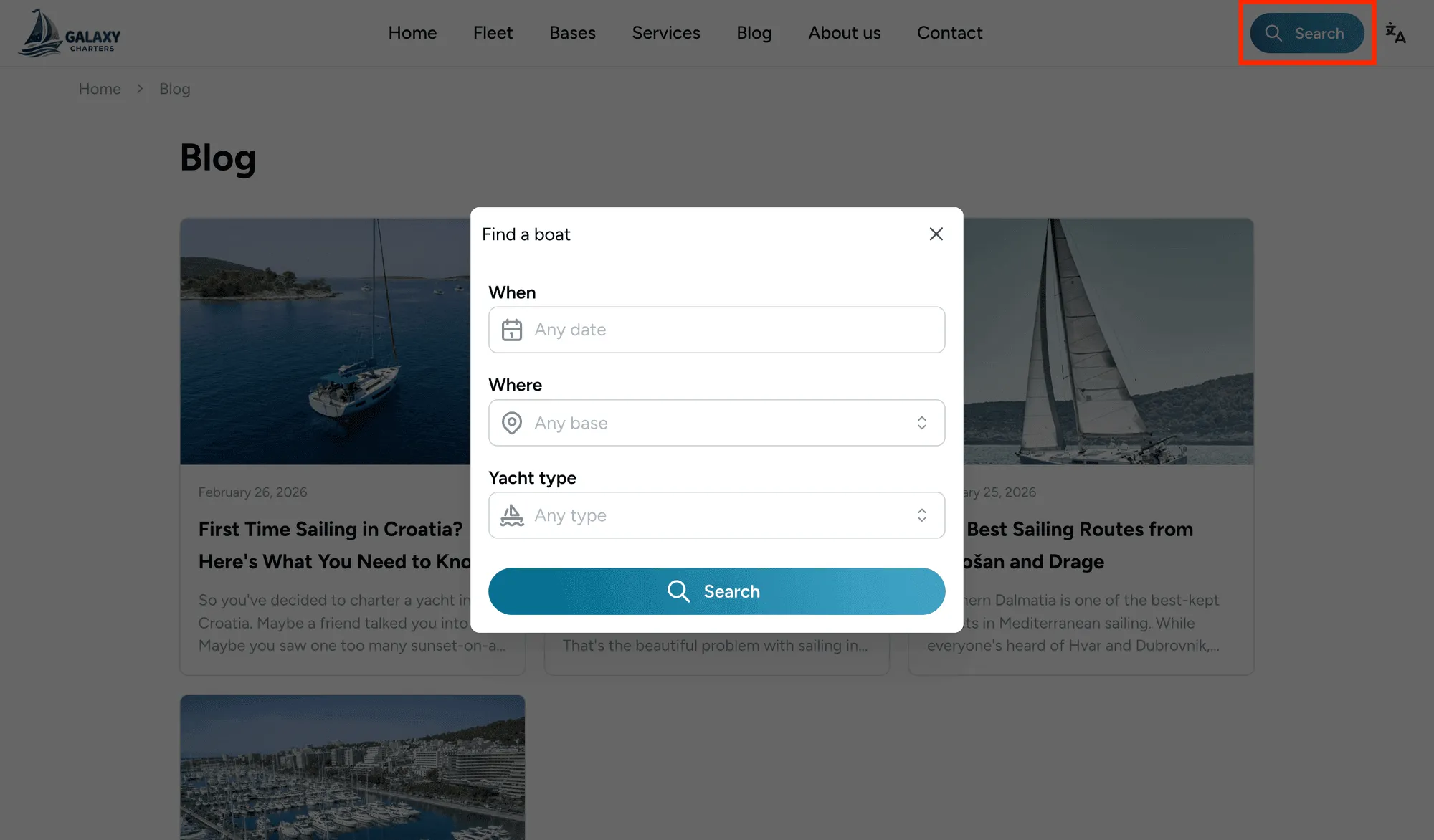
Section titled “Search from any page on your marketing site”A Search button in the header lets guests jump into the fleet search from anywhere on the site (a blog post, a service page, About, Contact), not just the home page. See Searching from any page.
List and grid views, and a filter sidebar, on the fleet listing page
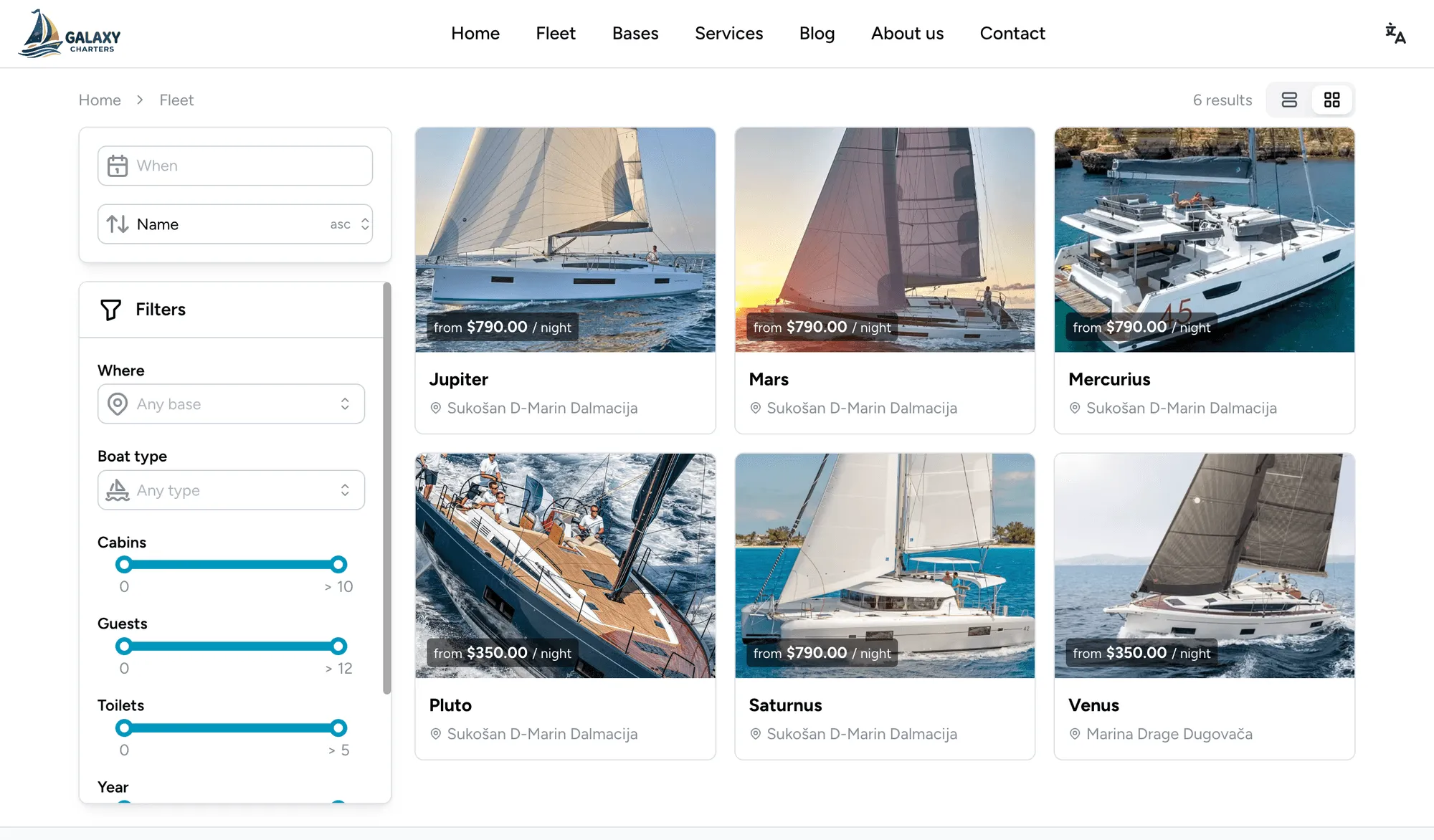
Section titled “List and grid views, and a filter sidebar, on the fleet listing page”Guests can switch between a list and a grid view of your fleet listing with a toggle above the results, and on desktop, filters now sit in a sidebar beside the results and apply as soon as they’re changed, with no separate filter button or “Apply” step. See The fleet listing page.
Your company is now editable as a broker party in the Greek eCharterParty export
Section titled “Your company is now editable as a broker party in the Greek eCharterParty export”Your company’s row in the Greek eCharterParty JSON editor is now editable like any other party, and optional: turn it off by default in eCharter settings, or add, edit, or remove it per booking.
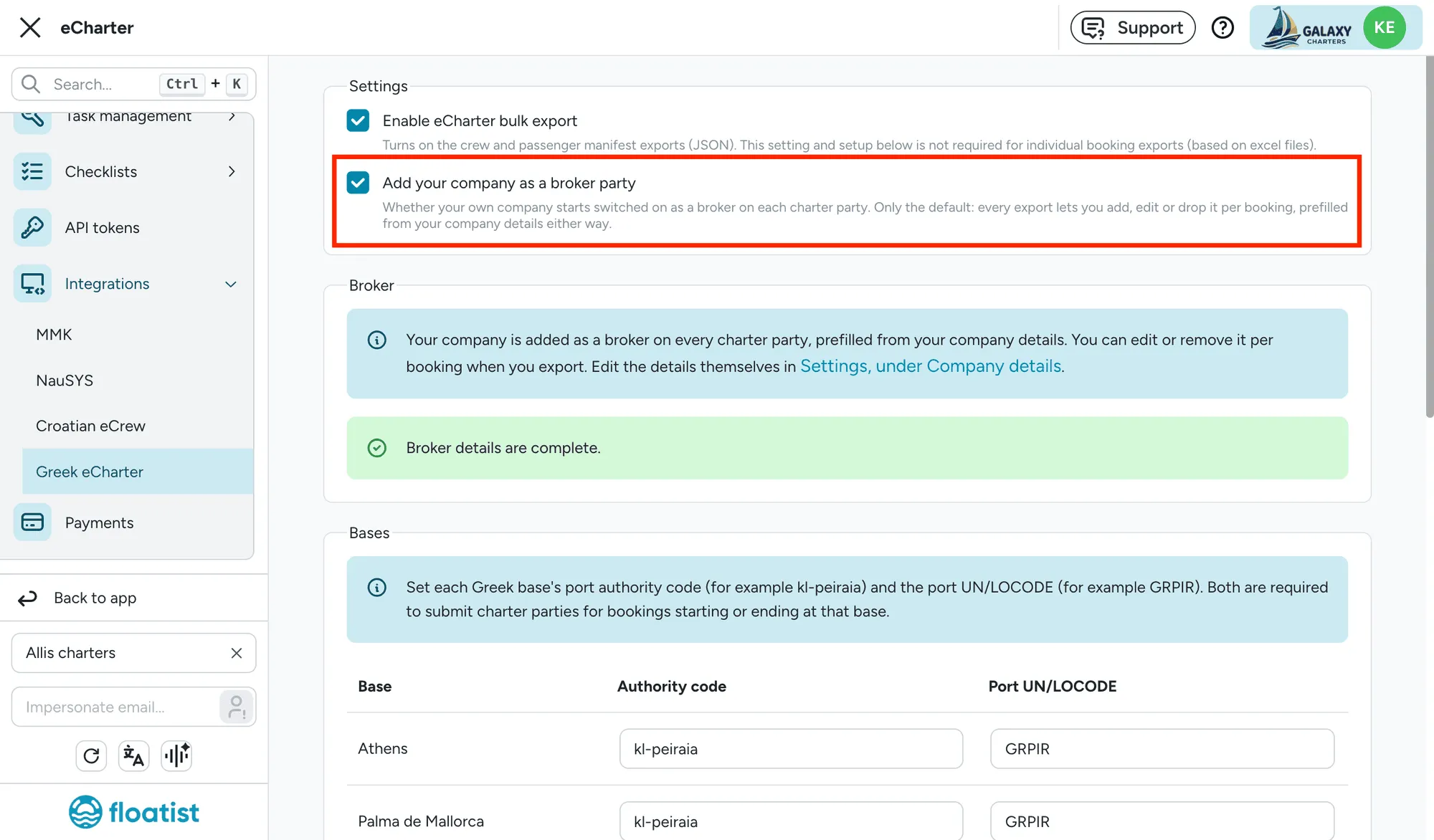
See Review the charterer and broker.
September 8
Section titled “September 8”Dashboard’s base table easy to action
Section titled “Dashboard’s base table easy to action”Every count in the dashboard’s per-base table (boats departing, arriving, and out on charter today) now links straight into the bookings list, pre-filtered to exactly those boats. Click a base’s name for everything touching that base today, or a column’s icon for the same count across the whole fleet. See Action bookings from your daily stats in the dashboard.
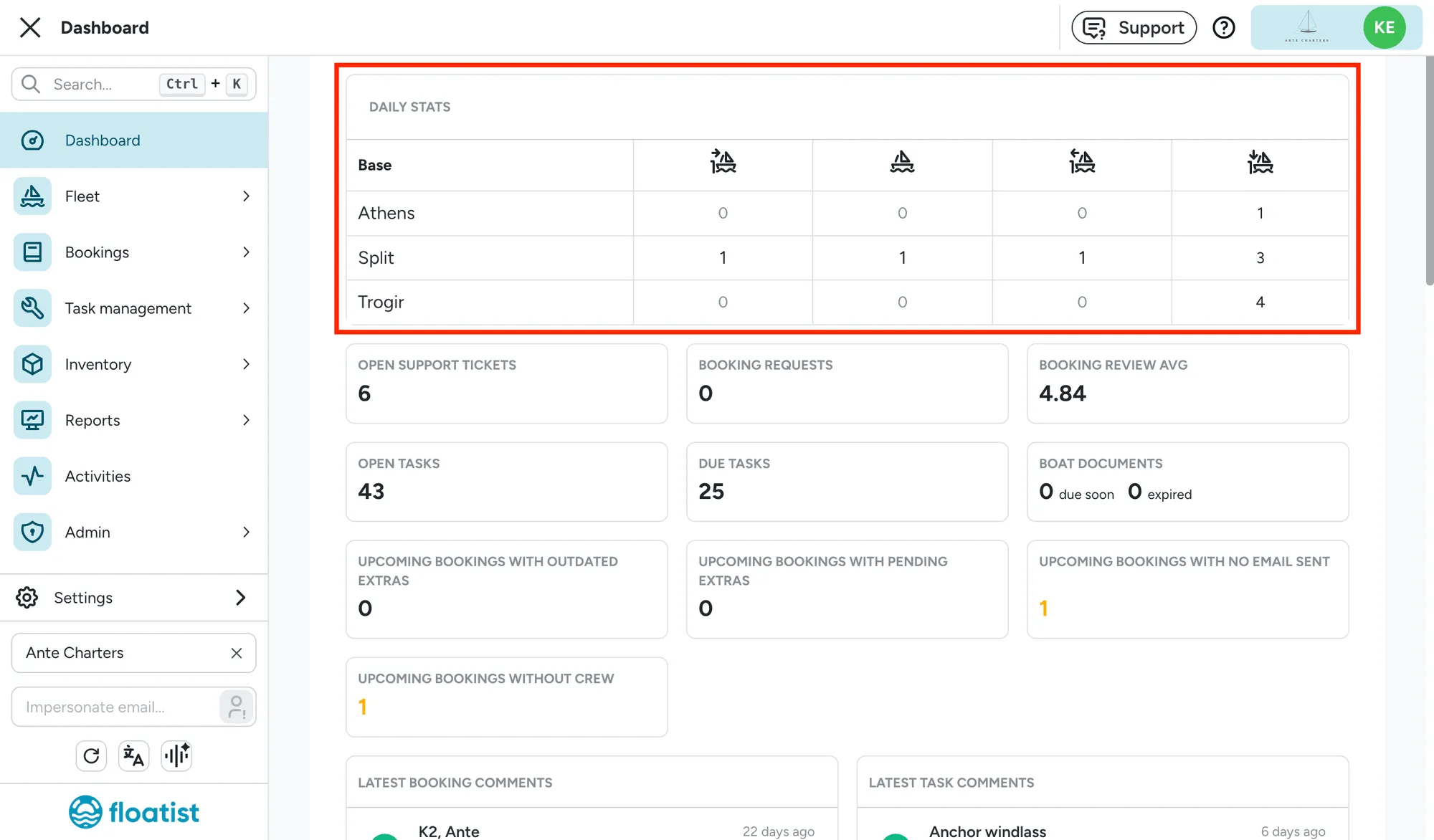
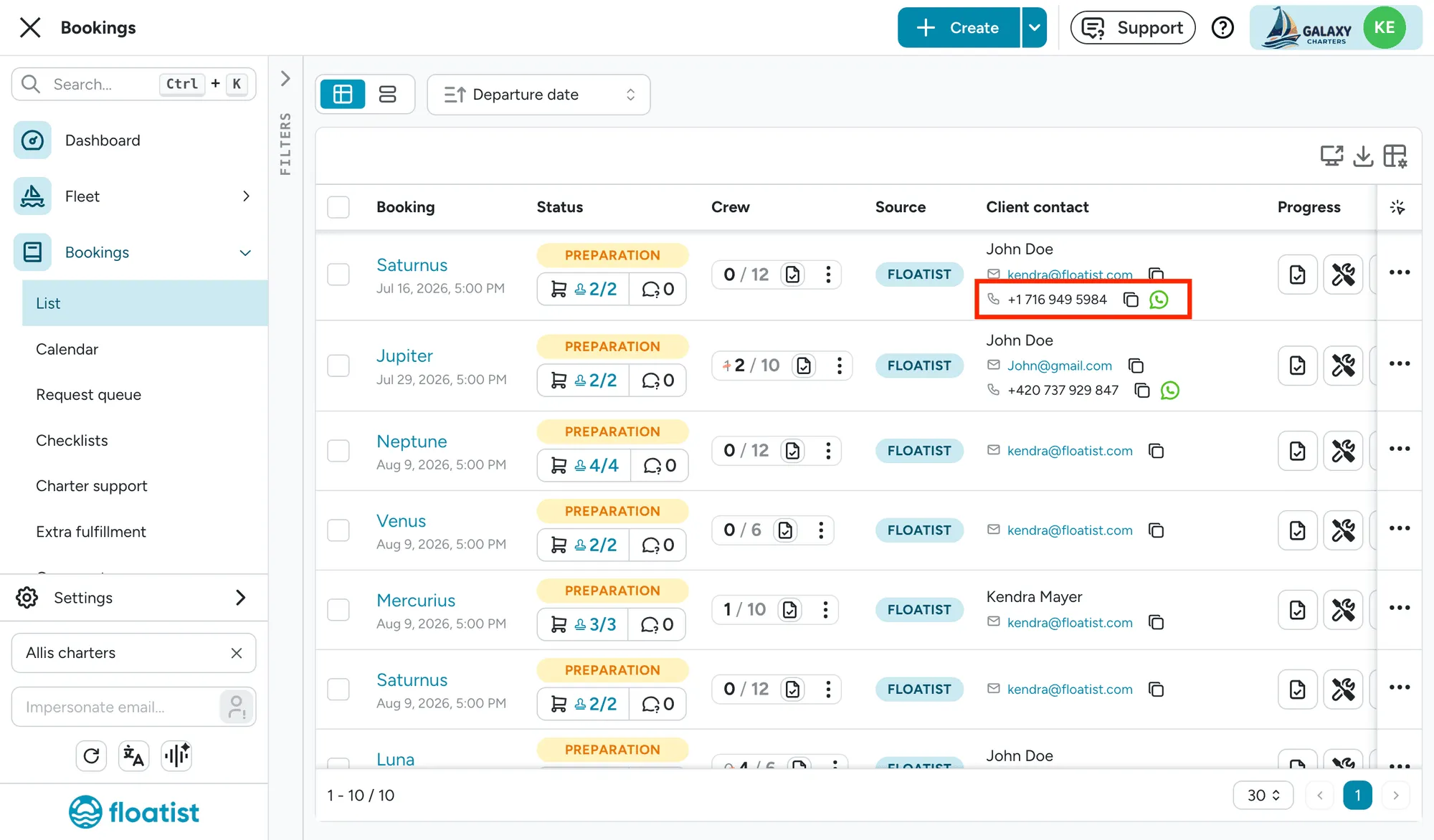
Client contact column in the booking list
Section titled “Client contact column in the booking list”The booking list now shows a combined Client contact column with the guest’s name, email, and phone number, each with a copy icon so you can grab a value without opening the booking. Handy when you need to quickly reach everyone out on the water, for example when a storm is coming in. The Email status column has also been renamed Boarding pass for clarity. See Client contact column.
Fleet utilization report
Section titled “Fleet utilization report”A new Fleet utilization report shows how your fleet’s booked-out rate compares against a previous season, with a chart, a week-by-week ahead/behind record, and filters for base and boat type. Only visible to users with the Booking admin permission. See Fleet utilization report.
Looking at a single season
Section titled “Looking at a single season”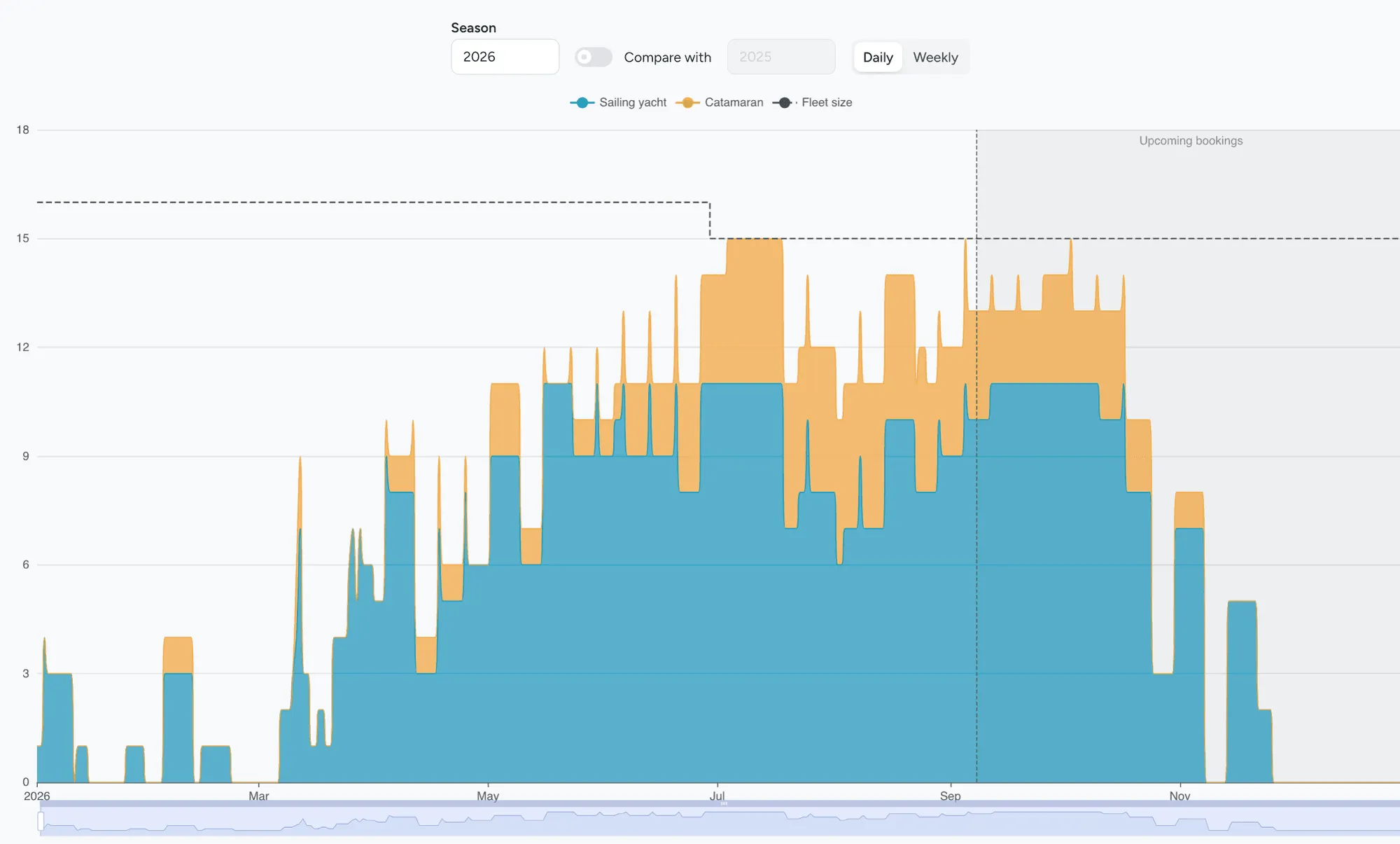
Comparing two seasons
Section titled “Comparing two seasons”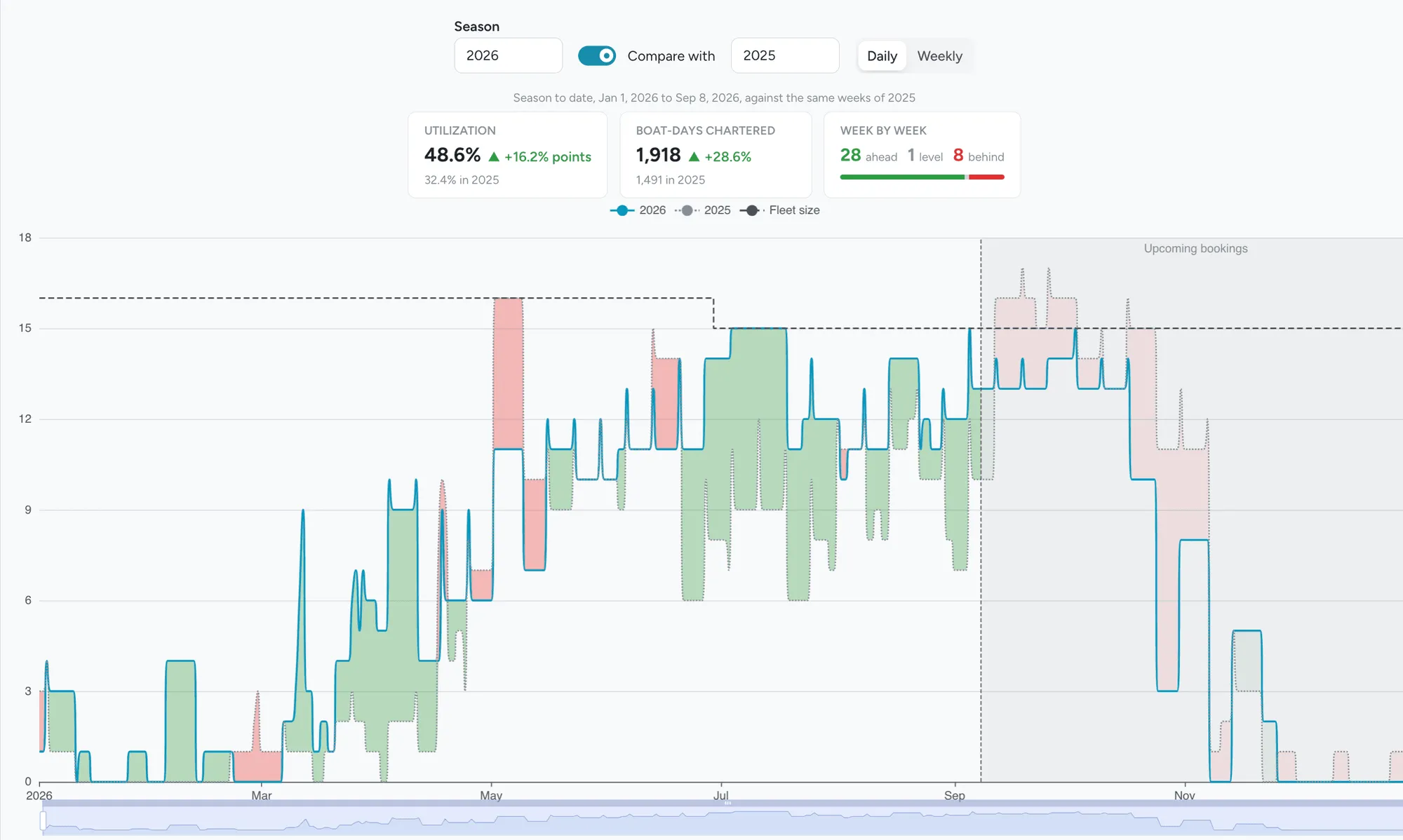
New cancellation policy configurable for the marketing site
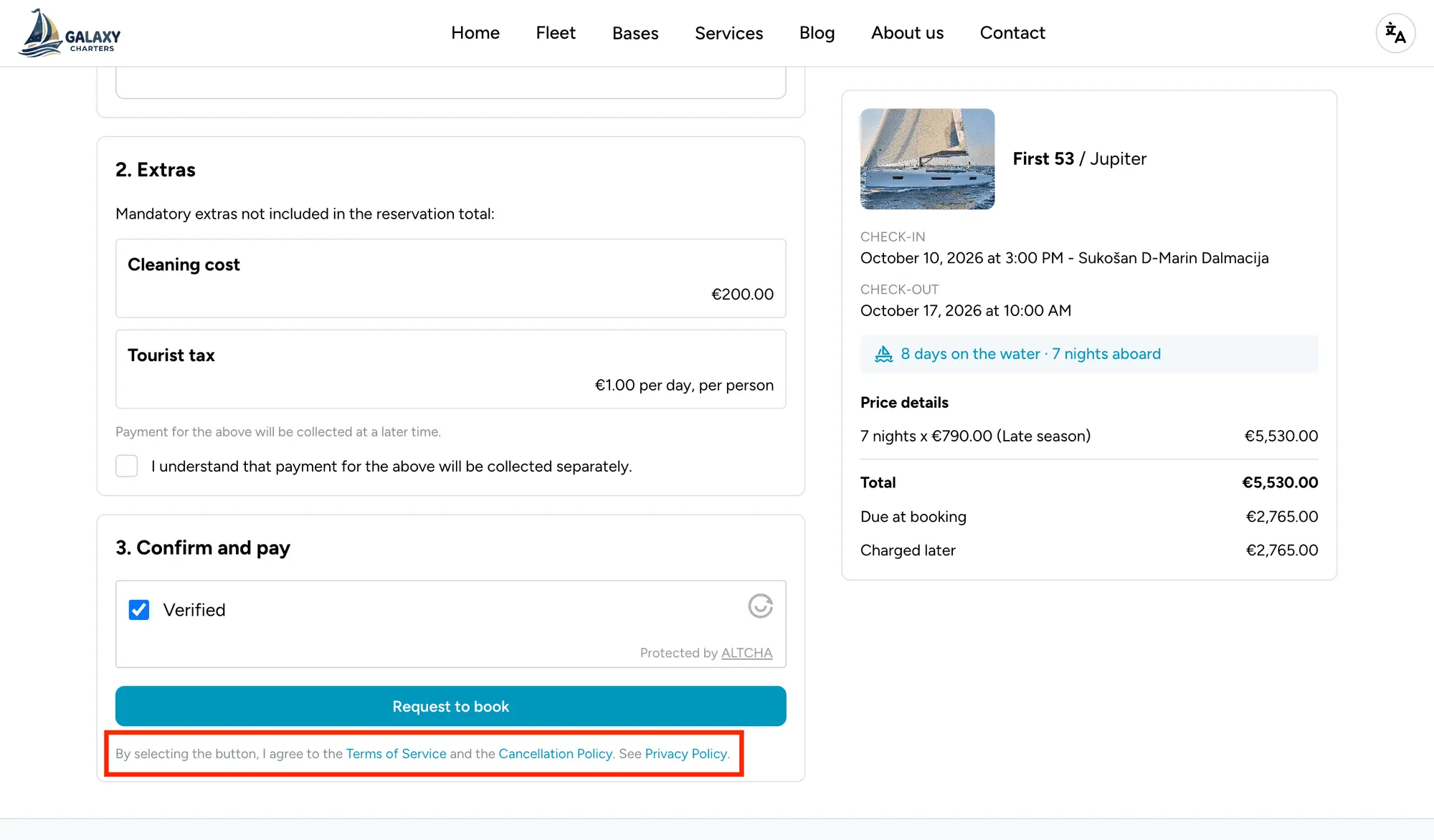
Section titled “New cancellation policy configurable for the marketing site”Fleet operators can now set a cancellation policy for their marketing website, alongside the existing privacy policy. Configure it at Settings > Marketing > Website. The previous Terms and conditions page has been renamed Terms of Service. Guests now see both, along with the privacy policy, as links they can open without leaving the page on the booking confirmation step. See Configuring the site.
September 7
Section titled “September 7”Create tasks faster with Simple mode
Section titled “Create tasks faster with Simple mode”Creating a task now opens in Simple mode by default, showing only the essentials (title, boat, assignees, due date, and attachments) instead of the full form. Switch to Full with the All fields toggle whenever you need category, priority, checklists, billables, or any other field. Floatist remembers your last choice. See Creating a task.
Find the right tasks faster with new list views
Section titled “Find the right tasks faster with new list views”The task list now has three new default filter views: One off tasks (open tasks that aren’t part of a project or a schedule), Tasks in a project, and Scheduled tasks.
Encourage 5-star reviews by default
Section titled “Encourage 5-star reviews by default”The guest app’s post-charter rating form now starts every category at 5, the highest rating. See Guest review ratings.
Consistent Core Terms across every Greek eCharterParty export
Section titled “Consistent Core Terms across every Greek eCharterParty export”The Greek eCharterParty bulk JSON export now sets consistent Core Terms values on every charter party: execution type is set to bareboat, fuel is set to charterer’s expense, and additional expenses are not on the owner. See Core Terms, or contact us if you have any questions.
August 26
Section titled “August 26”Email notification for new website booking requests
Section titled “Email notification for new website booking requests”Fleet operators now get an email at their Support email whenever a guest submits a booking request on the website, in addition to the existing push notification. See Reviewing requests.
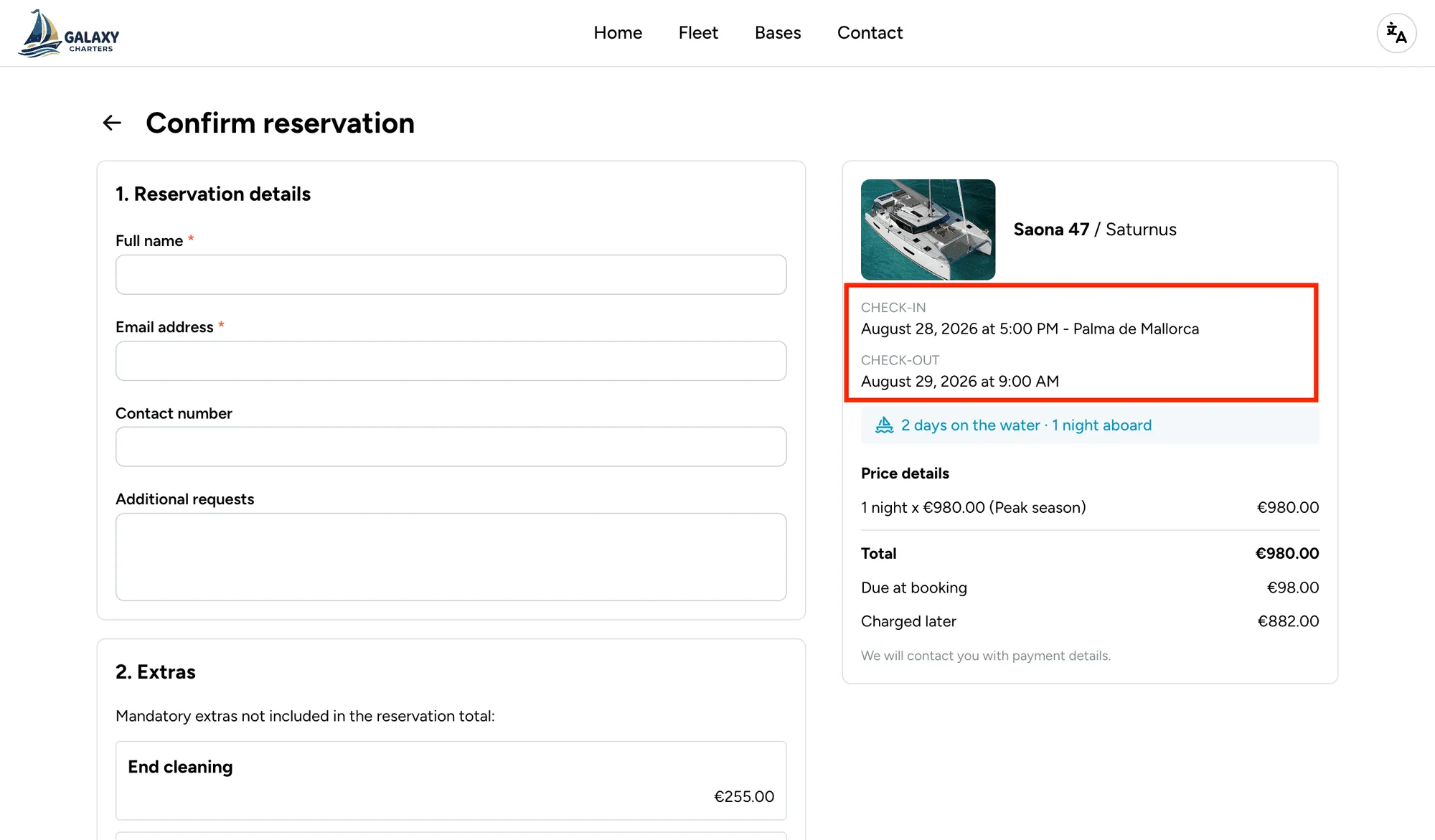
Check-in and check-out times now shown on the marketing site
Section titled “Check-in and check-out times now shown on the marketing site”Guests booking on your marketing site can now see the exact check-in and check-out time, not just the date, at every step: the inline availability calendar, the booking form’s summary card, and the confirmation page. Times come from the boat’s availability calendar. See Boat availability.
Review and edit charterer and broker details before the Greek eCharterParty bulk export
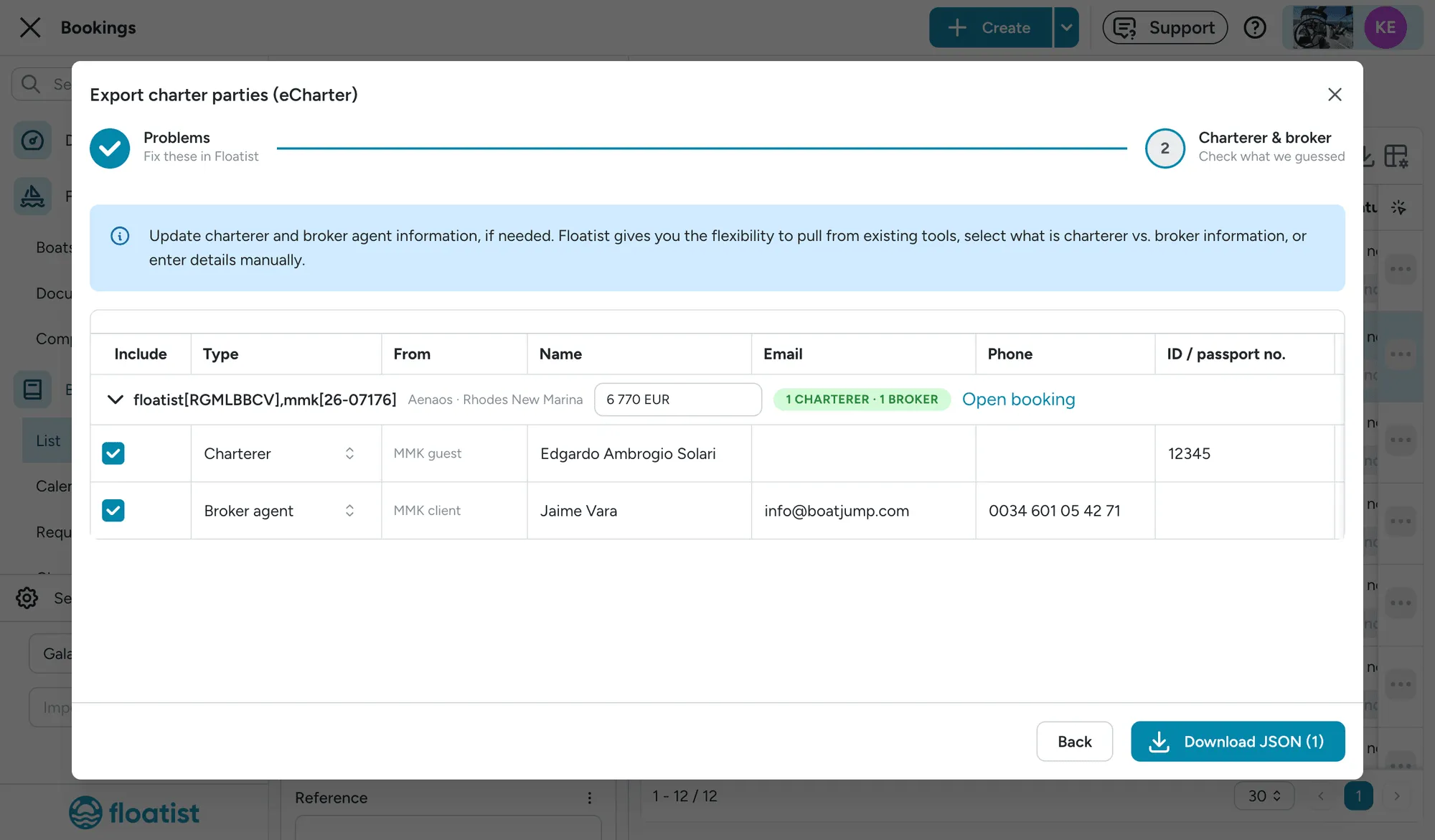
Section titled “Review and edit charterer and broker details before the Greek eCharterParty bulk export”The Greek eCharterParty bulk JSON export now has a second step where you can review and edit the charterer and broker agent details Floatist pre-filled for each booking (pulled from MMK, the booking’s guest contact, or entered manually) before downloading the file. See Bulk export to Greek eCharterParty.
August 18
Section titled “August 18”Filter the booking calendar by boat type
Section titled “Filter the booking calendar by boat type”The Bookings > Calendar now has a Boat type picker next to the existing Bases picker, scoping the calendar to sailing yachts, catamarans, motor yachts, RIBs, or any combination. Boats of other types (and their rows) drop off the calendar entirely. Like the Bases picker, your selection is remembered, so it’s still set the next time you open the calendar. See Calendar filters.
Sort the booking list by boat name
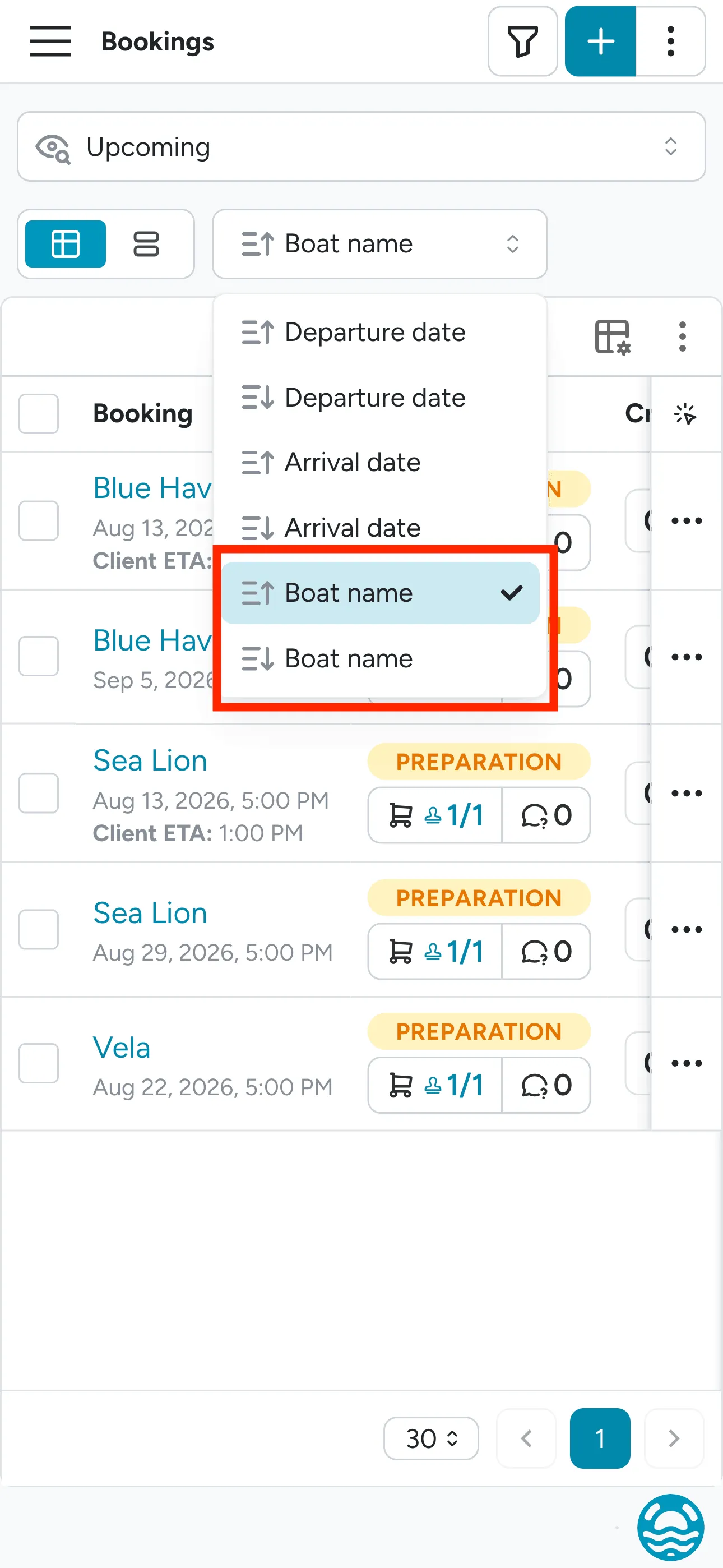
Section titled “Sort the booking list by boat name”The Bookings > List sort dropdown now includes Boat name, alongside Departure date and Arrival date, so you can sort the list alphabetically A-Z (or Z-A).
Easier way to pick specific dates in booking list
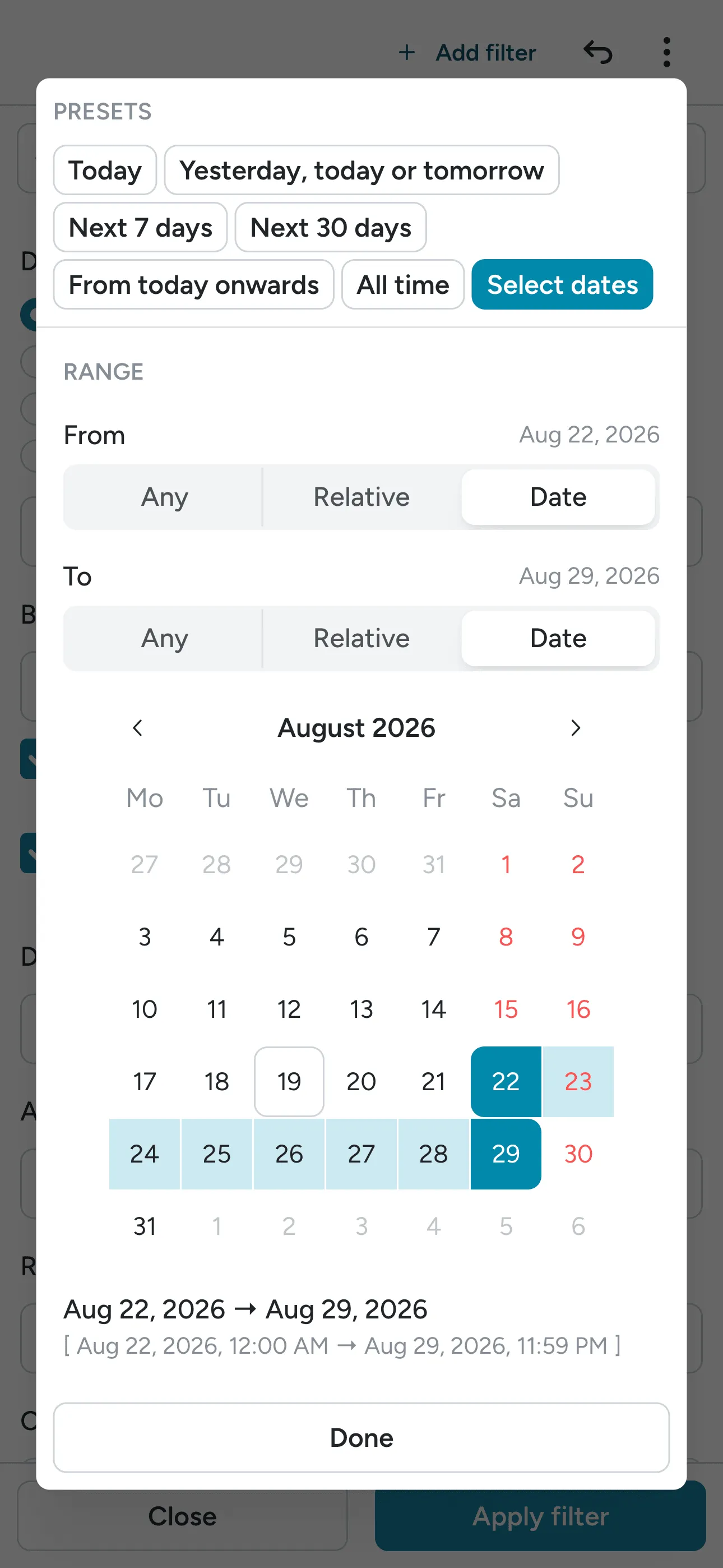
Section titled “Easier way to pick specific dates in booking list”The Dates filter’s quick-preset row now includes a Select dates chip, which opens the calendar straight into range-picking mode (including picking a single day as both ends) and stays highlighted for whatever specific pair of dates you land on. See Filtering by date.
August 11
Section titled “August 11”Improved Floatist boarding pass sent directly via send email button
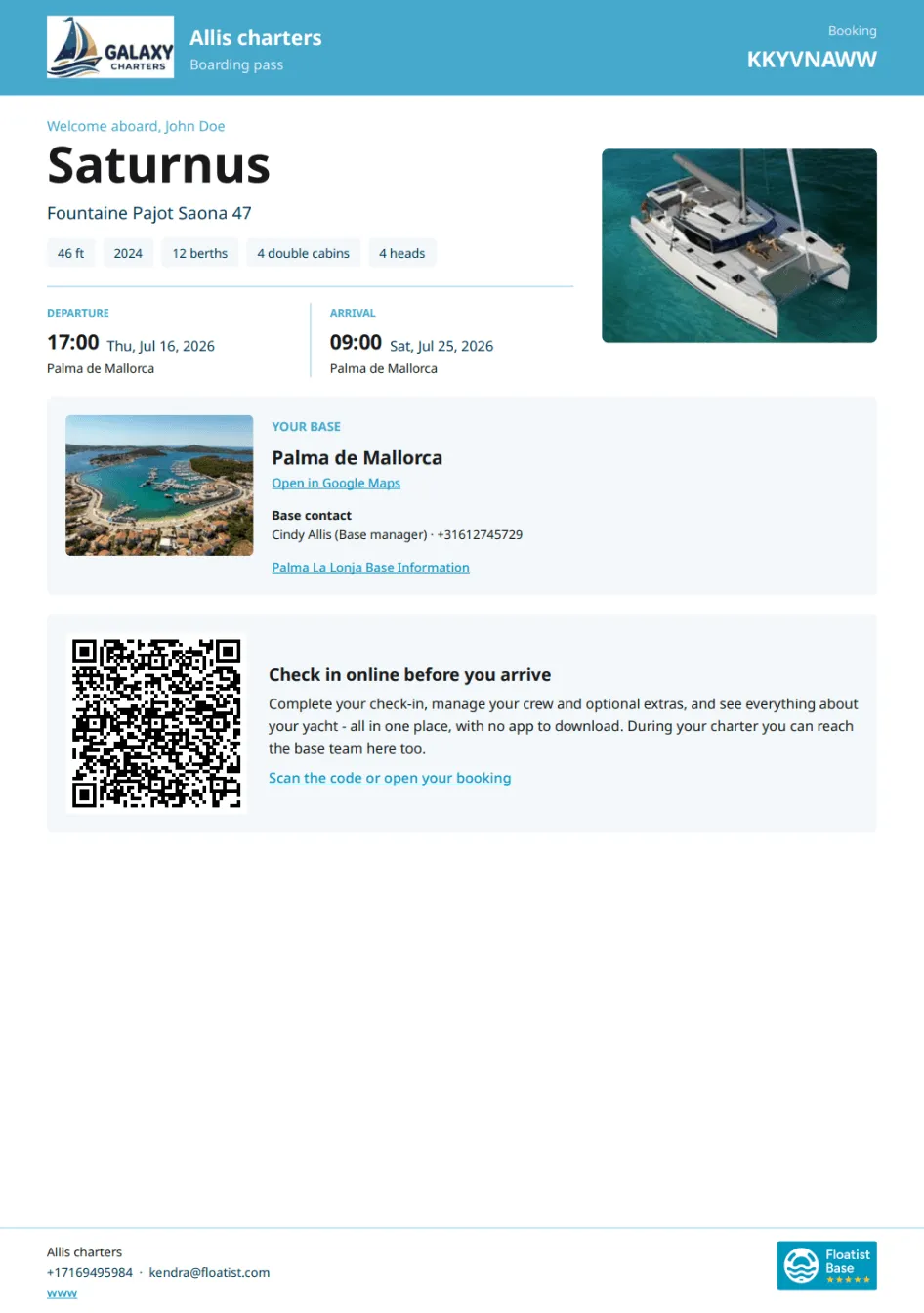
Section titled “Improved Floatist boarding pass sent directly via send email button”The boarding pass, downloaded as a PDF or now emailed straight to the guest, has major new improvements: clearly displayed yacht details, departure and arrival base info with a Google Maps link and support contact, and the operator’s contact details, all available in 15 different languages. It’s also configurable to be in your brand color, so the boarding pass is fully reflective of your branding.
Send emails from a specific booking or in bulk using the Send emails button found under the Actions menu when one or multiple bookings are selected.
Note: The same action that used to email only the login link now sends the full boarding pass as a PDF attachment.
See Guest experience for more details.
A redesigned boat detail page
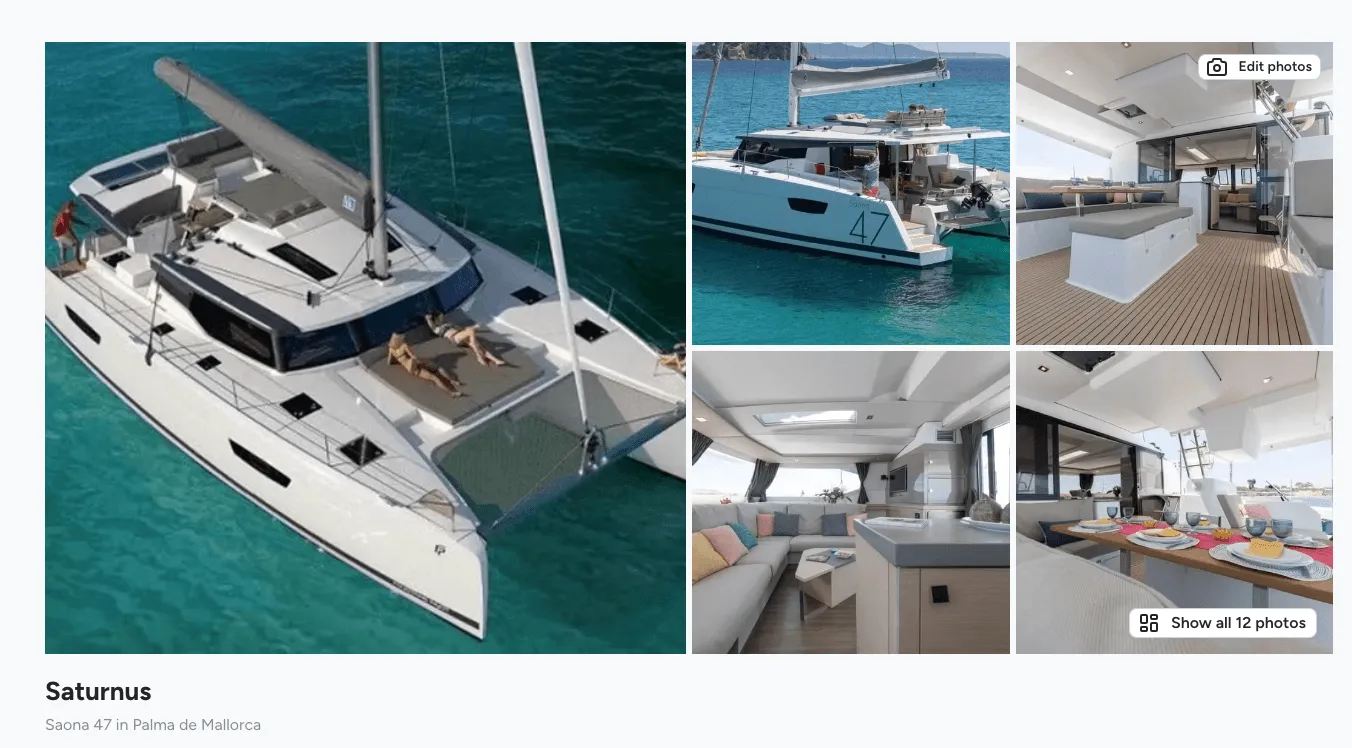
Section titled “A redesigned boat detail page”The boat detail page has been rebuilt from a set of tabs into a single page you can edit inline, section by section:
- A photo gallery and an attention band that surfaces expired certificates or components, and any mismatch between the boat’s plan and the plan its checklists are drawn on, right at the top, before you have to go looking for it.
- Boat details (home base, pier/berth, model, and booking configuration), plus Plans, showing the boat’s plan alongside every checklist plan in use so drift between them is visible at a glance.
- Specifications and Registration (port of registration, registration number, flag, call sign, tonnage, e-Registry), each editable in place.
- An Expiring soon card listing certificates and components approaching (or past) their expiry date.
- A Marketing site card, for boats published on your marketing website: status, charter type, starting price, and a link to the public page.
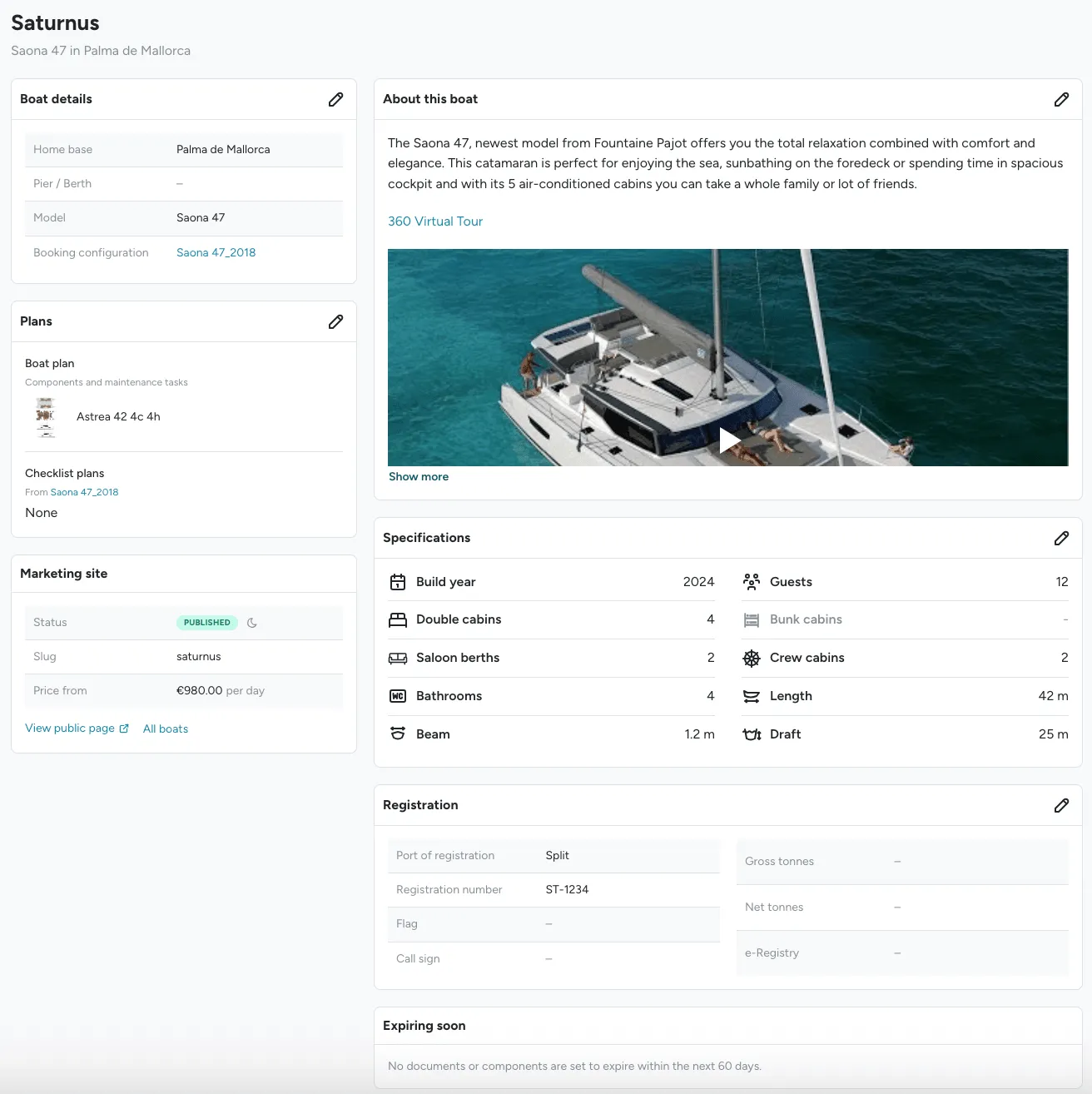
See Adding a new yacht for more details.
August 7
Section titled “August 7”Faster MMK and NauSYS pull and push syncing, creating better scheduling visibility across platforms
Section titled “Faster MMK and NauSYS pull and push syncing, creating better scheduling visibility across platforms”MMK and NauSYS bookings now sync much faster, allowing your booking team to use the Floatist booking calendar as a source of truth across multiple platforms, as well as see Floatist bookings quicker in MMK.
Pull (MMK/NauSYS → Floatist):
- Now to 4 months out: syncs every 15 minutes
- 5 to 12 months out: syncs every hour
- 13 to 24 months out: syncs every 6 hours
Push (Floatist → MMK): this push runs on an hourly cadence. Floatist bookings are generated as an option in MMK, regenerating it if it falls out of sync.
This is an initial improvement. More syncing speed and integration improvements are coming soon.
See MMK: How it works and NauSYS: How it works.
Booking list and calendar filters improvements
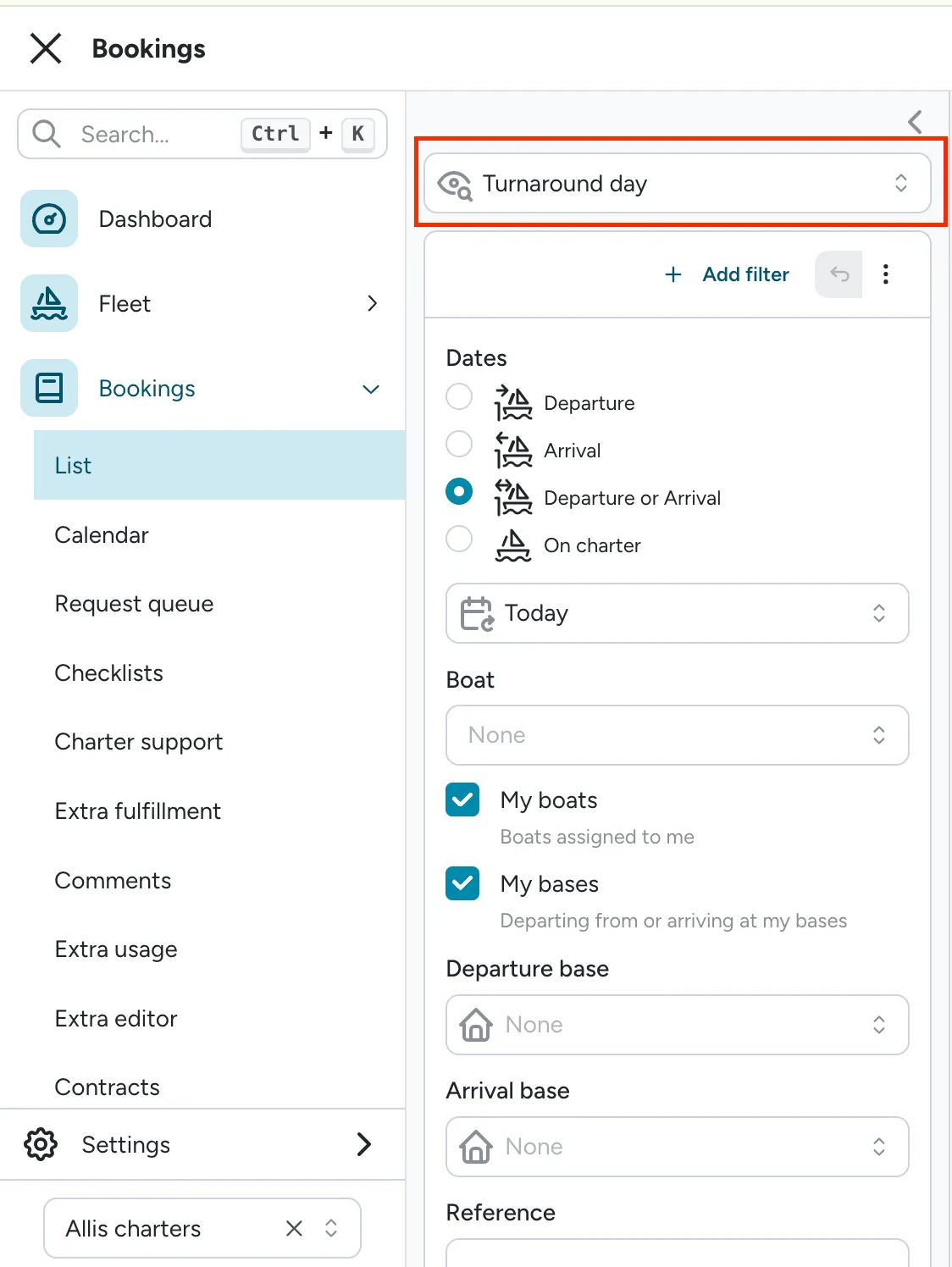
Section titled “Booking list and calendar filters improvements”The booking list now opens on a saved view instead of a blank filter set: Turnaround day (the new default), Upcoming, Pending emails, Outdated extras, or Custom. Add any filter field from the new Add filter menu, then negate, disable, duplicate, or remove each one individually without starting over. Change a view’s filters and it switches to a Temporary view with a Revert button to snap back, so you can experiment without losing your saved setup.
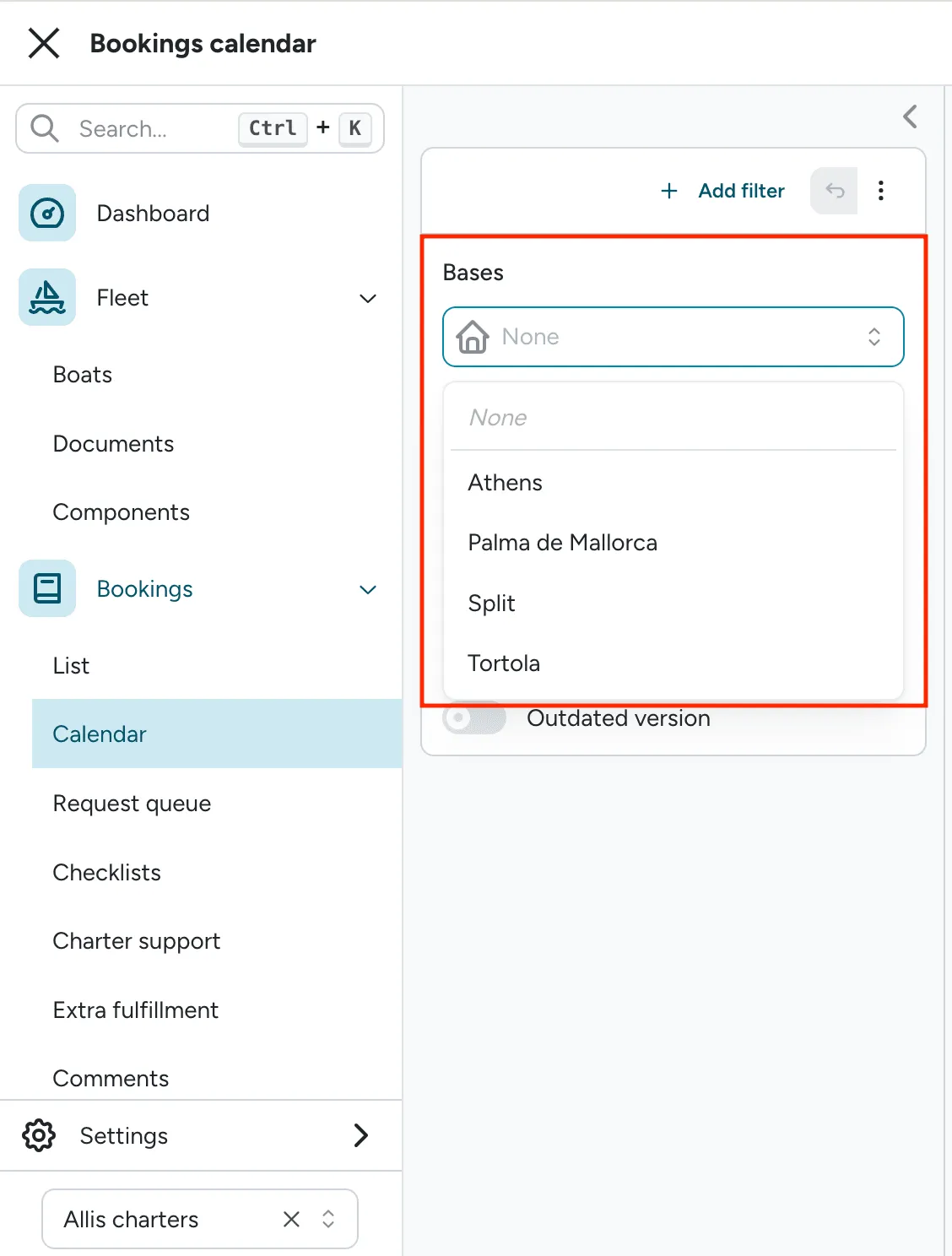
The calendar’s filter panel is now focused on Is archived and Extras, with a persistent Bases picker above it. The calendar’s Boat filter has moved: filter by boat from the booking list instead. See Filtering bookings and Calendar filters.
One date-range picker for creating and editing bookings
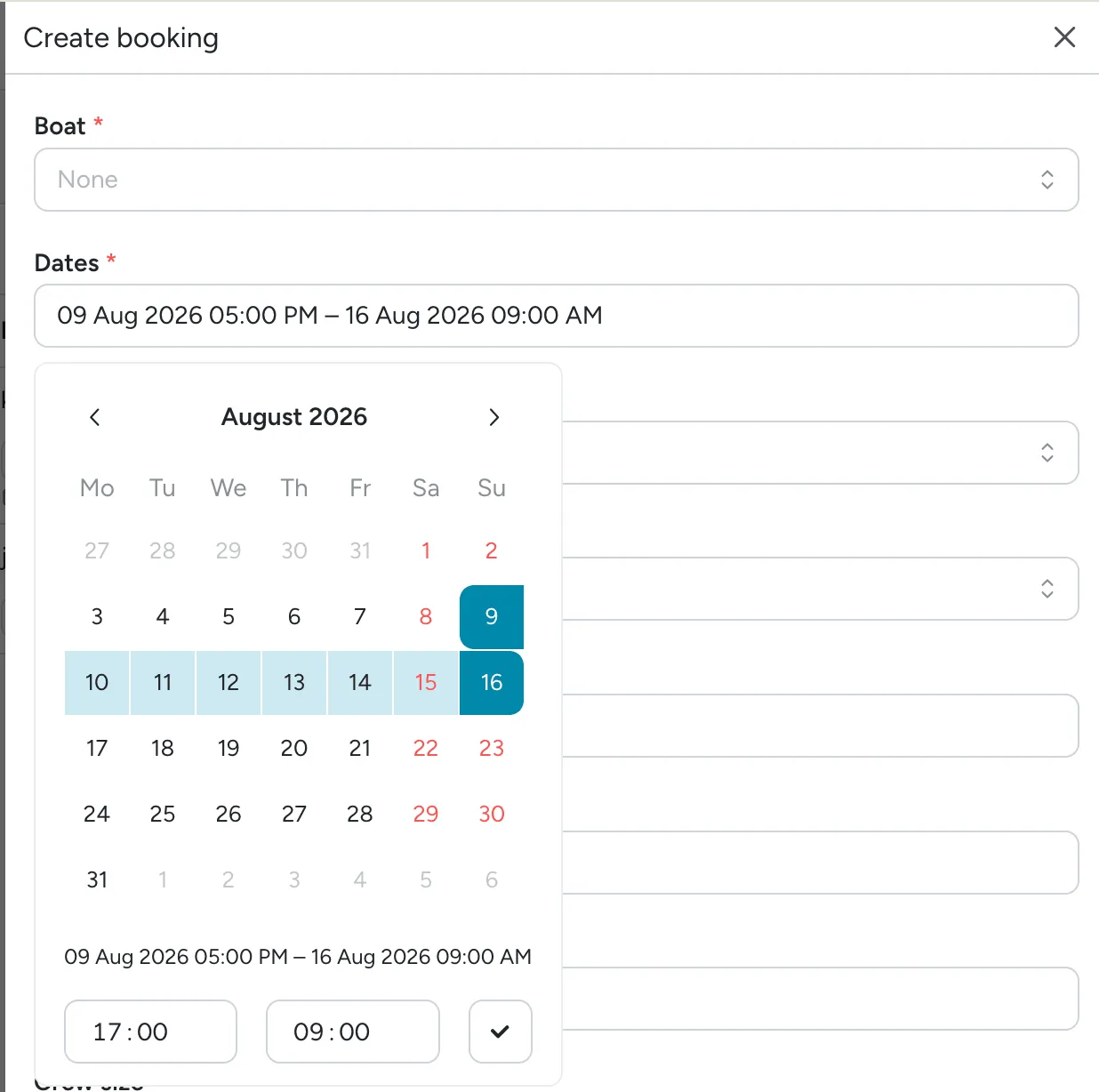
Section titled “One date-range picker for creating and editing bookings”Creating or editing a booking now uses a single Dates field instead of separate Start date and End date pickers. Pick check-in, then check-out, in one calendar. Same-day charters are still supported. See Creating a booking.
Greek eCharterParty bulk JSON export includes your charter terms
Section titled “Greek eCharterParty bulk JSON export includes your charter terms”The Greek eCharterParty bulk JSON export now includes your Charter terms (Settings > Booking >
Charter terms) in each charter party’s additional_terms field, converted from rich text to plain
text automatically. Bookings without charter terms configured export normally, with the field left
out. See Bulk export to Greek
eCharterParty.
July 21
Section titled “July 21”Greek eCharterParty bulk JSON export includes MMK & NauSYS ID
Section titled “Greek eCharterParty bulk JSON export includes MMK & NauSYS ID”The Greek eCharterParty bulk JSON export now appends a booking’s MMK or NauSYS reference to its
Floatist reference in the client_id field, so you can match an exported charter party back to
how you already track the booking in your other system. See Bulk export to Greek
eCharterParty.
Better-looking, lighter checklist PDFs
Section titled “Better-looking, lighter checklist PDFs”Checklist and inspection PDFs got a visual upgrade: signatures look crisper, terms and conditions with images or collapsible sections now display properly instead of breaking, and file sizes are dramatically smaller, so they’re easier to email and store. See Checklists overview.
July 14
Section titled “July 14”Whitelabeling now available
Section titled “Whitelabeling now available”Whitelabeling is now available as a paid add-on to your existing Floatist subscription. It puts
your own brand on both Floatist apps: your logo and brand colours replace Floatist’s in the operator
app your team uses and in the guest app your guests use, on a branded subdomain such as
app.yourcompany.hub.floatist.com.
Whitelabeling is set up by the Floatist team and applies across your whole fleet. See Whitelabeling for more details.
Contact support@floatist.com if you’re interested in learning more.
Bulk export Greek crew and charter details to eCharterParty (JSON)
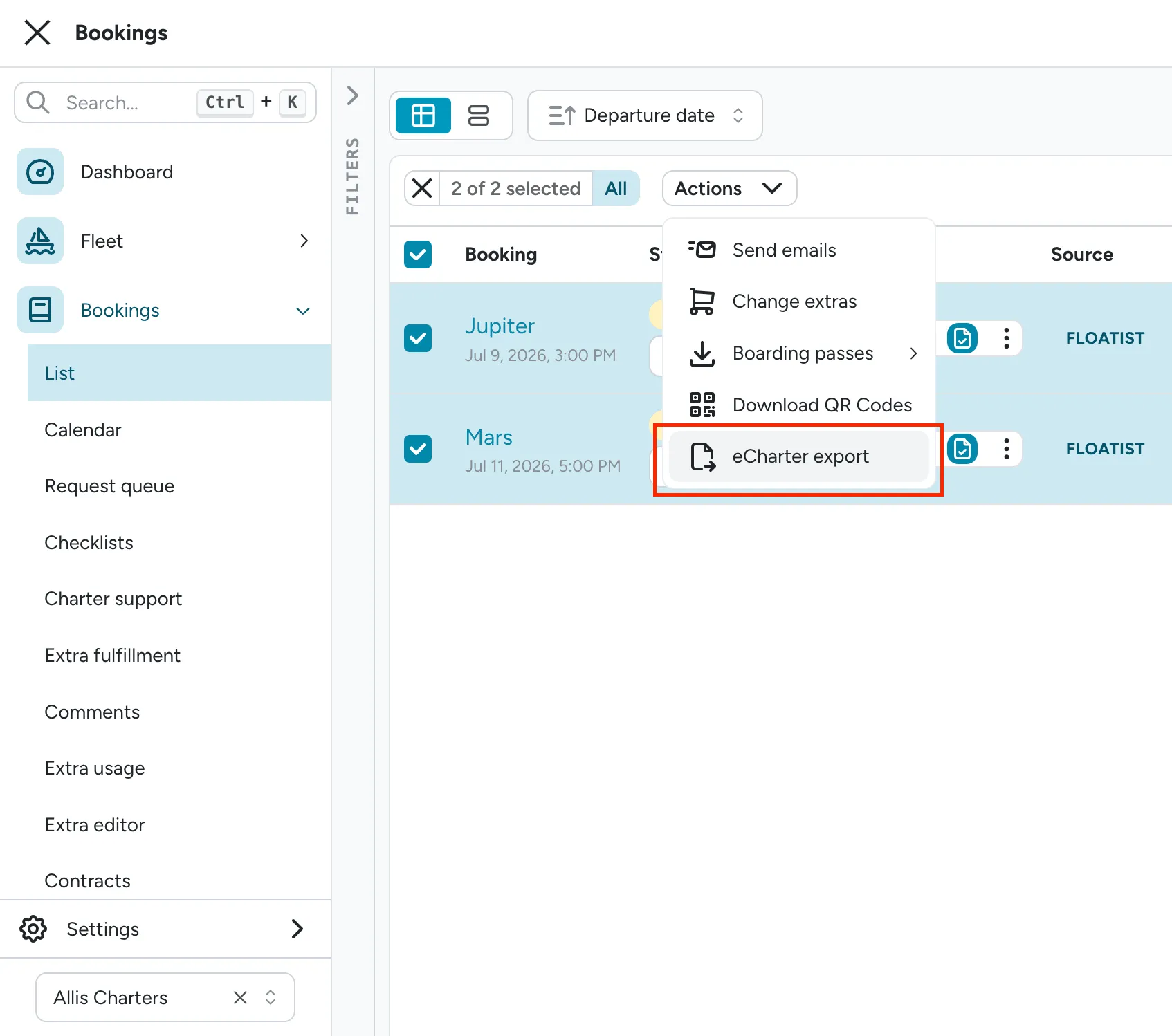
Section titled “Bulk export Greek crew and charter details to eCharterParty (JSON)”Greek fleet operators can now export charter, crew, and passenger details for multiple bookings at once as a single JSON file, ready to upload to the Greek eCharterParty portal (echarterparty.yna.gov.gr). Select up to 200 bookings from the bookings list, review a readiness check for each one with direct links to fix anything missing, and download the file straight from Floatist. Set up your bases and boats once under Settings > Integrations > eCharter to get started. See Bulk export to Greek eCharterParty.
Operator API for tasks, bookings, and fleet data
Section titled “Operator API for tasks, bookings, and fleet data”Fleet operators can now generate their own API tokens (Settings > API tokens) to pull Floatist data into other systems. The new Operator API covers maintenance tasks (with full cost and labor breakdowns, workflow state, and assignees), bookings, boats, and bases, so you can build integrations like feeding maintenance cost per boat straight into your accounting software. Full interactive API documentation is linked right from the API tokens page. See the API FAQ.
Reorder your boat’s images
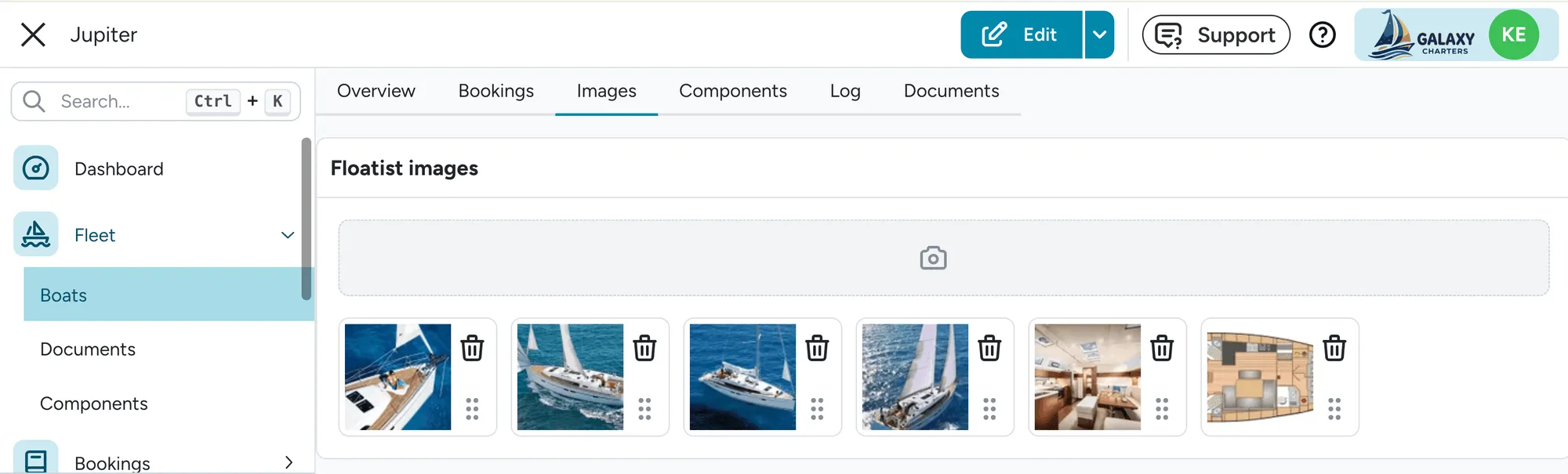
Section titled “Reorder your boat’s images”You can now drag to reorder your boat’s images right inside the Import MMK images / Import NauSYS images dialog or in Floatist Images on each boat, so the order shown on your marketing website and guest app is always the order you set. See Importing boat images from MMK or Importing boat images from NauSYS.
Add a Crew role for hosts, cooks, and deckhands
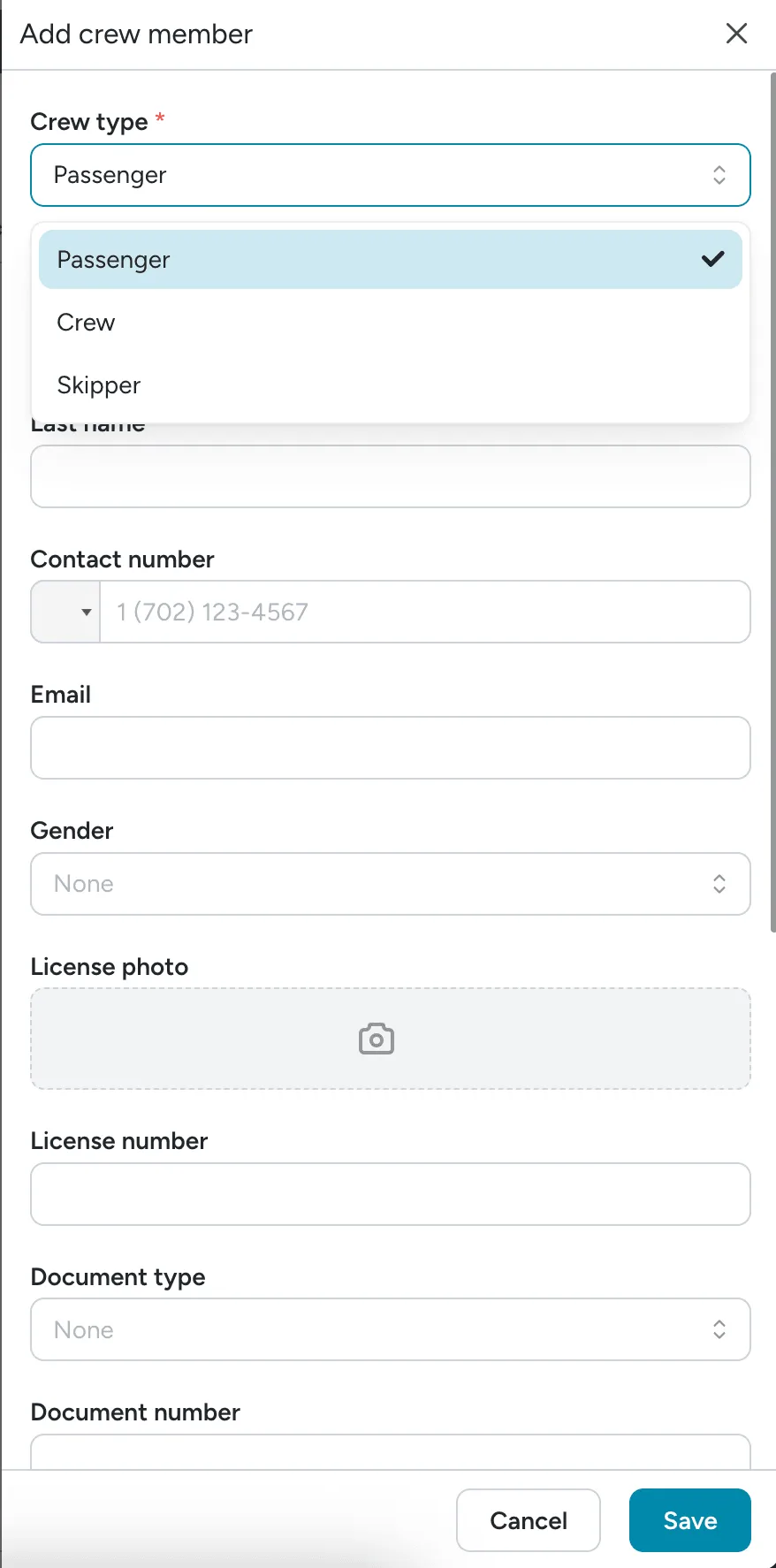
Section titled “Add a Crew role for hosts, cooks, and deckhands”The crew list now has a third role, Crew, for hired crew like a host, cook, hostess, or deckhand, alongside Skipper and Passenger. Crew members get their own section in the guest app and print alongside the skipper on the crew list PDF. See Crew roles.
Crew list fields are now configurable per role
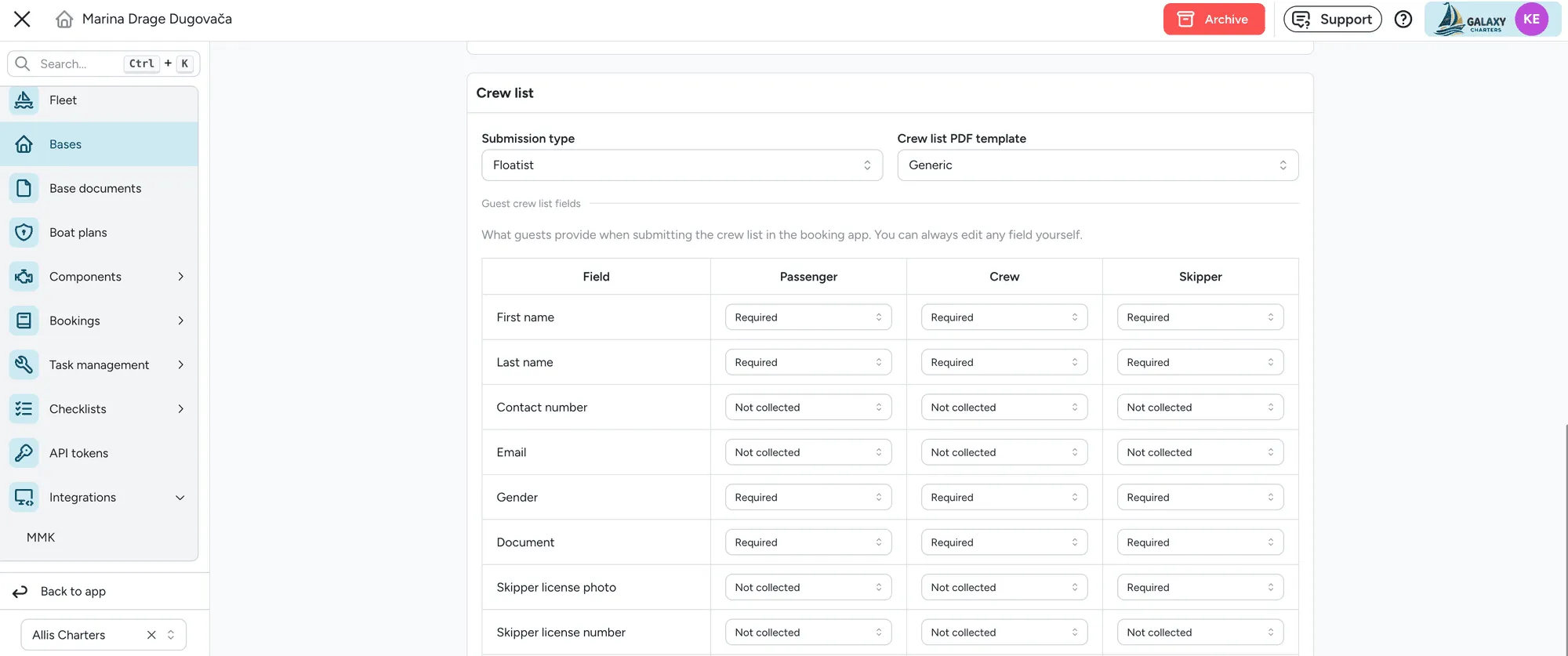
Section titled “Crew list fields are now configurable per role”Required and optional crew list fields can now be set separately for Passenger, Crew, and Skipper, instead of one setting for the whole base. This means you can require the skipper’s Email, for example, without asking every guest for one, which fleets running the Greek eCharter integration need since it rejects a submission with no skipper email on file. See Configurable crew fields.
See inline calendar when creating a booking
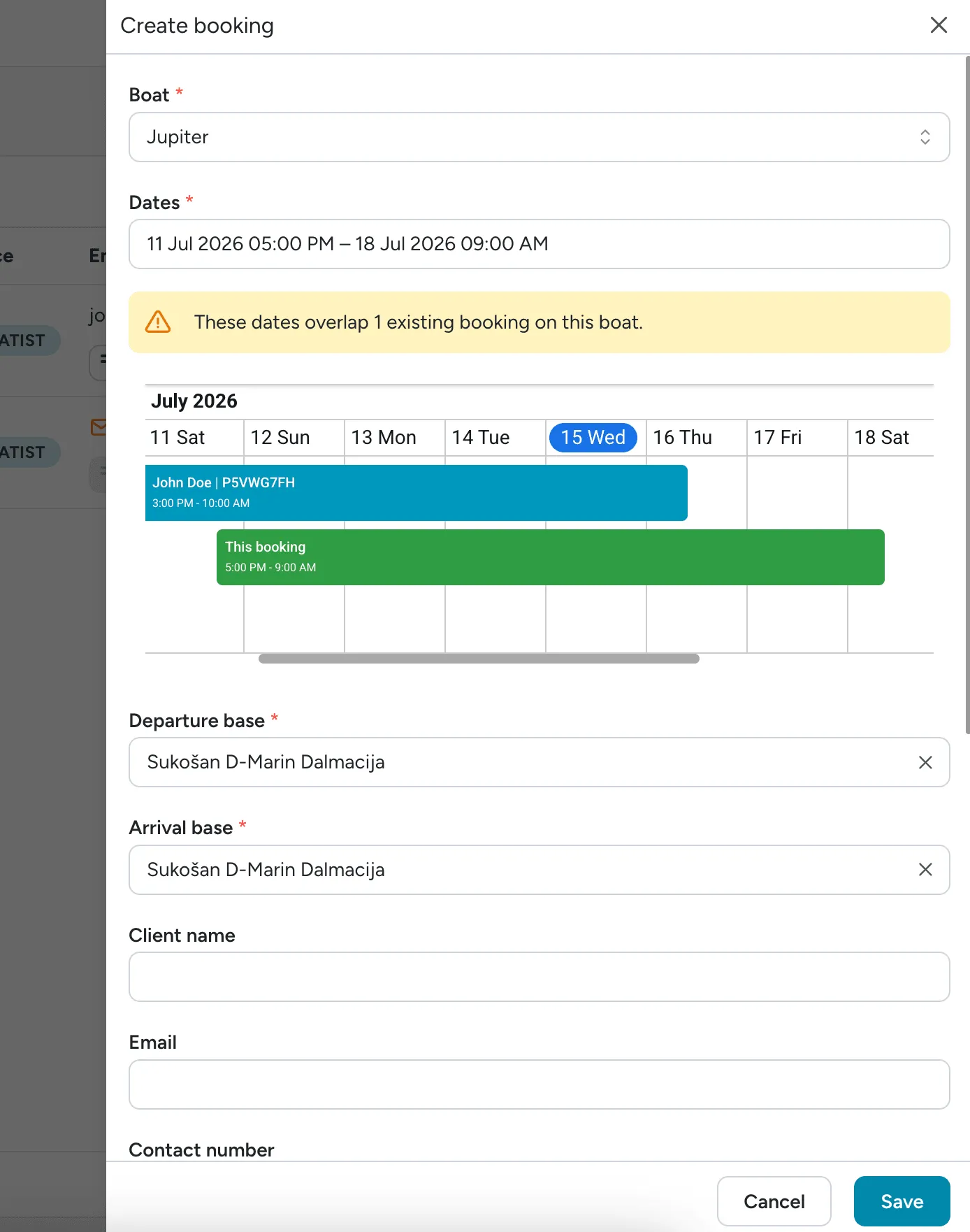
Section titled “See inline calendar when creating a booking”When creating or editing a booking, Floatist now shows an inline calendar and warning banner if the selected boat and dates overlap an existing booking, including reservations synced in from MMK or NauSYS. The system does not allow two overlapping Floatist bookings.
Import a crew list from CSV or Excel
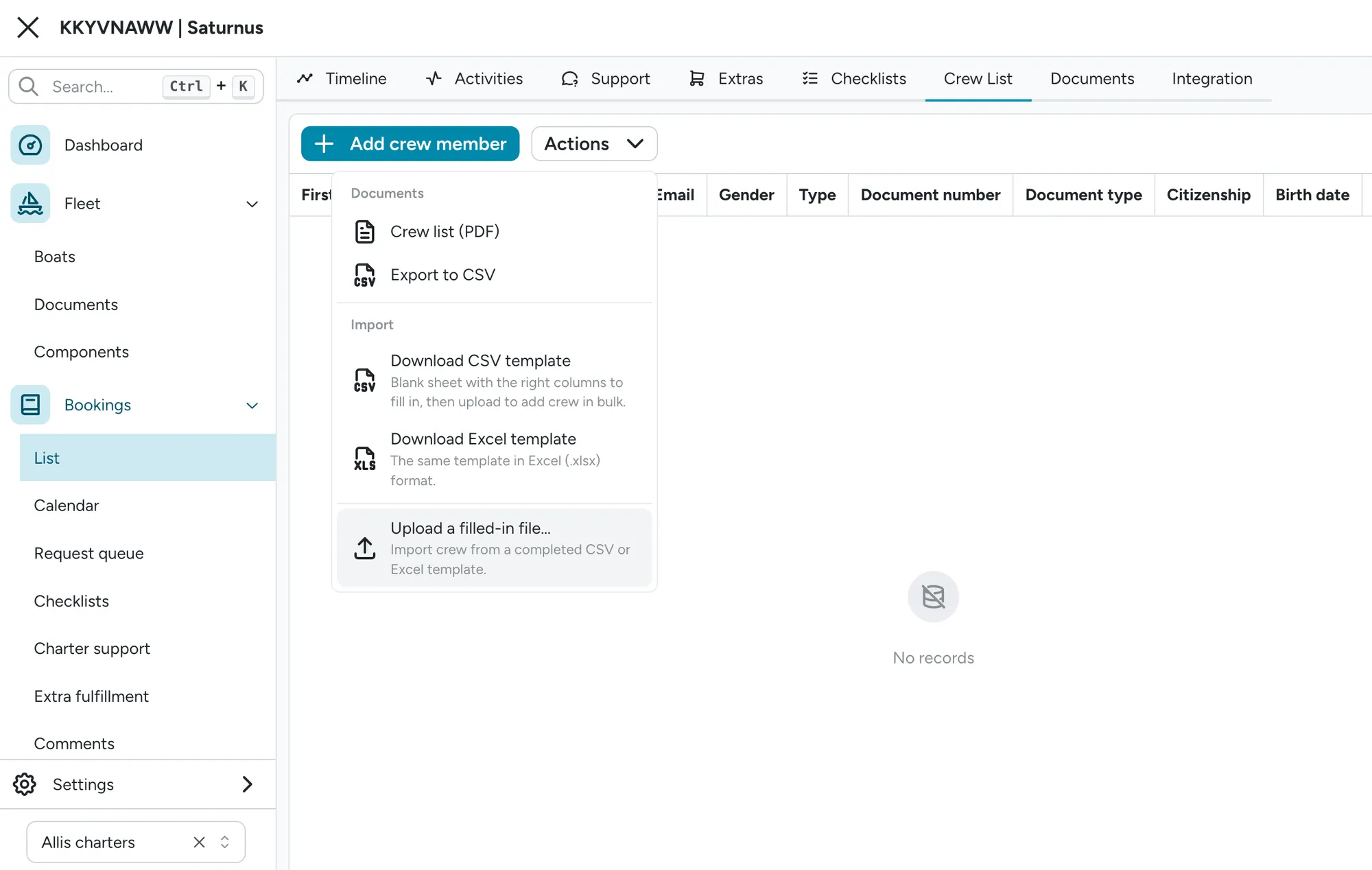
Section titled “Import a crew list from CSV or Excel”Booking managers can now import a full crew list from a CSV or Excel file instead of adding members one by one. Download a ready-made template (the Excel version includes dropdowns and an instructions sheet), fill it in, and upload it from the Import menu on the booking’s Crew List tab. You’ll get a summary showing what imported successfully and, if there are any issues, why the import failed.
July 1
Section titled “July 1”Beam and draft, plus a fleet-wide length unit
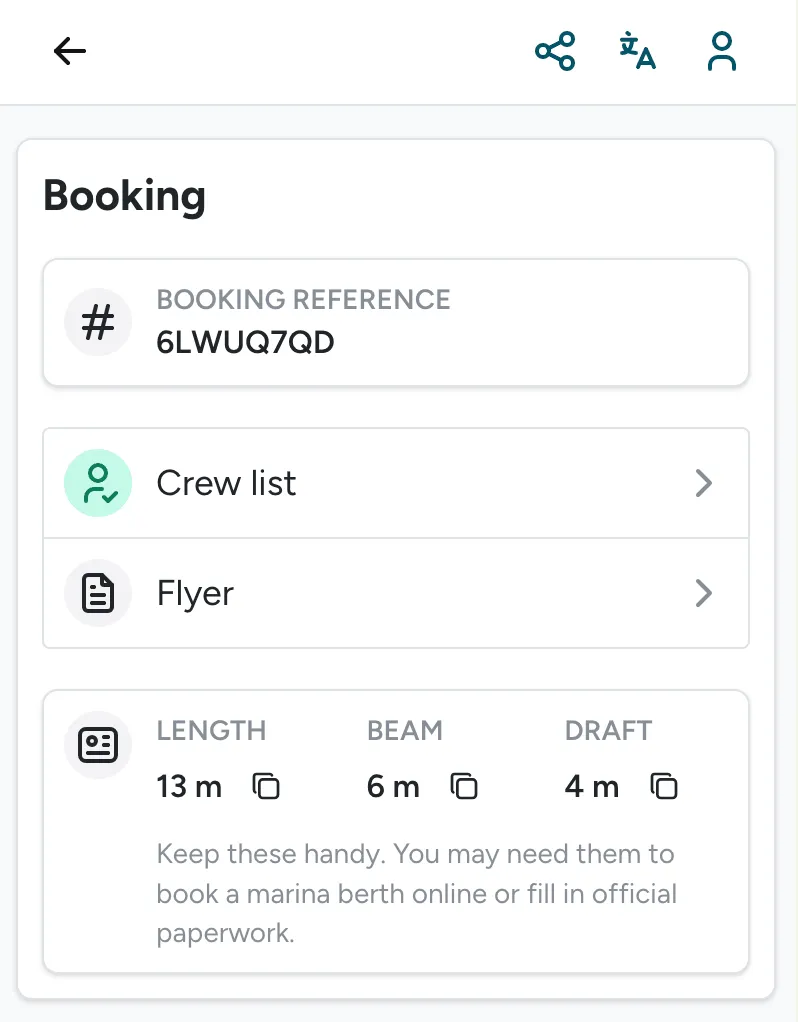
Section titled “Beam and draft, plus a fleet-wide length unit”Boats now have Beam and Draft fields alongside Length, so guests and marinas can see the full dimensions that matter for berth reservations. A new Length unit setting (Meters or Feet, default Meters) controls how all three display across the app for your whole fleet.
Registration number now visible in the guest app
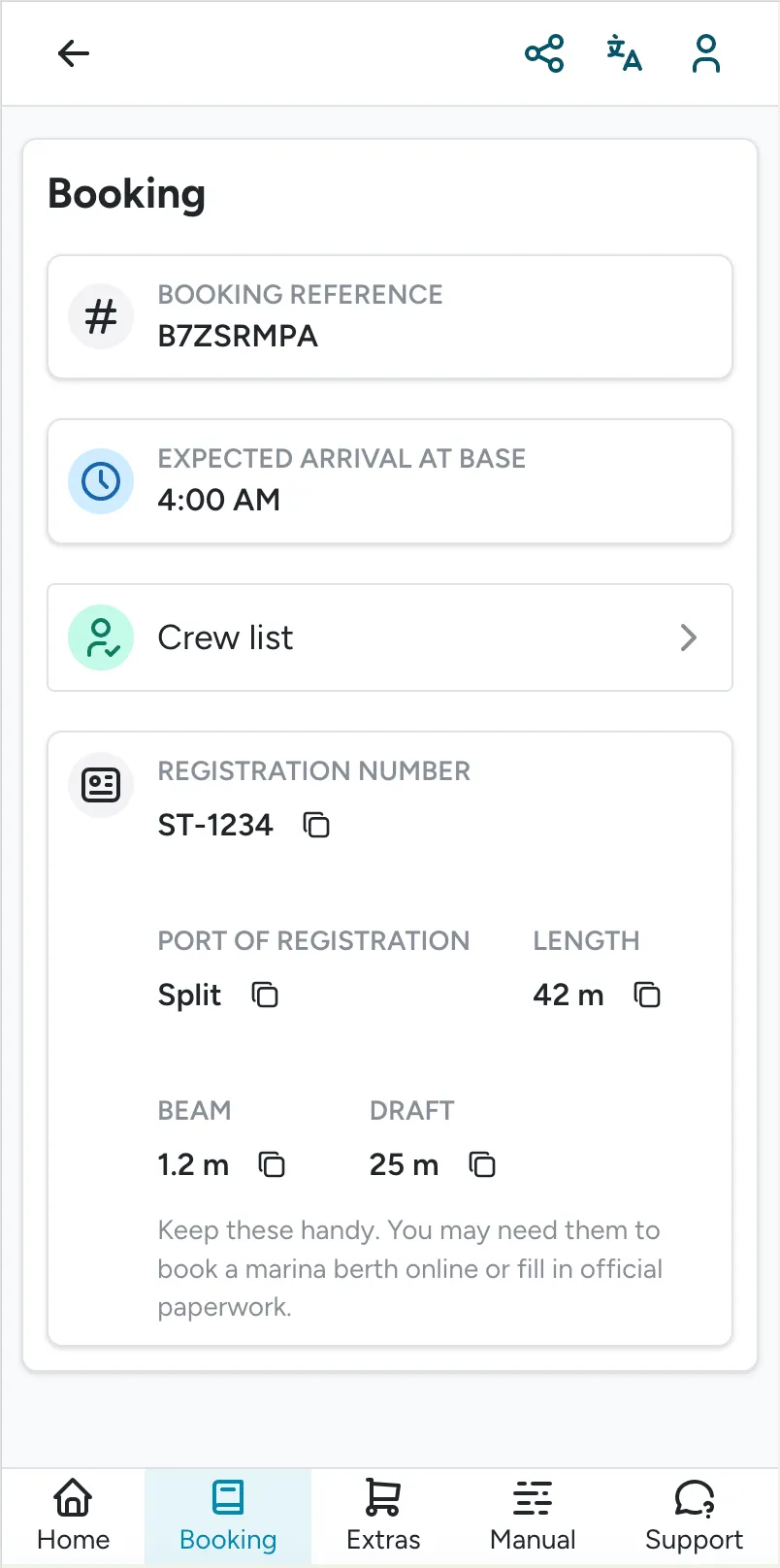
Section titled “Registration number now visible in the guest app”The guest app’s booking summary now shows the boat’s Registration number and Port of registration when they’re set, so guests can grab the details they need to book their own marina spot without asking your staff.
Note: these numbers must be populated in Boat Details in order to be visible in the guest app.
Brazilian Real available as Currency
Section titled “Brazilian Real available as Currency”You can now set your currency under Global Settings to Brazilian real (BRL).
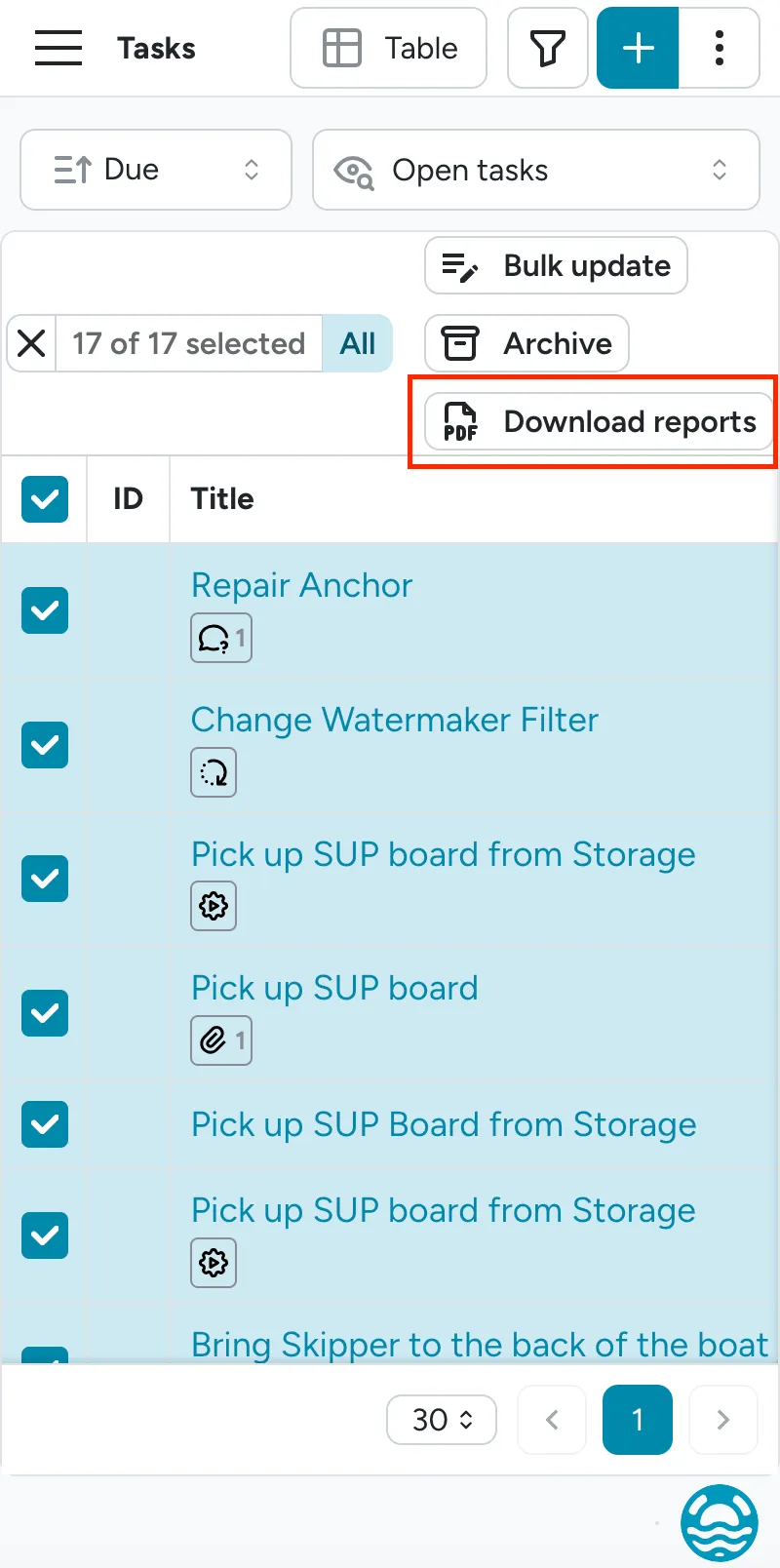
Export a task as a formal PDF report
Section titled “Export a task as a formal PDF report”Task reports can now be downloaded in 3 different ways:
- In bulk from the Task List, using multi-select or select all (up to 200 tasks can be downloaded at a time)
- From an individual Task, by pressing the 3 dots menu
- From an individual Bill, by pressing the 3 dots menu
Quantity now shown on the extra fulfillment page
Section titled “Quantity now shown on the extra fulfillment page”Each ordered extra on the extra fulfillment overview page now shows its quantity directly (e.g. “Quantity: 2”), so staff can see how many of an item to prepare without opening the task.
Filter bookings by boat type
Section titled “Filter bookings by boat type”The bookings list now has a Boat type filter (sailboat, motorboat, catamaran), matching the filter already available in the fleet view.
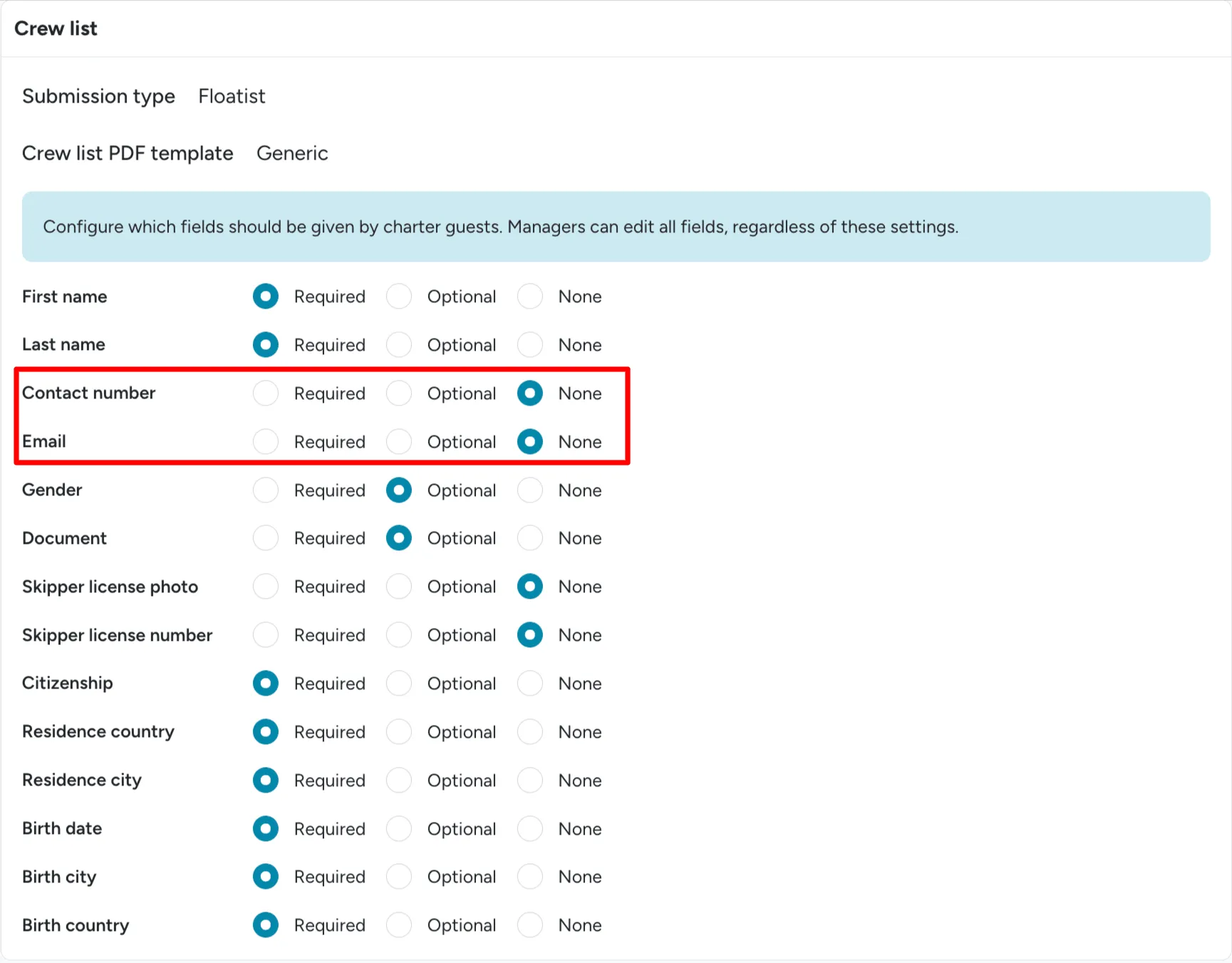
New crew list fields: Contact number and Email
Section titled “New crew list fields: Contact number and Email”The crew list now supports two new optional fields, Contact number and Email, configurable per base as Required, Optional, or None (hidden by default).
Crew list PDF redesigned with more detail
Section titled “Crew list PDF redesigned with more detail”The default (EN) crew list PDF is now landscape, with a restructured header showing the booking reference, boat model, port of registry, and registry number. Columns are now dynamic based on your base’s crew-field configuration, and can include contact number, email, birth city/country, and license number when those fields are enabled.
Invoice extras now recalculate automatically when crew size changes
Section titled “Invoice extras now recalculate automatically when crew size changes”Adding or removing crew members on a booking now automatically recalculates any crew-size-dependent extras on the invoice.
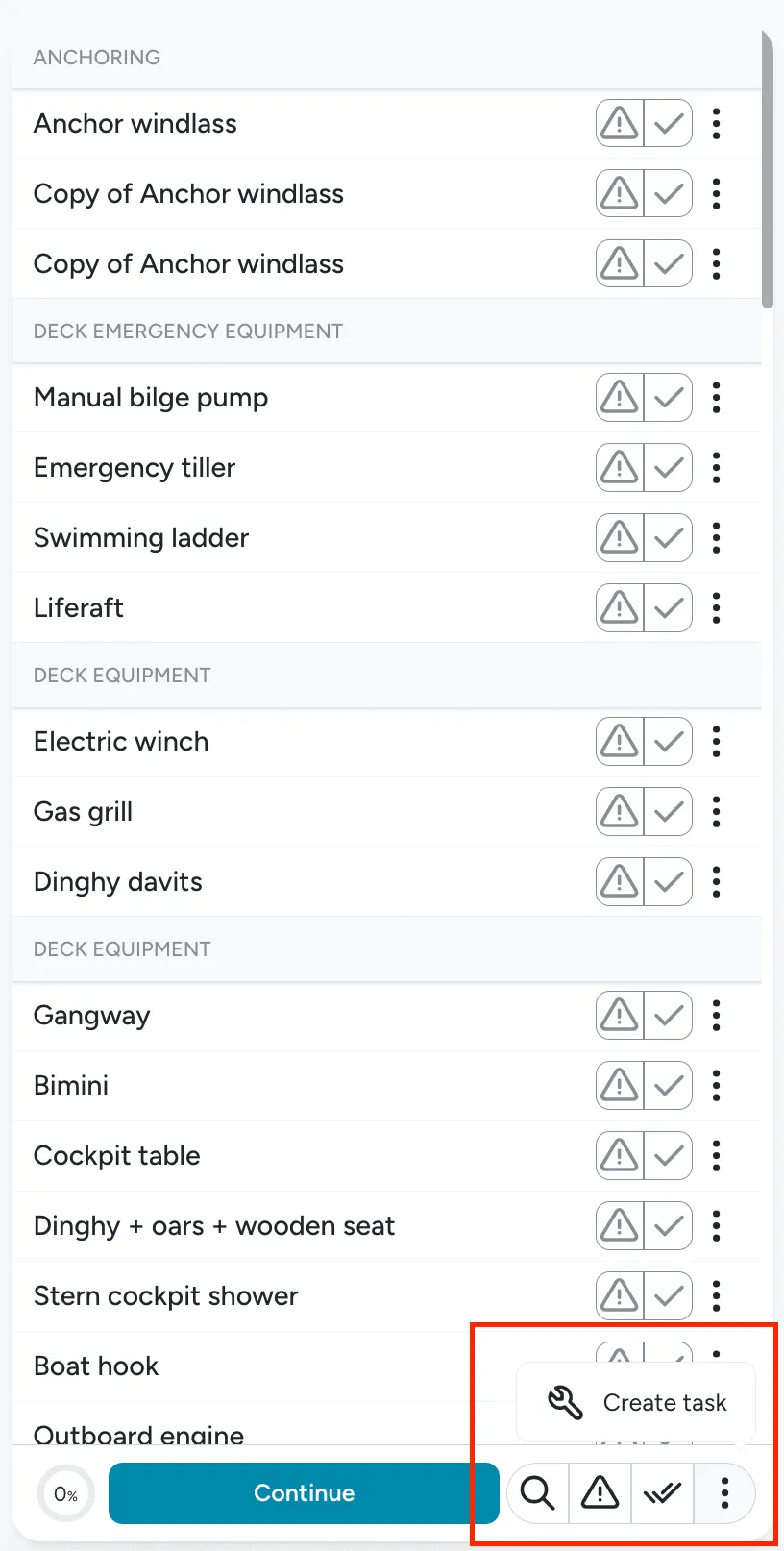
General task creation on checklists
Section titled “General task creation on checklists”You can now create a task that is not associated with any item on checklists. Navigate to the bottom tool bar and click Create Task.
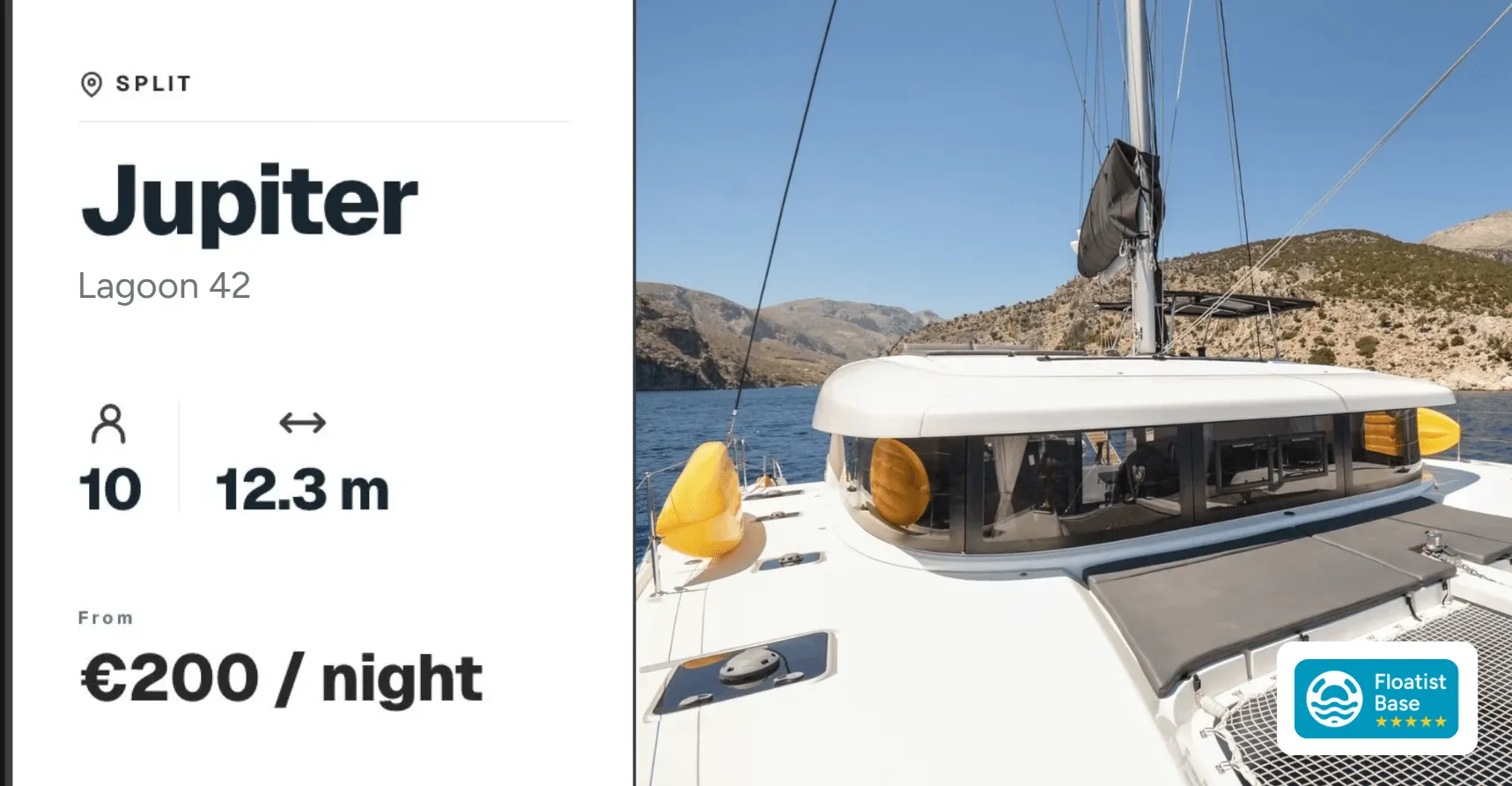
Updated Social Sharing Cards for Marketing Website
Section titled “Updated Social Sharing Cards for Marketing Website”When someone shares a link to one of your boats from your marketing website, the preview card shown on social media, WhatsApp, and other platforms now displays clean, well-formatted details (boat name, model, base, guest capacity, length, and starting price), so the link looks great wherever it’s shared.
June 15
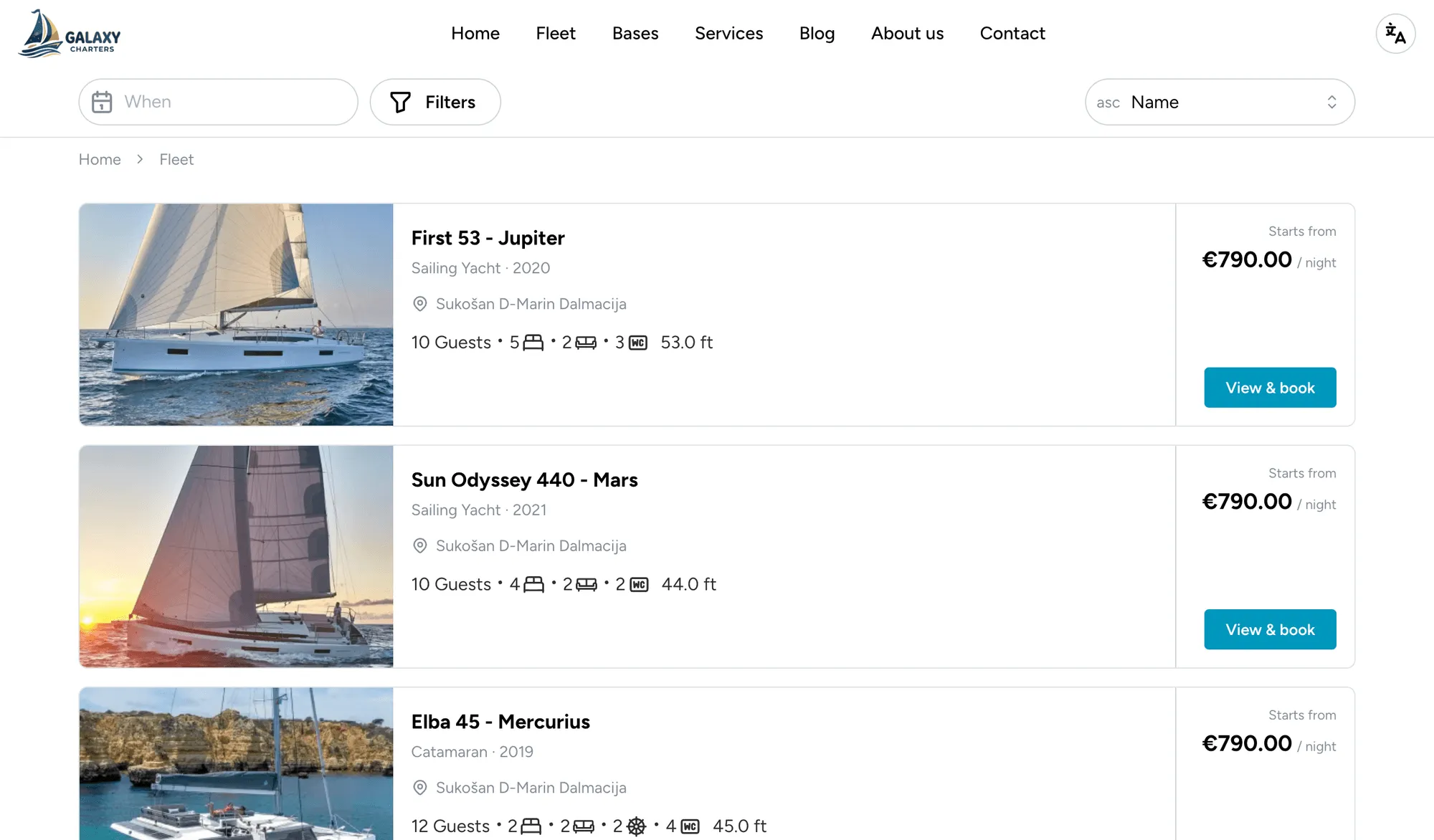
Section titled “June 15”“Starts from” pricing on marketing websites
Section titled ““Starts from” pricing on marketing websites”Your marketing website now shows a headline “from XYZ” starting price on each boat, on the fleet search cards and at the top of the boat detail page before a guest selects any dates. Floatist calculates it automatically from your Price events as the cheapest fully-priced charter of a length you choose, so the teaser price is always real and bookable.
You control it per boat in the availability and pricing settings at Settings > Bookings > Availability calendars:
- Preview duration (nights): the example charter length used for the headline price (e.g. 7 for a Saturday-to-Saturday week).
- Show as “per week”: display the total as a weekly price when your preview duration is 6 or 7 nights.
- Recalculate prices now: prices refresh every night automatically, but you can recompute on demand after changing your pricing.
See Boat pricing for the full setup.
“Created by” on the tasks page
Section titled ““Created by” on the tasks page”The tasks table now has a Created by column showing who raised each task, and the field is included in your CSV and PDF exports too. It makes it easy to see at a glance where work is coming from. Like any column, you can show, hide, or reorder it with the gear icon. See Tasks overview.
Greek crew list: separate passenger and crew files
Section titled “Greek crew list: separate passenger and crew files”The Greek eCharter export now matches the portal’s requirement to submit guests and the skipper
separately. Downloading the crew list gives you a single ZIP containing two ready-to-upload files
(passengers.xlsx for the charter guests and crew.xlsx for the skipper), so there’s still no manual
reformatting. See Greek eCharter integration.
Booking integration details restricted to Booking Admins
Section titled “Booking integration details restricted to Booking Admins”The Integration tab on a booking, which shows the MMK snapshot, including financial and guest/agent details, is now visible only to the Admin and Booking Manager roles, which carry the Booking Admin permission. Other roles, such as Base Managers and Technicians, no longer see it, keeping sensitive booking data on a need-to-know basis.
June 8
Section titled “June 8”Improved fleet search page on marketing websites
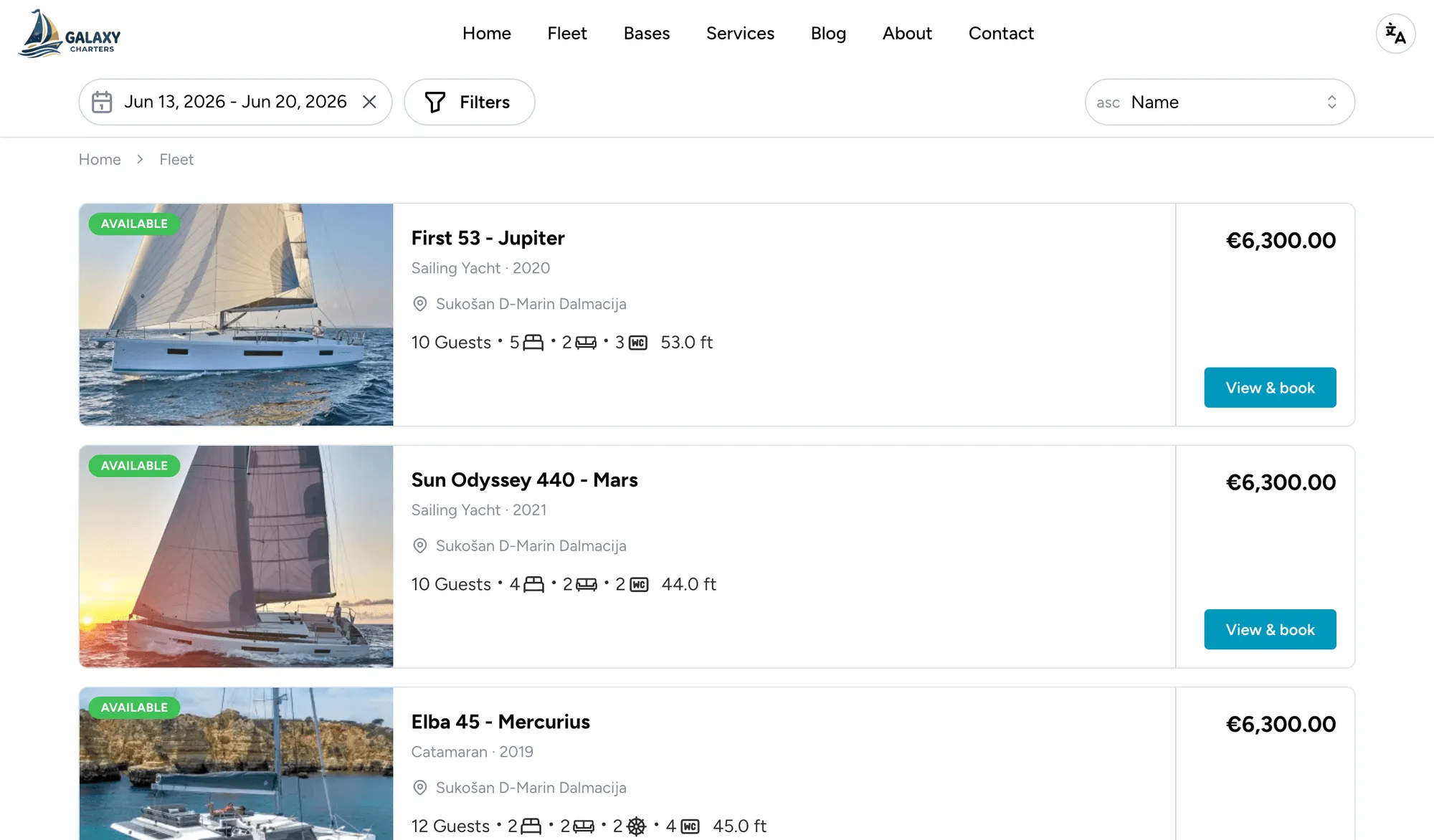
Section titled “Improved fleet search page on marketing websites”The fleet search page on Floatist marketing websites has been redesigned to feel more like the premium search experiences guests are used to elsewhere (Airbnb, Booking.com, and the like). Each boat now uses a horizontal card layout (image on the left, the rest of the card dedicated to specs, tags, and pricing), so guests can compare boats without having to click into each one.
What’s new on every card:
- Price per week displayed prominently, e.g. “from XYZ per week”. If the guest hasn’t entered dates yet, Floatist shows the lowest weekly rate from your configured pricing.
- Key specs as tags with icons so the most decision-relevant information (cabins, berths, year, etc.) is visible at a glance, without clicking into each boat.
- Clearer unavailability state: when a boat is booked for the guest’s selected dates, the card darkens with a “Booked for your dates — try adjusting your search” overlay instead of silently disappearing from the results.
More complete info on the listing means fewer clicks for guests to make a decision, and more direct inquiries for you.
Booking calendar: timeline view, detail view, and remembered scroll
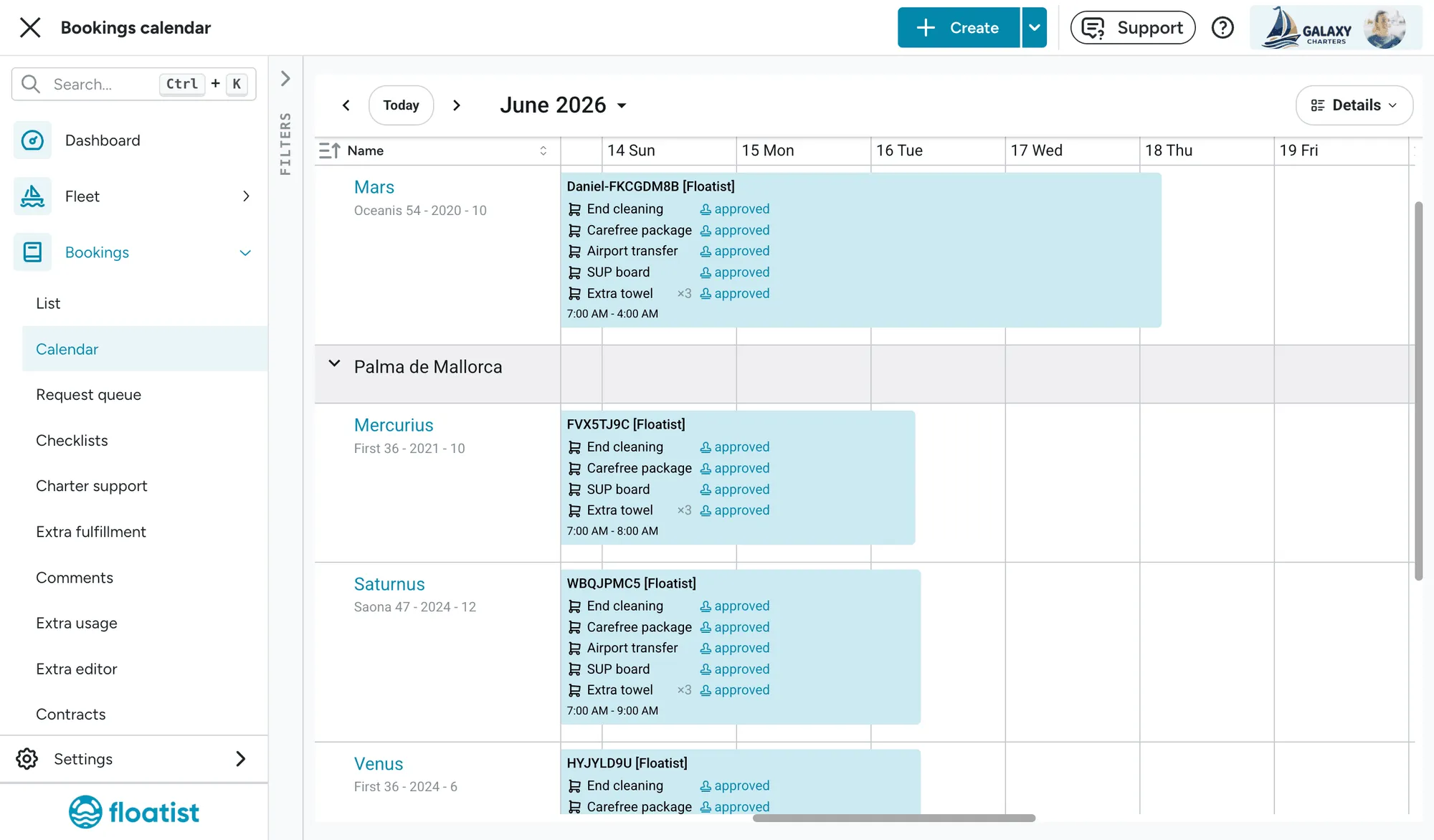
Section titled “Booking calendar: timeline view, detail view, and remembered scroll”The booking calendar at Bookings > Calendar has a new timeline view alongside a redesigned detail view:
- The timeline view is zoomable and each page covers a full year, so it’s easier to scan bookings across months without losing context.
- The calendar remembers your scroll position, so when you navigate away and come back you land exactly where you left off. No more re-finding your place.
- The detail view shows all the extras booked for each charter in one place. One zoom level, one month per page.
Greek crew-list Excel export
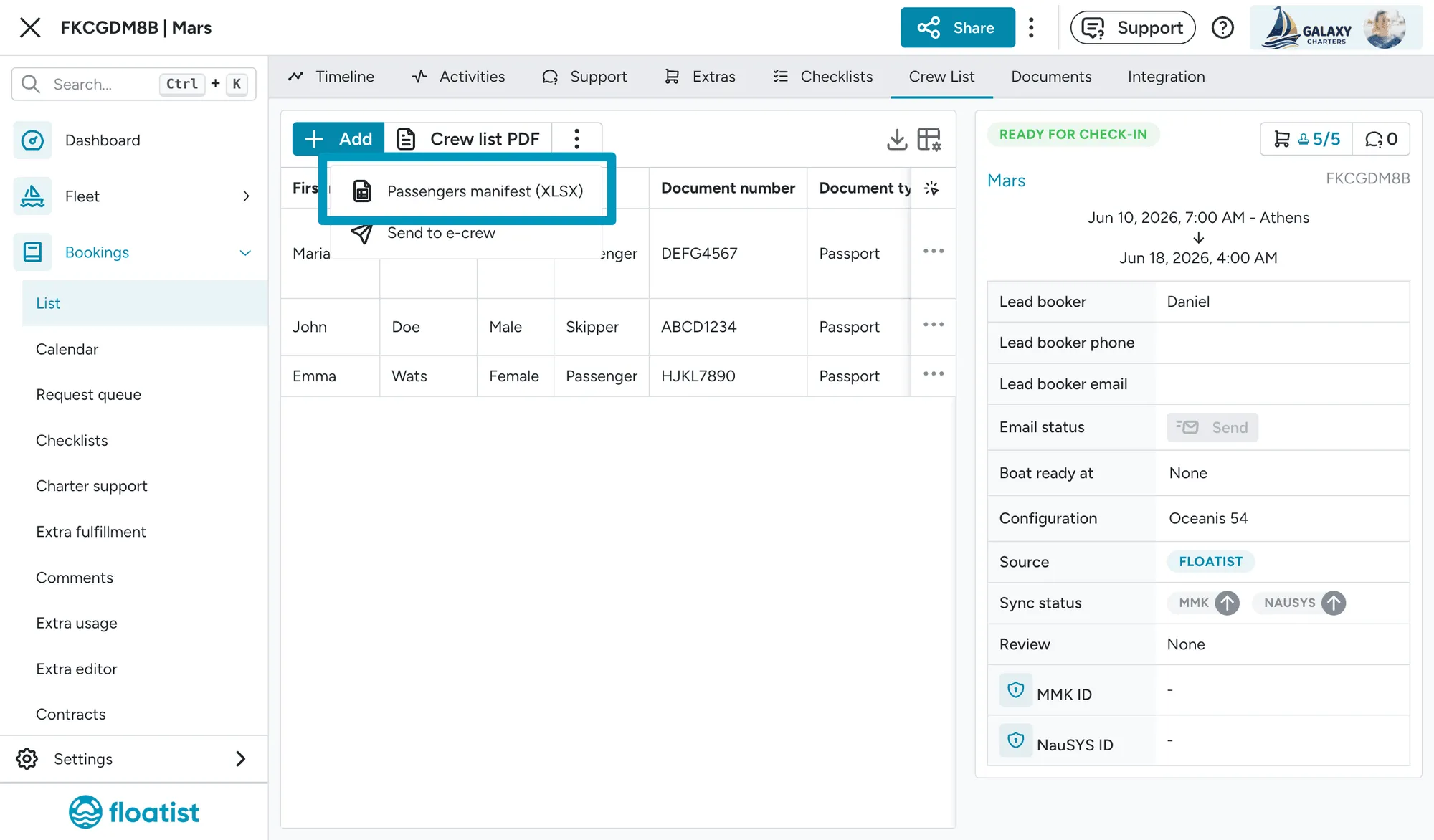
Section titled “Greek crew-list Excel export”For operators in Greece: the crew-list export now produces an XLSX in the exact format expected by the Greek government portal. You can hand the file off directly with no manual reformatting.
The export includes the 8 columns required by the portal: Full Name, Document Number, Sex, Nationality (using the portal’s nationality codes), Date of Birth (YYYY-MM-DD), Embarkation Date (auto-filled with the check-in date), Embarkation Time (always 17:00), and Embarkation Port (always your departure base).
If you operate in Greece, you can now use Floatist as the source of truth for crew lists, easily download the correct format for the Greek eCharter portal, and skip the previous double-entry step.
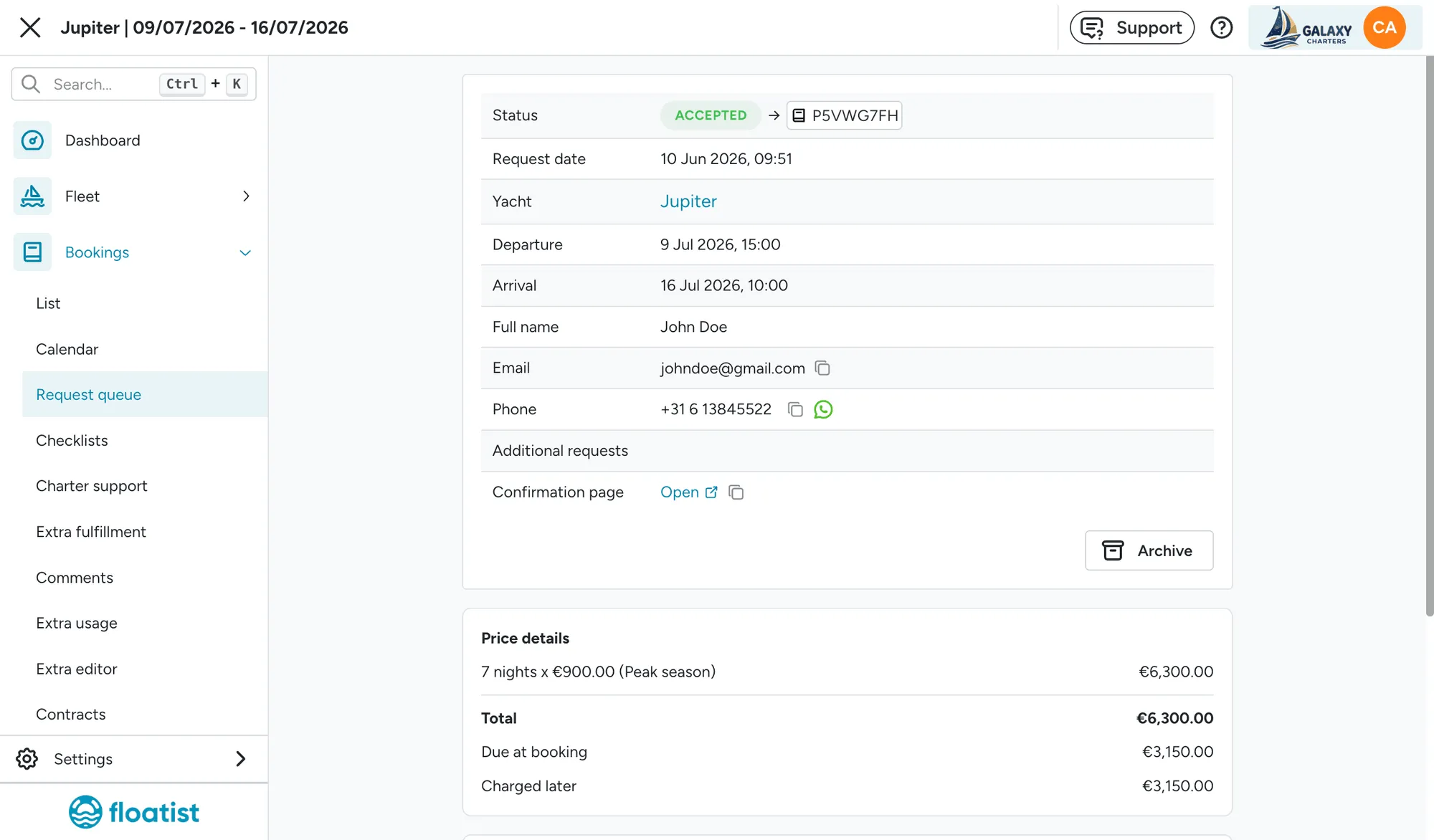
Link to the booking-request confirmation page
Section titled “Link to the booking-request confirmation page”For bookings that originated from a website request, a copyable link to the booking request confirmation page now appears in two places:
- On the booking request details page.
- On the booking details page, for bookings that came from a request.
Staff can quickly copy the link to share with a colleague, or open it directly to see exactly what the guest saw after submitting their request.
May 26
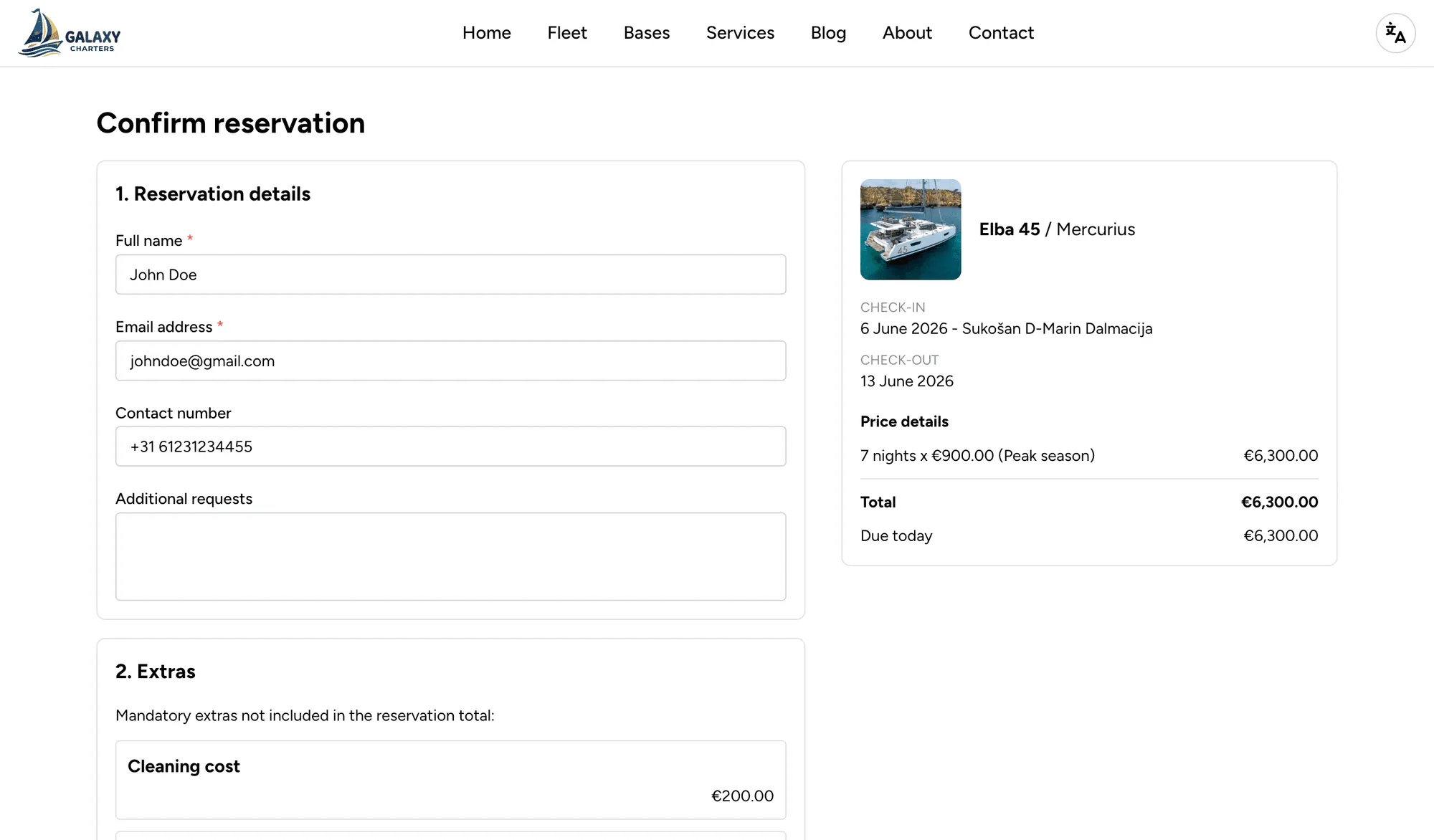
Section titled “May 26”Improved booking flow on marketing websites
Section titled “Improved booking flow on marketing websites”The booking flow on Floatist marketing websites has been redesigned to make it clearer and easier for guests to complete a request. Guests now see the total price upfront, then move to a step where they fill in their details and review any obligatory extras that have to be paid at the base. Once they submit, a booking request is created directly in Floatist for you to review and accept, with no manual follow-up required to capture the lead.
Brand color backgrounds for Introduction and Footer
Section titled “Brand color backgrounds for Introduction and Footer”You can now set your brand color as the background for the Introduction and Footer sections of your marketing website. This makes it easier to give your site a strong, consistent brand feel, particularly useful for operators whose identity relies on a distinctive primary color.
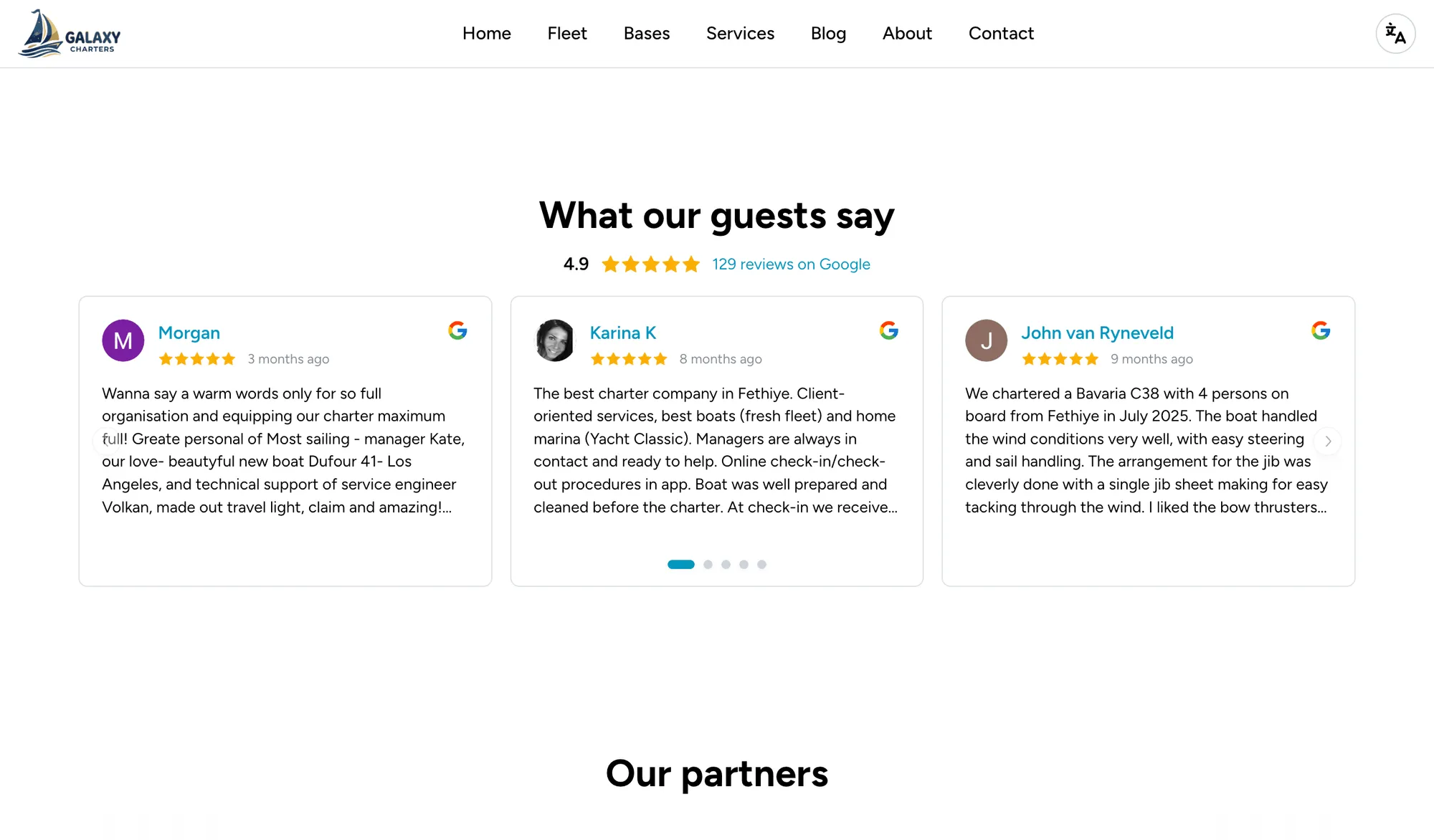
Google Reviews on marketing websites
Section titled “Google Reviews on marketing websites”You can now embed Google Reviews on your Floatist marketing website. Showing real feedback from past charters directly on your site helps build trust with potential guests and turn visits into bookings, without sending them off to another platform to check your reputation.
Availability and pricing calendar improvements
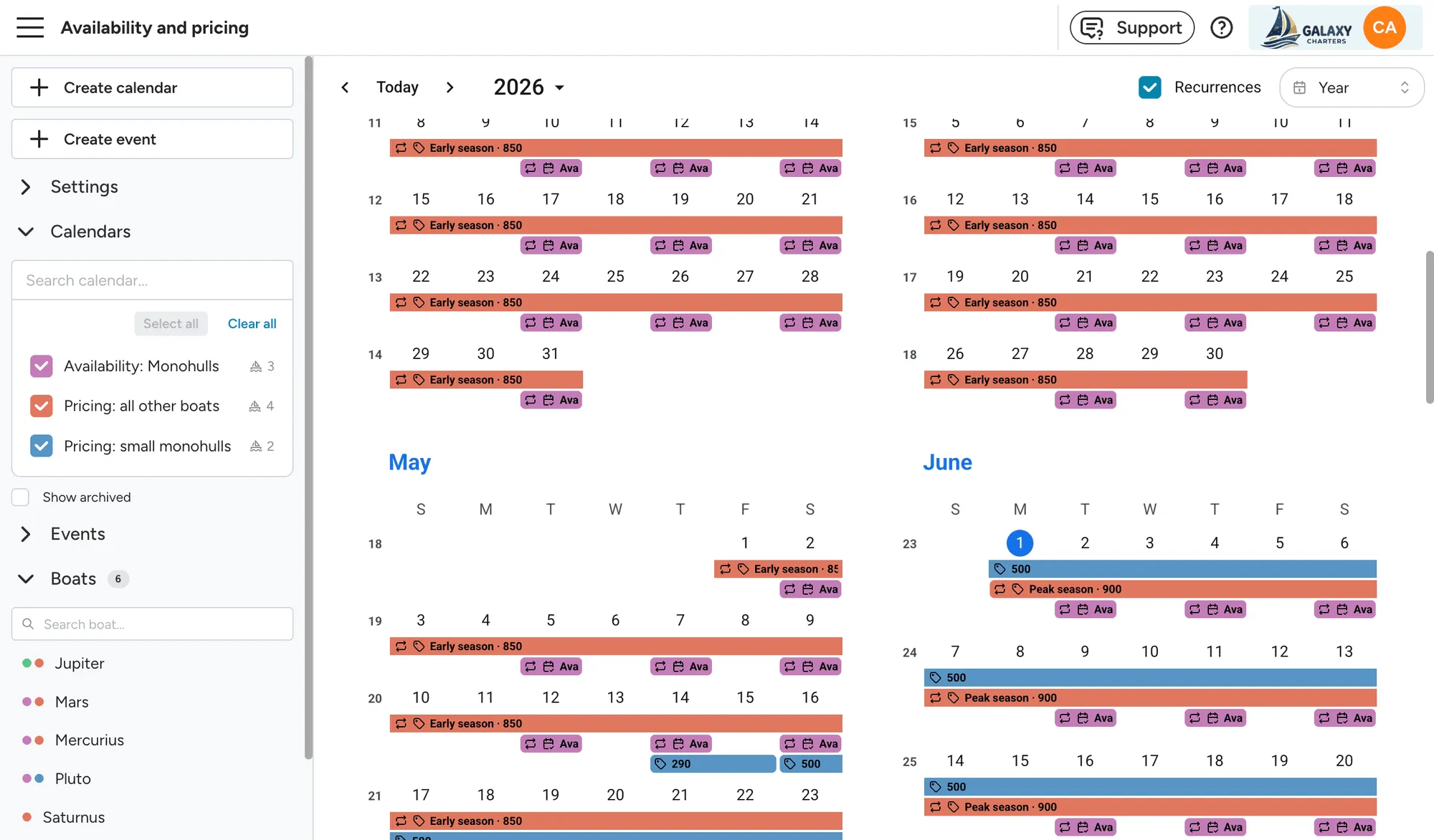
Section titled “Availability and pricing calendar improvements”The availability and pricing calendar has been rebuilt to make it easier to set up and review your fleet’s schedules, especially when many boats share the same seasons.
- Multiple views. You can now switch between yearly, monthly, weekly, and timeline views. The yearly overview makes it easy to confirm that availability and pricing cover the whole season; the timeline view has a zoom so you can drop all the way down to a week-level view that’s optimised for daily charters. In the weekly view, events can be shown grouped per calendar or mixed together.
- Click and drag to create events. You can now draw an event directly on the calendar by clicking and dragging. The new event is created on whichever calendar’s row you draw it on, so there’s no risk of accidentally adding it to the wrong one.
- Smarter calendar selector. When you create an event from the main button, no calendar is preselected. You have to pick one explicitly, which prevents accidentally creating events on the wrong calendar. The selector remembers your last choice and separates calendars currently in view from the rest.
- Event summaries per calendar. Each calendar now shows a small summary of the event types it contains, so you can see at a glance whether a calendar holds availability, pricing, or blocks without having to open it.
- Boats panel. A new Boats section shows each boat with coloured dots for its assigned calendars (capped at four, with a +N overflow). Clicking a boat highlights every other boat that shares the same calendar, which makes it easy to see who’s using what. Calendars can be added or removed per boat directly from this view, and boats without any calendars are dimmed so missing setup is immediately visible.
- Better recurrence handling. Recurring events now show a recurrence icon. Hovering an event outlines the rest of the series and the tooltip shows the recurrence pattern and the first event in the series. You can also hide recurrence to see only the initial event of each series, which is useful when you’re cleaning up or reorganising.
- Improved tooltips. Event tooltips now include the full start and end dates of the period, which is helpful when an event is too small to read directly in the calendar.
- “Current date” renamed to “Preview as date”. The control that lets you preview the calendar at a specific date has been renamed so it’s no longer confused with today’s date.
April 21
Section titled “April 21”Marketing Websites - now available for all fleet operators
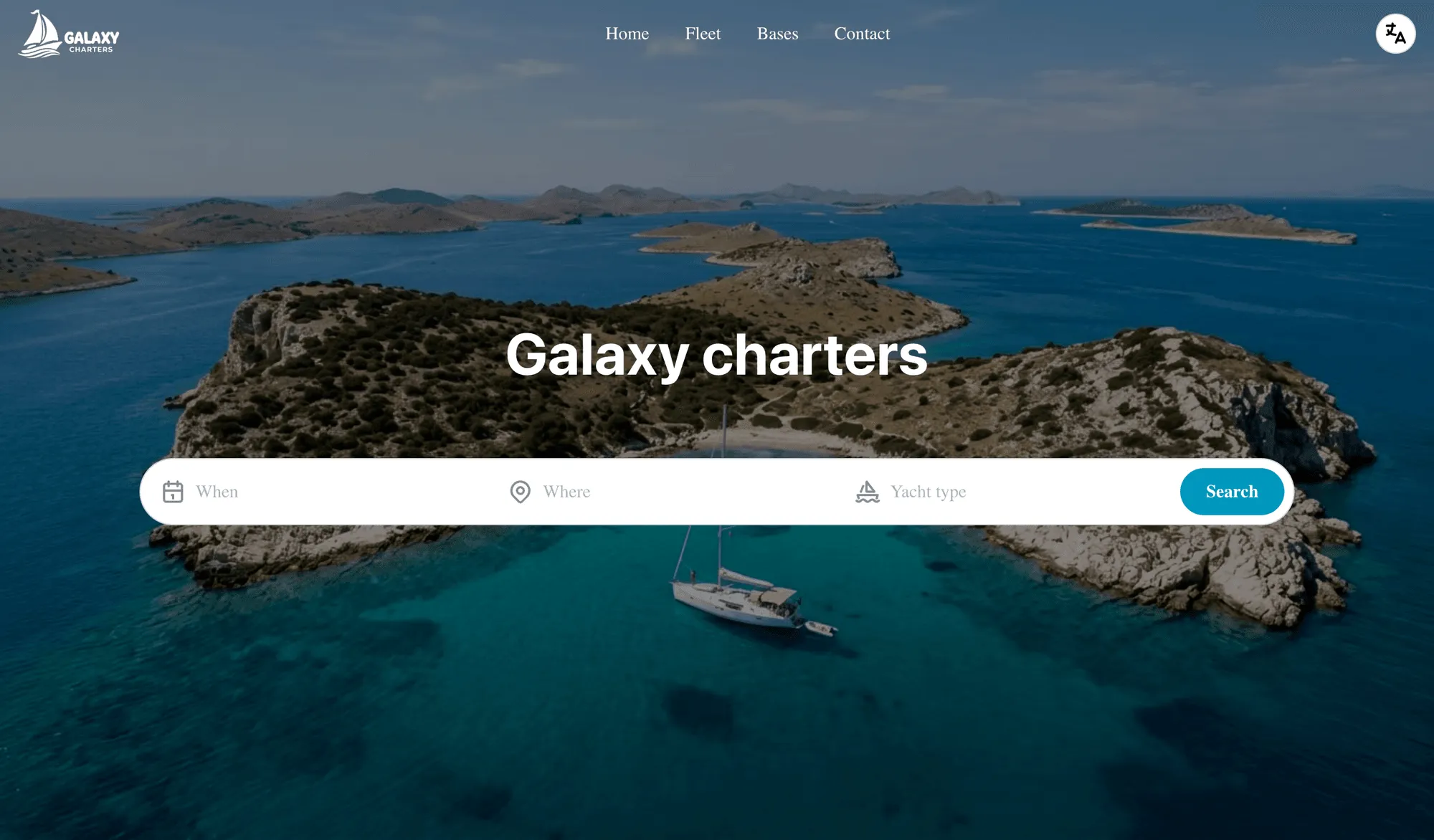
Section titled “Marketing Websites - now available for all fleet operators”We see it all the time: charter companies with great fleets and great service, but a website that doesn’t reflect that. Pages that are outdated, hard to navigate on mobile, or just not set up to turn visitors into leads. So we built something for exactly that.
Floatist marketing websites are now available for every fleet operator, built specifically for charter operations and included in your subscription at no extra cost. Getting set up takes hours, not weeks, and once it’s live you can manage content yourself without touching a line of code or calling a developer.
Under the hood, every site is built on a foundation optimised for both traditional search engines and AI-powered discovery, so when guests search for charter options, your fleet shows up. Pages load fast, structure is clean, and everything is tuned to turn visitors into enquiries rather than just impressions. For operators ready to take online bookings, integrated payments are available directly through the website, letting guests pay deposits and instalments automatically, with no manual follow-up required.
Updated Guest app
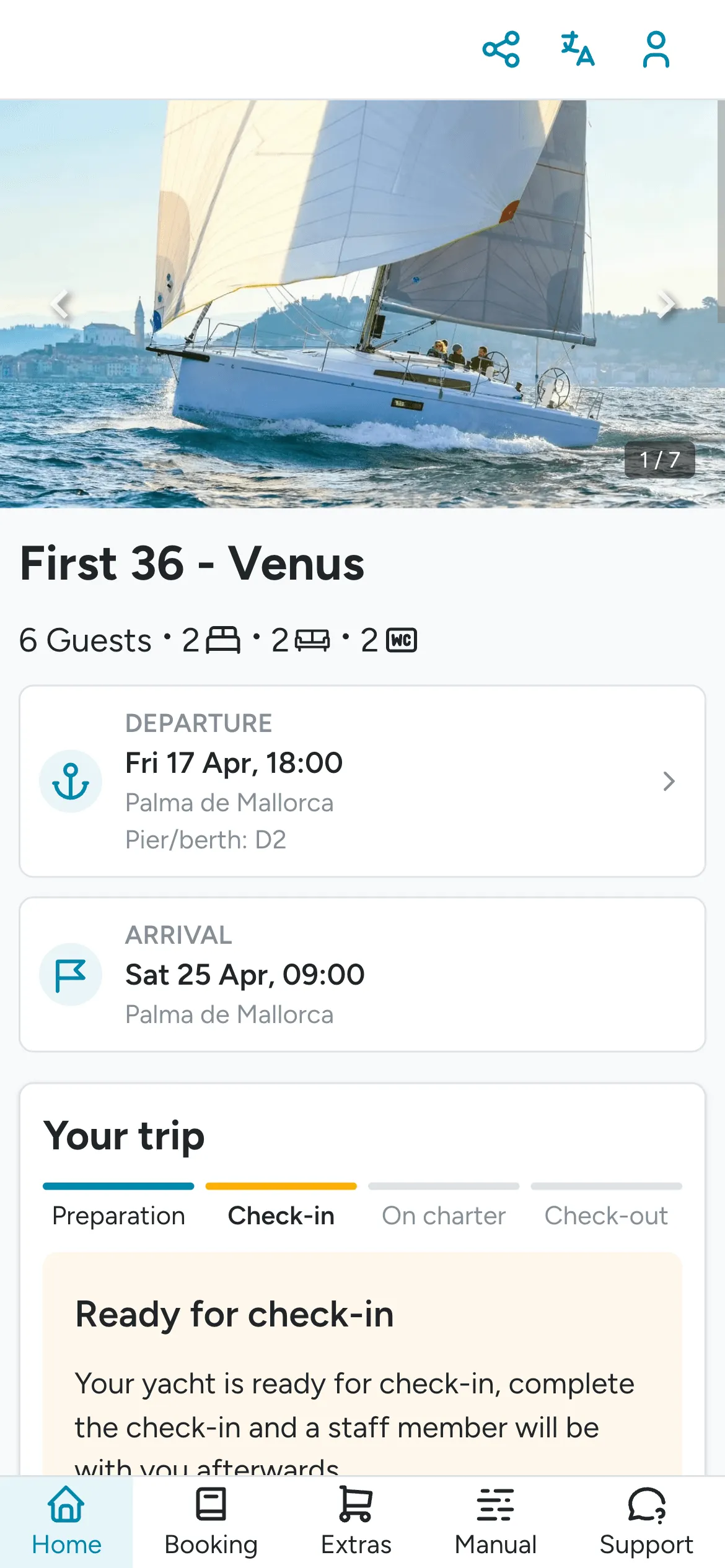
Section titled “Updated Guest app”The guest application has been redesigned with a cleaner, more modern look and a simpler structure that’s easier to navigate on any device. All important actions (things guests do most often during a charter) are now accessible directly from the home page, so there’s no digging through menus to find what they need. Extras have also been moved to their own dedicated page, making it easier for guests to browse, compare, and order add-ons before or during their trip.
Configurable push notifications for tasks
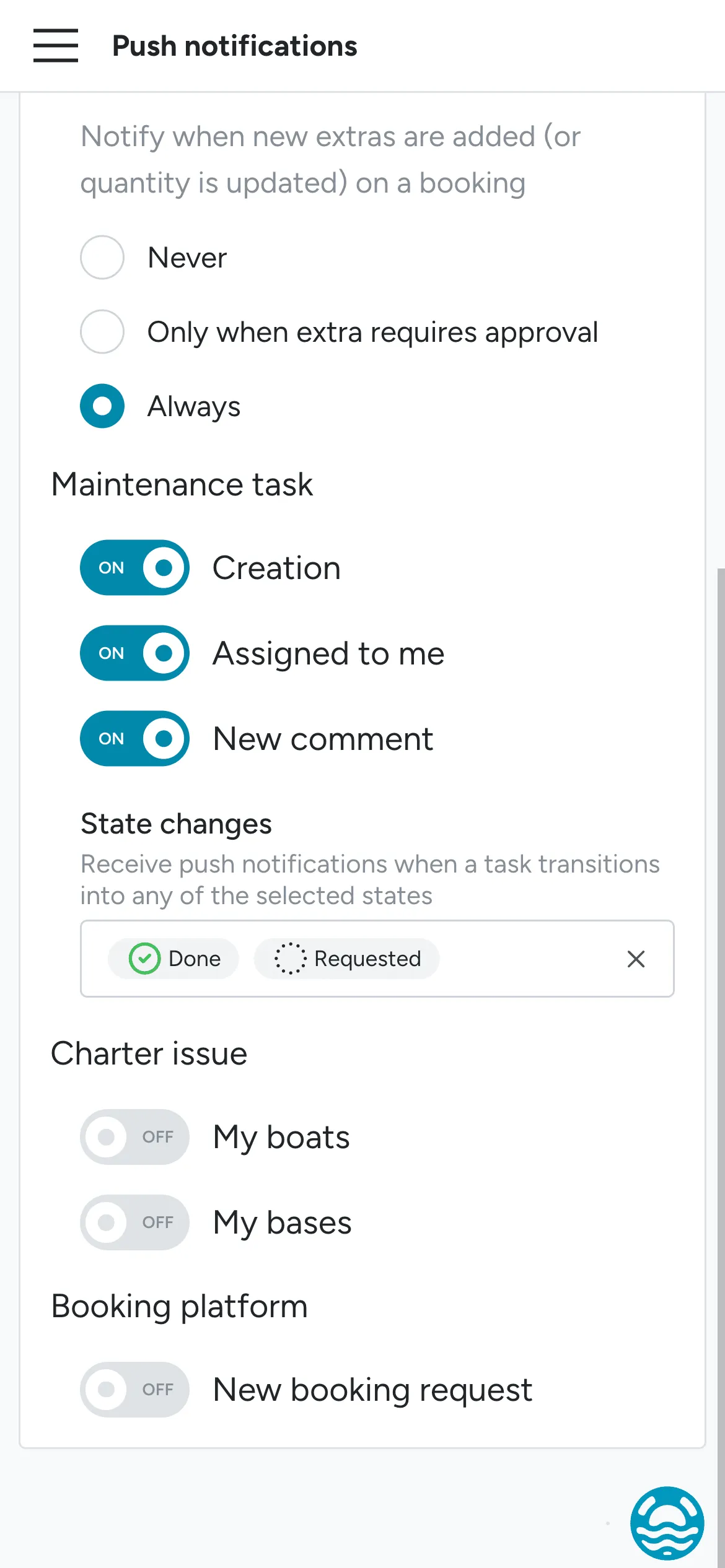
Section titled “Configurable push notifications for tasks”You can now configure for which task state changes you want to receive push notifications. You can configure it in Settings > Push notifications.
Norwegian language and NOK currency support
Section titled “Norwegian language and NOK currency support”Floatist now supports Norwegian as a display language, along with Norwegian Krone (NOK) as an available currency option. If you have Norwegian-speaking clients or operate in the Norwegian market, you can now set this up in your account settings to give your guests a fully localised experience.
Booking list export: Client app magic link
Section titled “Booking list export: Client app magic link”The guest app link (the personal link your clients use to access their booking) can now be included as a column in your booking list exports, both CSV and PDF. This is useful if you share booking summaries with your team, an agent with multiple bookings, or use the export for client communication workflows.
CSV export for crew list
Section titled “CSV export for crew list”You can now export your crew list as a CSV file, consistent with how other tables in Floatist work. This makes it easier to share crew information externally or process it in tools like Excel or Google Sheets.
Checklist PDFs: External booking code
Section titled “Checklist PDFs: External booking code”If a booking has an associated external reference code from MMK or NauSYS, that code is now included in the checklist PDF. This makes it straightforward to link your Floatist checklists to contracts and booking records from your booking platform.
Rhodes crew list template
Section titled “Rhodes crew list template”For customers operating in Rhodes, the standard crew list template now includes the comments field and the skipper phone number, in line with the local authority requirements for that region.
March 13
Section titled “March 13”Optional expiry date for boat documents
Section titled “Optional expiry date for boat documents”The expiry date field on boat documents is now optional. Previously, every document required an expiry date, which didn’t make sense for documents that don’t expire (such as registration certificates or hull identification records). You can still set an expiry date when relevant, and the dashboard will continue to alert you when documents are expiring soon.
Mobile web app improvements
Section titled “Mobile web app improvements”We’ve improved the mobile web app experience with larger touch targets and increased sizes throughout the interface, making it easier to use on smaller screens. Buttons, icons, and interactive elements are now more comfortable to tap, reducing mis-taps and improving overall usability.
Push notifications for extras
Section titled “Push notifications for extras”Base managers now receive push notifications when an extra is added to a booking. This allows managers to stay on top of incoming extra requests in real time, without needing to manually check each booking.
To configure this, go to Settings > Push notifications and enable the Extras notification. For more details, see Push notifications.
Printable checklists
Section titled “Printable checklists”Checklists can now be printed directly from the app. This is useful for situations where staff members need a paper version of the checklist, for example, when working in areas with poor connectivity or when handing off tasks to crew who don’t use the app.
Download submitted checklists in any language
Section titled “Download submitted checklists in any language”You can now download submitted checklists in any of the supported languages. When downloading a checklist PDF, select the language you want, and the checklist will be generated with all items translated accordingly.
New page: Checklist submissions across tasks
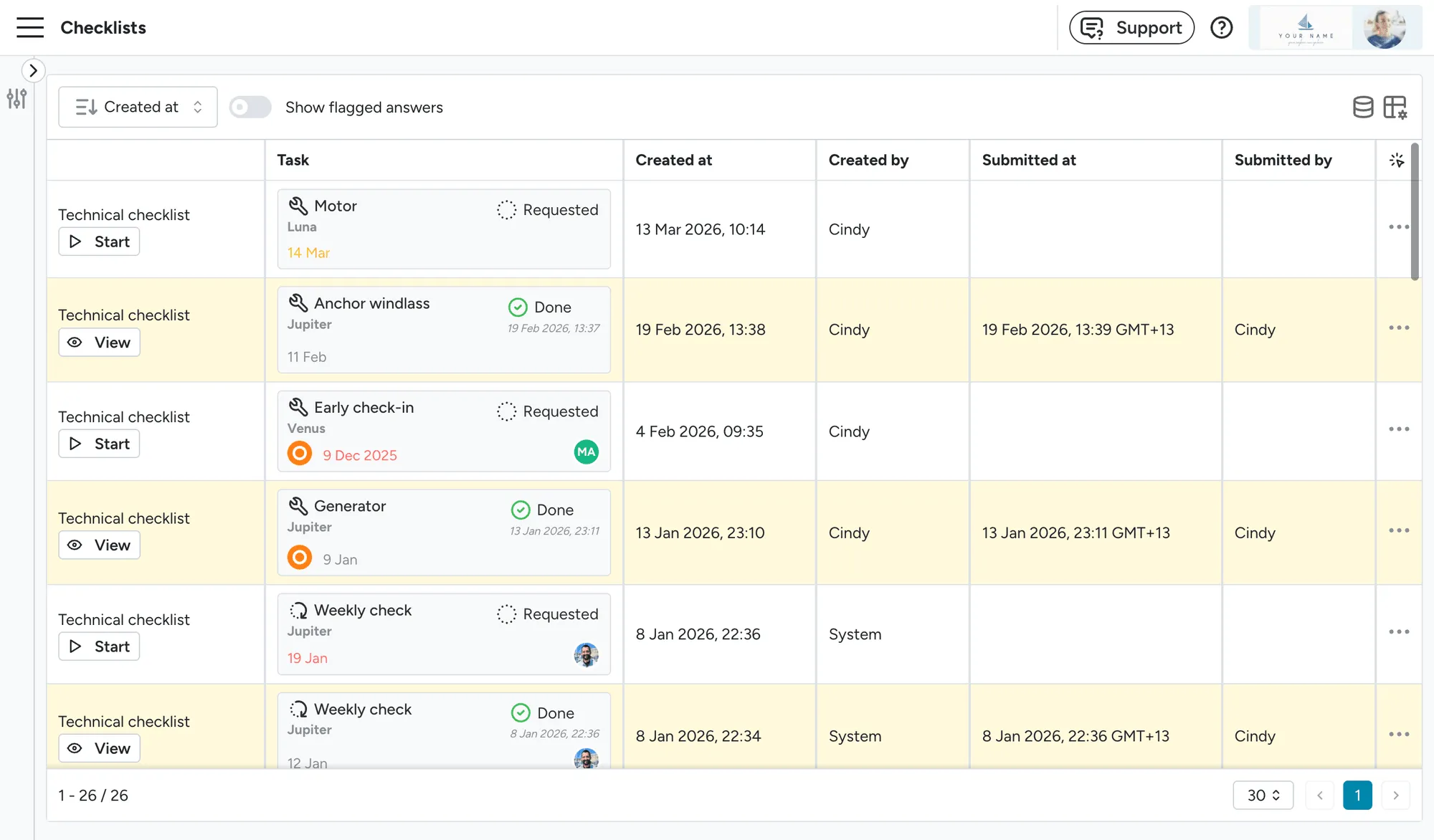
Section titled “New page: Checklist submissions across tasks”There is a new page that shows all checklist submissions across tasks in one place. This makes it easy to review completed checklists and spot any flagged items without having to open each task individually. You can find it at Task management > Checklists.
New page: Task comments
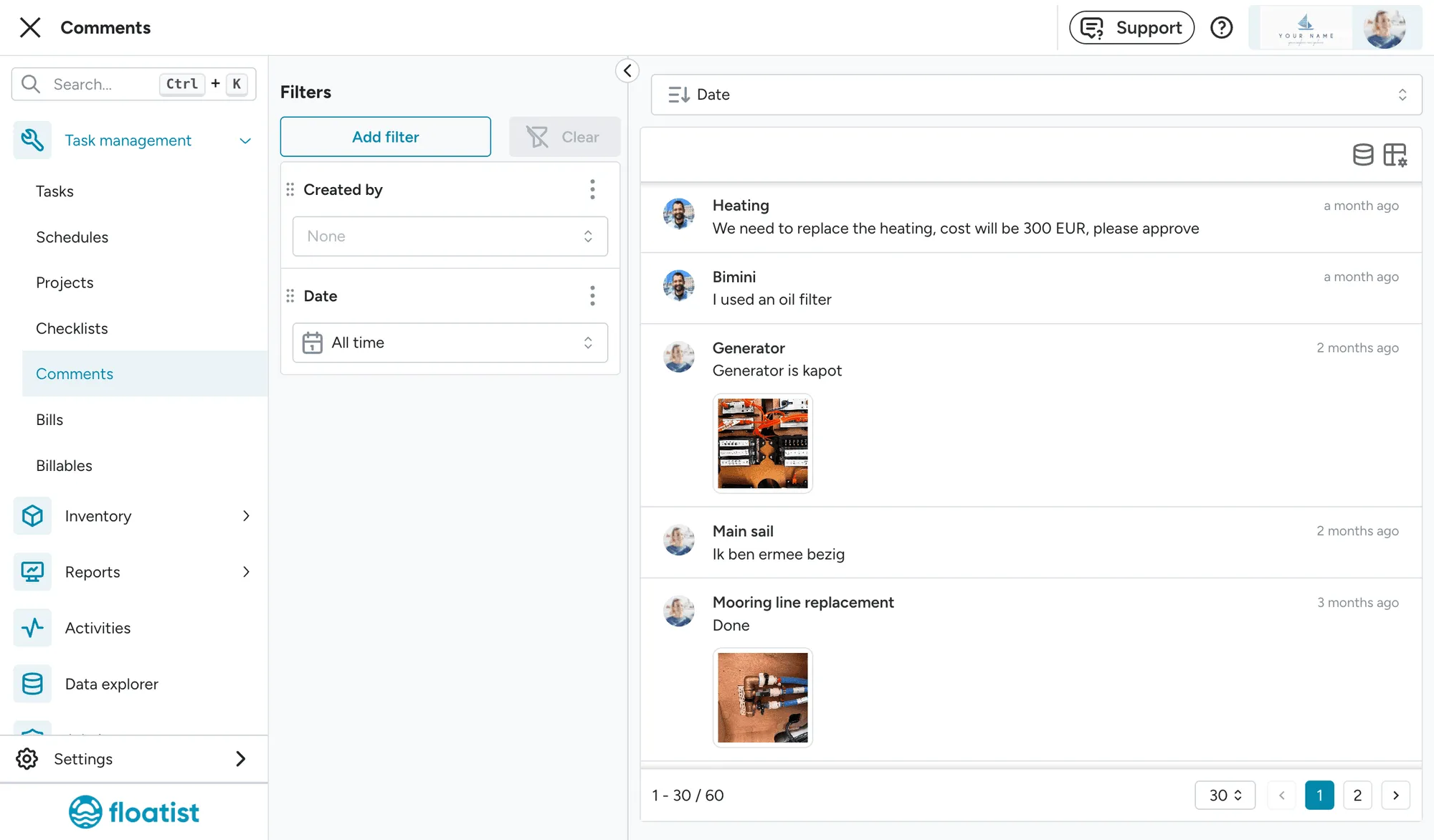
Section titled “New page: Task comments”A new dedicated page for task comments is now available, giving you a centralized view of all comments across your tasks. A small preview of recent task comments is also visible on the dashboard, so you can quickly see the latest updates without navigating away. You can find it at Task management > Comments.
Checklist item locations on boat plans
Section titled “Checklist item locations on boat plans”You can now assign locations to individual checklist items on the boat’s deck plan. This helps staff and guests locate items more easily during checks by showing exactly where each item is on the boat. To use this feature, your fleet needs to have deck plans set up. Contact support if you need plans added for your fleet.